

A platform dedicated to providing unbiased reviews of newly launched applications, analyzing everything from their features to their full potential.
info@scoutforge.net© 2026 Scoutforge. All rights reserved.
A platform dedicated to providing unbiased reviews of newly launched applications, analyzing everything from their features to their full potential.
info@scoutforge.net© 2026 Scoutforge. All rights reserved.
A platform dedicated to providing unbiased reviews of newly launched applications, analyzing everything from their features to their full potential.
info@scoutforge.net© 2026 Scoutforge. All rights reserved.
Cycling through all six. Tap any point to stop.
Measured on six things
Free open-source offline password manager with AES-256 en...
Very new (v2.9.6 released May 2026), only 11 GitHub stars, limited to Windows/Linux desktop with no browser extensions, sync, or mobile apps. Strong for offline purists but growth hampered by single-file model and lack of ecosystem.
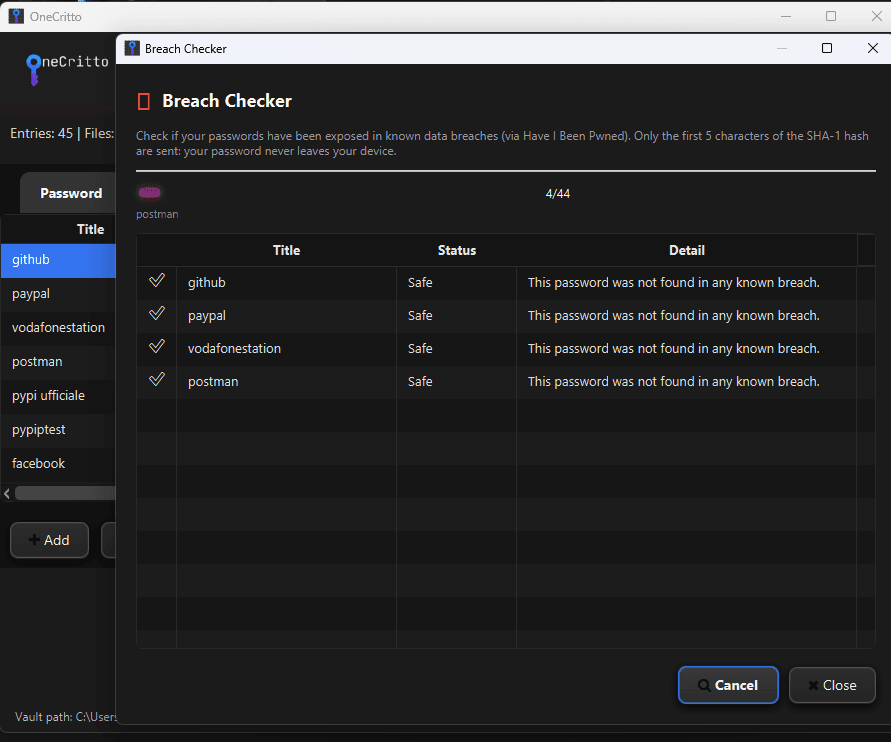
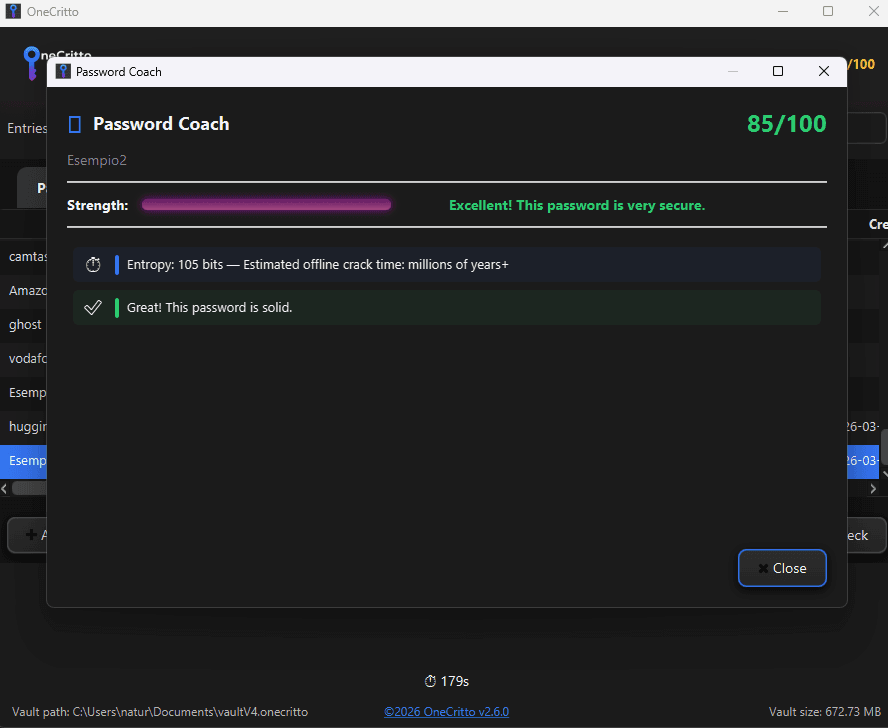
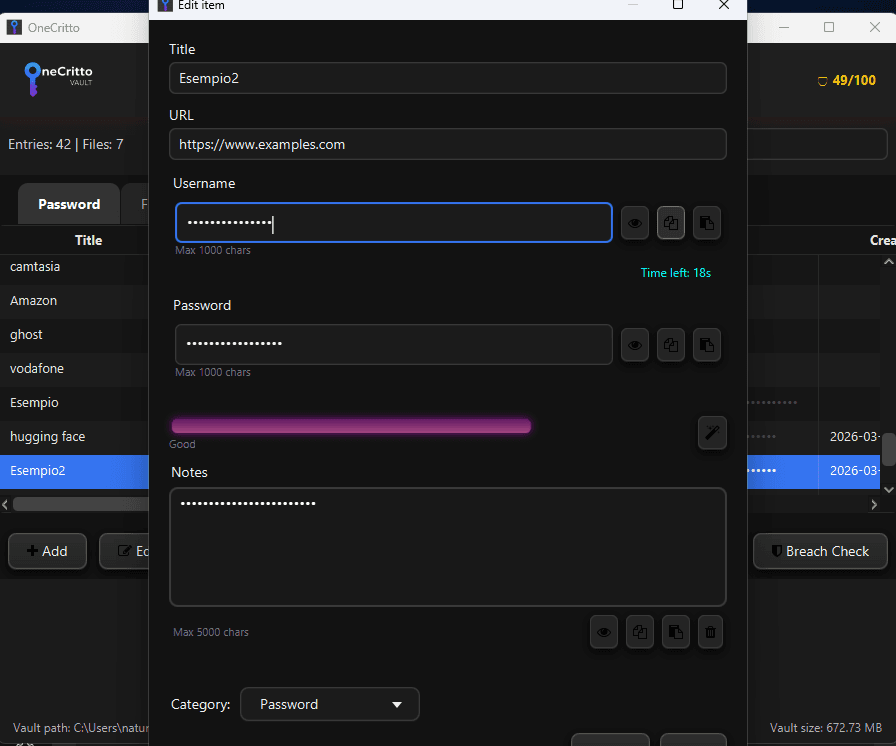
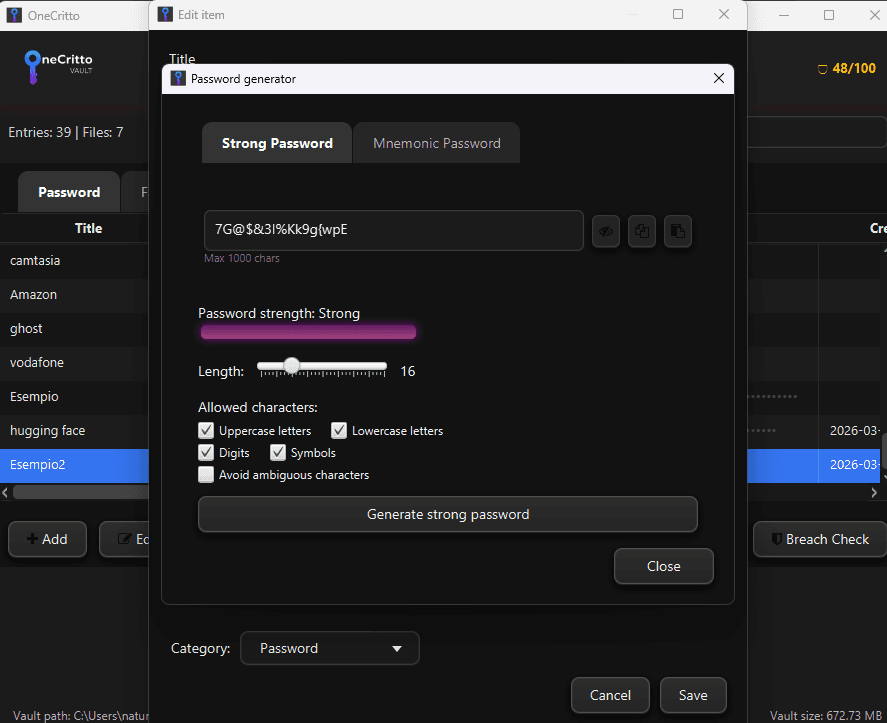
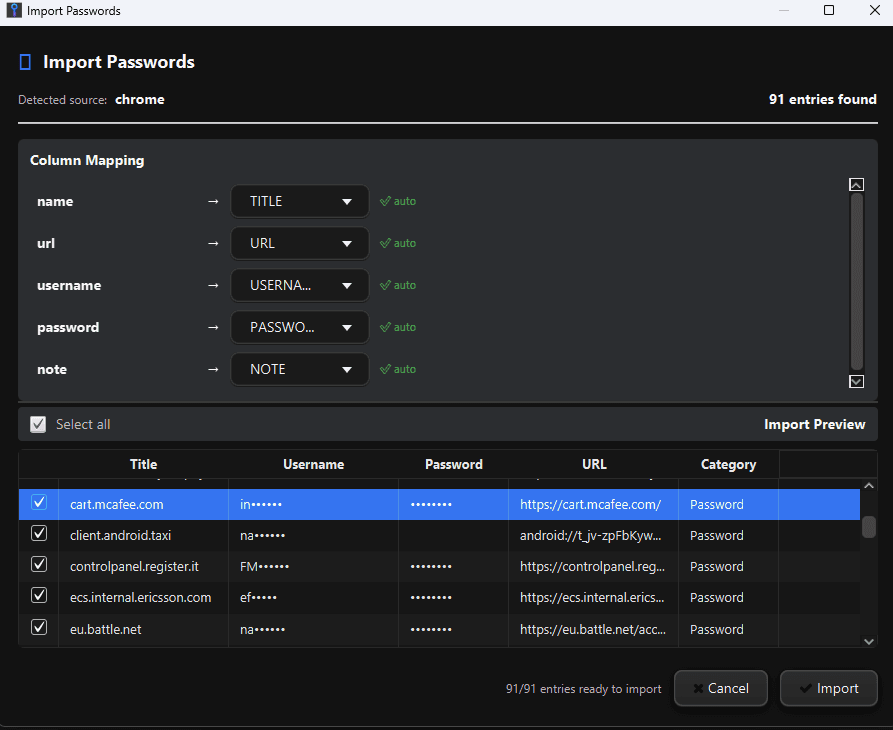
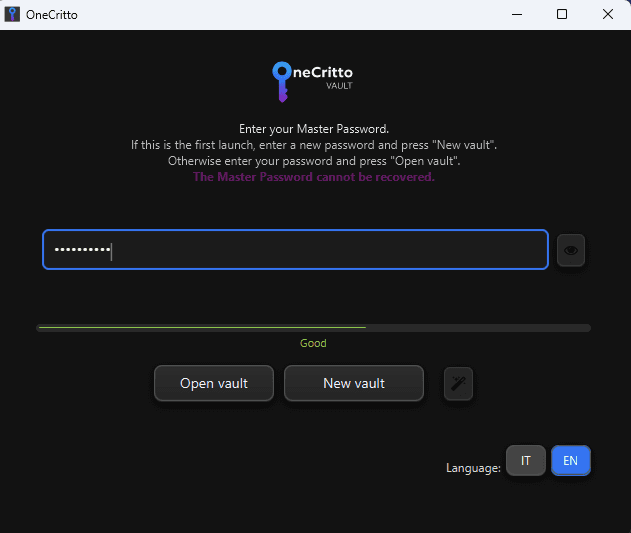
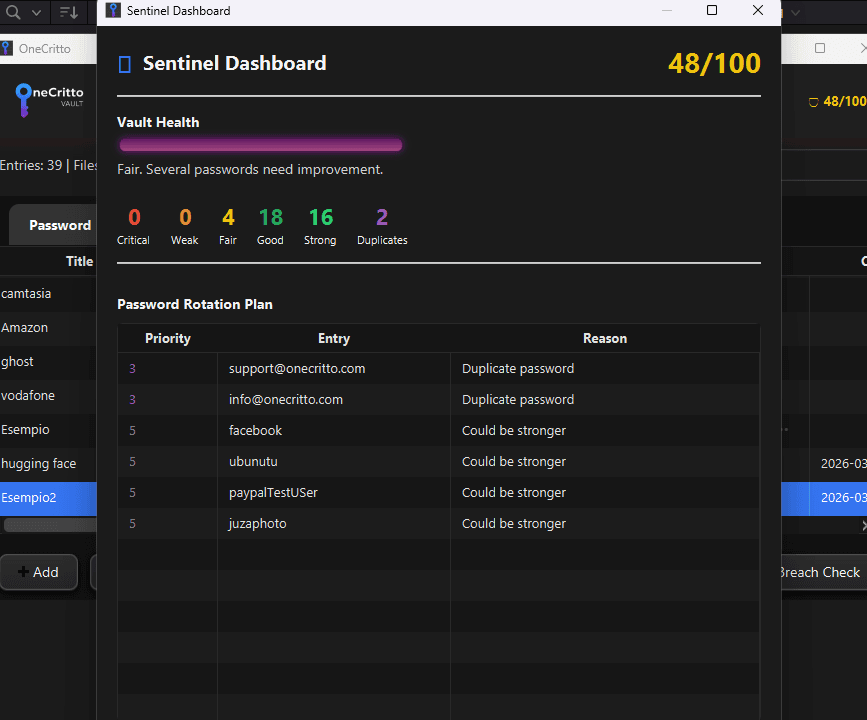
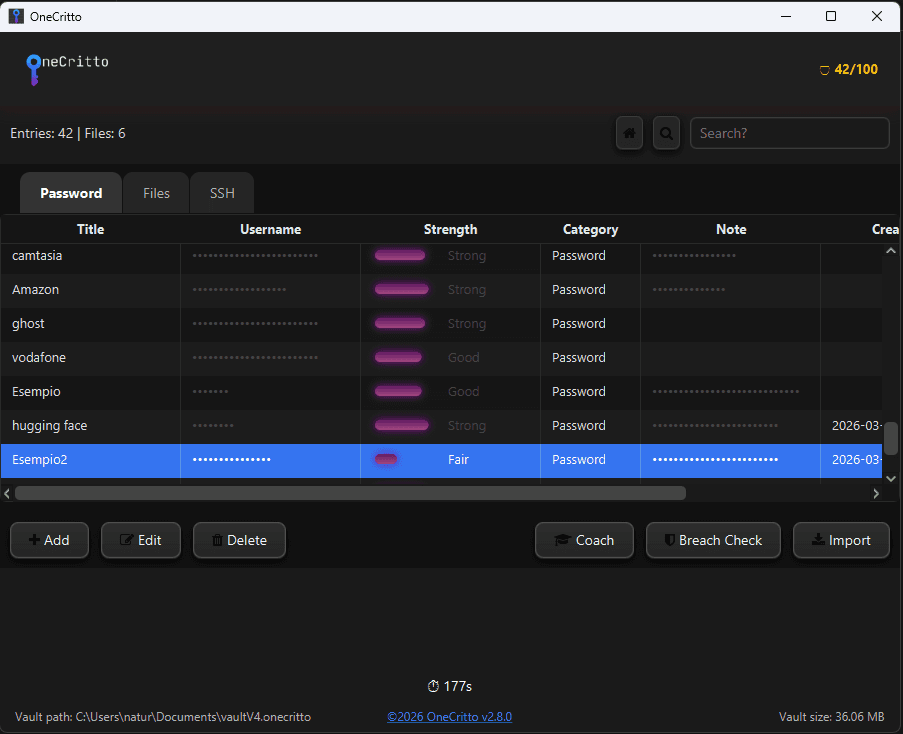
If you're tired of subscription-based password managers that keep your data in the cloud and require constant internet access, OneCritto is a breath of fresh air. This free, open-source application runs entirely offline on Windows and Linux, protecting your passwords, files, and private notes with AES-256-GCM encryption and Argon2id key derivation. Everything stays on your device in a single portable .onecritto vault file that you can copy and back up anywhere. What really stands out is Sentinel, its built-in security engine that scores each password from 0 to 100, flags weak or duplicated credentials, and gives you actionable tips. It also checks passwords against Have I Been Pwned without ever sending your data using k-anonymity. The encrypted file storage lets you safely keep IDs, certificates, and private keys—each file is stream-encrypted and never fully loaded into RAM. There's even an SSH connection manager and CSV import from ten popular password managers. And for privacy nu...
Drawn from the product itself, not from a survey.
Demographic
Privacy-conscious individuals who distrust cloud services
Pain points
Anxiety about data breaches, cloud surveillance, and losing control over sensitive info
Primary needs
Total offline control, no account required, auditable open-source code
Demographic
IT professionals and developers managing multiple credentials and SSH keys
Pain points
Frustration with manual key management, insecure storage, and lack of terminal integration
Primary needs
SSH connection manager, encrypted key storage, secure cleanup after sessions
Demographic
Small business owners or freelancers handling sensitive client documents
Pain points
Need to securely store contracts, IDs, and certificates without monthly fees or cloud exposure
Primary needs
Encrypted file vault, offline access, one-click secure wipe, portable backups
Written by AI from measured evidence, scored out of 100.
OneCritto is a compelling free, open-source offline password manager that excels for privacy-conscious users who want complete control without cloud dependencies. Its combination of strong AES-256-GCM/Argon2id security, innovative Sentinel scoring engine, encrypted file storage, and SSH manager sets it apart from basic alternatives. The portable single-file approach is both a strength (easy backups) and limitation (no seamless multi-device sync). It's fast, thoughtful in its security defaults, and genuinely useful for its target audience of IT professionals, developers, and cautious small business owners. While the JavaFX UI is competent rather than exceptional and the project is early-stage with limited community traction, it delivers real value without the subscription fatigue of Bitwarden or 1Password. Highly recommended if you prioritize offline sovereignty over convenience features.
Intuitive for privacy-focused users: one portable vault file, smart CSV import from 10 managers, one-click SSH launch with secure wipe, Sentinel scoring with tips, and auto-lock/clipboard clear. Portable with bundled JRE; no account needed.
Dark-themed JavaFX 21 interface is clean, modern, and functional with instant search, real-time strength meter, and organized layout for passwords, files, notes, and SSH. Solid for a desktop tool but lacks the polish and fluidity of native Electron or Qt apps.
Fully local with Argon2id (64MB/3 iterations), instant search/filtering, real-time password feedback, streaming encryption that never loads full files into RAM, progress bars with ETA, and auto-save. Excellent offline performance on modern hardware.
AES-256-GCM with unique IV/salt per record, Argon2id KDF, HMAC-SHA256 integrity, Sentinel password scoring (0-100), k-anonymity HIBP checks, secure file streaming, SSH key wipe on exit, secure temp cleanup with overwrite, auto-clear clipboard after 20s. Fully offline, auditable open-source (GitHub).
Dark theme helps contrast; keyboard navigation and screen reader support likely basic via JavaFX. Focused on desktop power users; no explicit WCAG claims, mobile support absent, limited platform reach (Windows/Linux only).
Very new (v2.9.6 released May 2026), only 11 GitHub stars, limited to Windows/Linux desktop with no browser extensions, sync, or mobile apps. Strong for offline purists but growth hampered by single-file model and lack of ecosystem.
OneCritto delivers a focused, no-nonsense desktop experience built on modern JavaFX 21 with a clean dark theme. The single portable .onecritto vault elegantly combines password management, encrypted file storage (streaming AES-256-GCM, never fully in RAM), private notes, and a practical SSH connection manager that launches sessions and wipes keys securely. Sentinel's password scoring (0-100), duplicate/weak flagging, prioritized rotation plans, and per-entry tips add real value beyond basic storage. CSV import from 10 popular managers works smoothly with smart mapping, while export is straightforward (with plain-text warnings). Usability shines for the target privacy-conscious user who wants total offline control—no accounts, no telemetry, no subscriptions. Auto-lock after 3 minutes, 20-second clipboard clear, and secure temp file overwrite show thoughtful defaults. It's not as beginner-friendly or visually refined as mainstream options, but for IT pros and offline advocates, the workflow feels efficient and trustworthy.
Performance is a highlight: everything runs locally with instant search, real-time strength metering, and efficient Argon2id key derivation. File operations use streaming encryption with progress indicators and ETA, avoiding RAM bloat even with larger attachments. Security is industry-leading for an offline tool—AES-256-GCM authenticated encryption, unique salts/IVs, HMAC-SHA256, and k-anonymity HIBP checks that never expose your passwords. The Sentinel engine goes beyond basic audits by offering actionable, severity-sorted advice. SSH key handling with secure cleanup is excellent for developers. Open-source code on GitHub allows auditing, though the project is young. Compared to alternatives, it beats cloud solutions on pure offline privacy while matching or exceeding KeePass in modern features like built-in breach checking and file vaulting. The main trade-off is the lack of independent security audits so far.
Accessibility is adequate for a desktop JavaFX app but not a priority—dark theme improves readability, but there's no mention of comprehensive screen reader support, high-contrast modes, or keyboard-first design beyond basics. The tool targets technical users comfortable with local file management rather than broad audiences. Growth potential is currently limited: released recently with a small community (low GitHub engagement), Windows/Linux only, and a strict offline single-file model that doesn't scale easily to teams or multi-device use. No browser integration or mobile apps hurts adoption. However, the zero-cost, zero-cloud approach appeals strongly to privacy maximalists, small businesses avoiding subscriptions, and developers managing SSH keys. With more features, community building, and perhaps future Linux polish or export improvements, it could carve a solid niche alongside veterans like KeePass.
Conclusion
If you're done with cloud password managers spying on or charging you forever, OneCritto is worth a serious look. Download the latest v2.9.6, create your vault, and enjoy the peace of mind that comes with knowing your data never leaves your device. Just remember to back up that .onecritto file religiously.
Named competitors, point by point. Nobody paid to appear here or to be left out.
 OneCritto OneCritto |  KeePass KeePass |  Bitwarden Bitwarden |  1Password 1Password | |
|---|---|---|---|---|
| Offline Operation & Cloud Dependency | Fully offline, no cloud, no account, single portable encrypted file | Fully offline, local database files, no cloud by default | Primarily cloud-based with optional self-host, requires account for sync | Cloud-first with subscription sync, no fully offline portable mode |
| Encrypted File Storage | Yes, streaming AES-256-GCM, never fully loads files into RAM, secure wipe | No native encrypted file attachments with streaming | Limited file attachments in paid tiers, cloud stored | Yes, document storage in cloud vault with subscription |
| SSH Key & Connection Manager | Yes, built-in with encrypted storage, one-click launch, secure wipe | No dedicated SSH manager | No native SSH connection manager | Limited SSH key storage, no integrated launcher |
| Password Strength & Breach Analysis | Advanced Sentinel: 0-100 score, tips, rotation plan, k-anonymity HIBP (no data sent) | Basic password strength meter, plugins for HIBP possible | Strong breach reports and password hygiene tools (cloud-dependent) | Watchtower feature for breaches and weak passwords (subscription) |
| Pricing Model | Completely free, open-source, no subscriptions or premium tiers | Free and open-source | Free core, premium subscription for advanced features | Paid subscription only, no free tier for full features |
KeePass
Also open-source and offline, but lacks encrypted file storage and SSH manager. OneCritto has a more modern interface and built-in credential scoring.
Bitwarden
Cloud-based with premium subscription. OneCritto is fully offline and free, no sync or account needed. Bitwarden has better browser integration though.
1Password
Paid subscription with cloud sync. OneCritto is free and runs completely offline, suiting those who refuse cloud storage for passwords.
Comparing options? See OneCritto alternatives, scored side by side
What the review was written against. A verdict with no sources is an opinion.

Sidenty is a professional digital identity protection ser...

A native macOS process explorer and advanced monitor that...

Real-device browser automation for AI agents

Password manager with no email, no account, no tracking. ...

Native macOS SSH, SFTP & RDP client with a Keychain-backe...

Simple, affordable compliance certification for ISO 27001...

Reveal No Caller ID, unknown numbers, and private callers...

A zero-config AI-powered vulnerability scanner automating...

A security solution that integrates VPN access with identity platforms to reduce network vulnerabilities and protect against zero-day exploits.

CyberSafe Pro is a completely offline password manager that stores your credentials securely on your device using military-grade encryption.

Advanced parental control software for Windows & Android

An encrypted digital legacy service that securely deliver...
A platform dedicated to providing unbiased reviews of newly launched applications, analyzing everything from their features to their full potential.
info@scoutforge.net© 2026 Scoutforge. All rights reserved.
