Cycling through all six. Tap any point to stop.
Measured on six things
Animate your logo with browser motion styles and cinematic AI reveals.
Speed
44Lighthouse mobile 45/100 with a 10.3s LCP and 5.0s TBT; desktop 63/100. The heavy hero demo and dense tool panel make the first mobile paint feel like waiting for a render.
Screenshots
1 / 1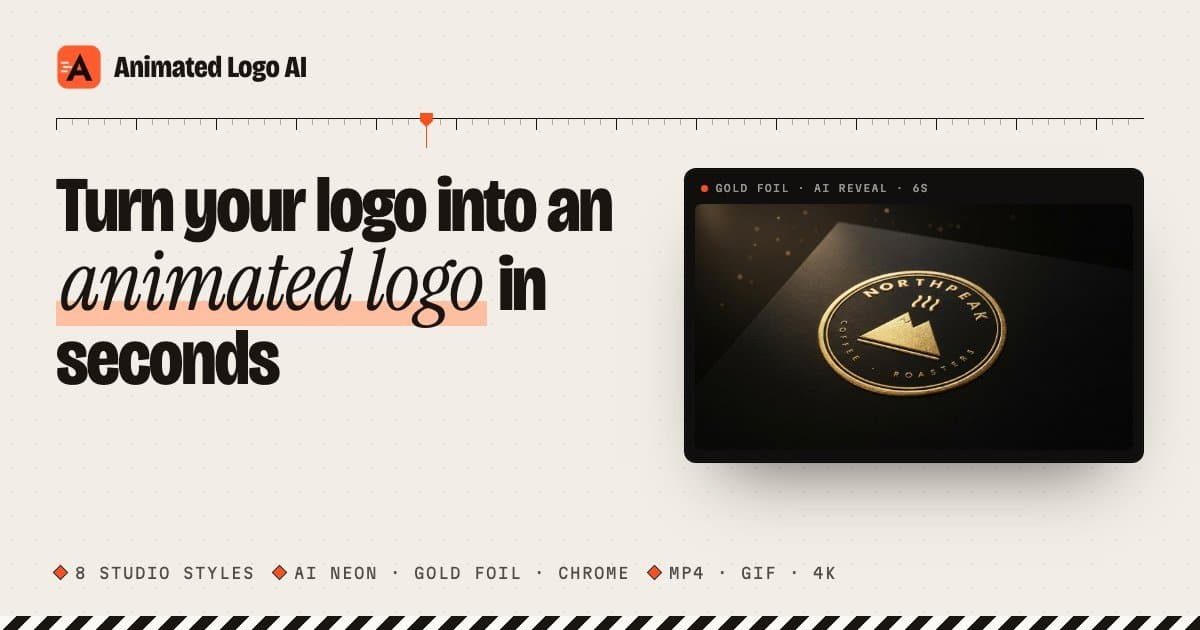
About this app
Animated Logo AI helps creators and small businesses turn an existing logo into a short animation for a video intro, outro, or social clip. Start by uploading a PNG, SVG, or JPG. The browser studio previews eight motion styles using that image, so you can compare a light sweep, a 3D spin, or a neon reveal before choosing an export. In the studio, you can set the aspect ratio for the channel where the clip will appear. A 16:9 export fits a standard YouTube intro, while 9:16 suits vertical video. Square and 4:5 formats are available for social feeds. The animations include sound design. The free option lets anyone preview the studio styles and download a 720p MP4 with a small watermark without creating an account. Higher-resolution MP4 exports, GIF, and transparent WebM use credits. A separate AI reveal option renders the uploaded logo in a cinematic style such as neon, gold foil, or liquid chrome. One-time credit packs start at $9.99.
Key features
- 1Eight browser-rendered motion styles (Light Sweep, 3D Spin, Line Draw, Particle Assemble, Neon Sign, Glitch, Beat Pulse, Match Cut) previewed on your own uploaded logo.
- 2AI cinematic reveals (neon, gold foil, liquid chrome) that check the final frame against your exact file, with sound design and automatic credit refund on failure.
- 3Free 720p watermarked MP4 with no account; one-time credit packs from $9.99 for 1080p/4K, GIF and transparent WebM exports that never expire.
Target customer profile
Drawn from the product itself, not from a survey.
Demographic
Independent creators and small businesses
Pain points
Need a short animation from a logo they already have.
Primary needs
Preview motion in the browser and export a clip for intros or social video.
Scout Review
Written by AI from measured evidence, scored out of 100.
Animated Logo AI is a focused, well-branded tool with a real product behind the landing page. The studio previews eight motion styles on your own uploaded logo in the browser, adds sound design, and exports MP4, GIF or transparent video across 16:9, 9:16, 1:1 and 4:5 — with a free 720p watermarked download and no account required. AI cinematic reveals (neon, gold foil, liquid chrome) cost 10 credits and are refunded automatically if they fail; HD exports cost 2. Credit packs are one-time at $9.99, $19.99 and $49.99 and never expire, which is a refreshing change from subscription-everything. The execution gaps are real but fixable: a 10.3s mobile LCP, thin security headers, low-contrast micro-labels and undersized touch targets. None of them are structural. This is a competent indie product that knows exactly what it is.
Measure by measure
Usability
68Clear dual CTA, free no-signup preview, and an explicit free-vs-credits toggle make the first step obvious. Dense tool-panel controls in very small type slow scanning; docs beyond the FAQ are thin.
Design
71Distinctive editorial type pairing and a tight single-accent palette, with real studio UI in the hero. Held back by tiny low-contrast micro-labels, a dead left column and repetitive card grids.
Speed
44Lighthouse mobile 45/100 with a 10.3s LCP and 5.0s TBT; desktop 63/100. The heavy hero demo and dense tool panel make the first mobile paint feel like waiting for a render.
Security
52HTTPS enforced with HSTS and SPF/DMARC, but CSP, frame protection, X-Content-Type-Options, Referrer-Policy and Permissions-Policy are all absent (6/12 header checks). No audit or compliance claims found.
Accessibility
70Lighthouse a11y 93/100, but three real fails: low-contrast text, undersized touch targets, and unlabeled table cells. No WCAG statement or multi-language support found.
Growth
58Real problem, specific customer, and a genuine wedge: eight browser-rendered styles plus AI reveals that end on your exact logo, sold as one-time credits. Category is crowded, so headroom is real but contested.
Improvement areas
- Mobile performance: 10.3s LCP and 5.0s TBT drag the Lighthouse score to 45/100 — lazy-load the hero demo and defer studio JS.
- Security headers: CSP, frame protection, X-Content-Type-Options, Referrer-Policy and Permissions-Policy are all missing (6/12 checks).
- Accessibility: low-contrast micro-labels, undersized touch targets and unlabeled table cells fail three Lighthouse audits despite a 93 score.
Design & Usability
The homepage has an actual point of view: condensed grotesk headlines against an italic serif accent, one orange-red accent on warm neutral, and a ruler motif that recurs as a brand device. More importantly, the hero shows the real studio — upload dropzone, style thumbnails, format and background controls — instead of abstract art, which is the right call for a tool. Usability follows through: a primary 'Upload your logo' button beside a 'Try the demo logo' ghost, a 'Preview free, no sign-up' promise, and a Motion styles (free, instant) vs AI cinematic (10 credits, ~3 min) toggle that states cost and time before you commit. The drags are execution-level: micro-labels and eyebrow text are tiny and low-contrast, the tool panel packs format, background, accent, tagline and length into type that strains scanning, and below the hero an empty left column leaves a visible void beside the panel. Card grids in the styles and use-case sections are generic and repetitive, with color stripes that map to no clear meaning. Fix the type scale and the layout void and this jumps a tier.
Speed & Security
Speed is the weak spot. Lighthouse mobile performance lands at 45/100 with an LCP of 10.3s and TBT of 5.0s; desktop is 63/100. CLS is a clean 0 and FCP is 1.1s, so the page structure is stable — it is the heavy hero demo and dense tool panel that keep the main content from painting. For a product whose entire promise is 'in seconds', a ten-second mobile LCP is an awkward first impression. Security is mid-pack: HTTPS is enforced with HSTS, and SPF and DMARC are present, but the header probe scored 6/12 — CSP, frame protection, X-Content-Type-Options, Referrer-Policy and Permissions-Policy are all missing. No SOC 2, ISO, pen-test or bug-bounty claim appears on the site, and privacy-policy depth was not verified. For an indie tool handling uploaded brand assets, that is normal for the stage but leaves easy hardening on the table.
Accessibility & Growth
Accessibility scores 93/100 on the automated Lighthouse audit, which is genuinely strong, but the three failing audits are the ones users feel: insufficient color contrast (matching the tiny gray micro-labels the visual audit flagged), touch targets too small or tightly spaced, and <td> elements in a large table without headers. No WCAG statement or multi-language support was found. On growth, the idea holds up better than most in this catalogue. The customer is specific — creators and small businesses who already have a logo and need a short intro, outro or social clip — and the wedge is concrete: eight styles rendered in the browser so the preview equals the download, AI cinematic reveals that check the final frame against your exact file, sound design included, and one-time credit packs from $9.99 instead of a subscription. The category is crowded with AI video generators that could bolt on logo animation, so the moat is thin, but the no-subscription, exact-logo positioning is a real reason to pick it.
Conclusion
If you already have a logo and need a five-second intro without signing up for another subscription, the free preview costs you nothing but a page load — and the page load is the part that will test your patience. The studio styles are the value here: instant, browser-rendered, and honest about what you will download. The AI cinematic tier is the upsell, priced clearly and refunded on failure, which is the right way to sell a generative feature. Fix the mobile LCP, add the missing security headers, bump the micro-label contrast and touch targets, and this moves from 'solid indie tool' to 'obvious pick'. Until then it is a good product wearing a slow coat.
Suggestions for improvement
- Cut mobile LCP from 10.3s: lazy-load the hero demo video and defer non-critical studio JS until interaction.
- Add CSP, X-Content-Type-Options, Referrer-Policy, Permissions-Policy and frame protection — cheap header wins.
- Raise micro-label and eyebrow text contrast and size; fix the three failing Lighthouse a11y audits.
- Fill the empty left column under the hero demo and give the card-grid color stripes a real meaning or drop them.
Alternatives comparison
Named competitors, point by point. Nobody paid to appear here or to be left out.
 Animated Logo AI |  | |
|---|---|---|
| Free tier without an account | Yes — preview all eight styles and download a 720p watermarked MP4, no signup | Not specified in provided details |
| Pricing model | One-time credit packs: $9.99 / $19.99 / $49.99, credits never expire, no subscription | Not specified in provided details |
| Motion style variety | Eight studio styles plus AI cinematic presets (neon, gold foil, liquid chrome) | Not specified in provided details |
| Export formats and aspect ratios | MP4 (720p free / 1080p / 4K), GIF, transparent WebM; 16:9, 9:16, 1:1, 4:5 | Not specified in provided details |
| Sound design included | Yes — each style has timed sound design (swoosh, impact, shimmer) | Not specified in provided details |
Comparing options? See Animated Logo AI alternatives, scored side by side
More Design & Creativity apps
View all Design & Creativity
RoomCreator
92An AI-powered interior and exterior design tool that tran...

QRBliss
91Branded QR codes with AI Brand Sync, 15 free dynamic code...

ThumbnailMaker
90AI YouTube thumbnail maker: paste a video link, get the brief, the thumbnail, and a check at feed size.

Flag Maker
89Free browser flag maker: 28 layouts, 197 country templates, SVG/PNG/HOI4 TGA—no account.

All of Us
89Add deceased loved ones to photos with AI and see free pr...

FontPlop
89Browser-based font viewer & tester for TTF, OTF, WOFF, WO...

English Test Coach
89English Test Coach checks your IELTS essays and letters, gives an estimated band score across all four criteria, and tells you exactly what to revise next.

What the GIF
89Frame-perfect video-to-GIF maker that runs entirely in yo...

AI Vocals Generator
89Add AI singers or rappers to your own beat, get two takes...

Tracé slides
89Interactive math & physics slides with live graphs and an...

Cross Stitch Pattern Maker
89Free on-device photo-to-DMC/Anchor chart with skein counts.

Olevx
89112 free client-side web tools plus a private autosaving ...


A platform dedicated to providing unbiased reviews of newly launched applications, analyzing everything from their features to their full potential.
info@scoutforge.net© 2026 Scoutforge. All rights reserved.
