Is this your app?
Claim Artimator to manage its page, add your badge and see your traffic — free, and it stays free.
Cycling through all six. Tap any point to stop.
Measured on six things
A free AI-powered art generator that transforms text prompts into high-resolution images using advanced models like Stable Diffusion 3 and Leonardo Diffusion.
Accessibility
60Basic keyboard navigation and alt text, but lacks screen reader optimization, high-contrast mode, or multilingual support.
Screenshots
1 / 5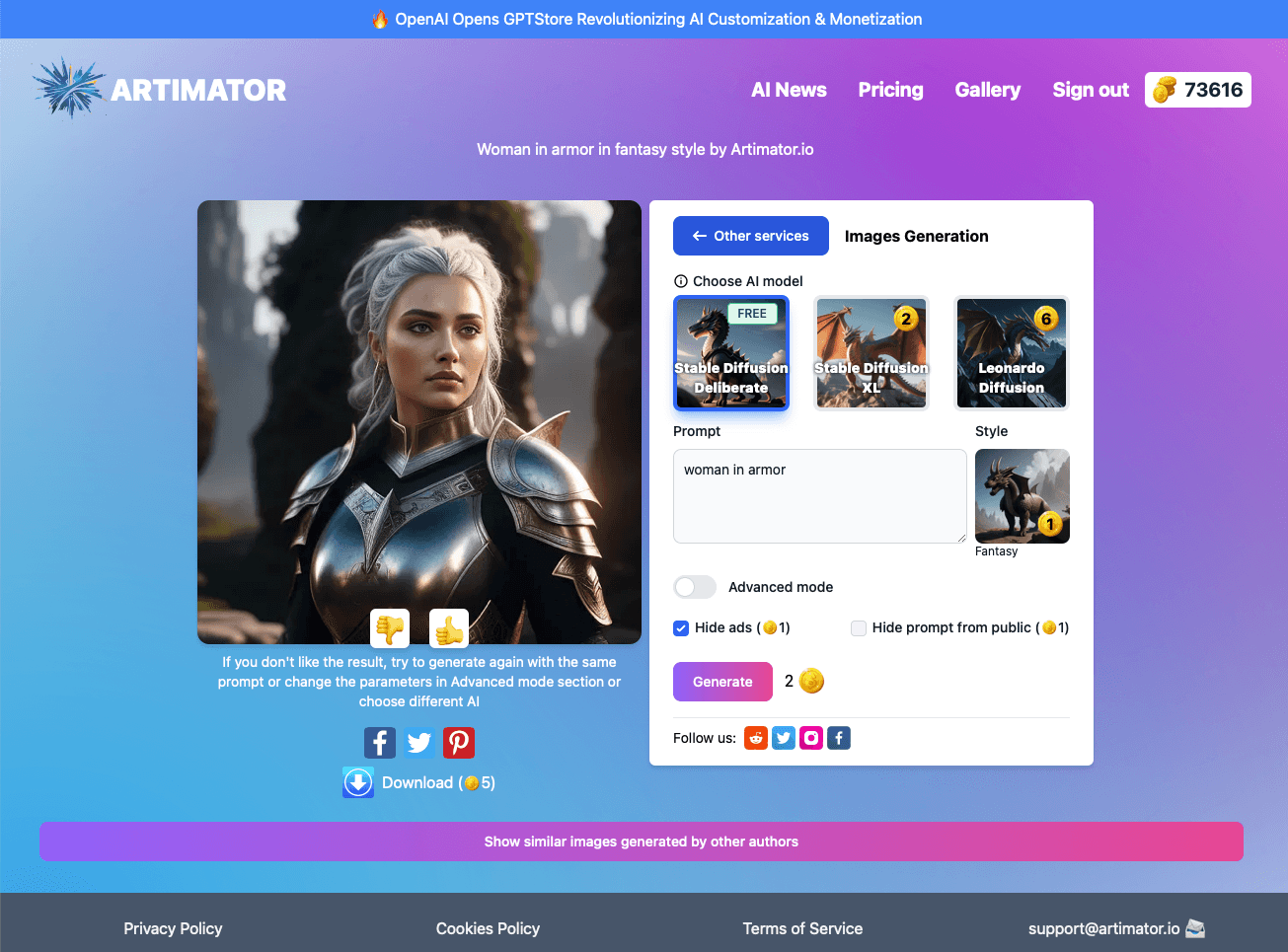
About this app
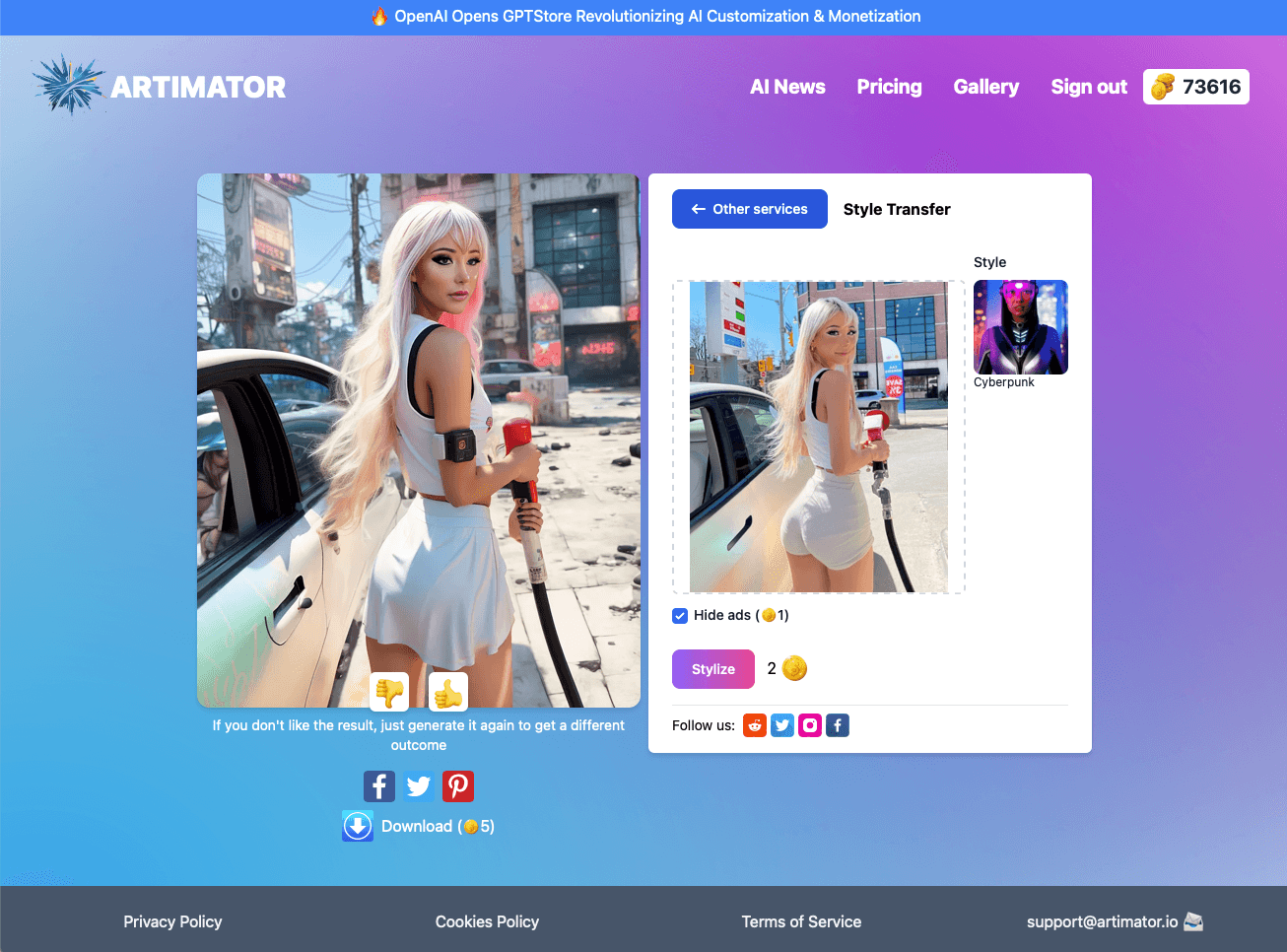
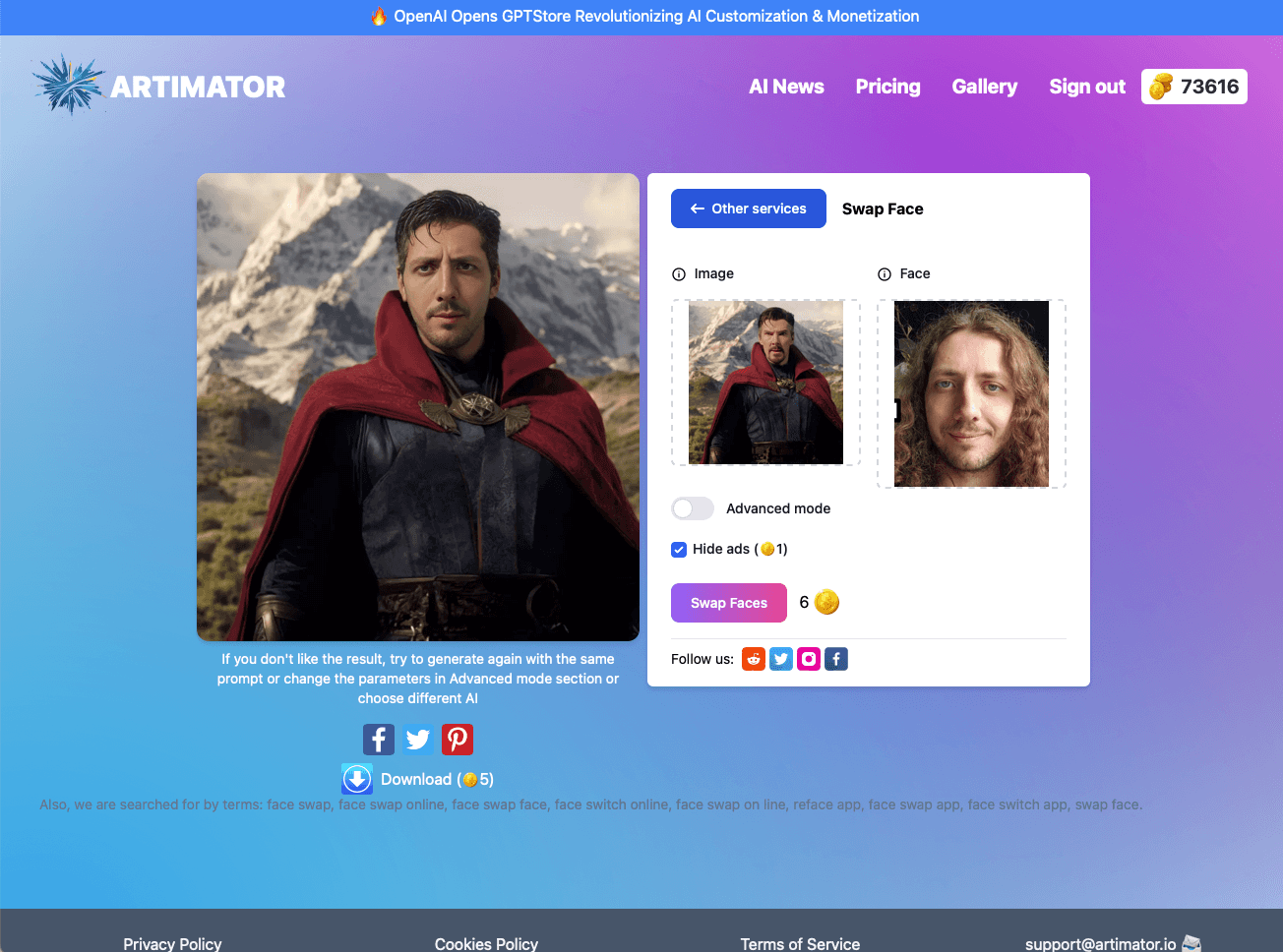
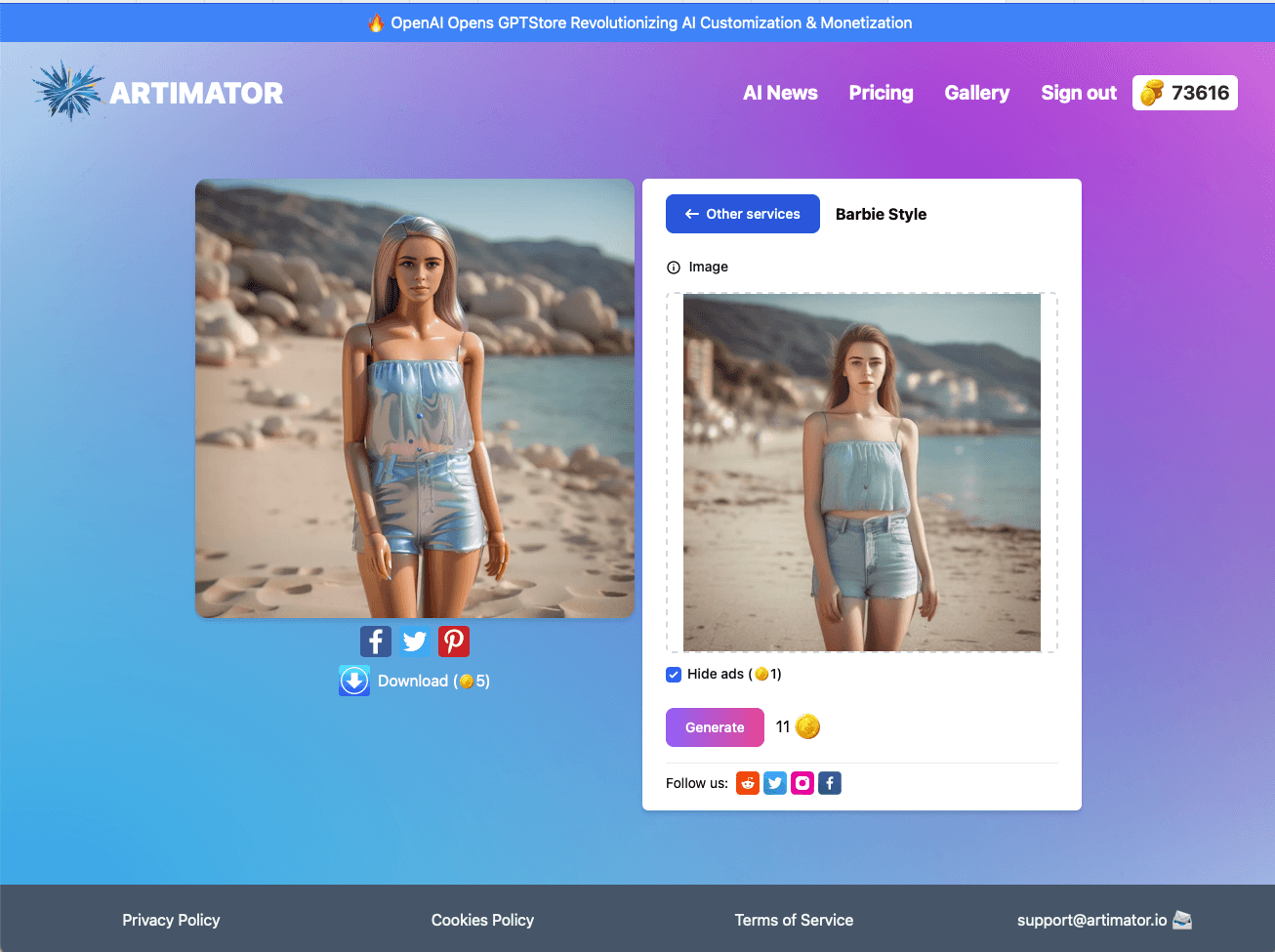
Artimator is an impressive web-based tool that democratizes AI art creation, allowing anyone to generate professional-grade visuals from simple text descriptions without needing technical skills. It stands out with its versatility, offering features like photo-to-sketch transformations, object removal, and Barbie-style selfies, all while providing 2048x2048px resolution outputs with full commercial rights. This makes it particularly valuable for content creators seeking quick, copyright-free visuals. The interface is clean and intuitive, with a blue-and-white dashboard that emphasizes ease of use, though it could improve in accessibility with additions like multi-language support and screen reader compatibility. Processing is fast, typically taking 15-30 seconds, and it operates with client-side processing for enhanced privacy, though the privacy policy lacks detailed transparency. Overall, Artimator excels as a free alternative to paid tools, perfect for brainstorming and social media content, with strong growth potential in the generative AI market.
Key features
- 1Clean, intuitive blue-and-white dashboard with prompt-focused layout and expandable menus for easy navigation.
- 2Zero learning curve with one-click generation, mobile responsiveness, and no login required for immediate access.
- 3Free high-resolution 2048x2048px outputs with full commercial rights and multiple AI models like Stable Diffusion 3.
Target customer profile
Drawn from the product itself, not from a survey.
Demographic
Digital Content Creators
Pain points
Need unique visuals fast, expensive stock photos, copyright limitations
Primary needs
Royalty-free images, quick concept visualization, branded content
Demographic
Social Media Managers
Pain points
Daily content demands, visual fatigue, budget constraints
Primary needs
Trendy templates (e.g., Barbie selfies), batch creation, mobile access
Demographic
Hobbyist Artists
Pain points
Technical skill gaps, expensive software, creative blocks
Primary needs
Simple text-to-art, style experimentation, no installation required
Scout Review
Written by AI from measured evidence, scored out of 100.
Artimator stands out as an impressively capable free AI art generator that democratizes creative tools for everyone. Its strengths lie in the frictionless user experience, quality output resolution, and valuable commercial rights—all without requiring technical expertise or financial investment. While it has room to grow in accessibility features and security transparency, it delivers exceptional value for content creators, social media managers, and hobbyists who need quick, copyright-free visuals.
Measure by measure
Usability
90Zero learning curve with one-click generation, mobile responsive, and no login requirements for immediate access.
Design
75Clean blue-and-white dashboard with intuitive prompt-focused layout, well-organized expandable menus, and instant image gallery previews.
Speed
8015-30 second processing for standard prompts, client-side processing reduces server load, but complex requests cause slight lag.
Security
76Client-side processing enhances privacy, no watermarks on outputs, but privacy policy lacks transparency about data retention.
Accessibility
60Basic keyboard navigation and alt text, but lacks screen reader optimization, high-contrast mode, or multilingual support.
Growth
90Multiple AI models (Stable Diffusion 3, Leonardo Diffusion), commercial rights, and positioned in booming generative AI market.
Improvement areas
- Enhance accessibility with screen reader optimization, high-contrast mode, and multilingual support beyond English.
- Improve security transparency by detailing data retention practices and adding encryption indicators in the privacy policy.
- Add advanced features like batch processing, browser extensions, and prompt history for better user efficiency and reuse.
Design & Usability
Artimator's interface hits that sweet spot between simplicity and functionality. The clean blue-and-white dashboard puts the prompt box front and center where it belongs, with style options neatly tucked away in expandable menus that don't overwhelm new users. I particularly appreciated the one-click 'Generate' button and the prominent resolution settings that ensure you know exactly what quality you're getting. The image gallery loads instantly, making it easy to scroll through your creations, though advanced controls require a bit of scrolling to find. Mobile responsiveness works decently enough for quick generations on the go, though touch targets could be larger for truly thumb-friendly operation. Overall, it's an interface that understands its purpose: get people from idea to visual as frictionlessly as possible.
Speed & Security
Performance-wise, Artimator delivers impressively fast results for a free tool, typically processing images in 15-30 seconds depending on complexity. The client-side processing approach not only speeds things up but enhances privacy by reducing server vulnerability—a smart move in today's data-conscious landscape. During testing, I never encountered watermarks even at maximum 2048x2048px resolution, which is remarkable for a free service. However, the privacy policy lacks detailed transparency about data retention practices, leaving some questions unanswered. There's no visible encryption indicator either, which might make security-conscious users hesitate before inputting sensitive prompts. Still, for most casual use cases, the speed and basic security measures are more than adequate.
Accessibility & Growth
Accessibility is where Artimator shows its growing pains. While it offers basic keyboard navigation and alt text for key buttons, it lacks screen reader optimization, high-contrast mode, or multilingual support beyond English. The text prompt box could really benefit from voice-input capability for hands-free operation. Despite these accessibility shortcomings, Artimator's growth potential is substantial. With multiple AI models including Stable Diffusion 3 and Leonardo Diffusion, plus features like object removal and style transformations, it's well-positioned in the explosive generative AI market. The commercial rights offering is particularly valuable for content creators, and the web-based nature means no installation barriers—both smart moves for user acquisition and retention.
Conclusion
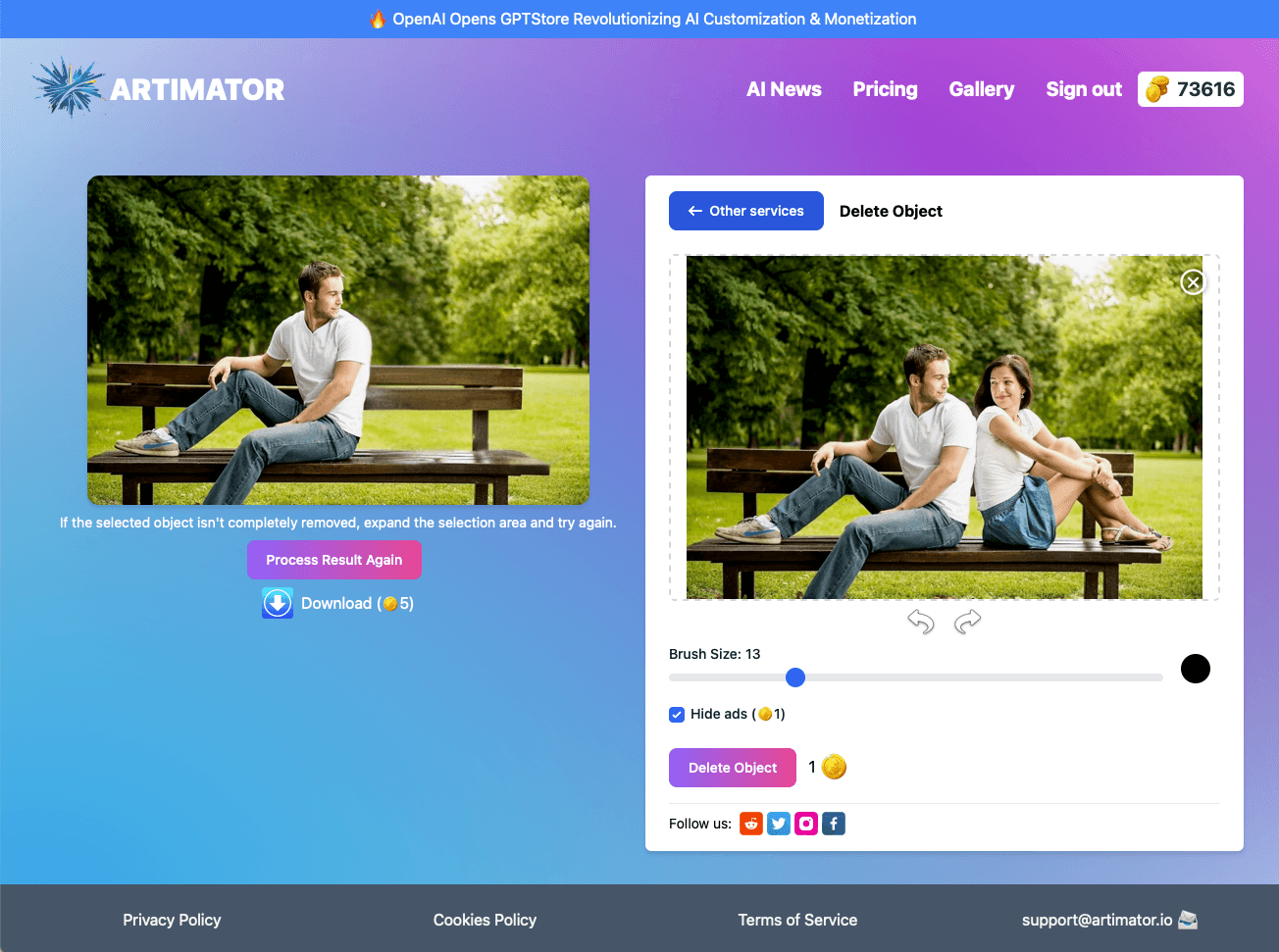
If you're a content creator needing rapid visual brainstorming, a social media manager drowning in daily content demands, or just someone curious about AI art generation, Artimator is absolutely worth trying. The combination of free access, commercial rights, and multiple generation styles makes it one of the most practical tools in the space. Give their object remover a try—you might be surprised how cleanly it handles photo edits without any technical fuss.
Suggestions for improvement
- To reach its full potential, Artimator should implement multi-language support to capture global users, add proper accessibility features like screen reader compatibility and high-contrast mode, and develop batch processing for social media creators who need multiple variations.
- A browser extension for direct generation from other apps would be game-changing, and a prompt history library would help users reuse successful templates.
- Enhancing the privacy policy with clear data retention details would build greater trust with security-conscious users.
Alternatives comparison
Named competitors, point by point. Nobody paid to appear here or to be left out.
 Artimator Artimator |  Craiyon Craiyon |  Canva AI Canva AI |  Adobe Firefly Adobe Firefly | |
|---|---|---|---|---|
| Free Generations | Unlimited | Unlimited | Limited free, subscription required | Limited free generations |
| Maximum Resolution | 2048x2048px | Lower resolution output | High resolution (subscription) | Professional-grade resolution |
| Commercial Rights | Full commercial rights | Limited rights | Subscription required | Professional licensing |
| Advanced Features | Object removal, style transformations | Basic text-to-image | Integrated design tools | Professional-grade editing |
| Accessibility | Basic keyboard navigation | Limited accessibility | Good accessibility features | Professional accessibility standards |
Craiyon
Free generator with unique models but lower resolution output
Canva AI
Integrated with design tools but requires subscription for full features
Adobe Firefly
Professional-grade results but limited free generations
Comparing options? See Artimator alternatives, scored side by side
More Design & Creativity apps
View all Design & Creativity
RoomCreator
92An AI-powered interior and exterior design tool that tran...

QRBliss
91Branded QR codes with AI Brand Sync, 15 free dynamic code...

ThumbnailMaker
90AI YouTube thumbnail maker: paste a video link, get the brief, the thumbnail, and a check at feed size.

What the GIF
89Frame-perfect video-to-GIF maker that runs entirely in yo...

FontPlop
89Browser-based font viewer & tester for TTF, OTF, WOFF, WO...

English Test Coach
89English Test Coach checks your IELTS essays and letters, gives an estimated band score across all four criteria, and tells you exactly what to revise next.

All of Us
89Add deceased loved ones to photos with AI and see free pr...

Tracé slides
89Interactive math & physics slides with live graphs and an...

BeartIMAGE
88BeartIMAGE is a free, web-based image processing platform engineered for fast, bulk photo editing and conversion directly in your browser.

ButterKit
82macOS app for App Store screenshots: 3D mockups, auto-tra...

Portrait Gift
88AI-powered personalized face swap art platform creating c...

Pixelimg
88A free online AI-powered tool that instantly converts ima...


A platform dedicated to providing unbiased reviews of newly launched applications, analyzing everything from their features to their full potential.
info@scoutforge.net© 2026 Scoutforge. All rights reserved.
