Cycling through all six. Tap any point to stop.
Measured on six things
Migrate Outlook PST files directly to Microsoft 365 mailb...
Design
44Dated landing page: cramped hero, popup and chat widget clipping the subtitle, visible copy errors ('Duplicate files on the basis of , and CC'), and three competing CTAs. The tabbed mailbox-data section and app window are the clean parts.
Screenshots
1 / 1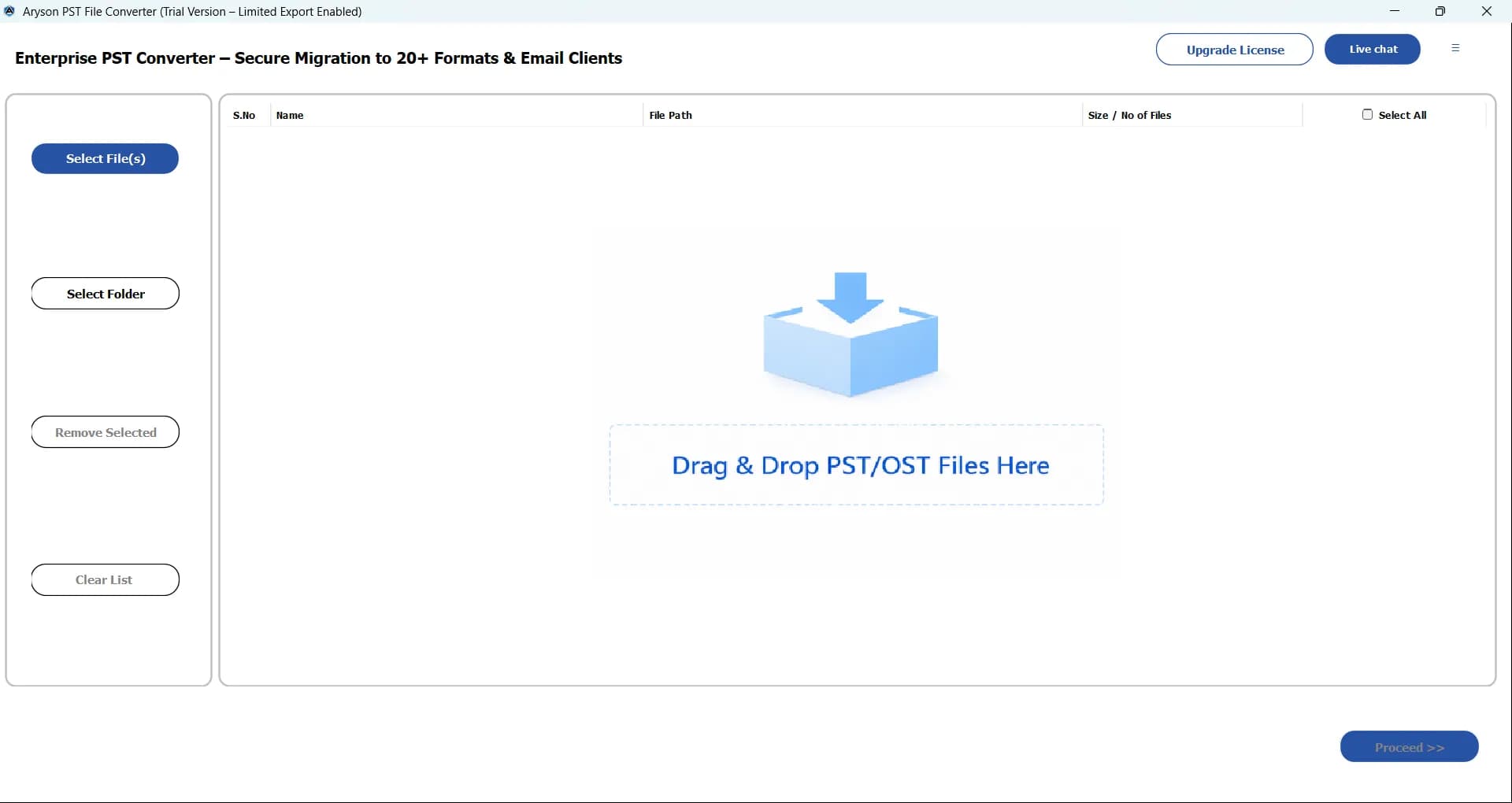
About this app
Aryson PST to Office 365 Importer is a Windows utility built for IT admins, migration specialists, and compliance officers who need to move Outlook PST data into Microsoft 365 without the usual headaches. It handles single or multiple PST/OST files, batch migration, and even CSV-based mailbox mapping, so you can assign each file to the right user account without clicking through endless wizards. The tool doesn't require Outlook to be installed, and it supports both Modern OAuth and Impersonation authentication. Data integrity is a big selling point; emails, attachments, contacts, calendars, tasks, notes, and folder hierarchy are all preserved. You can preview everything before pulling the trigger, filter by date or sender, and strip out duplicates. For larger archives, you can split files and exclude attachments to keep things manageable. The interface is reasonably clean, and the export report at the end gives you a record of what moved where. Having said that, some of the terminol...
Key features
- 1Bulk PST/OST to Microsoft 365 migration without Outlook installed, with Modern OAuth and Impersonation authentication
- 2CSV-based mailbox mapping plus manual and bulk mapping to assign each PST to the right M365 user
- 3Preview, date-range and sender filtering, duplicate detection, attachment exclusion, and export reports
Target customer profile
Drawn from the product itself, not from a survey.
Demographic
IT administrators in mid-to-large enterprises
Pain points
Manually migrating thousands of PSTs is slow, error-prone, and risks data loss.
Primary needs
Bulk migration with mailbox mapping, duplicate removal, and detailed reporting.
Demographic
Email migration freelancers and consultants
Pain points
Clients need fast, secure migrations without installing Outlook on every machine.
Primary needs
Support for multiple PSTs, modern authentication, and minimal manual steps.
Demographic
Compliance and data governance officers
Pain points
Migrating legacy PSTs while maintaining audit trails and avoiding duplicate data.
Primary needs
Date-range filtering, duplicate detection, preview, and export reports.
Scout Review
Written by AI from measured evidence, scored out of 100.
Aryson PST to Office 365 Migration Tool is a competent Windows utility with a genuinely fast, well-secured website and a real feature set for admins moving legacy PSTs into Microsoft 365. The 50-email demo is honest, the CSV mailbox mapping and Modern OAuth support are the right features for the audience, and the infrastructure underneath is better than most indie tools manage. The problems are presentation and proof: a dated, cluttered landing page with visible copy errors, no published compliance certifications, and no accessibility statement despite failing contrast and landmark audits. Against Microsoft's free native importer and Stellar's recovery-focused tool, Aryson's case rests on workflow convenience — which it can make, but the site isn't making it clearly.
Measure by measure
Usability
58Clear 4-step How It Works row, tabbed data-type browser, and a 50-email free demo give real onboarding cues. Undercut by three competing CTAs, dense small body text, and low-contrast step captions.
Design
44Dated landing page: cramped hero, popup and chat widget clipping the subtitle, visible copy errors ('Duplicate files on the basis of , and CC'), and three competing CTAs. The tabbed mailbox-data section and app window are the clean parts.
Speed
88Lighthouse 99/100 on both mobile and desktop: LCP 1.1s, CLS 0, TBT 134ms, FCP 1.1s. Genuinely fast for a page this dense, with no lag complaints in the collected evidence.
Security
76Full 12/12 header checklist: HTTPS enforced, HSTS, CSP, frame protection, Referrer-Policy, Permissions-Policy, plus SPF and DMARC. Modern OAuth and Impersonation auth claimed. No published SOC 2/ISO/pen-test found.
Accessibility
70Lighthouse 91/100, but failing audits include insufficient color contrast, non-sequential headings, small touch targets, and a missing main landmark. No WCAG statement or accessibility page found on the site.
Growth
58Real, recurring enterprise need (legacy PST → M365) with concrete wedges: CSV mailbox mapping, no Outlook required, Modern OAuth, duplicate removal. But it's a paid tool against Microsoft's free native importer.
Improvement areas
- Homepage copy errors and cluttered hero with three competing CTAs and an overlapping popup
- No published SOC 2 / ISO / pen-test or bug bounty documentation for an enterprise-facing tool
- Accessibility gaps: contrast failures, non-sequential headings, small touch targets, missing main landmark
Design & Usability
The landing page is the weak link. It's dated, the hero is a traffic jam of a popup, a chat bubble, three CTAs and a 20-item bullet list, and there are literal copy errors on the page ('Duplicate files on the basis of , and CC' — the field names never arrived). The tabbed Supported Mailbox Data section and the four-step How It Works row are the good instincts, and the 50-email free demo is a real, honest trial. But the primary action is genuinely ambiguous: filled blue Download, outlined red Purchase, a store badge and OS radio buttons all compete in one row. For a tool aimed at IT admins who want to evaluate fast, the page makes the first 30 seconds harder than it needs to be.
Speed & Security
Speed is the standout: Lighthouse 99/100 on both mobile and desktop, LCP 1.1s, CLS 0, TBT 134ms. That's excellent for a page this content-heavy, and there are no lag complaints in the collected evidence. Security is solid on the infrastructure side — full 12/12 header checklist including HSTS, CSP, frame protection, Referrer-Policy, Permissions-Policy, plus SPF and DMARC. The product claims Modern OAuth and Impersonation authentication, which is the right posture for M365 migrations. What's missing is third-party proof: no SOC 2, ISO 27001, pen-test summary or bug bounty found. For a tool that touches enterprise mailboxes, that's the gap to close.
Accessibility & Growth
Accessibility scores 91/100 on Lighthouse but the failing audits are the ones that matter for real users: insufficient color contrast, non-sequential headings, undersized touch targets, and no main landmark. There's no WCAG statement or accessibility page on the site, so the automated score is doing all the work. Growth is a judgement call: the problem is real and recurring (legacy PSTs into M365), and the differentiators — CSV mailbox mapping, no Outlook required, Modern OAuth, duplicate removal, date filtering, export reports — are concrete. The limit is structural: Microsoft's native Import Service is free and included with M365, and Stellar competes on the recovery angle. Aryson's wedge is workflow convenience for admins who don't want to wrestle with network upload or drive shipping. That's a real wedge, but a narrow one.
Conclusion
If you're an IT admin with a stack of PSTs and no appetite for Microsoft's network-upload dance, the 50-email demo is a low-risk way to see whether the CSV mapping and OAuth flow fit your environment. Go in expecting a functional tool wrapped in a dated site, and budget time to verify data integrity on a pilot batch before committing a full migration. The speed and security headers suggest the team knows how to build; the landing page and missing compliance documentation suggest they haven't yet decided to prove it.
Suggestions for improvement
- Fix the copy errors on the homepage — 'Duplicate files on the basis of , and CC' is missing field names and undermines credibility instantly.
- Collapse the hero to one primary CTA (Download) and move Purchase and the store badge below the fold or into a secondary row.
- Publish a security page with SOC 2 / ISO status, pen-test summary or bug bounty — enterprise buyers will ask before they buy.
- Add an accessibility statement and fix the failing contrast, heading order, touch targets and missing main landmark flagged by Lighthouse.
Alternatives comparison
Named competitors, point by point. Nobody paid to appear here or to be left out.
 Aryson PST to Office 365 Migration Tool |  Microsoft 365 Import Service |  Stellar Converter for OST | |
|---|---|---|---|
| Cost model | Paid license; free demo migrates up to 50 emails | Included with Microsoft 365 subscription | Paid license; generally pricier per the app details |
| Requires Outlook installed | No — migrates PST/OST directly | No — uploads via network or drive shipping | No — standalone converter |
| Mailbox-to-user mapping | Manual, bulk and CSV-based mapping | CSV mapping file required for each import | Per-mailbox mapping in the tool |
| Ingestion speed | Batch migration with split-file option for large archives | ~24 GB/day network upload; drive shipping faster | Local conversion then migration; geared to recovery |
| Authentication | Modern OAuth and Impersonation | Azure app registration with role-based admin consent | OAuth-based M365 sign-in |
| Duplicate removal & filtering | Duplicate detection, date-range and sender filters | No built-in dedupe or filtering | Filtering and selective conversion options |
Microsoft 365 Import Service
Microsoft's native PST import service that uses network upload or drive shipping. Requires more setup and has slower ingestion rates (~24 GB/day), but it's included with Microsoft 365.
Stellar Converter for OST
A well-known tool for converting OST/PST files and migrating to Office 365. Offers a similar feature set but tends to be pricier and geared more toward recovery scenarios.
Comparing options? See Aryson PST to Office 365 Migration Tool alternatives, scored side by side
More Online Backup apps
View all Online Backup
PCDOTS PST Converter
85Convert Outlook PST files to 16 formats and clouds withou...

SysInfo OST to PST Converter
84Convert, migrate, and recover OST files to PST and 13+ fo...

yourdrive
84YourDrive is a self-hosted file manager and media timeline that runs entirely on your own infrastructure. Organize files in nested folders, move them with drag-and-drop, search instantly, and browse photos and videos by month and year. Files stream straight to your own AWS S3, Azure Blob, MinIO, Cloudflare R2 or Wasabi storage. Install with one command. Free for personal use; teams pay per server, not per seat.

KeepTik
83Download TikTok videos without a watermark, save photo posts as images, and bulk download selected TikTok profile posts with KeepTik for Chrome and Edge.
PCDOTS Email Recovery Software
83Recovers emails from corrupt mailboxes across 50+ platforms.

ServerOS
83One daemon, total control of your Linux servers

Alcazar Dead Man's Switch
82An encrypted digital legacy service that securely deliver...

Softaken Cloud Backup
82Professional Email Backup for Cloud-Based Accounts

App-Vault
81Encrypted photo and file vault for iPhone. AES-256 on device, pattern lock, decoy vault and calculator disguise. No account, no cloud.

SysInfo Microsoft Teams Migration Tool
81Migrate Teams, channels, and chats between Microsoft 365 ...
PCDOTS Thunderbird Converter
81Recover and migrate Thunderbird profiles & MBOX files wit...

SysInfo Zoho Backup Tool
81Reliable Zoho Mail backup and migration tool for Windows,...


A platform dedicated to providing unbiased reviews of newly launched applications, analyzing everything from their features to their full potential.
info@scoutforge.net© 2026 Scoutforge. All rights reserved.
