Is this your app?
Claim ChatImg to manage its page, add your badge and see your traffic — free, and it stays free.
Cycling through all six. Tap any point to stop.
Measured on six things
An all-in-one AI platform for generating, editing, and enhancing images using advanced models like GPT-4o and Flux Kontext.
Accessibility
60Basic multiple language support present, but lacks screen reader optimization, high-contrast modes, or customizable UI elements.
Screenshots
1 / 1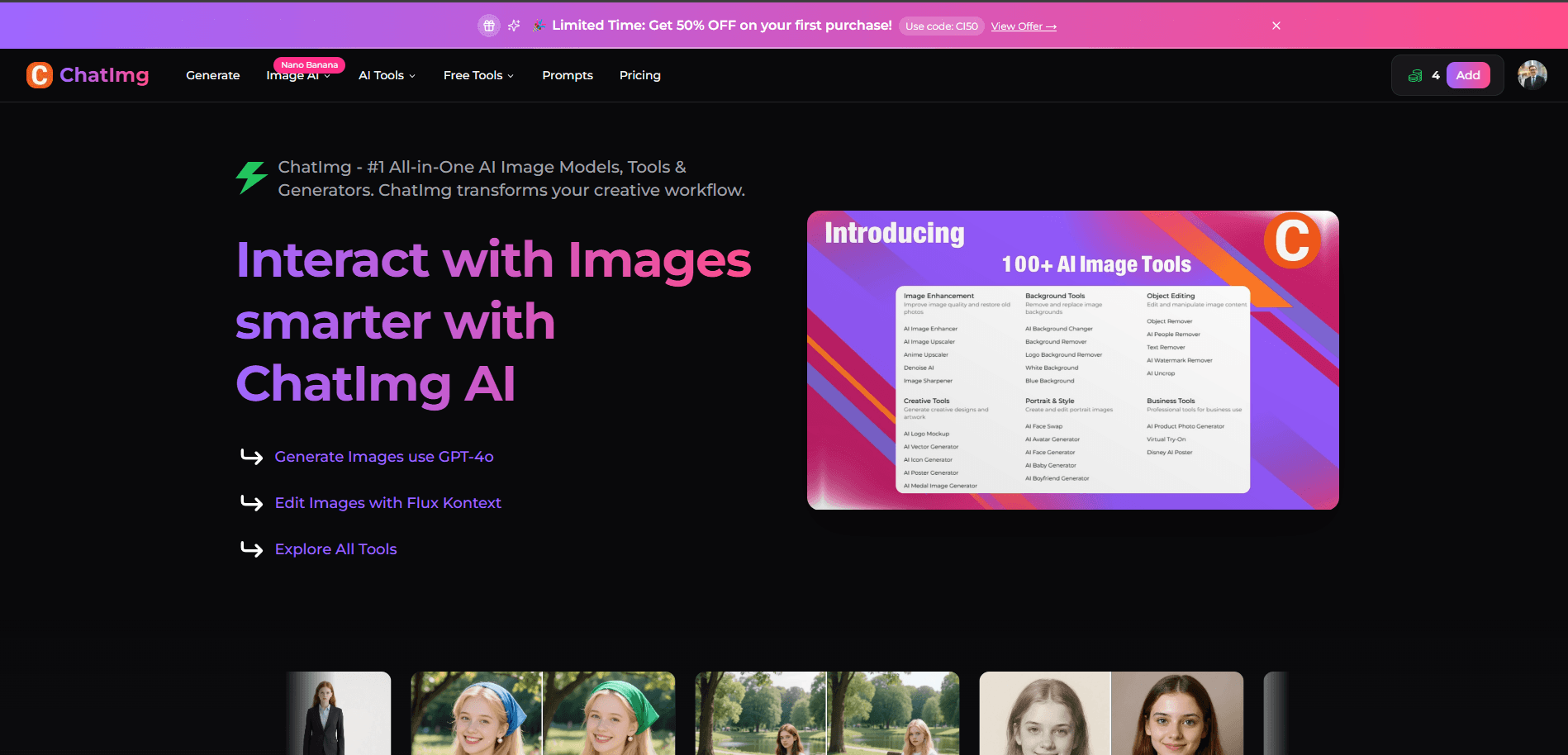
About this app
As someone who's tested numerous AI image tools, I find ChatImg stands out by combining generation and editing in a single platform. It's designed for users who need quick visual content without deep technical skills. The ability to generate images from text prompts, then refine them with language-based edits—like changing hairstyles or removing objects—makes it incredibly versatile. Partnering with over 50 companies suggests robust backend support, and features like face swapping and photo restoration cater to both creative and practical needs. While it targets content creators and marketers, its intuitive approach could benefit anyone from small business owners to social media enthusiasts. The interface is clean and modern, with a dashboard that centralizes all tools, though the sheer number of options might overwhelm beginners. Performance-wise, simple prompts process quickly, but complex edits can slow down. Security includes standard HTTPS encryption, but privacy details could be clearer. Overall, it's a powerful tool for streamlining image workflows, especially for social media graphics and quick edits.
Key features
- 1Text-to-image generation using advanced AI models like GPT-4o and Flux Kontext
- 2Natural language editing for modifying images through simple text commands
- 3Comprehensive editing suite including face swapping and photo restoration tools
Target customer profile
Drawn from the product itself, not from a survey.
Demographic
Content creators and social media managers
Pain points
Time-consuming image creation, limited design skills, need for consistent visual branding
Primary needs
Quick image generation, easy editing tools, template-based customization
Demographic
Small business owners and marketers
Pain points
High costs of professional design, slow turnaround for visual assets
Primary needs
Cost-effective solutions, fast image production, marketing-ready visuals
Demographic
Design enthusiasts and hobbyists
Pain points
Complex software learning curves, limited access to advanced editing features
Primary needs
User-friendly interface, creative experimentation, AI-assisted enhancements
Scout Review
Written by AI from measured evidence, scored out of 100.
ChatImg stands out as a versatile AI image platform that successfully combines generation and editing capabilities in one intuitive interface. Its strength lies in making advanced image manipulation accessible through natural language commands, eliminating the technical barriers that often deter non-designers. The platform particularly shines for content creators, social media managers, and small business owners who need rapid visual content without extensive design expertise. While performance can vary with task complexity and accessibility features need enhancement, the overall package delivers significant value for streamlining image workflows.
Measure by measure
Usability
80Natural language editing simplifies complex tasks, but mastering all features requires significant exploration and learning curve.
Design
90Clean, modern interface with intuitive navigation using whites and blues, though tool density may overwhelm beginners initially.
Speed
70Decent for basic operations with simple prompts under 30 seconds, but high-resolution generations and complex edits slow significantly under load.
Security
70Standard HTTPS encryption exists, but privacy details around data usage and retention need clearer communication and transparency.
Accessibility
60Basic multiple language support present, but lacks screen reader optimization, high-contrast modes, or customizable UI elements.
Growth
90High demand for AI visual tools and partnerships with 50+ major companies position it well for market expansion and feature development.
Improvement areas
- Performance optimization for complex edits and high-resolution generations
- Enhanced accessibility features for users with visual impairments
- Clearer privacy policy and data handling transparency
Design & Usability
ChatImg's interface immediately impresses with its clean, modern aesthetic featuring a minimalist color scheme of whites and blues that reduces visual clutter while keeping action buttons prominent. The dashboard centralizes all tools—generation, editing, and enhancement—in logically organized sections that feel intuitive to navigate. I particularly appreciate the 'Edit with Text' feature that uses simple input fields for natural language commands, eliminating the need for complex menus that often plague creative software. The real-time image preview panel provides instant visual feedback as you make changes, creating a fluid editing experience. However, the sheer density of options available might initially overwhelm newcomers, though categorized workflows and tooltips help mitigate this learning curve.
Speed & Security
Performance-wise, ChatImg delivers mixed but generally acceptable results. Simple text-to-image prompts typically process in under 30 seconds, making it efficient for quick content creation. However, complex edits, high-resolution outputs, and resource-intensive tasks like video translation can experience noticeable slowdowns, especially during peak usage periods. The platform leverages cloud-based models including Flux Kontext and GPT-4o, which generally provide stable performance. Security features include standard HTTPS encryption for data transmission, ensuring basic protection for user uploads and generations. The privacy policy mentions data anonymization for AI training purposes, but specifics regarding data retention periods and usage transparency could be more clearly communicated to users.
Accessibility & Growth
Accessibility remains an area needing attention, as ChatImg offers multiple language support for text prompts and interface elements but lacks comprehensive features for users with disabilities. There's no explicit compatibility with screen readers, high-contrast modes, or full keyboard navigation for advanced editing controls. Font sizes and button designs are generally legible, but the absence of customizable UI scaling limits options for users with visual challenges. Growth potential, however, appears strong given the platform's partnerships with over 50 companies and the increasing market demand for AI-powered visual content tools. The combination of generation and editing capabilities in a single platform positions ChatImg well for expansion into new user segments and feature development.
Conclusion
If you're a marketer, content creator, or small business owner looking to accelerate your visual content production without mastering complex design software, ChatImg offers a compelling solution. The ability to generate, edit, and enhance images using simple text commands makes advanced visual creation approachable for users of all skill levels. Give this platform a try if you need consistent branding assets, social media graphics, or quick photo enhancements. Just be prepared for occasional performance dips when tackling resource-intensive tasks during busy periods.
Suggestions for improvement
- Implement progressive loading indicators for large image generations to improve user patience and experience
- Add comprehensive accessibility features including screen reader support and high-contrast mode options
- Create an interactive tutorial mode to guide new users through the extensive toolset efficiently
- Enhance privacy transparency with detailed data handling explanations and user opt-out controls
Alternatives comparison
Named competitors, point by point. Nobody paid to appear here or to be left out.
 ChatImg ChatImg |  DeepAI Image Generator DeepAI Image Generator |  Pixlr AI Editor Pixlr AI Editor | |
|---|---|---|---|
| Integrated Editing Tools | Comprehensive suite including object removal, face swapping, and text-based editing | Limited editing capabilities, focus on generation only | AI-enhanced traditional editing, limited generative features |
| AI Model Variety | Multiple models including GPT-4o and Flux Kontext | Proprietary DeepAI models | Mixed AI enhancements with traditional tools |
| User Interface Complexity | Feature-rich but potentially overwhelming for beginners | Simpler interface focused on generation | Traditional editing interface with AI additions |
DeepAI Image Generator
Offers text-to-image generation but lacks integrated editing tools like object removal or face swapping.
Pixlr AI Editor
Provides AI-enhanced editing but focuses more on traditional photo manipulation than generative AI features.
Comparing options? See ChatImg alternatives, scored side by side
More Design & Creativity apps
View all Design & Creativity
RoomCreator
92An AI-powered interior and exterior design tool that tran...

QRBliss
91Branded QR codes with AI Brand Sync, 15 free dynamic code...

ThumbnailMaker
90AI YouTube thumbnail maker: paste a video link, get the brief, the thumbnail, and a check at feed size.

What the GIF
89Frame-perfect video-to-GIF maker that runs entirely in yo...

FontPlop
89Browser-based font viewer & tester for TTF, OTF, WOFF, WO...

English Test Coach
89English Test Coach checks your IELTS essays and letters, gives an estimated band score across all four criteria, and tells you exactly what to revise next.

All of Us
89Add deceased loved ones to photos with AI and see free pr...

Tracé slides
89Interactive math & physics slides with live graphs and an...

BeartIMAGE
88BeartIMAGE is a free, web-based image processing platform engineered for fast, bulk photo editing and conversion directly in your browser.

ButterKit
82macOS app for App Store screenshots: 3D mockups, auto-tra...

Portrait Gift
88AI-powered personalized face swap art platform creating c...

Pixelimg
88A free online AI-powered tool that instantly converts ima...


A platform dedicated to providing unbiased reviews of newly launched applications, analyzing everything from their features to their full potential.
info@scoutforge.net© 2026 Scoutforge. All rights reserved.
