Cycling through all six. Tap any point to stop.
Measured on six things
CleanRemover is an AI photo and video cleanup tool. Remove watermarks, objects, text and emojis online — no install, photo tools free to try.
Design
33The before/after slider and single blue upload button are solid, but the core canvas is a giant empty white panel with no placeholder, the active tab is nearly invisible, and the action button looks disabled.
Screenshots
1 / 1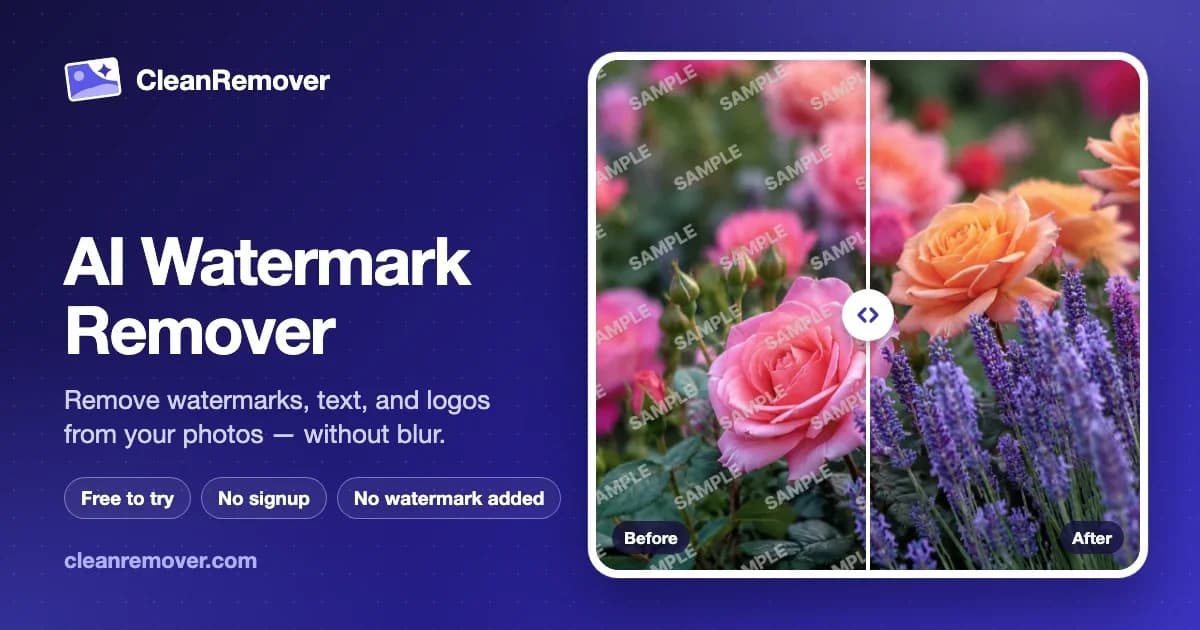
About this app
CleanRemover is an online AI photo and video cleanup tool, best known for removing watermarks. You mark what you want gone — a watermark, a logo, a line of text, an emoji, a stranger in the background — and CleanRemover uses AI inpainting to rebuild the pixels behind it. The rest of the picture stays as it was: no blur, no crop. The photo tools work in your browser and are free to try without an account. The Gemini watermark remover processes images on your device, so the file is never uploaded. Video watermark removal accepts MP4, MOV and WebM files up to 20 MB and 5 minutes long; it needs an account and uses one-time credit packs, no subscription. Use cases: clearing a watermark from your own export before reposting to Reels or Shorts, removing text or a passer-by from a photo, fixing a family picture without changing anyone's face. Built for people editing content they own or have the right to edit.
Key features
- 1AI inpainting that rebuilds pixels behind watermarks, logos, text, and objects — no blur, no crop.
- 2On-device Gemini watermark removal for images, so files are never uploaded.
- 3Free to try without an account; one-time credit packs from $5.99 (75 credits) to $149.99 (7,500 credits), no subscription.
- 4Video watermark removal for MP4, MOV, and WebM up to 20 MB and 5 minutes (account required).
Target customer profile
Drawn from the product itself, not from a survey.
Demographic
Content creators and social media marketers
Pain points
A logo or watermark left on their own exported clip before reposting
Primary needs
Remove it fast without cropping or blurring the rest of the shot
Demographic
Small business owners fixing product and family photos
Pain points
A text overlay or a passer-by ruins an otherwise usable picture
Primary needs
Free browser tool, no install, keeps the rest of the photo intact
Demographic
Designers and marketing teams
Pain points
Draft watermarks and placeholder overlays on comps
Primary needs
Efficient removal for client-ready mockups and campaigns
Demographic
Photographers and bloggers
Pain points
Unwanted timestamps or UI marks on own work
Primary needs
Full-resolution clean copies for portfolios and publications
Scout Review
Written by AI from measured evidence, scored out of 100.
CleanRemover is a fast, free-to-try AI watermark remover with a real technical hook — on-device Gemini processing for images and one-time credit packs instead of subscriptions. The upload flow is clear and the before/after slider sells the result. But the homepage's core canvas is an empty white void, the credit system is unexplained, and the security headers are nearly absent (2/13). It's a promising early-stage tool that needs to fix its empty state, explain its currency, and harden its headers before it can compete with the established players.
Measure by measure
Usability
52Upload-first flow is genuinely clear and no-signup free tier is a real win, but the credit system is unexplained (a '2' pill and '1 credit' label mean nothing to a newcomer) and the sample option is buried below a void.
Design
33The before/after slider and single blue upload button are solid, but the core canvas is a giant empty white panel with no placeholder, the active tab is nearly invisible, and the action button looks disabled.
Speed
82Lighthouse mobile 93/100 with LCP 1.2s and CLS 0, desktop 95/100. TBT of 302ms is the only blemish. Genuinely snappy for a browser-based AI tool.
Security
40HTTPS isn't enforced, and there's no HSTS, CSP, frame protection, or secure cookies — 2/13 header checklist points. SPF/DMARC exist and the pricing page claims cards aren't stored, but no security page or audit claims.
Accessibility
78Lighthouse a11y 95/100 with only two failing audits (aria-hidden focusable descendants, missing main landmark). Responsive and mobile-friendly, but no WCAG statement and English-only.
Growth
58Real problem, real wedge (no-install, no-signup, on-device processing, one-time credits), but the watermark-removal space is crowded and the positioning spans too many segments to own any one.
Improvement areas
- Empty-state placeholder and clearer active-tab/button states on the homepage canvas.
- Inline credit explanation — what a credit buys, free daily limit, and why the header shows a number.
- Security headers: enforce HTTPS, add HSTS, CSP, X-Content-Type-Options, Referrer-Policy, and secure cookies.
- Accessibility: fix aria-hidden focusable descendants and add a main landmark; consider a WCAG statement.
Design & Usability
CleanRemover's interface has a clear spine — upload-first, one obvious blue button, a before/after slider that shows the product working. But the execution undercuts it: the main canvas is a huge empty white panel with no placeholder or empty-state copy, so a first-time visitor can't tell if the tool is broken or just waiting. The active tab state is nearly invisible, the action button looks disabled, and the sample-image entry point is buried below a void with unreadable thumbnails. Usability is decent where it counts (no-signup free tier, drag/paste/upload) but the credit system is a black box — a header pill reading '2' and a button reading '1 credit' explain nothing. Fix the empty state and the credit explainer and this jumps a tier.
Speed & Security
Speed is the standout: Lighthouse mobile 93/100, LCP 1.2s, CLS 0, desktop 95/100 — genuinely snappy for a browser-based AI tool, with TBT 302ms the only real blemish. Security is the opposite story. The HTTP probe found HTTPS not enforced, no HSTS, no CSP, no frame protection, no X-Content-Type-Options, no Referrer-Policy, no Permissions-Policy, and no secure cookies — 2/13 checklist points. SPF and DMARC exist, and the pricing page claims card details are never stored, but there's no security page, no SOC 2/ISO claim, and no bug bounty. For a tool that handles user photos and takes payments, that header gap is a real, fixable weakness.
Accessibility & Growth
Accessibility scores well on automated checks — Lighthouse 95/100 with only two failing audits (aria-hidden elements containing focusable descendants, and a missing main landmark). The site is responsive and mobile-friendly, but there's no WCAG statement and no multi-language support. Growth is a judgement on the idea: the problem (removing watermarks from content you own) is real and the wedge — browser-based, no install, no signup, on-device Gemini processing, one-time credit packs instead of subscriptions — is genuinely differentiated against Photoshop, Inpaint, and watermarkremover.io. But the category is crowded, the copy targets six segments at once, and the domain is brand new. There's room to grow if it picks a lane and owns it.
Conclusion
If you need to strip a watermark from your own export and don't want to open Photoshop, CleanRemover gets you there fast and free. Just don't expect the site to tell you what a credit is, and don't expect enterprise-grade security headers. It's a solid indie tool with a clear use case — worth a try, worth watching, not yet worth betting a workflow on.
Suggestions for improvement
- Add an empty-state placeholder or drop hint to the main canvas so first-time visitors know the tool is working.
- Explain credits inline: what one credit buys, how many free exports per day, and why the header shows a number.
- Enforce HTTPS and add HSTS, CSP, X-Content-Type-Options, Referrer-Policy, and secure cookies — the header gap is the biggest fixable weakness.
- Move the sample-image option up next to the upload card and enlarge the thumbnails so it's actually usable.
Alternatives comparison
Named competitors, point by point. Nobody paid to appear here or to be left out.
 CleanRemover |  Photoshop |  Inpaint | Watermark Remover | |
|---|---|---|---|---|
| Pricing model | Free tier + one-time credit packs ($5.99–$149.99), no subscription | Subscription only (monthly/annual Creative Cloud plan) | One-time desktop license purchase | Free tier + paid subscription plans |
| Browser-based, no install | Yes — runs in browser, no signup for first tries | Desktop app (Photoshop on the web exists but is limited) | No — desktop application | Yes — online tool |
| On-device processing (no upload) | Yes for Gemini watermark removal (images) | Yes — local desktop processing | Yes — local desktop processing | No — cloud processing |
| Video watermark removal | Yes — MP4/MOV/WebM up to 20 MB, 5 min (account required) | No — Photoshop is image-focused; video needs Premiere Pro | No — photos only | Limited/not a core feature |
| Manual brush / fine control | Yes — auto-detect plus manual brush | Yes — extensive healing, clone, and masking tools | Yes — manual selection tools | Limited — mostly automatic |
Photoshop
Adobe's professional image editor with advanced healing and clone tools for manual watermark removal.
Inpaint
Dedicated desktop app that uses inpainting algorithms to remove objects and watermarks from photos.
Watermark Remover
Online tool that removes watermarks from images using AI, offering free and paid plans.
Comparing options? See CleanRemover alternatives, scored side by side
More Design & Creativity apps
View all Design & Creativity
RoomCreator
92An AI-powered interior and exterior design tool that tran...

QRBliss
91Branded QR codes with AI Brand Sync, 15 free dynamic code...

ThumbnailMaker
90AI YouTube thumbnail maker: paste a video link, get the brief, the thumbnail, and a check at feed size.

Flag Maker
89Free browser flag maker: 28 layouts, 197 country templates, SVG/PNG/HOI4 TGA—no account.

All of Us
89Add deceased loved ones to photos with AI and see free pr...

FontPlop
89Browser-based font viewer & tester for TTF, OTF, WOFF, WO...

English Test Coach
89English Test Coach checks your IELTS essays and letters, gives an estimated band score across all four criteria, and tells you exactly what to revise next.

What the GIF
89Frame-perfect video-to-GIF maker that runs entirely in yo...

AI Vocals Generator
89Add AI singers or rappers to your own beat, get two takes...

Tracé slides
89Interactive math & physics slides with live graphs and an...

Cross Stitch Pattern Maker
89Free on-device photo-to-DMC/Anchor chart with skein counts.

Olevx
89112 free client-side web tools plus a private autosaving ...


A platform dedicated to providing unbiased reviews of newly launched applications, analyzing everything from their features to their full potential.
info@scoutforge.net© 2026 Scoutforge. All rights reserved.
