Cycling through all six. Tap any point to stop.
Measured on six things
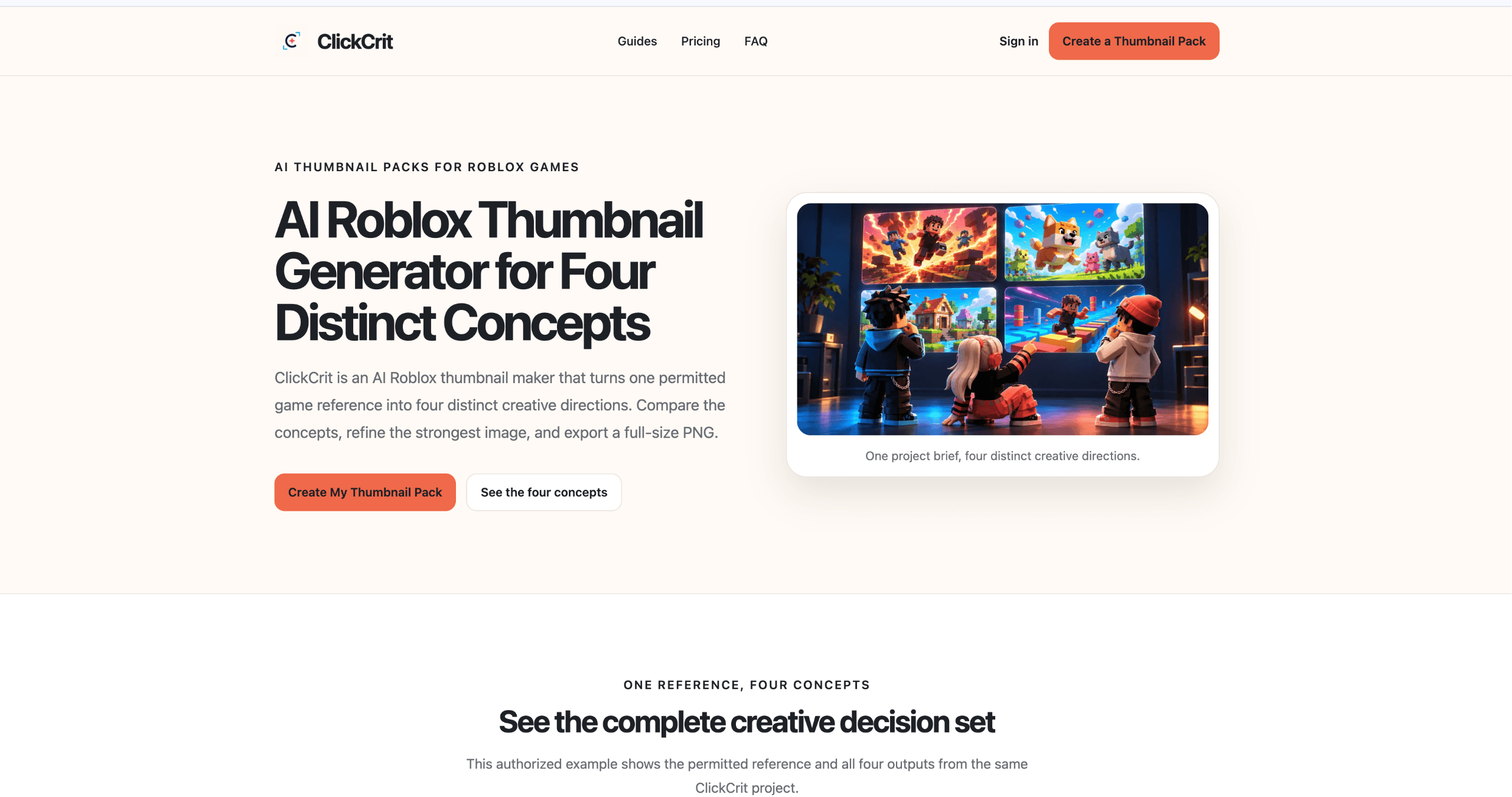
AI Roblox thumbnail maker generating 4 distinct concepts ...
Security
52HTTPS enforced with HSTS and SPF in place, but CSP, frame protection, X-Content-Type-Options, Referrer-Policy and Permissions-Policy are all missing, and DMARC isn't set. 5/12 checklist points.
Screenshots
1 / 2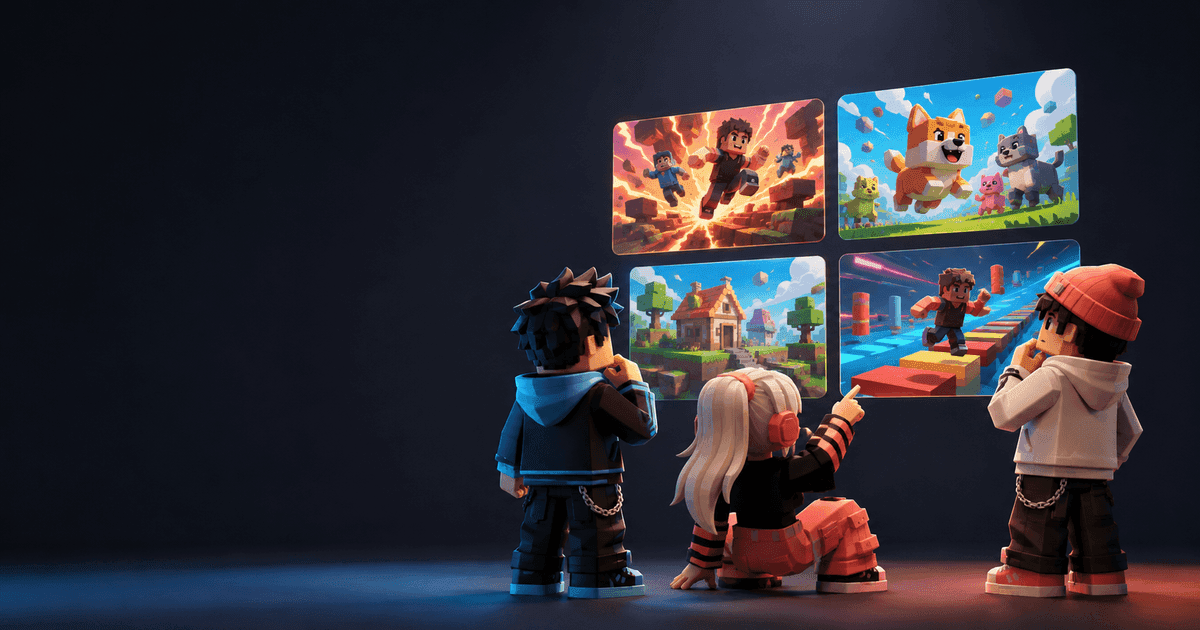
About this app
ClickCrit is a specialized AI-powered thumbnail maker designed for Roblox game developers and creators. It stands out by generating four distinct thumbnail concepts from a single game reference, allowing creators to compare different visual strategies and choose the most effective one for their game. This approach aligns with Roblox's personalization system, which supports 2-5 active thumbnails, enabling creators to test multiple options and optimize for player engagement. ClickCrit simplifies the thumbnail creation process with a user-friendly workflow: define your campaign, add game context (like a screenshot or character), generate four concepts, then compare, edit, and export at 1920x1080 resolution. Key features include six visual types (e.g., anime/fighting/RPG, simulator/clicker, horror/survival), private reference handling, and a focus on game-specific personalization. It's built for solo creators, small studios, and growth teams looking to enhance their game's first impress...
Key features
- 1Generates four distinct thumbnail concepts from a single game reference, matching Roblox's 2-5 active thumbnail personalization range.
- 2Six visual types (anime/fighting/RPG, simulator/clicker, tycoon, obby, horror/survival, roleplay/life/pet) with game-specific context.
- 3Shared credit system across Thumbnail, GFX and GUI tools; 1920x1080 PNG export; 5-credit no-card free trial.
Target customer profile
Drawn from the product itself, not from a survey.
Demographic
Solo Roblox Creators
Pain points
Limited art skills, tight budgets, struggle to create engaging thumbnails.
Primary needs
Affordable, easy-to-use tool that generates multiple thumbnail options quickly.
Demographic
Small Roblox Studios
Pain points
Need consistent, high-quality thumbnails for multiple games, limited design resources.
Primary needs
Efficient workflow to produce and compare thumbnail concepts for team review.
Demographic
Growth and Live-Ops Teams
Pain points
Require frequent thumbnail updates for events and updates, need to test different visuals.
Primary needs
Rapid generation of diverse thumbnail directions for A/B testing and audience engagement.
Scout Review
Written by AI from measured evidence, scored out of 100.
ClickCrit is a focused, well-positioned AI thumbnail maker for Roblox creators, and the pitch is sharper than most in this space: instead of generating one image, it generates four distinct creative directions per pack, which lines up neatly with Roblox's 2-5 active thumbnail personalization window. The landing page communicates that in seconds, the pricing is transparent per-credit with a no-card 5-credit trial, and the site is genuinely fast (99/100 mobile Lighthouse). The weak spots are the ones you'd expect from an early-stage product: thin security headers and no published compliance, low-contrast body text, competing hero CTAs, and no accessibility statement. Nothing here is broken — it's a competent, clearly-scoped tool with a real wedge and a few polish gaps.
Measure by measure
Usability
68Four-step workflow is clear and the 5-credit no-card trial lowers the barrier. Pricing is transparent per-credit. Undercut by competing hero CTAs and nav links that blend into marketing copy.
Design
71Clean, modern landing page with a 2x2 concept grid that shows the promise instantly. Orange CTAs pop against a muted palette. Held back by low-contrast gray body text and repetitive 'Explore directions' links.
Speed
88Lighthouse mobile 99/100 with LCP 1.7s, CLS 0 and TBT 75ms; desktop 96/100. Genuinely fast, lightweight marketing site with no reported lag complaints.
Security
52HTTPS enforced with HSTS and SPF in place, but CSP, frame protection, X-Content-Type-Options, Referrer-Policy and Permissions-Policy are all missing, and DMARC isn't set. 5/12 checklist points.
Accessibility
79Lighthouse accessibility 96/100, but one real failing audit: insufficient color contrast on body text. No a11y statement or WCAG mention found, and no multi-language support indicated.
Growth
62Sharp wedge: Roblox personalization supports 2-5 active thumbnails, and ClickCrit ships 4 distinct concepts per pack inside that range. Specific segment, real problem, clear differentiator.
Improvement areas
- Security headers are incomplete (no CSP, frame protection, Referrer-Policy, Permissions-Policy, DMARC) and no compliance claims are published.
- Body text fails the site's own accessibility audit for color contrast; no accessibility statement or multi-language support.
- Hero has two competing CTAs with no hierarchy, and nav items like 'GFX Maker' aren't visually distinguished from marketing links.
Design & Usability
ClickCrit's landing page does the hard part well: the 2x2 concept grid and the comparison table against 'Single-image generator' and 'Manual workflow' make the pitch legible in about four seconds. The orange CTAs are confident and the muted palette keeps the thumbnails as the star. Where it slips is the details — body copy is light gray on off-white at a small size, and the same 'Explore directions →' link repeats across six visual-type cards until it stops meaning anything. Usability is similarly solid-but-fussy: the four-step workflow (define campaign, add context, generate, compare/edit/export) is documented clearly, and the 5-credit no-card trial is a genuinely low-friction entry. But the hero ships two competing CTAs with no hierarchy, and nav items like 'GFX Maker' and 'GUI Maker' sit next to marketing links with no visual distinction, so a first-time visitor has to guess what's a tool and what's a page.
Speed & Security
Speed is the standout. Lighthouse mobile performance lands at 99/100 with an LCP of 1.7s, CLS of 0 and TBT of 75ms; desktop is 96/100. For a marketing site with image-heavy thumbnail examples, that's a genuinely well-built page, and nothing in the collected evidence suggests users are hitting lag. Security is the weaker half. HTTPS is enforced and HSTS and SPF are in place, which covers the basics, but the probe found no CSP, no frame protection, no X-Content-Type-Options, no Referrer-Policy, no Permissions-Policy, and no DMARC — 5 of 12 checklist points. There's also no SOC 2, ISO, pen-test or bug bounty claim anywhere in the site content. For a tool that asks users to upload private game references, that's a thin public security posture, even accounting for the product's early stage.
Accessibility & Growth
Accessibility scores 96/100 on the Lighthouse audit, with a single failing check: insufficient background/foreground color contrast — which matches the visual audit's note about light gray body text on off-white. There's no accessibility statement, no WCAG mention, and no multi-language support indicated, so the automated score is doing most of the work here. Growth is where the idea earns its keep. ClickCrit names a real, specific problem — Roblox's personalization system supports 2-5 active thumbnails, and most creators generate one image at a time — and ships four distinct compositions per pack, right inside that range. The target segment (solo creators and small studios without an art pipeline) is narrow but real, and the four-concept framing is a concrete differentiator against single-image generators and general tools like Canva. The domain is only months old, so traction is unproven, but the wedge itself is sound.
Conclusion
If you're a solo Roblox dev or a small studio tired of generating one thumbnail at a time and guessing which one works, ClickCrit's four-concept pack is a genuinely sensible workflow — it maps directly onto how Roblox actually tests thumbnails. The 5-credit free trial means you can verify the output quality yourself before paying anything, which is the right call for a tool whose whole value is 'are these four concepts actually distinct?'. The caveats are real but fixable: tighten the security headers, add an accessibility statement, fix the contrast, and pick one hero CTA. None of those are reasons to skip the trial — they're reasons to expect the product to look more polished in six months than it does today.
Suggestions for improvement
- Fix the low-contrast body text (light gray on off-white) — it's the one thing failing your own accessibility audit.
- Add a proper security header set: CSP, X-Content-Type-Options, Referrer-Policy, Permissions-Policy, and DMARC.
- Pick one primary hero CTA and demote the other; the current pair splits attention with no clear hierarchy.
- Publish an accessibility statement and consider multi-language support for the international Roblox creator base.
Alternatives comparison
Named competitors, point by point. Nobody paid to appear here or to be left out.
 ClickCrit | Roblox Thumbnail Generator |  Canva | |
|---|---|---|---|
| Concepts generated per input | 4 distinct concepts per pack | 1 thumbnail per prompt | Manual, one design at a time |
| Roblox-specific workflow | Built for Roblox: 6 visual types, 1920x1080 export, personalization-aligned | Roblox-focused but single-image generation | General design platform, no Roblox-specific workflow |
| AI concept generation | Yes — four differentiated compositions from one reference | Yes — single AI-generated thumbnail | Limited AI features, template-driven |
| Pricing model | Free 5-credit trial; $7.99 one-time / $12.99–$29.99 per month | Free / low-cost single generations | Free tier; Pro ~$12.99/month |
| Export format | 1920x1080 PNG, plus GFX 1024x1024 and GUI Luau/Studio Pack | Standard image export | Multiple formats, custom sizes |
Roblox Thumbnail Generator
A basic AI tool that creates single thumbnails from prompts, lacking multiple concept generation.
Canva
A general graphic design platform with templates, but not specialized for Roblox thumbnails and lacks AI concept generation.
Comparing options? See ClickCrit alternatives, scored side by side
More Design & Creativity apps
View all Design & Creativity
RoomCreator
92An AI-powered interior and exterior design tool that tran...

QRBliss
91Branded QR codes with AI Brand Sync, 15 free dynamic code...

ThumbnailMaker
90AI YouTube thumbnail maker: paste a video link, get the brief, the thumbnail, and a check at feed size.

Flag Maker
89Free browser flag maker: 28 layouts, 197 country templates, SVG/PNG/HOI4 TGA—no account.

All of Us
89Add deceased loved ones to photos with AI and see free pr...

FontPlop
89Browser-based font viewer & tester for TTF, OTF, WOFF, WO...

English Test Coach
89English Test Coach checks your IELTS essays and letters, gives an estimated band score across all four criteria, and tells you exactly what to revise next.

What the GIF
89Frame-perfect video-to-GIF maker that runs entirely in yo...

AI Vocals Generator
89Add AI singers or rappers to your own beat, get two takes...

Tracé slides
89Interactive math & physics slides with live graphs and an...

Cross Stitch Pattern Maker
89Free on-device photo-to-DMC/Anchor chart with skein counts.

Olevx
89112 free client-side web tools plus a private autosaving ...


A platform dedicated to providing unbiased reviews of newly launched applications, analyzing everything from their features to their full potential.
info@scoutforge.net© 2026 Scoutforge. All rights reserved.
