Cycling through all six. Tap any point to stop.
Measured on six things
A free iOS app for customizable note-taking with fonts, colors, and layouts to make notes expressive and organized.
Accessibility
60Basic visual customization but lacks screen reader optimization and consistent Dynamic Type support. Limited language support.
Screenshots
1 / 3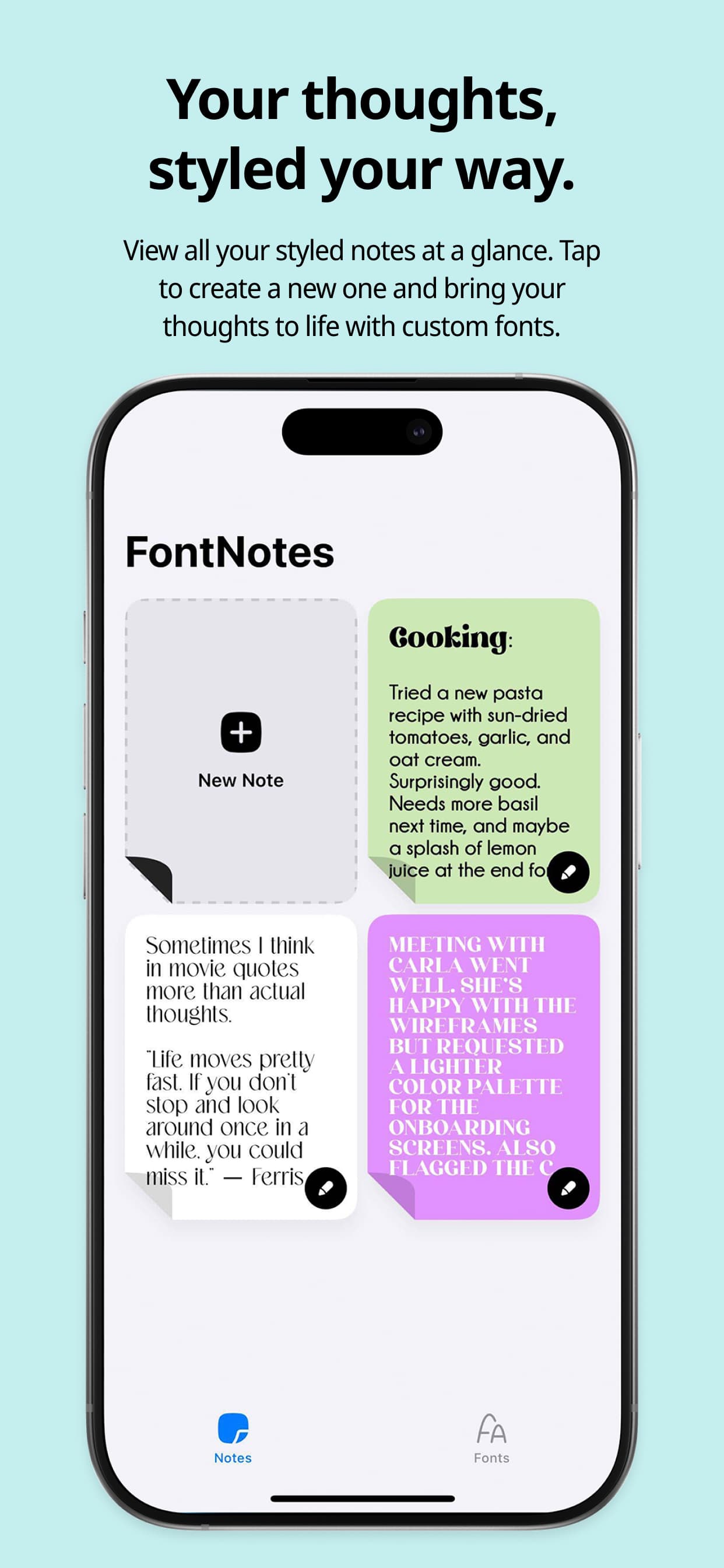
About this app
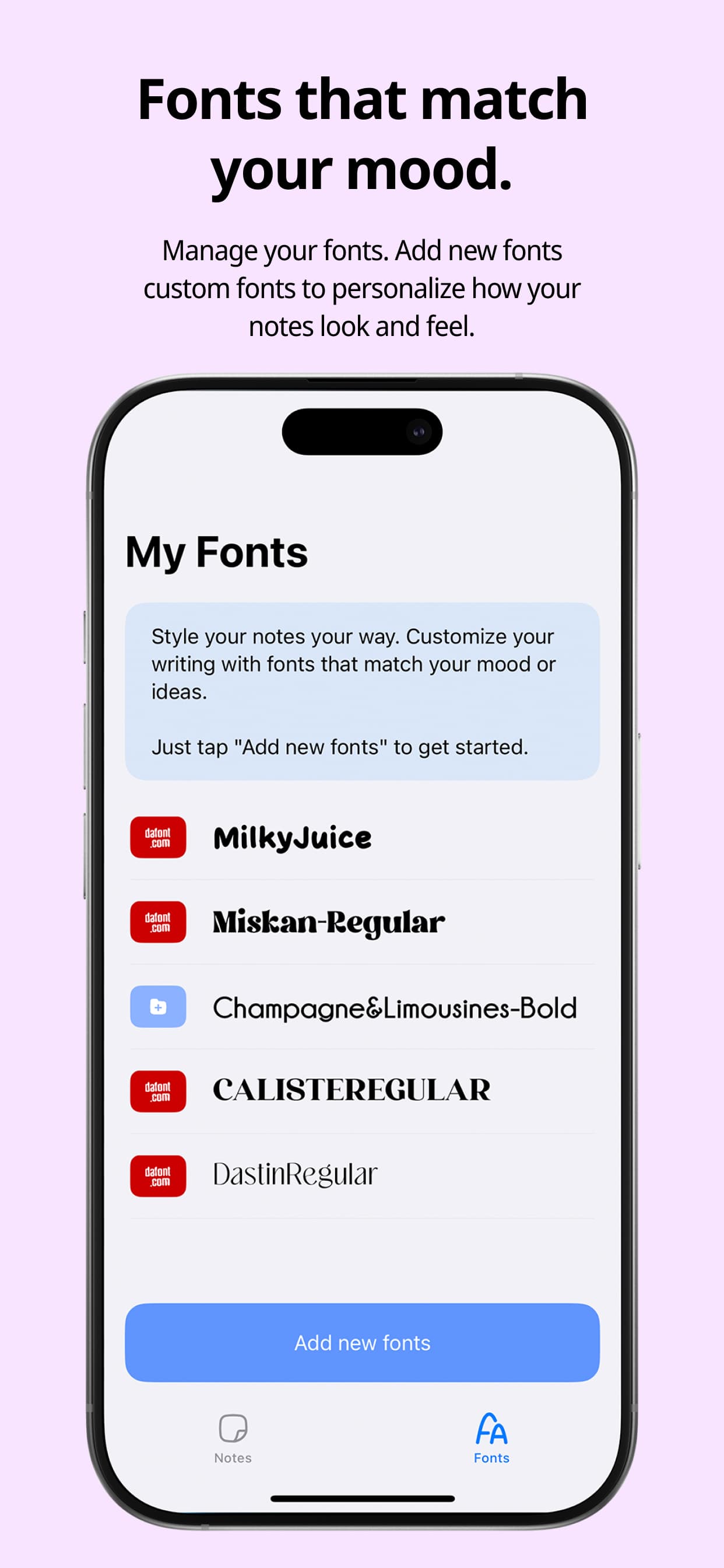
FontNotes is a lightweight iOS application developed by Evert Martin that revolutionizes note-taking by allowing users to fully customize text styling, including mixing fonts, applying custom colors, and adjusting layouts within a single note. It addresses the limitations of default apps like Apple Notes, offering a privacy-focused experience with no data collection and local storage. Ideal for creative professionals, students, and iOS power users, it excels in visual organization and ease of use, though it lacks advanced features like cloud sync or accessibility optimizations. With a 4.1 rating, it's praised for its intuitive interface and performance but has room for growth in areas such as collaboration and broader language support.
Key features
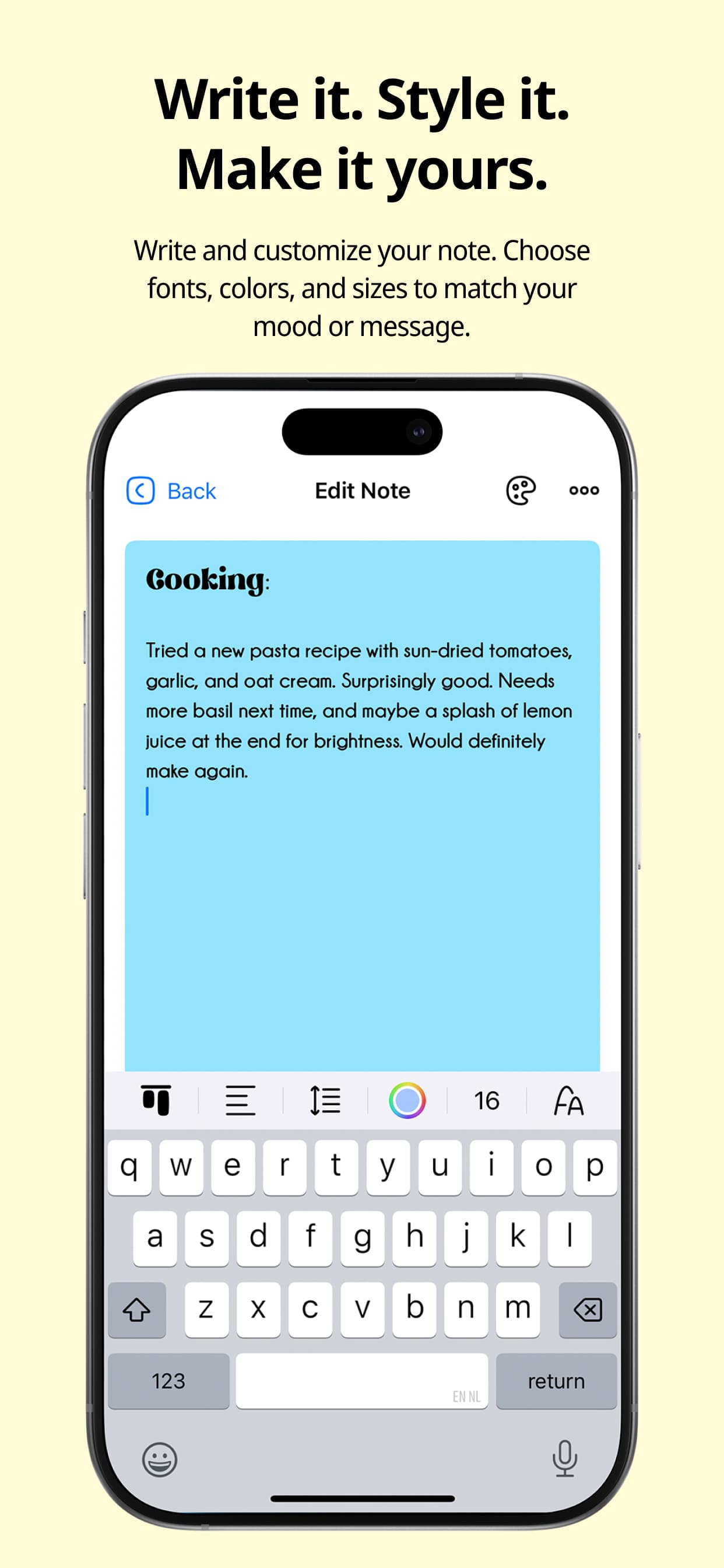
- 1Clean, minimalist interface with intuitive font carousel and real-time previews for easy styling.
- 2Per-word formatting capabilities allowing individual words to have different fonts and colors without separate text boxes.
- 3High performance with instant formatting response, lightweight operation, and strong security through local storage and zero data collection.
Target customer profile
Drawn from the product itself, not from a survey.
Demographic
Creative Professionals
Pain points
Limited text styling in default apps, visually monotonous notes
Primary needs
Expressive note formatting, visual organization
Demographic
Students & Educators
Pain points
Inability to highlight key concepts visually
Primary needs
Color-coded notes, emphasis through fonts
Demographic
iOS Power Users
Pain points
Apple Notes' restrictive formatting
Primary needs
Customization beyond system defaults
Scout Review
Written by AI from measured evidence, scored out of 100.
FontNotes excels at its core mission of providing stylish, customizable note-taking without the bloat of full-featured productivity suites. It's perfect for creative professionals, students, and iOS power users who want more visual expression than Apple Notes offers but don't need the complexity of apps like OneNote. The privacy-focused approach and excellent performance make it stand out, though the lack of cloud sync and accessibility features limit its broader appeal.
Measure by measure
Usability
80Intuitive per-word formatting but lacks tutorials for new users. Simple enough for quick styling but missing advanced text formatting options.
Design
90Clean, minimalist interface with intuitive font carousel and real-time previews. Excellent color picker system and per-word formatting capabilities.
Speed
90Instant formatting response with lightweight performance. Quick launches and smooth operation even with longer notes.
Security
100Zero data collection and local storage-only approach. No cloud sync means maximum privacy protection.
Accessibility
60Basic visual customization but lacks screen reader optimization and consistent Dynamic Type support. Limited language support.
Growth
70Strong niche appeal but limited by iOS-only availability. Potential for expansion with cloud features and broader platform support.
Improvement areas
- Lacks cloud sync for cross-device access, limiting convenience and broader usability.
- Poor accessibility features, including no screen reader optimization and inconsistent Dynamic Type support.
- Limited language support and absence of advanced text formatting options like bold or italic.
Design & Usability
FontNotes delivers a surprisingly polished design experience for a free app. The interface is clean and focused, with an intuitive font carousel that lets you swipe through typefaces and see real-time previews of how they'll look in your actual text. The color picker uses a smart gradient system that's more user-friendly than complex color wheels found in many design apps. What really sets it apart is the per-word formatting capability - you can make individual words pop with different fonts and colors without creating separate text boxes or dealing with clunky formatting tools. The minimalist design keeps the focus on your content while providing just enough styling options to be useful without overwhelming.
Speed & Security
Performance is where FontNotes truly shines. Formatting applies instantly without any noticeable lag, even when working with longer notes. The app launches quickly and maintains smooth operation throughout. From a security perspective, it's nearly perfect - the app collects zero user data according to its App Store listing, and notes stay locally on your device unless you actively choose to share them. The lack of cloud sync means fewer privacy concerns but does limit cross-device access. This local-only approach makes it one of the most secure note-taking options available, though it sacrifices convenience for that privacy protection.
Accessibility & Growth
Accessibility is FontNotes' weakest area. While the visual customization can help some users with readability needs through color and font choices, there's no mention of screen reader optimization or VoiceOver support. The high-contrast mode depends entirely on user-configured text colors rather than offering presets. Dynamic Type support appears inconsistent across different font choices, and language support is limited primarily to basic Latin alphabets. Growth potential is moderate - the app fills a specific niche well but could expand significantly with features like iCloud sync, Android availability, or basic collaboration tools. The 4.1 App Store rating suggests solid user satisfaction within its current scope.
Conclusion
If you're tired of boring, monochromatic notes and want to add some personality to your iPhone note-taking without compromising privacy, FontNotes is absolutely worth downloading. It's free, focused, and does exactly what it promises without trying to be everything to everyone. Just don't expect advanced features or cross-device sync - this app knows its lane and stays in it beautifully.
Suggestions for improvement
- The app could significantly improve with iCloud sync for cross-device access, basic text formatting options like bold and italic, proper Dynamic Type compatibility across all fonts, and accessibility features like screen reader optimization.
- Expanding language support beyond Latin scripts and adding high-contrast presets would make it more inclusive.
- Collaboration features would also help it compete with more established note-taking apps.
Alternatives comparison
Named competitors, point by point. Nobody paid to appear here or to be left out.
 FontNotes FontNotes | Apple Notes |  Google Keep Google Keep |  OneNote OneNote | |
|---|---|---|---|---|
| Font Customization | Full per-word font mixing and styling | Limited to system fonts, no mixing | Minimal formatting options | Basic font options but complex interface |
| Color Customization | Advanced color picker with gradient system | Limited color options | Basic highlight colors only | Full color options but buried in menus |
| Cloud Sync | Local storage only | iCloud sync | Google Drive sync | OneDrive sync |
| Privacy & Data Collection | Zero data collection | Apple privacy framework | Google data collection | Microsoft data collection |
| Platform Availability | iOS only | Apple ecosystem only | Cross-platform | Cross-platform |
Apple Notes
The default iOS app lacks font customization and advanced styling options
Google Keep
While great for quick notes, offers minimal text formatting capabilities
OneNote
Feature-heavy but complex; overkill for simple styled notes
Comparing options? See FontNotes alternatives, scored side by side
More Design & Creativity apps
View all Design & Creativity
RoomCreator
92An AI-powered interior and exterior design tool that tran...

QRBliss
91Branded QR codes with AI Brand Sync, 15 free dynamic code...

ThumbnailMaker
90AI YouTube thumbnail maker: paste a video link, get the brief, the thumbnail, and a check at feed size.

What the GIF
89Frame-perfect video-to-GIF maker that runs entirely in yo...

FontPlop
89Browser-based font viewer & tester for TTF, OTF, WOFF, WO...

English Test Coach
89English Test Coach checks your IELTS essays and letters, gives an estimated band score across all four criteria, and tells you exactly what to revise next.

All of Us
89Add deceased loved ones to photos with AI and see free pr...

Tracé slides
89Interactive math & physics slides with live graphs and an...

BeartIMAGE
88BeartIMAGE is a free, web-based image processing platform engineered for fast, bulk photo editing and conversion directly in your browser.

ButterKit
82macOS app for App Store screenshots: 3D mockups, auto-tra...

Portrait Gift
88AI-powered personalized face swap art platform creating c...

Pixelimg
88A free online AI-powered tool that instantly converts ima...


A platform dedicated to providing unbiased reviews of newly launched applications, analyzing everything from their features to their full potential.
info@scoutforge.net© 2026 Scoutforge. All rights reserved.
