Is this your app?
Claim GeniusAI.PRO to manage its page, add your badge and see your traffic — free, and it stays free.
Cycling through all six. Tap any point to stop.
Measured on six things
An AI-powered platform for text-to-image generation, offering tools for creators and teams to enhance visual content efficiently.
Accessibility
60Minimal support with no screen reader compatibility, limited language options, and no adjustable font sizes or keyboard shortcuts.
Screenshots
1 / 1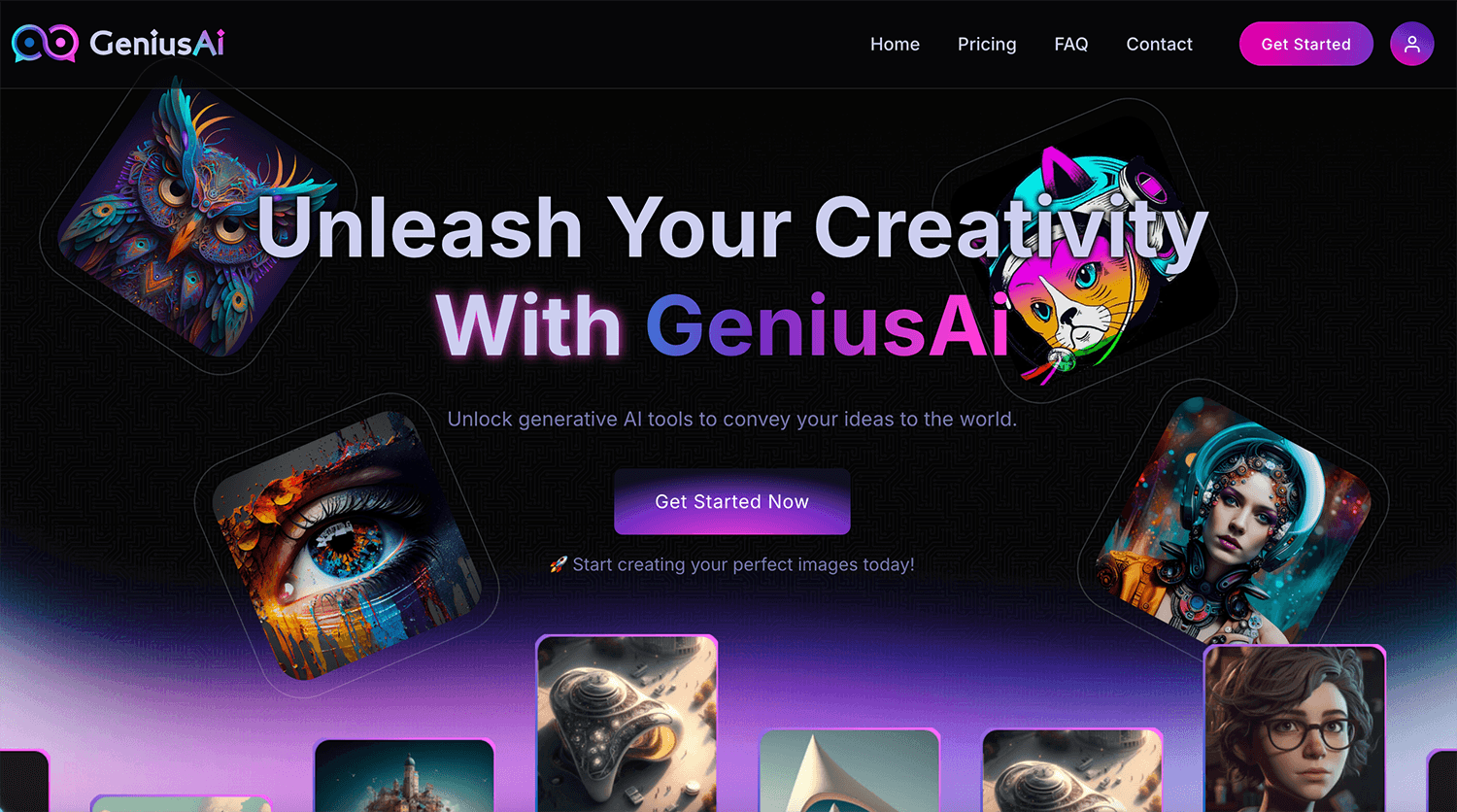
About this app
GeniusAI.PRO is a versatile AI tool that transforms text prompts into high-quality images, featuring options like Stable Diffusion models, style tweaks, and rapid generation. It includes photo upscaling, marketing templates, and collaboration features, making it ideal for content creators, small businesses, and developers. With budget-friendly pricing tiers and a user-friendly interface, it excels in quick prototyping and social media content creation, though it has room for improvement in advanced editing and accessibility.
Key features
- 1Clean dark-themed interface with intuitive navigation and grid-based image display
- 2Excellent for basic text-to-image generation with one-click editing tools
- 3Impressive 3-5 second generation times for most prompts
Target customer profile
Drawn from the product itself, not from a survey.
Demographic
Content Creators & Freelancers
Pain points
Time-consuming design processes, limited budget for premium tools
Primary needs
Quick image generation, style variety, affordable pricing
Demographic
Small Marketing Teams
Pain points
Collaboration bottlenecks, inconsistent branding
Primary needs
Shared workspaces, template libraries, batch editing
Demographic
Developers & Tech-Savvy Users
Pain points
Lack of API integration in basic AI tools
Primary needs
Custom workflows, API access, model fine-tuning
Scout Review
Written by AI from measured evidence, scored out of 100.
GeniusAI.PRO delivers exceptional value for money with its lightning-fast text-to-image generation and budget-conscious pricing structure. It's particularly strong for content creators and small teams who need quick visual assets without Adobe-level complexity or cost. The platform excels at rapid prototyping and social media content creation, though it falls short in advanced editing capabilities and accessibility features. While not yet a replacement for premium design suites, it's a powerful tool for specific use cases where speed and affordability matter more than polished perfection.
Measure by measure
Usability
80Excellent for basic text-to-image generation with one-click editing tools, but team collaboration features need streamlining for power users.
Design
84Clean dark-themed interface with intuitive navigation and grid-based image display, though advanced controls are buried in submenus.
Speed
86Impressive 3-5 second generation times for most prompts, though upscaling high-res files can lag during peak hours.
Security
80Standard SSL encryption and clear privacy policy, but lacks two-factor authentication and advanced security features.
Accessibility
60Minimal support with no screen reader compatibility, limited language options, and no adjustable font sizes or keyboard shortcuts.
Growth
90High market demand for AI art tools with budget-friendly pricing and API access, though needs differentiation from competitors.
Improvement areas
- Advanced controls buried in submenus need better accessibility
- Lacks two-factor authentication and advanced security features
- Minimal support with no screen reader compatibility or adjustable font sizes
Design & Usability
GeniusAI.PRO delivers a surprisingly polished experience with its dark-themed interface that feels both modern and functional. The layout prioritizes what matters most - a prominent prompt box front and center, with style selectors and model options easily accessible. Generated images appear in a clean grid format that makes browsing your creations intuitive. One-click editing tools like 'Upscale' and 'Enhance' remove friction from the workflow, making it accessible even for non-technical users. However, the experience stumbles when you need advanced controls - diffusion steps and detailed parameter adjustments are buried in submenus that feel like an afterthought. The collaboration features show promise with real-time feedback capabilities, but the lack of version history might frustrate teams working on iterative projects.
Speed & Security
Where GeniusAI.PRO truly shines is in its performance - generating images from text prompts takes just 3-5 seconds, which feels almost magical compared to some competitors. This speed makes it excellent for rapid prototyping and quick content creation. However, the performance isn't consistently stellar - upscaling high-resolution files can drag during peak usage times, suggesting some server capacity limitations. Security-wise, the platform meets basic standards with SSL encryption and a transparent privacy policy that clearly outlines data usage. But in an era where security breaches are common, the lack of two-factor authentication feels like a missed opportunity to provide enterprise-grade protection for sensitive creative assets.
Accessibility & Growth
Accessibility is clearly GeniusAI.PRO's weakest area. The platform offers no screen reader support, limited language options (English-only interface), and no adjustable font sizes or keyboard navigation alternatives. This exclusionary approach puts it behind more inclusive platforms like Canva. However, the growth potential is substantial - the AI art generation market is exploding, and GeniusAI.PRO's budget-friendly pricing tiers and API access position it well to capture market share from expensive alternatives. The platform's focus on team collaboration and marketing templates addresses real pain points for small businesses and content creators who need affordable, efficient visual content solutions.
Conclusion
If you're a content creator, marketer, or small business owner looking for an affordable AI image generation solution that won't require a PhD to operate, GeniusAI.PRO is definitely worth exploring. Its combination of speed, simplicity, and team features makes it ideal for rapid content creation workflows. Just temper your expectations around advanced editing and accessibility support. For quick visual assets that don't break the bank, this platform delivers solid value.
Suggestions for improvement
- To reach its full potential, GeniusAI.PRO should prioritize accessibility improvements including screen reader compatibility and multilingual support.
- Introducing a free tier with watermarked outputs would help attract new users and demonstrate value before conversion.
- Server optimization during peak times would address the upscaling performance issues, while enhanced collaboration tools with version history and better commenting systems would make it more appealing to professional teams.
- Adding two-factor authentication would significantly improve security posture for business users.
Alternatives comparison
Named competitors, point by point. Nobody paid to appear here or to be left out.
 GeniusAI.PRO GeniusAI.PRO |  Canva AI Image Generator Canva AI Image Generator |  Adobe Firefly Adobe Firefly |  Picsart Photo to Art Picsart Photo to Art | |
|---|---|---|---|---|
| Pricing Affordability | Budget-friendly tiers (Silver, Gold, Platinum) | Premium pricing for team features | Expensive Creative Cloud integration required | Freemium model with paid upgrades |
| Generation Speed | 3-5 seconds per prompt | Varies based on template complexity | Fast with Creative Cloud integration | Moderate speed for photo-to-art conversion |
| Collaboration Features | Team workspaces, real-time feedback | Polished team templates, premium pricing | Full Creative Cloud collaboration suite | Limited collaboration tools |
| Advanced Editing | Basic upscaling and enhancement | Comprehensive design tools | Superior editing capabilities | Photo-to-art filters focus |
| API Access | Available on Platinum plan | Limited API integration | Full Creative Cloud API ecosystem | Basic API features |
Canva AI Image Generator
Offers polished templates but is pricier for team features; GeniusAI.PRO provides better value for bulk generation.
Adobe Firefly
Superior editing tools and Creative Cloud integration, but lacks budget-friendly tiers compared to GeniusAI.PRO.
Picsart Photo to Art
Focuses on photo-to-art filters, whereas GeniusAI.PRO excels in prompt-based generation and upscaling.
Comparing options? See GeniusAI.PRO alternatives, scored side by side
More Design & Creativity apps
View all Design & Creativity
RoomCreator
92An AI-powered interior and exterior design tool that tran...

QRBliss
91Branded QR codes with AI Brand Sync, 15 free dynamic code...

ThumbnailMaker
90AI YouTube thumbnail maker: paste a video link, get the brief, the thumbnail, and a check at feed size.

What the GIF
89Frame-perfect video-to-GIF maker that runs entirely in yo...

FontPlop
89Browser-based font viewer & tester for TTF, OTF, WOFF, WO...

English Test Coach
89English Test Coach checks your IELTS essays and letters, gives an estimated band score across all four criteria, and tells you exactly what to revise next.

All of Us
89Add deceased loved ones to photos with AI and see free pr...

Tracé slides
89Interactive math & physics slides with live graphs and an...

BeartIMAGE
88BeartIMAGE is a free, web-based image processing platform engineered for fast, bulk photo editing and conversion directly in your browser.

ButterKit
82macOS app for App Store screenshots: 3D mockups, auto-tra...

Portrait Gift
88AI-powered personalized face swap art platform creating c...

Pixelimg
88A free online AI-powered tool that instantly converts ima...


A platform dedicated to providing unbiased reviews of newly launched applications, analyzing everything from their features to their full potential.
info@scoutforge.net© 2026 Scoutforge. All rights reserved.
