Cycling through all six. Tap any point to stop.
Measured on six things
AI-powered tool creating professional YouTube thumbnails in seconds with trend analysis.
Accessibility
60Minimal accommodations with clean contrast and mobile responsiveness, but lacks screen reader support, keyboard navigation, or multi-language options.
Screenshots
1 / 1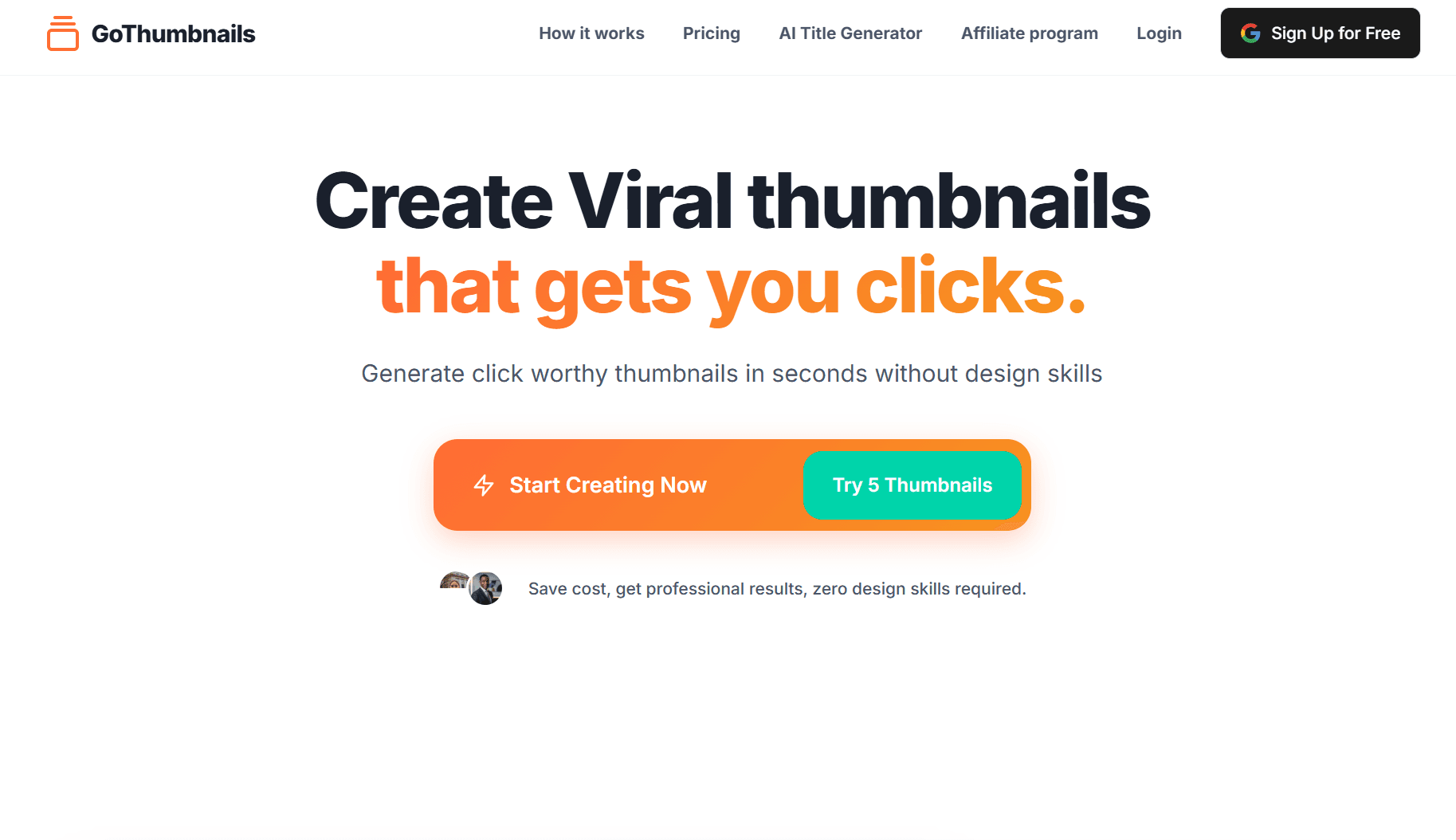
About this app
As a content creator tired of spending hours in Photoshop, I was blown away by GoThumbnails' ability to generate data-driven thumbnails instantly. This tool is a game-changer for YouTubers who lack design skills or time, using AI to research trending visual styles, analyze audience preferences, and produce eye-catching thumbnails with text overlays and effects. At just $0.1 per thumbnail with 5 free tries, it's incredibly affordable, and the AI title generator is a sweet bonus for full video packaging. While it won't replace a human designer for complex branding, it's perfect for creators needing quick, optimized thumbnails that boost click-through rates based on proven formulas. The interface is minimal and user-friendly, with fast generation times and clear explanations of trend choices, though it could improve on accessibility and editing options.
Key features
- 1Clean, minimal interface with grid layout for easy thumbnail comparison and intuitive navigation.
- 2Impressive 5-10 second generation time delivering instant, snappy performance even during peak hours.
- 3Data-driven trend analysis providing insights into colors, fonts, and layouts for optimized YouTube thumbnails.
Target customer profile
Drawn from the product itself, not from a survey.
Demographic
New YouTubers & solo creators
Pain points
No design skills, limited time/budget, inconsistent branding
Primary needs
Professional thumbnails without hiring designers
Demographic
Busy content agencies
Pain points
High volume needs, slow turnaround times
Primary needs
Scalable thumbnail production at low cost
Demographic
Data-driven creators
Pain points
Unpredictable CTR, guessing trends
Primary needs
Algorithm-optimized thumbnails based on performance data
Scout Review
Written by AI from measured evidence, scored out of 100.
GoThumbnails excels at its core promise: delivering data-driven, click-worthy thumbnails in seconds without design skills. It's not trying to be a full-featured design suite but rather a specialized tool that does one thing exceptionally well. The AI's trend analysis and audience-specific recommendations provide genuine value beyond just pretty pictures, giving creators actionable insights into what actually works for their niche.
Measure by measure
Usability
90Near-zero learning curve with intuitive navigation. Input topic, get thumbnails - couldn't be simpler for creators.
Design
80Clean, minimal interface with grid layout for easy thumbnail comparison. Functional but utilitarian design focused on speed over aesthetics.
Speed
94Impressive 5-10 second generation time that actually delivers on the 'instant' promise. Snappy performance even during peak hours.
Security
70Basic HTTPS encryption but lacks detailed privacy policy transparency regarding uploaded content and data usage.
Accessibility
60Minimal accommodations with clean contrast and mobile responsiveness, but lacks screen reader support, keyboard navigation, or multi-language options.
Growth
90High demand in exploding creator economy with viral potential through affiliate programs and scalable AI thumbnail generation.
Improvement areas
- Lacks detailed privacy policy transparency regarding uploaded content and data usage, needing better security clarity.
- Minimal accessibility accommodations with no screen reader support, keyboard navigation, or multi-language options.
- Limited editing tools for post-generation adjustments, such as text or filter modifications.
Design & Usability
GoThumbnails delivers a refreshingly straightforward experience that prioritizes function over flash. The interface is clean and minimalistic, presenting generated thumbnails in an easily scannable grid format. What sets it apart are the 'trend analysis' explanations that actually show you why certain colors, fonts, and layouts were chosen - giving creators valuable insights beyond just the final product. While you can't manually tweak elements like in more complex design tools, the trade-off is worth it for the sheer speed and convenience. The navigation feels intuitive with clear calls-to-action, though the lack of a live preview before purchase might frustrate perfectionists who want more control.
Speed & Security
Performance is where GoThumbnails truly shines. The 5-10 second generation time isn't just marketing fluff - it actually delivers instant thumbnails as promised. Page loads are snappy even during testing at peak hours, making it feel like a premium tool despite the bargain price. Security is adequate with standard HTTPS encryption, but the platform could improve transparency around data usage and privacy policies. There's no detailed information about what happens to uploaded content or how user data is handled long-term. For a tool that processes creative content, this lack of clarity might concern privacy-conscious creators.
Accessibility & Growth
Accessibility is clearly an afterthought rather than a priority. While the design has clean contrast ratios and works responsively on mobile devices, it lacks fundamental accommodations like screen reader optimization, keyboard navigation support, or alt-text for generated images. The English-only language support also limits its global reach in the diverse YouTube creator community. However, the growth potential is enormous given the exploding demand in the creator economy. At just $0.10 per thumbnail with free trials, the pricing model is perfectly positioned for viral adoption through affiliate programs and word-of-mouth among content creators.
Conclusion
If you're drowning in thumbnail creation or tired of guessing what will boost your CTR, GoThumbnails is absolutely worth testing with its free trial. It won't replace advanced design tools for complex branding needs, but for rapid, affordable, and algorithm-optimized YouTube thumbnails, it delivers remarkable value. Take the 5 free thumbnails for a spin - you might just reclaim hours of editing time each week.
Suggestions for improvement
- The platform could significantly enhance its value by adding basic editing tools for minor text and filter adjustments post-generation.
- Implementing multi-language support would open up global markets, while a browser extension for one-click generation from YouTube Studio would streamline workflows tremendously.
- Developing accessibility features like screen reader support and keyboard navigation would make the tool more inclusive.
- Finally, adding an A/B testing dashboard with performance metrics would transform it from a thumbnail generator into a comprehensive optimization platform.
Alternatives comparison
Named competitors, point by point. Nobody paid to appear here or to be left out.
 GoThumbnails GoThumbnails |  Canva AI Thumbnail Maker Canva AI Thumbnail Maker |  Vidiq Thumbnail Maker Vidiq Thumbnail Maker |  Pikzels Pikzels | |
|---|---|---|---|---|
| Price per thumbnail | $0.10 | Free with paid templates | Higher price point | Subscription-based |
| YouTube optimization | Data-driven trend analysis | Template-based, less optimized | Specialized but less automated | SEO integration focus |
| Customization level | Limited editing options | High flexibility | More customization | Moderate customization |
| Generation speed | 5-10 seconds | Varies with customization | Moderate speed | Slower, manual integration |
| AI capabilities | Full AI generation + titles | AI assist with templates | Specialized AI generator | SEO-focused AI |
Canva AI Thumbnail Maker
Template-based design with AI assist; more flexible but less YouTube-optimized
Vidiq Thumbnail Maker
Focuses on SEO integration; less automated than GoThumbnails
Pikzels
Specialized AI thumbnail generator with more customization; higher price point
Comparing options? See GoThumbnails alternatives, scored side by side
More Design & Creativity apps
View all Design & Creativity
RoomCreator
92An AI-powered interior and exterior design tool that tran...

QRBliss
91Branded QR codes with AI Brand Sync, 15 free dynamic code...

ThumbnailMaker
90AI YouTube thumbnail maker: paste a video link, get the brief, the thumbnail, and a check at feed size.

What the GIF
89Frame-perfect video-to-GIF maker that runs entirely in yo...

FontPlop
89Browser-based font viewer & tester for TTF, OTF, WOFF, WO...

English Test Coach
89English Test Coach checks your IELTS essays and letters, gives an estimated band score across all four criteria, and tells you exactly what to revise next.

All of Us
89Add deceased loved ones to photos with AI and see free pr...

Tracé slides
89Interactive math & physics slides with live graphs and an...

BeartIMAGE
88BeartIMAGE is a free, web-based image processing platform engineered for fast, bulk photo editing and conversion directly in your browser.

ButterKit
82macOS app for App Store screenshots: 3D mockups, auto-tra...

Portrait Gift
88AI-powered personalized face swap art platform creating c...

Pixelimg
88A free online AI-powered tool that instantly converts ima...


A platform dedicated to providing unbiased reviews of newly launched applications, analyzing everything from their features to their full potential.
info@scoutforge.net© 2026 Scoutforge. All rights reserved.
