

A platform dedicated to providing unbiased reviews of newly launched applications, analyzing everything from their features to their full potential.
info@scoutforge.net© 2026 Scoutforge. All rights reserved.
A platform dedicated to providing unbiased reviews of newly launched applications, analyzing everything from their features to their full potential.
info@scoutforge.net© 2026 Scoutforge. All rights reserved.
A platform dedicated to providing unbiased reviews of newly launched applications, analyzing everything from their features to their full potential.
info@scoutforge.net© 2026 Scoutforge. All rights reserved.
Cycling through all six. Tap any point to stop.
Measured on six things
One AI toolkit to upscale, enhance, cut out, and blur.
HTTPS and HSTS are solid, but missing CSP, frame protection, and other headers. No SOC 2 or ISO claims. SPF present, DMARC absent. Basic security for an early-stage tool.
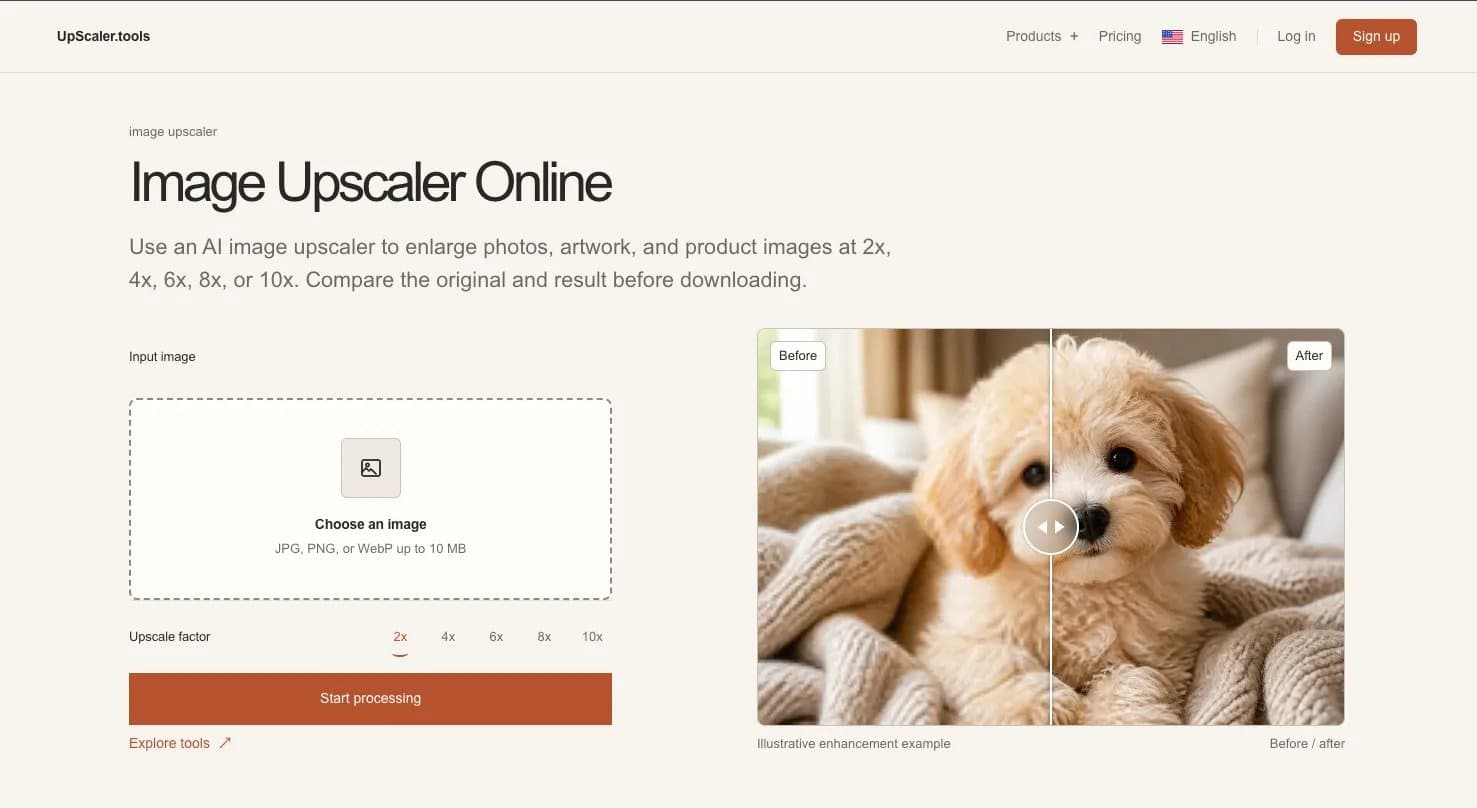
UpScaler.tools is a focused AI image toolkit that helps you turn everyday visuals into cleaner, sharper, more useful assets. Upscale images, enhance natural detail, enlarge small photos, remove backgrounds, blur faces for privacy, or soften busy backgrounds—without learning complex editing software. Upload your image, choose a tool, compare the before-and-after result, and download when it looks right. Built for product photos, portraits, social posts, artwork, scans, presentations, and more. FEATURES • Clarity Improvement: Cleans up blurry or messy images to make them look crisp. • Detail Sharpening: Pulls out tiny details that were lost or hard to see. • Quality Preservation: Makes images look high definition without making them pixelated. • AI Processing: Uses smart technology to automatically fix your photos for you. • Instant Results: Gives you a finished high-quality image in a snap.
Drawn from the product itself, not from a survey.
Demographic
Graphic designers and digital artists
Pain points
Need to upscale images without losing quality, but often get artificial-looking results or pay high costs for professional software.
Primary needs
High-quality upscaling that preserves detail and color, fast processing, and an intuitive interface for quick edits.
Demographic
E-commerce sellers and marketers
Pain points
Product images are often low-resolution, but they need high-quality visuals for listings and ads. They want tools that don't require technical expertise.
Primary needs
Quick and easy image enhancement, with the ability to compare before/after to ensure brand consistency and professional look.
Demographic
Photography enthusiasts and social media users
Pain points
Low-resolution photos from old cameras or smartphones look blurry when enlarged; they want to restore or enhance their personal memories without complex editing.
Primary needs
An affordable, user-friendly tool that can upscale and enhance images while maintaining a natural appearance, with some privacy.
Written by AI from measured evidence, scored out of 100.
UpScaler.tools is a promising AI image toolkit with a clean design and useful before/after sliders. It offers 8 tools for upscaling, enhancing, background removal, and more, with clear pricing starting at $9.99/month. However, mobile performance is slow (LCP 8.4s), security headers are incomplete, and accessibility has minor issues. The market is competitive with free open-source alternatives, but the all-in-one convenience and credit-based pricing (never expire) are appealing. It's a solid early-stage product that needs to improve speed and security to stand out.
Clear upload flow with file limits and visible processing button. Navigation is simple but 'Products +' dropdown hides tools; before/after sliders aid understanding.
Clean, consistent design with prominent before/after sliders and terracotta accents. Text-heavy tool cards and redundant maker media drag it down slightly.
Mobile performance 69/100 with LCP 8.4s (slow), but desktop 81/100. CLS is excellent at 0.001, TBT low at 230ms. Site claims 'fast by design' but mobile load is sluggish.
HTTPS and HSTS are solid, but missing CSP, frame protection, and other headers. No SOC 2 or ISO claims. SPF present, DMARC absent. Basic security for an early-stage tool.
Lighthouse 91/100 but fails contrast, form labels, and accessible names. Multi-language support is a plus. No explicit WCAG statement or keyboard navigation evidence.
Real problem (image upscaling) with a clear toolkit approach and 8 tools. Differentiated by all-in-one convenience, but crowded market with free alternatives like Upscayl.
The design is clean and consistent, with terracotta accents and before/after sliders that effectively demonstrate the product's value. However, the tool descriptions are verbose and repetitive, making the grid feel text-heavy. Usability is decent: the upload flow is clear with file limits and a visible processing button, but the 'Products +' dropdown hides tools, reducing discoverability. The before/after sliders on each card are a strong usability feature, helping users understand each tool's purpose at a glance. Overall, it's a solid, user-friendly interface that could benefit from tighter copy and better navigation.
Speed is a mixed bag: desktop performance is good (81/100), but mobile LCP of 8.4s is a significant bottleneck, likely due to heavy images and scripts. The site claims 'fast by design', but mobile users will experience noticeable lag. Security is basic: HTTPS and HSTS are enforced, but missing CSP, frame protection, and other headers leave room for improvement. No SOC 2 or ISO certifications are mentioned, which is typical for an early-stage tool but a concern for enterprise users. The privacy policy is not detailed in the fetched content, so transparency is limited.
Accessibility is above average with a Lighthouse score of 91, but failing audits on contrast, form labels, and accessible names are real issues that need fixing. Multi-language support is a plus, though no explicit WCAG statement exists. Growth potential is moderate: the problem of image upscaling is real and the toolkit approach is convenient, but the market is crowded with free alternatives like Upscayl and waifu2x. The all-in-one positioning (8 tools) is a differentiator, but it's not a moat. The domain is brand new, so traction is minimal, but the idea has room if they can execute on quality and speed.
Conclusion
If you're tired of juggling multiple tools for image editing, UpScaler.tools offers a convenient all-in-one solution. The before/after sliders are a great touch, and the pricing is reasonable. But before you commit, consider whether the mobile performance and security gaps are deal-breakers for your workflow. For a quick upscale or background removal, it's worth a try—just don't expect it to replace professional software like Topaz Gigapixel AI just yet. Give it a shot, and see if the results justify the credits.
Named competitors, point by point. Nobody paid to appear here or to be left out.
 Image Upscaler Tools Image Upscaler Tools |  Upscayl Upscayl |  Let's Enhance Let's Enhance |  Topaz Gigapixel AI Topaz Gigapixel AI | waifu2x | |
|---|---|---|---|---|---|
| Pricing model | Subscription from $9.99/month for 50 credits | Free, open-source | Subscription-based, ~$9/month for 100 credits | One-time purchase ~$99.99 | Free, open-source |
| Platform | Web-based, no installation | Desktop app (Windows, Mac, Linux) | Web-based | Desktop app (Windows, Mac) | Web-based and desktop |
| Additional tools | 8 tools: upscaler, enhance, background remover, blur face/background, eraser, ID photo | Only upscaling | Upscaling, enhancement, color correction, noise reduction | Upscaling with detailed control | Upscaling (specialized for anime) |
Upscayl
A free, open-source AI upscaler that runs locally. It offers similar upscaling capabilities but requires installation and may have a steeper learning curve.
Let's Enhance
A commercial AI image enhancement tool with more advanced features like color correction and noise reduction, but it typically requires a subscription.
Topaz Gigapixel AI
A desktop application known for its high-quality upscaling and detailed control, but it's paid and requires installation.
waifu2x
An open-source tool that specializes in upscaling anime-style images; it's free but not as versatile for other image types.
Comparing options? See Image Upscaler Tools alternatives, scored side by side

An AI-powered interior and exterior design tool that tran...

Frame-perfect video-to-GIF maker that runs entirely in yo...

BeartIMAGE is a free, web-based image processing platform engineered for fast, bulk photo editing and conversion directly in your browser.

A free online AI-powered tool that instantly converts ima...

AI-powered personalized face swap art platform creating c...

macOS app for App Store screenshots: 3D mockups, auto-tra...

An AI-powered photo restoration app that brings old, blur...

A massive collection of free printable coloring pages for...

Design And Animate QR Codes People Want to Scan

AI face swap for photos, videos, GIFs with free trial.

Try on a tattoo on your own body photo before you book.

Private, local-first image texture workbench.
A platform dedicated to providing unbiased reviews of newly launched applications, analyzing everything from their features to their full potential.
info@scoutforge.net© 2026 Scoutforge. All rights reserved.
