Is this your app?
Claim ImageWizard to manage its page, add your badge and see your traffic — free, and it stays free.
Cycling through all six. Tap any point to stop.
Measured on six things
A free AI-powered platform for generating images, converting photos to videos, and enhancing visual content with easy-to-use tools.
Accessibility
60Minimal compliance with alt text and keyboard nav, but lacks screen reader optimization and multilingual support.
Screenshots
1 / 2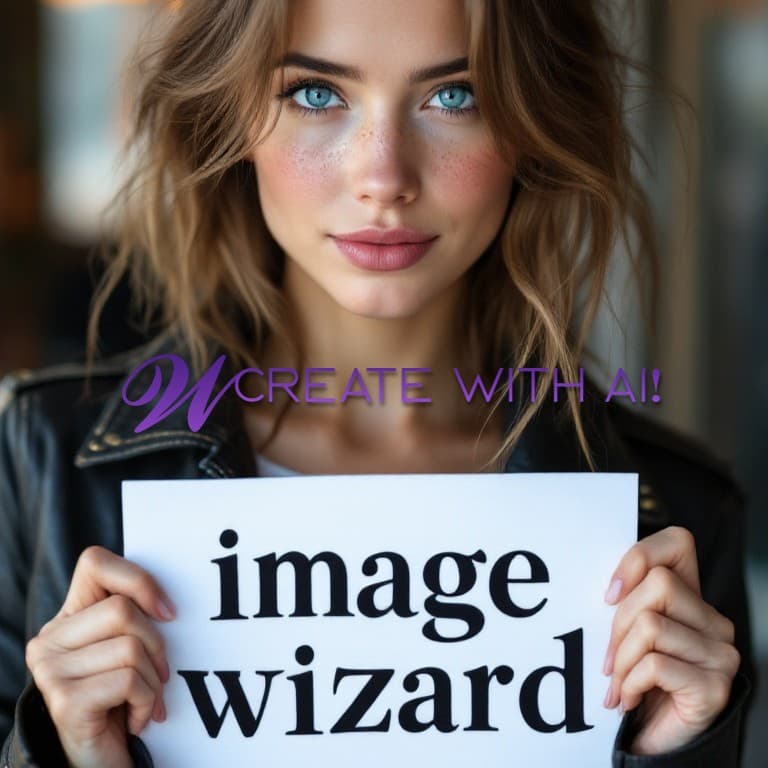
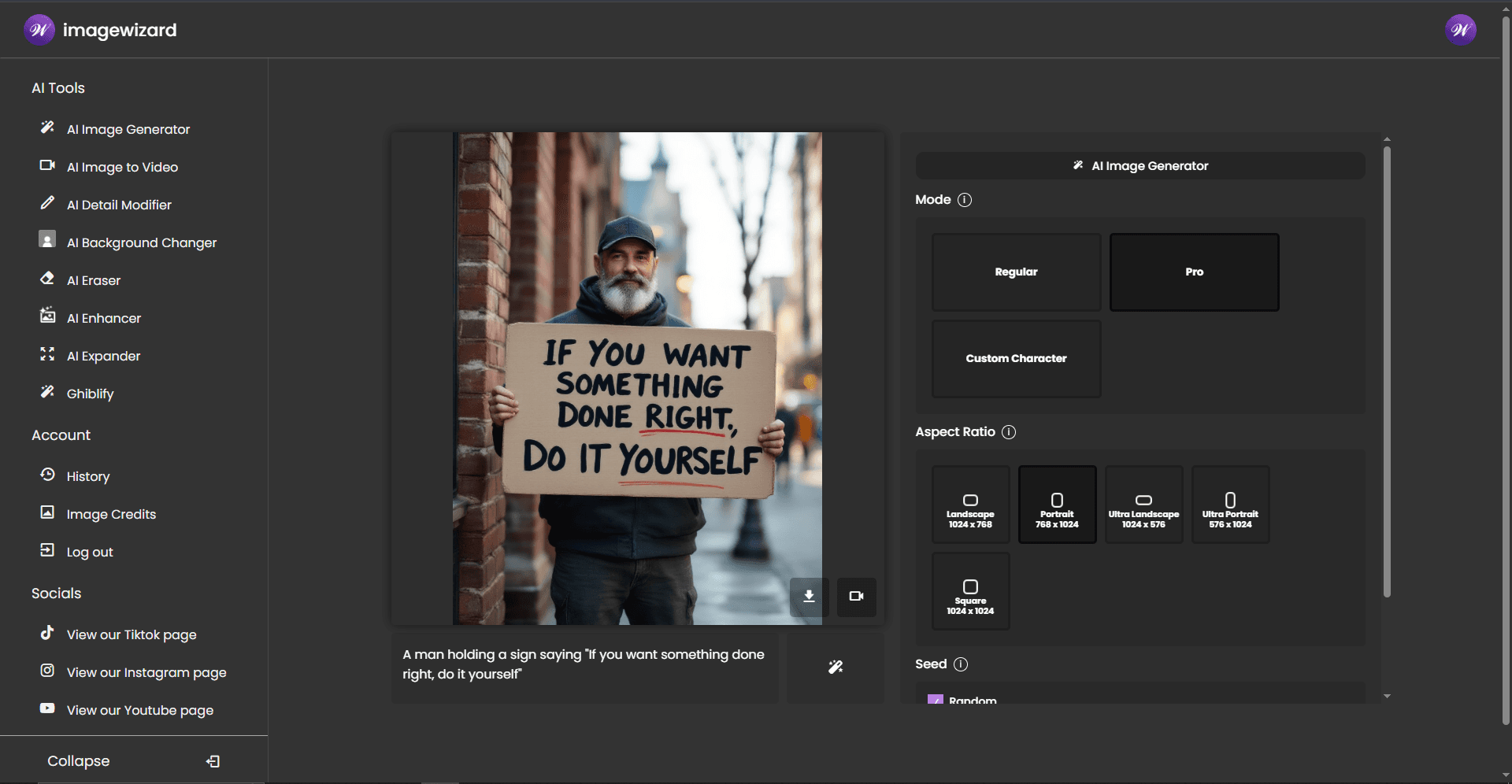
About this app
ImageWizard is a versatile and free AI-driven tool that simplifies visual content creation for users without design expertise. It offers features like AI image generation, video conversion, artistic filters such as the unique Ghiblify style, object erasure, and background changes. Designed for content creators, social media managers, and small businesses, it provides quick, high-quality edits that typically require advanced software. The platform's intuitive interface and fast processing make it ideal for producing engaging social media snippets and marketing materials efficiently.
Key features
- 1Wizard-themed interface with intuitive card-based navigation for easy use
- 2One-click AI editing operations accessible to beginners with minimal learning curve
- 3Fast image processing in 3-7 seconds and video conversion in 15 seconds
Target customer profile
Drawn from the product itself, not from a survey.
Demographic
Social Media Managers
Pain points
Creating daily visual content, maintaining brand consistency, quick editing needs
Primary needs
Fast meme/video generation, background removal for product shots
Demographic
Small Business Owners
Pain points
Limited design budget, need marketing visuals, logo creation
Primary needs
Logo generation, promotional video snippets, image enhancement
Demographic
Content Creators
Pain points
Time-consuming editing, need for unique styles, platform-specific formats
Primary needs
Ghiblify filter, social-optimized videos, image expansion
Scout Review
Written by AI from measured evidence, scored out of 100.
ImageWizard delivers exceptional value as a free all-in-one visual toolkit that democratizes advanced AI editing. It excels at making complex transformations accessible through simple interfaces, particularly for social media content creation. While professionals might need more granular controls, it's perfect for entrepreneurs, marketers, and content creators who need to quickly turn ordinary photos into engaging social content. The unique Ghiblify filter and video conversion capabilities set it apart from competitors, offering specialized tools that address specific content creation pain points.
Measure by measure
Usability
90One-click operations make complex AI edits accessible to complete beginners with minimal learning curve.
Design
86Clean wizard-themed interface with intuitive card-based navigation and magical accent elements that enhance usability without distraction.
Speed
80Impressive 3-7 second image processing and 15-second video conversion, though complex operations occasionally require reloads.
Security
70Basic HTTPS encryption but lacks transparency about AI training data and privacy documentation.
Accessibility
60Minimal compliance with alt text and keyboard nav, but lacks screen reader optimization and multilingual support.
Growth
84High demand for social video tools and unique filters positions it well in the growing AI content creation market.
Improvement areas
- Enhance security with better encryption and transparency on data usage
- Improve accessibility with screen reader support and multilingual options
- Add video length customization and collaborative features for broader usability
Design & Usability
ImageWizard's interface strikes a perfect balance between magical theme and practical functionality. The wizard-inspired design with blues and purples creates an engaging experience without overwhelming users. Card-based navigation makes switching between tools like AI Expander and Background Changer incredibly intuitive. Each feature maintains a minimalist workspace with just essential controls - typically an upload button and style selector. The instant video previews without rendering delays showcase thoughtful UX design that prioritizes user efficiency. For beginners and professionals alike, the layout reduces cognitive load while making advanced AI editing accessible through simple dropdown selections.
Speed & Security
Performance-wise, ImageWizard delivers impressive speed for browser-based AI processing. Image transformations complete in 3-7 seconds, while video conversion averages just 15 seconds - remarkable for complex AI operations. The background remover outperforms many dedicated tools in speed. However, security presents some concerns with only basic HTTPS encryption and no transparency about data usage or AI training practices. While processing happens quickly, occasional reloads during complex image expansion operations suggest some optimization opportunities. The platform would benefit from detailed privacy documentation to build trust around how user images are handled and whether they contribute to model training.
Accessibility & Growth
Accessibility remains ImageWizard's weakest area, offering only basic compliance with alt text and keyboard navigation. The visual-centric nature inherently creates barriers for visually impaired users, and the lack of screen reader optimization, color contrast options, or multilingual support limits its global reach. However, growth potential shines through its unique value proposition - the Ghiblify filter and social video conversion address specific market gaps competitors haven't filled. The completely free model positions it perfectly for the exploding demand from content creators and small businesses needing quick, professional visual content without subscription barriers or design expertise.
Conclusion
If you're creating social media content, marketing materials, or just want to add magical touches to your photos without learning complex design software, ImageWizard is absolutely worth exploring. The free access removes financial barriers while the specialized tools save significant time compared to traditional editing workflows. For quick transformations that would normally require multiple apps or subscriptions, this platform delivers impressive results with minimal effort.
Suggestions for improvement
- Adding video length customization beyond the 4-second limit would greatly enhance flexibility for different social platforms.
- Implementing collaborative features would make it more valuable for team workflows and agencies.
- A mobile app version is essential for on-the-go content creation matching modern creator lifestyles.
- Multi-language support would expand its global reach significantly.
- Most importantly, transparency reports about AI training data sources would build crucial trust with privacy-conscious users concerned about how their images are being used.
Alternatives comparison
Named competitors, point by point. Nobody paid to appear here or to be left out.
 ImageWizard |  Canva AI Tools |  Adobe Firefly |  Invideo AI | |
|---|---|---|---|---|
| Pricing Model | Completely Free | Freemium with paid tiers | Subscription required | Freemium with paid features |
| Video Conversion | 4-second social clips | Limited video features | Advanced video tools | Long-form video focus |
| Unique Filters | Ghiblify and specialized styles | Standard AI filters | Professional-grade filters | Video-specific effects |
| Target User | Social content creators | General users | Professionals | Video creators |
Canva AI Tools
Offers similar image generation but lacks dedicated video conversion and style filters like Ghiblify
Adobe Firefly
More advanced features but requires subscription, whereas ImageWizard is completely free
Invideo AI
Specializes in longer videos while ImageWizard focuses on short social-ready clips
Comparing options? See ImageWizard alternatives, scored side by side
More Design & Creativity apps
View all Design & Creativity
RoomCreator
92An AI-powered interior and exterior design tool that tran...

QRBliss
91Branded QR codes with AI Brand Sync, 15 free dynamic code...

ThumbnailMaker
90AI YouTube thumbnail maker: paste a video link, get the brief, the thumbnail, and a check at feed size.

What the GIF
89Frame-perfect video-to-GIF maker that runs entirely in yo...

FontPlop
89Browser-based font viewer & tester for TTF, OTF, WOFF, WO...

English Test Coach
89English Test Coach checks your IELTS essays and letters, gives an estimated band score across all four criteria, and tells you exactly what to revise next.

All of Us
89Add deceased loved ones to photos with AI and see free pr...

Tracé slides
89Interactive math & physics slides with live graphs and an...

BeartIMAGE
88BeartIMAGE is a free, web-based image processing platform engineered for fast, bulk photo editing and conversion directly in your browser.

ButterKit
82macOS app for App Store screenshots: 3D mockups, auto-tra...

Portrait Gift
88AI-powered personalized face swap art platform creating c...

Pixelimg
88A free online AI-powered tool that instantly converts ima...


A platform dedicated to providing unbiased reviews of newly launched applications, analyzing everything from their features to their full potential.
info@scoutforge.net© 2026 Scoutforge. All rights reserved.
