

A platform dedicated to providing unbiased reviews of newly launched applications, analyzing everything from their features to their full potential.
info@scoutforge.net© 2026 Scoutforge. All rights reserved.
A platform dedicated to providing unbiased reviews of newly launched applications, analyzing everything from their features to their full potential.
info@scoutforge.net© 2026 Scoutforge. All rights reserved.
A platform dedicated to providing unbiased reviews of newly launched applications, analyzing everything from their features to their full potential.
info@scoutforge.net© 2026 Scoutforge. All rights reserved.
Is this your app?
Claim KColor to manage its page, add your badge and see your traffic — free, and it stays free.
Cycling through all six. Tap any point to stop.
Measured on six things
Free online color tools for designers, offering palette generation, contrast checking, and Figma integration.
Standard web security protocols but lacks detailed privacy documentation and encryption specifics.
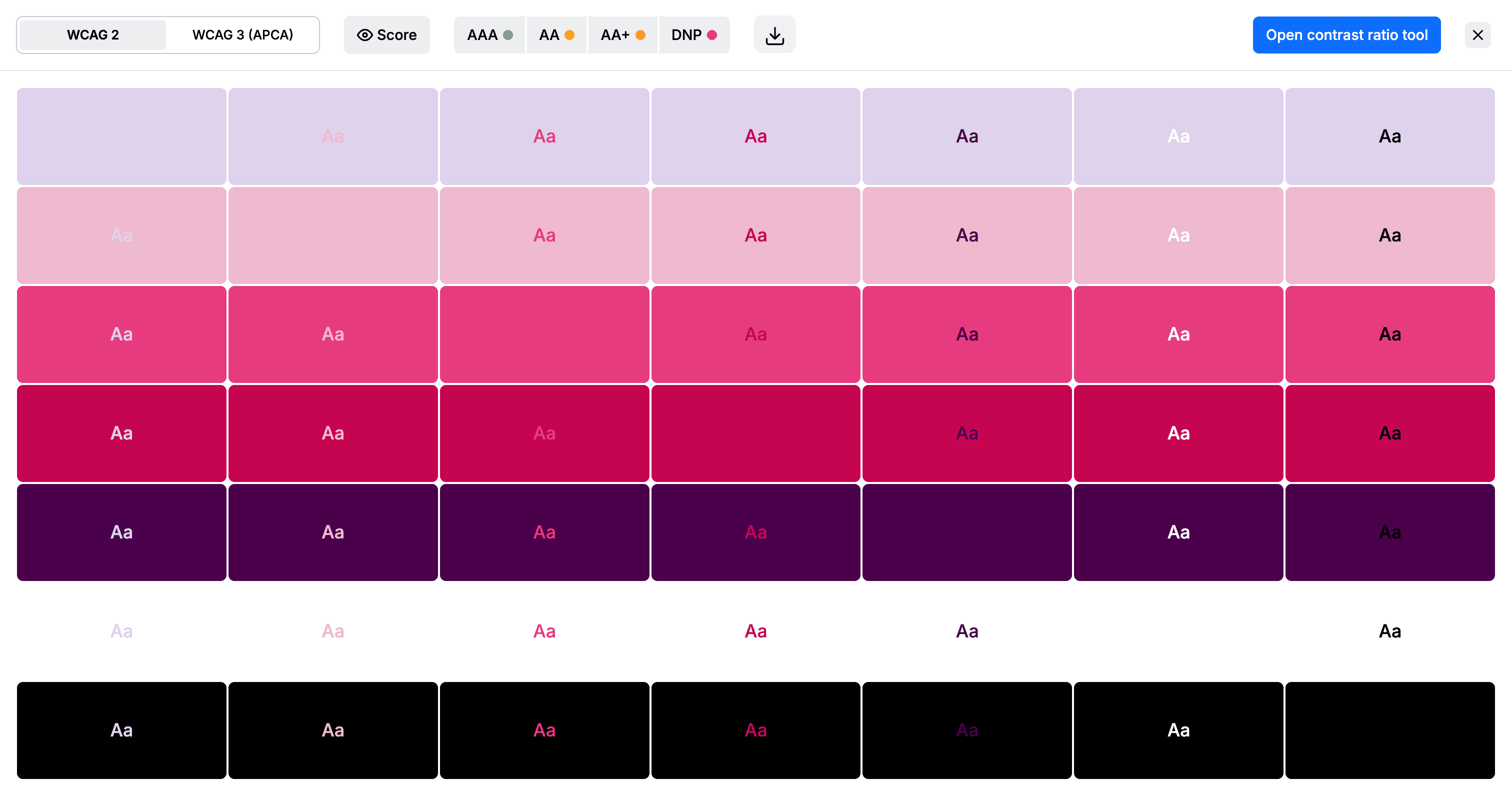
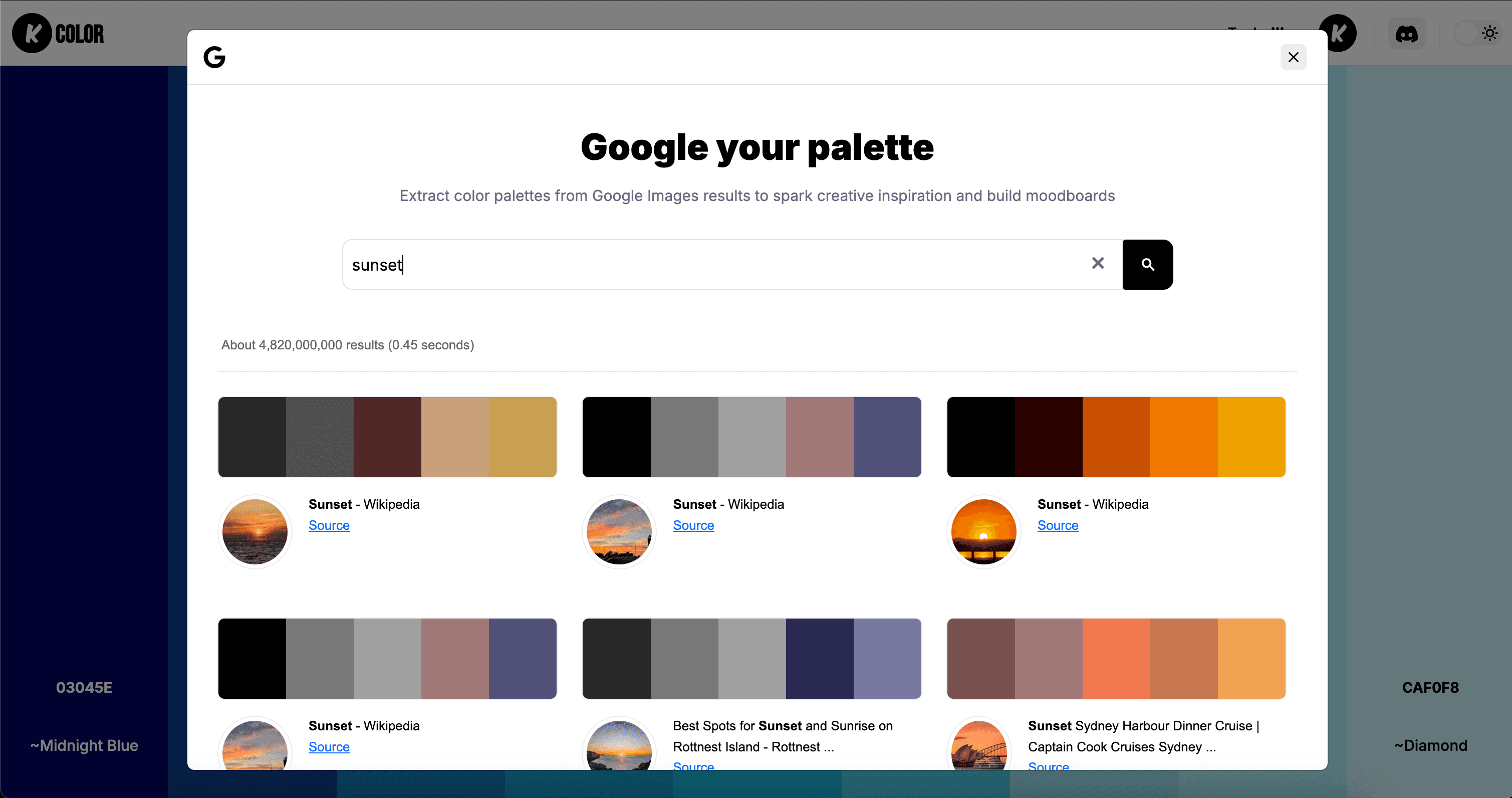
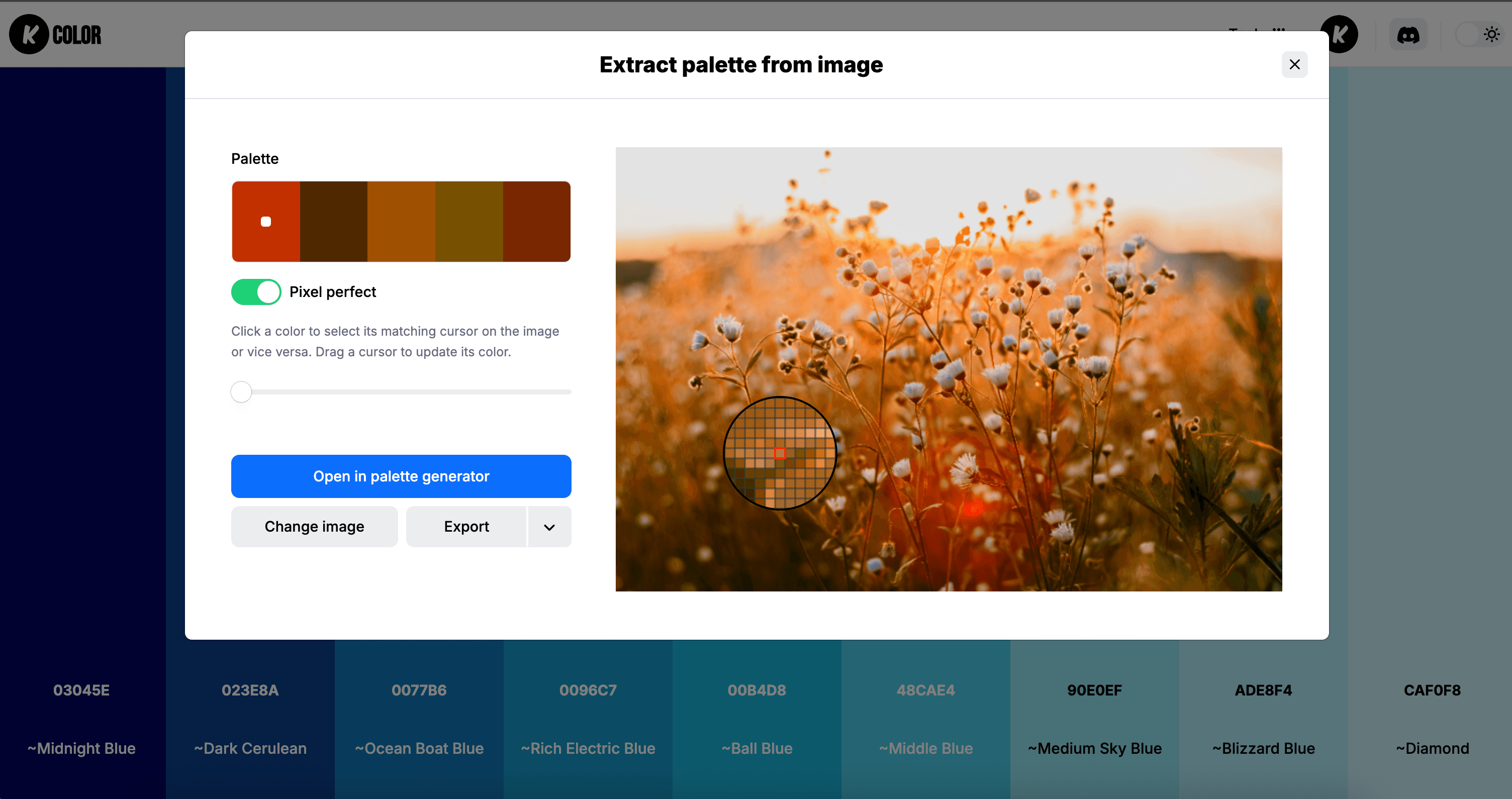
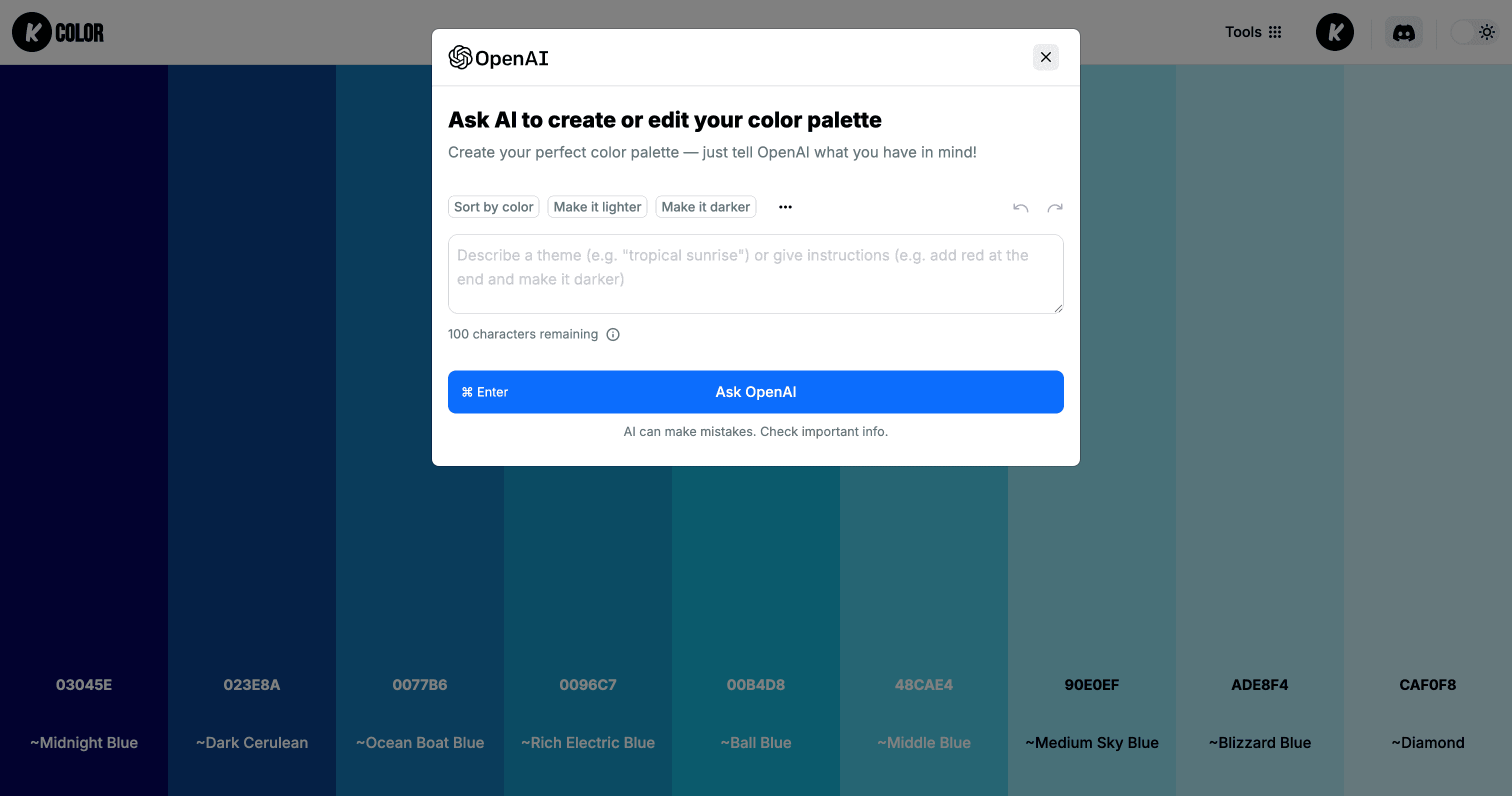
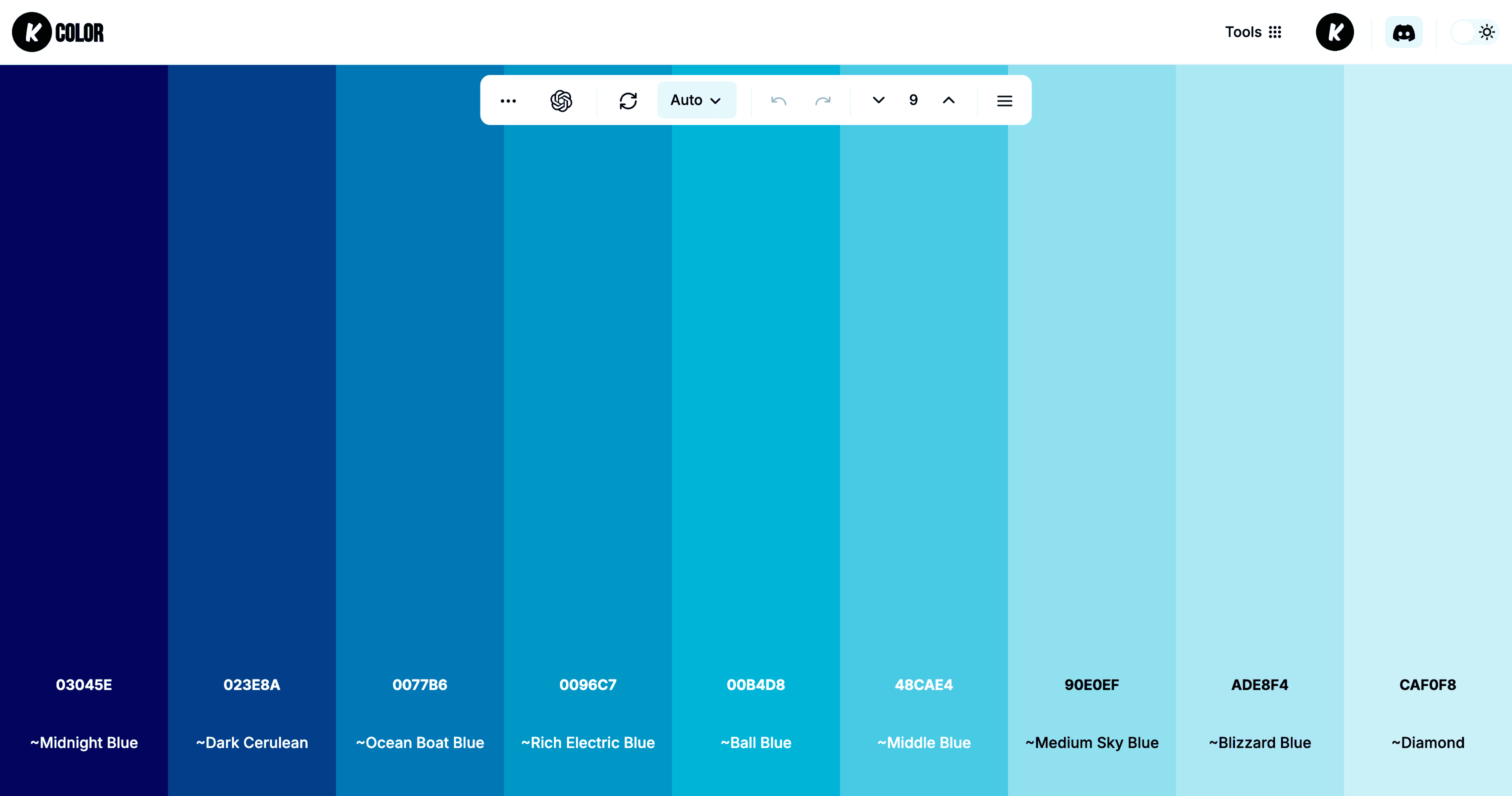
KColor is a game-changing suite of free online color tools that I've found indispensable as a designer. It bundles everything you need for color work—palette generation, accessibility contrast checking, image color extraction, and seamless Figma integration—into one clean, intuitive platform. What really stands out is its commitment to being completely free, with no paywalls or feature limitations, making it perfect for students, freelancers, and teams alike. The tools are fast, reliable, and designed with usability in mind, helping streamline color workflows without the hassle of switching between multiple apps. If you're into UI/UX design, web development, or content creation, KColor delivers professional-grade color solutions that are both accessible and efficient.
Drawn from the product itself, not from a survey.
Demographic
UI/UX Designers
Pain points
Time-consuming color selection, accessibility compliance concerns, inconsistent color workflow across tools
Primary needs
Quick palette generation, contrast checking, seamless design tool integration
Demographic
Web Developers
Pain points
Manual color extraction from images, lack of design background for color theory
Primary needs
Image color picking, accessible color combinations, easy color export
Demographic
Digital Marketers & Content Creators
Pain points
Brand color consistency, creating visually appealing content quickly
Primary needs
Color inspiration, palette previews, social media-ready color schemes
Written by AI from measured evidence, scored out of 100.
KColor stands out as an exceptional value proposition in the crowded color tool space by offering comprehensive functionality completely free. The all-in-one approach eliminates the need for multiple separate applications, streamlining color workflows for designers, developers, and content creators alike. The seamless Figma integration alone makes it indispensable for UI/UX designers working in that ecosystem.
Intuitive navigation with immediate visual feedback and seamless Figma integration that eliminates workflow friction.
Clean, minimalist interface that prioritizes functionality over visual flair with consistent design language across tools.
Fast performance with instant color processing and minimal loading delays for smooth user experience.
Standard web security protocols but lacks detailed privacy documentation and encryption specifics.
Strong contrast checking tools for WCAG compliance but limited screen reader and keyboard navigation support.
Strong foundation with massive potential for mobile apps, expanded integrations, and collaborative features.
KColor's design philosophy clearly prioritizes function over form, delivering a clean, minimalist interface that gets out of your way. The consistent design language across all tools - palette generator, contrast checker, and image color extractor - creates a cohesive experience that feels professional without being overwhelming. Navigation is intuitive, with clear labels and straightforward controls that make switching between tools seamless. The instant visual feedback when adjusting colors and immediate pass/fail indicators for accessibility standards demonstrate thoughtful UX design. The Figma plugin integration is particularly impressive, maintaining the same simplicity while embedding directly into designers' primary workflow environment.
Performance-wise, KColor delivers responsive, fast-loading tools that process colors instantly without frustrating delays. The client-side processing of color data minimizes server dependency, contributing to the snappy user experience. Google image search integration works reliably for extracting colors from web images. On the security front, the platform uses standard web security protocols, though specific encryption details and comprehensive privacy documentation are noticeably absent. Given that the tool primarily handles color data rather than sensitive personal information, the security approach is adequate but could benefit from more transparency about data handling practices.
KColor demonstrates genuine commitment to accessibility through its built-in contrast checking tool that helps designers create WCAG-compliant color combinations. The interface itself uses adequate color contrast and clear typography, though it lacks comprehensive screen reader support and robust keyboard navigation. The educational aspect of accessibility error indicators is valuable for designers learning standards. Growth potential is substantial - the completely free model with full functionality provides a competitive edge against premium alternatives. Opportunities for mobile apps, expanded export options, collaborative features, and browser extensions position KColor for significant market expansion.
Conclusion
If you're tired of subscription fees and jumping between different color tools, KColor delivers professional-grade color solutions that just work. The completely free model makes it perfect for students, freelancers, and teams looking to optimize their color workflow without budget constraints. For anyone needing reliable palette generation, accessibility checking, and design tool integration, this platform is definitely worth trying.
Named competitors, point by point. Nobody paid to appear here or to be left out.
 KColor KColor |  Coolors Coolors |  Adobe Color Adobe Color |  Canva Color Palette Generator Canva Color Palette Generator | |
|---|---|---|---|---|
| Pricing Model | Completely Free | Freemium with limited free version | Free with Adobe account requirement | Free within Canva ecosystem |
| Figma Integration | Native plugin integration | Limited or third-party integration | No direct Figma integration | No Figma integration |
| Accessibility Features | Built-in WCAG contrast checker | Basic contrast checking | Advanced accessibility tools | Minimal accessibility features |
| Tool Integration | Multiple tools in one platform | Primarily palette generation | Comprehensive Adobe ecosystem | Limited to Canva platform |
Coolors
Popular color palette generator with similar functionality but limited free version
Adobe Color
Professional color tool with advanced features but requires Adobe account
Canva Color Palette Generator
Basic color extraction tool but limited to Canva ecosystem
Comparing options? See KColor alternatives, scored side by side

An AI-powered interior and exterior design tool that tran...

Frame-perfect video-to-GIF maker that runs entirely in yo...

BeartIMAGE is a free, web-based image processing platform engineered for fast, bulk photo editing and conversion directly in your browser.

A free online AI-powered tool that instantly converts ima...

AI-powered personalized face swap art platform creating c...

macOS app for App Store screenshots: 3D mockups, auto-tra...

An AI-powered photo restoration app that brings old, blur...

A massive collection of free printable coloring pages for...

Design And Animate QR Codes People Want to Scan

AI face swap for photos, videos, GIFs with free trial.

Try on a tattoo on your own body photo before you book.

Private, local-first image texture workbench.
A platform dedicated to providing unbiased reviews of newly launched applications, analyzing everything from their features to their full potential.
info@scoutforge.net© 2026 Scoutforge. All rights reserved.
