Cycling through all six. Tap any point to stop.
Measured on six things
Fake battery & custom status bar studio for polished Andr...
Design
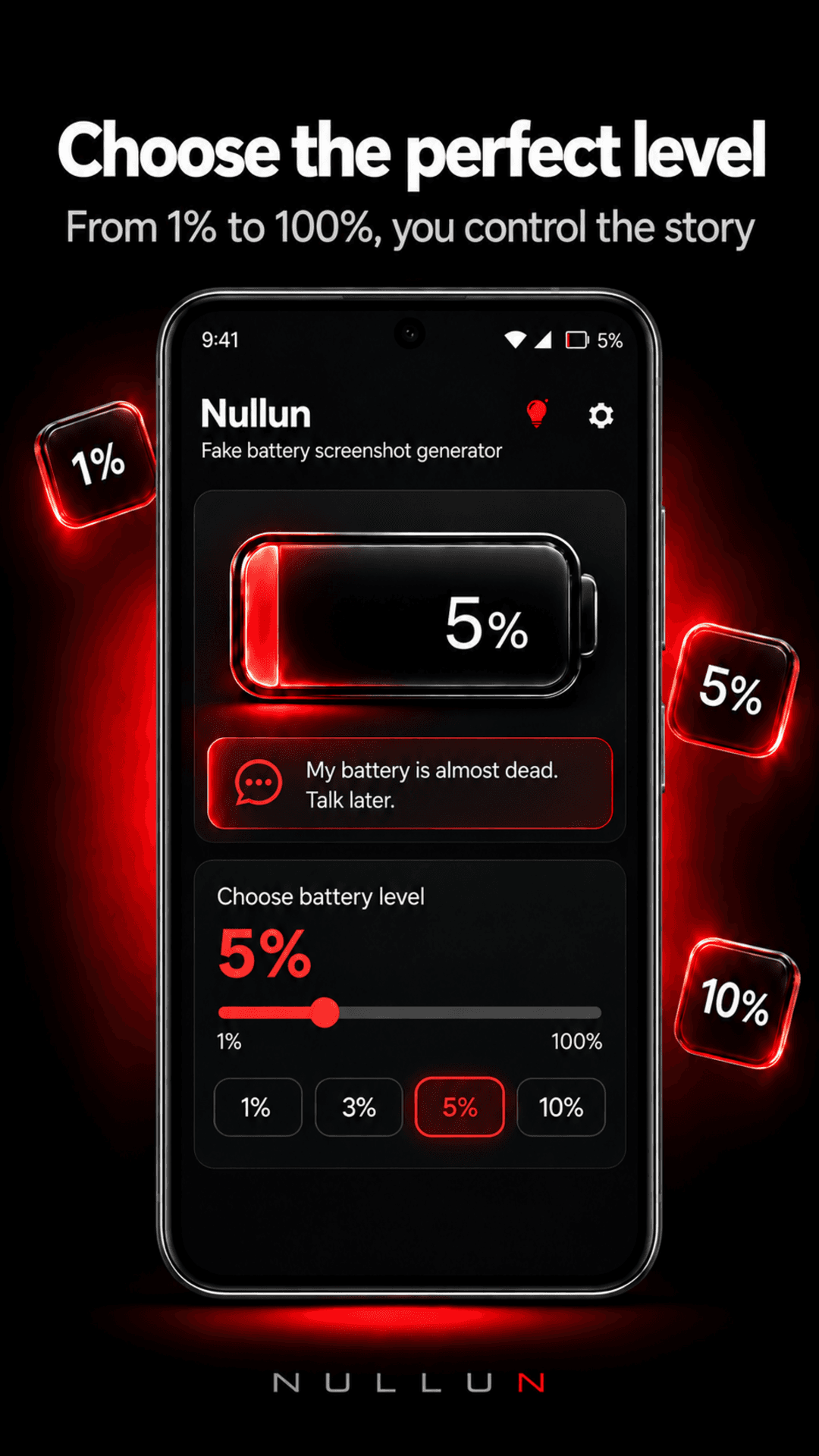
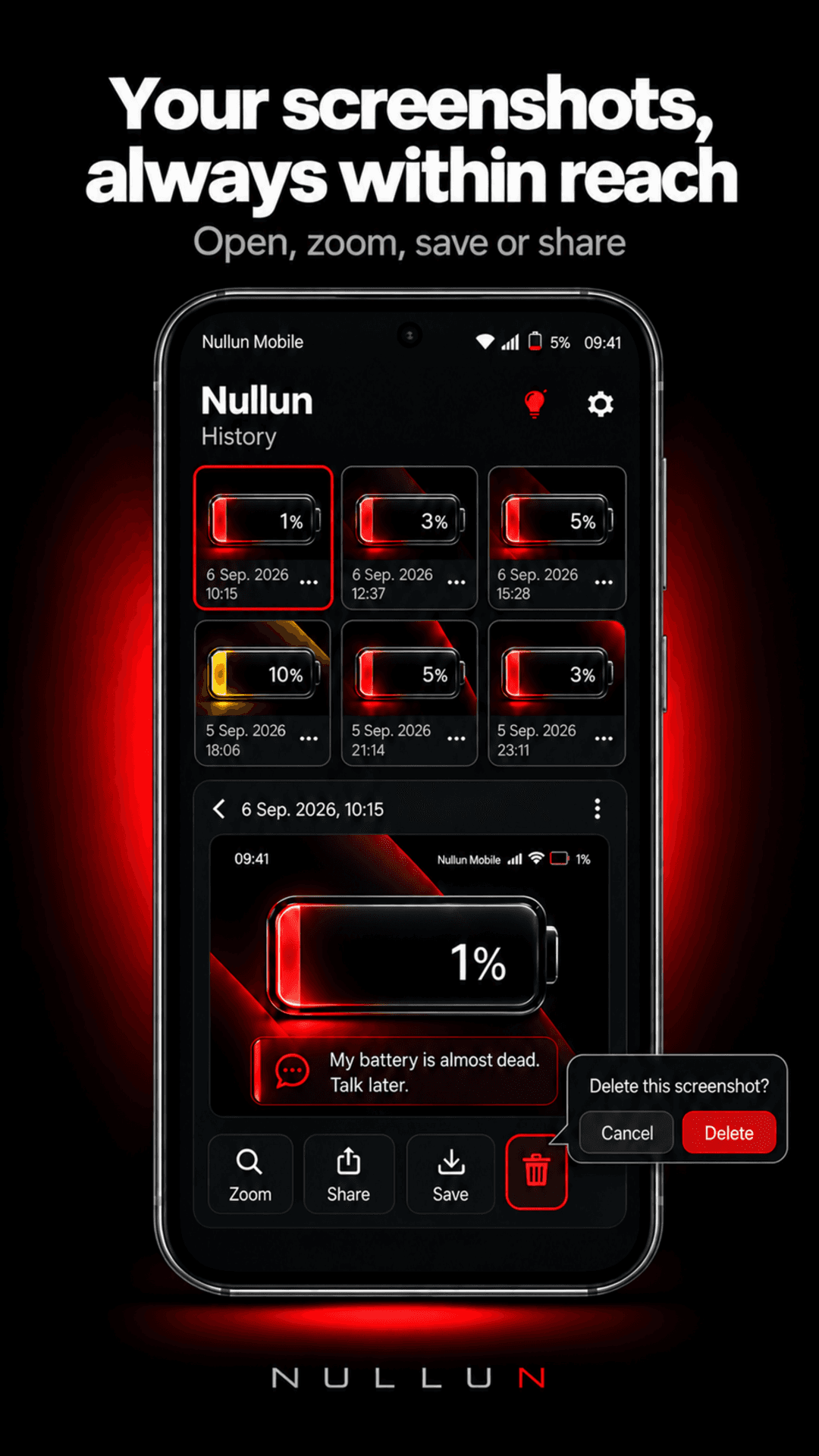
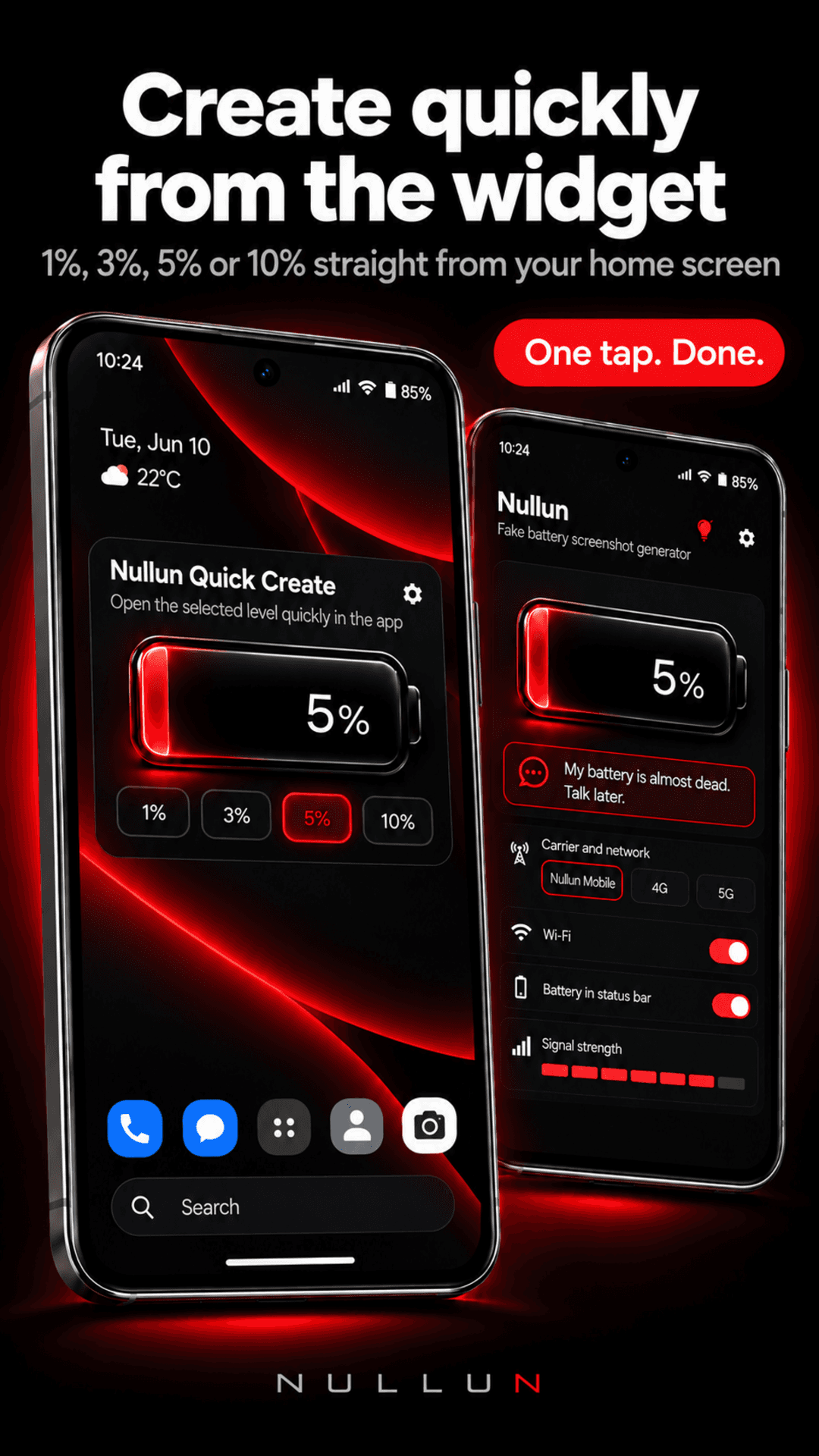
58Judging the app UI and store material: coherent black-and-red palette and clear battery control in screenshots. Homepage hero mockup is too dark to read and accent colors are inconsistent.
Screenshots
1 / 8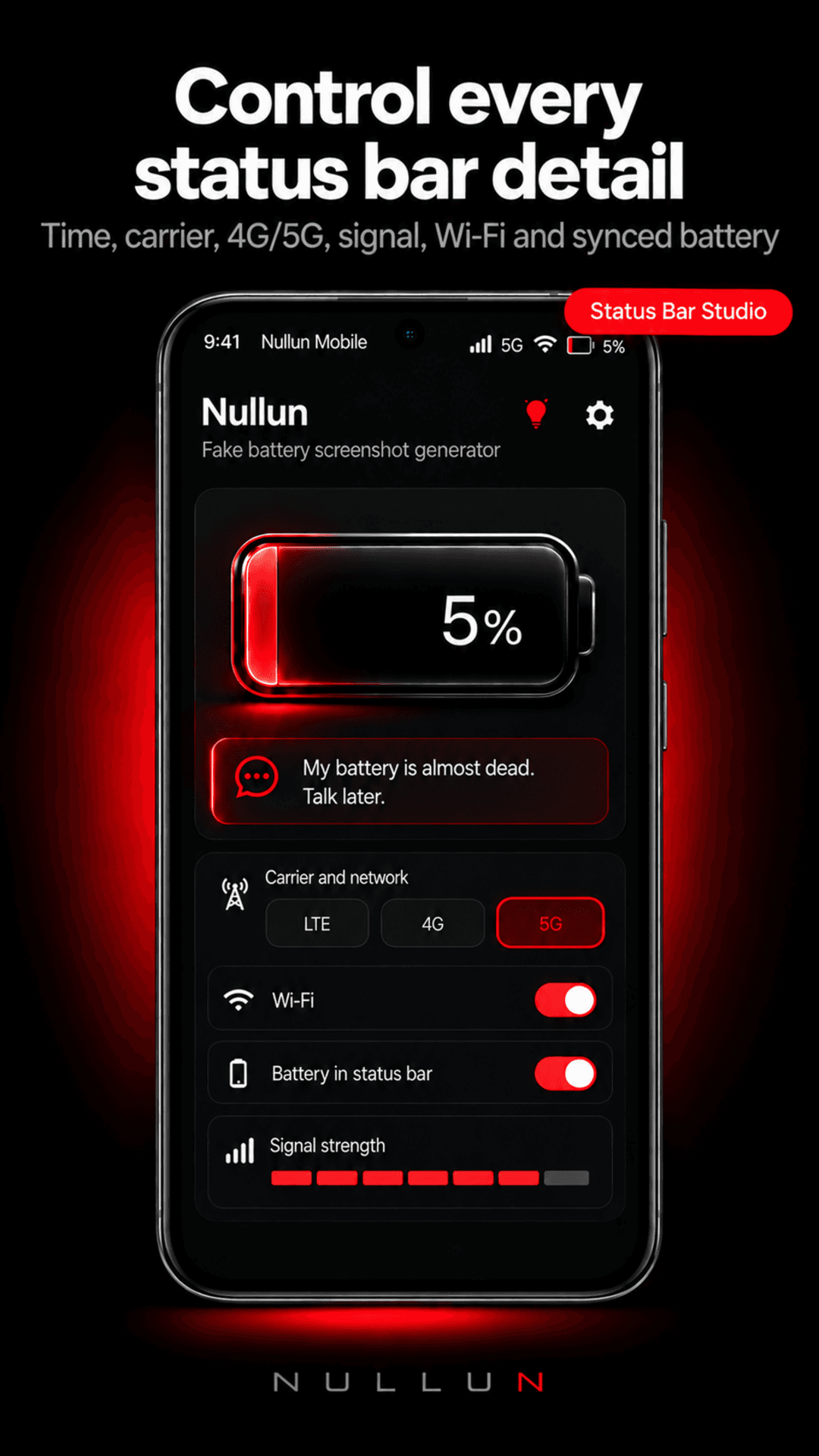
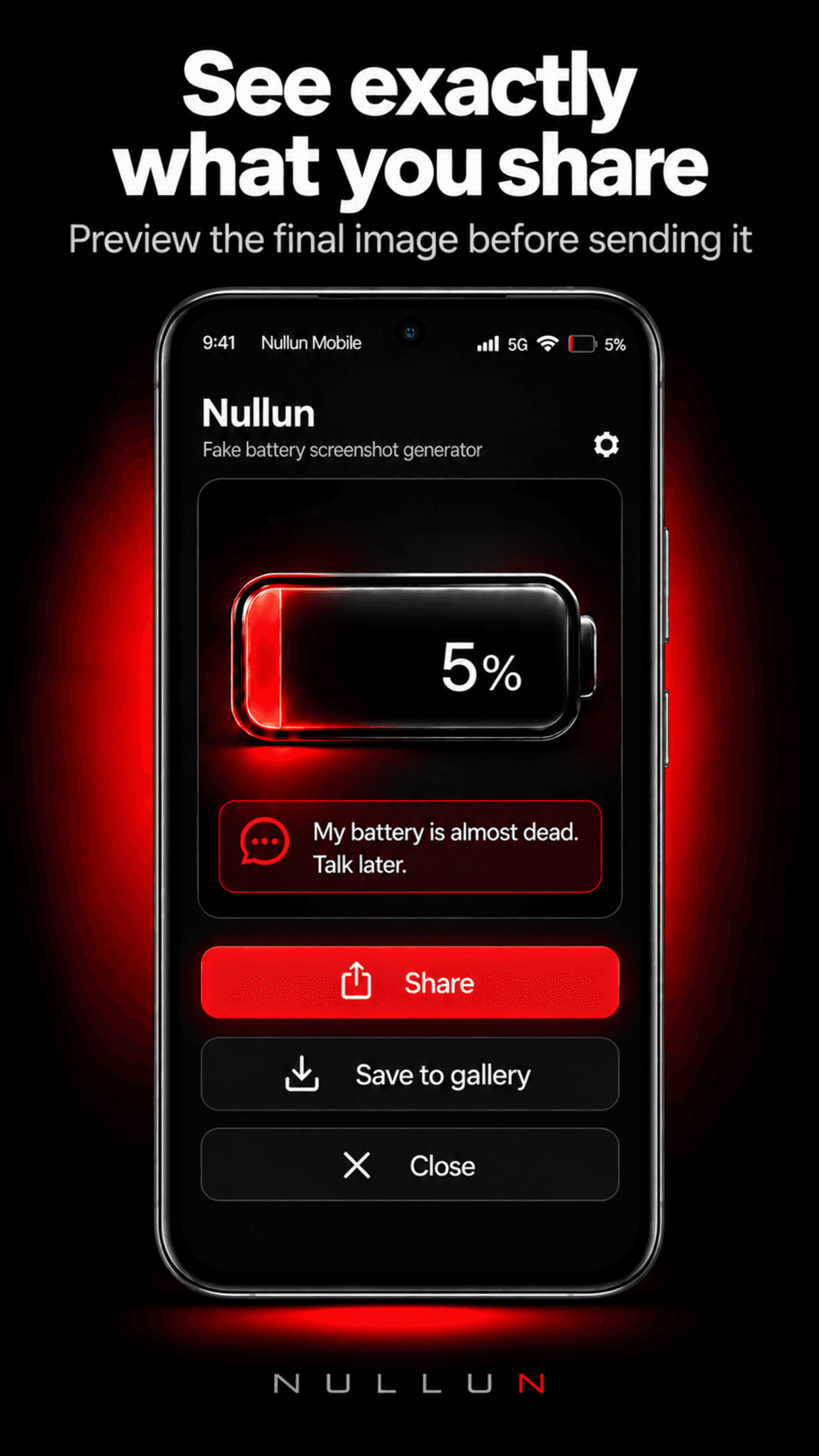
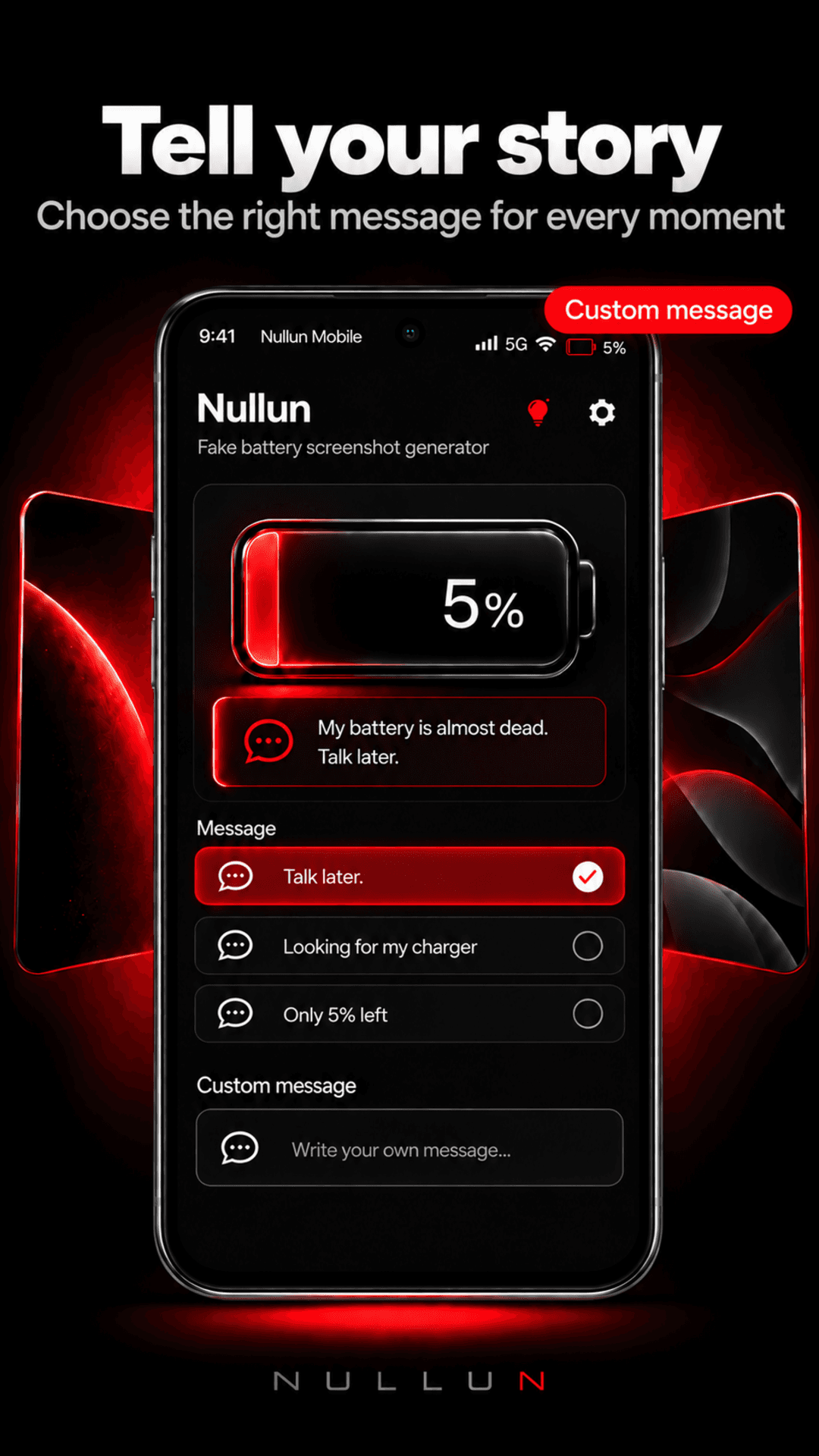
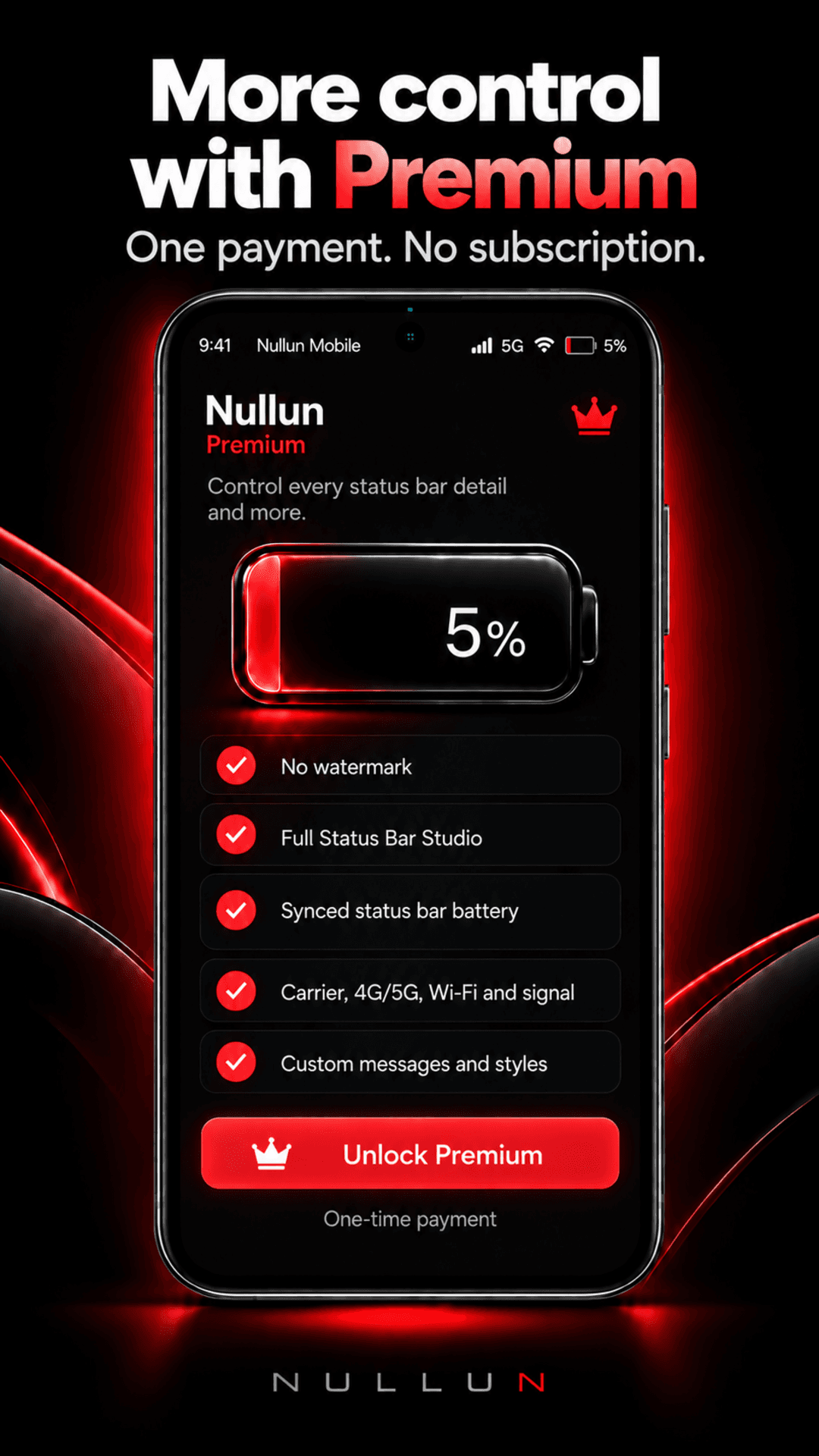
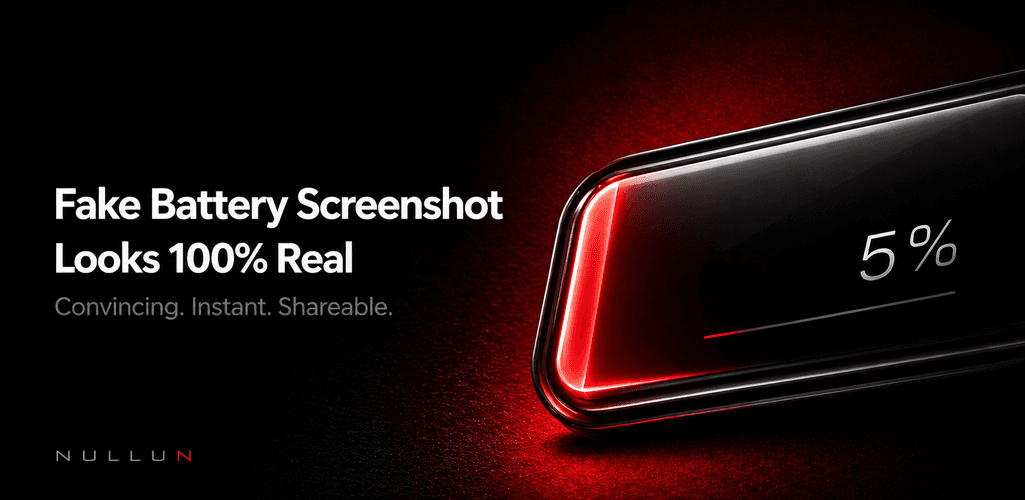
About this app
Nullun is an Android screenshot creation tool by TSI Dev Studio. Create realistic fake battery screens and custom status bar mockups for tutorials, presentations, creative content and demos. Customize battery percentage, carrier, signal, Wi-Fi, LTE/5G, app names, notification indicators and background details. Preview your designs directly in the app. Free: Create, edit, customize, preview and access in-app History. Lifetime: Unlock saving, exporting and sharing with a single purchase. No subscription or mandatory account. Nullun works locally on your Android device, without uploading your designs to a server. Download on Google Play: https://play.google.com/store/apps/details?id=com.premium.nullun Official website: https://tsidevstudio.com/apps/nullun
Key features
- 1Configurable battery percentage (1-100%) and battery states for screenshot mockups.
- 2Custom status bar elements: carrier, signal, Wi-Fi, LTE/5G, app name, notifications.
- 3Local-only processing with in-app preview and History; no account required.
- 4Free creation and editing; one-time Lifetime purchase unlocks export, save and share.
Target customer profile
Drawn from the product itself, not from a survey.
Demographic
UI/UX designers building mockups
Pain points
Inconsistent status bar details across mockup sets
Primary needs
Precise control over battery, carrier and signal elements
Demographic
Indie Android app developers
Pain points
Accidental real status bar details ruin store screenshots
Primary needs
Quick, repeatable clean screenshot visuals
Demographic
Content creators & marketers
Pain points
Tutorials and demos show distracting personal status info
Primary needs
Controlled, presentable screenshots for presentations
Scout Review
Written by AI from measured evidence, scored out of 100.
Nullun is a focused Android utility that solves a real annoyance: status bars with your actual battery percentage and carrier ruining otherwise clean screenshots. The app UI shown in store material is coherent and the workflow is clear. The marketing site is fast and technically tidy but visually average — a dark, unreadable hero mockup and a palette that can't decide between red, magenta and yellow. Usability is good where it counts (Play CTA up top, a real guide, no account) but bloated by repetition. Security is competent with a CSP gap; accessibility is strong on automated checks with contrast caveats. Growth is a real niche with a real wedge, capped by its own narrowness.
Measure by measure
Usability
66Play CTA sits right under the headline, a dedicated guide walks the full workflow, and no account is required. Free-vs-Lifetime is explained repeatedly, which helps but bloats the page.
Design
58Judging the app UI and store material: coherent black-and-red palette and clear battery control in screenshots. Homepage hero mockup is too dark to read and accent colors are inconsistent.
Speed
88Lighthouse mobile 98/100 with 1.7s LCP, zero CLS and zero TBT; desktop 97/100. A genuinely fast static marketing page with no heavy SPA weight.
Security
74HTTPS with HSTS, frame protection, SPF and DMARC all present; 11/13 header checklist. No CSP header and no published audit, but local-only processing and no account reduce exposure.
Accessibility
80Lighthouse accessibility 100/100. Visual audit flags tiny low-contrast eyebrow labels on dark red backgrounds, and there's no WCAG statement or multi-language support noted.
Growth
58A real, narrow problem with a clear wedge: status-bar-specific editing that Photoshop and generic mockup tools don't do out of the box. Small niche caps the ceiling.
Improvement areas
- Homepage hero mockup is too dark and small to communicate the product.
- Inconsistent accent palette (red, magenta, yellow) and low-contrast small text on dark backgrounds.
- Free vs Lifetime explained across four sections, bloating the page.
- No CSP header and no published accessibility statement or WCAG conformance.
Design & Usability
Design is judged on the app UI and store material, not the landing page: the store screenshots show a coherent black-and-red interface with a clear battery control and visible selected state, which is the right call for a utility app. The homepage undercuts it — the hero phone mockup is too dark and small to communicate anything, and the accent palette drifts between red, magenta and yellow with no rule. Usability is the stronger half: the Play CTA sits directly under the headline, a dedicated guide walks import-to-export, and there's no account requirement. The cost is repetition — Free vs Lifetime is restated across four sections, making a simple pricing model feel complicated.
Speed & Security
Speed is the standout: Lighthouse mobile 98/100 with a 1.7s LCP, zero layout shift and zero blocking time, desktop 97/100. For a static marketing page that's about as clean as it gets, and there are no user complaints about lag to contradict it. Security is solid but not exceptional: HTTPS with HSTS, frame protection, X-Content-Type-Options, Referrer-Policy and Permissions-Policy all present, plus SPF and DMARC, for 11 of 13 checklist points. The gap is CSP — no content security policy header — and there's no published audit or bug bounty. The local-only processing model and no-account requirement meaningfully reduce the attack surface, which is why this lands above the middle of the band rather than at the bottom.
Accessibility & Growth
Accessibility scores a perfect 100/100 on Lighthouse's automated audit, which is a strong baseline for a marketing site. The caveat is that automated checks cover only part of WCAG: the visual audit found tiny, low-contrast eyebrow labels and body copy on dark red backgrounds, and there's no published accessibility statement or multi-language support. So the score sits in the upper-middle of the band rather than at the top. Growth is a judgement on the idea: Nullun names a real, specific problem — accidental status-bar details ruining store screenshots and mockups — and serves a defined segment (Android devs, designers, marketers). Its wedge against Photoshop/Photopea is that you don't hand-pixel a status bar, and against Smartmockups it's status-bar-specific rather than generic device framing. That's a genuine differentiator, but the niche is narrow and the category has limited headroom.
Conclusion
If you're an Android developer or designer who has ever opened Photoshop just to paste a fake status bar onto a screenshot, Nullun is aimed squarely at you, and the free-to-create / pay-once-to-export model is honest about where the value is. The app itself looks competent; the website is the weak link, and it's fixable — brighten the hero mockup, pick one accent color, cut the repeated pricing sections down to one. None of that touches the product, which is the part that matters. Worth a download if the problem is yours; skip it if you've never once cared what your battery percentage looked like in a mockup.
Suggestions for improvement
- Brighten and enlarge the hero phone mockup so it actually shows the product instead of reading as a black rectangle.
- Pick one accent color for links and buttons; the red/magenta/yellow mix has no clear rule.
- Consolidate the four Free-vs-Lifetime sections into one clear comparison block.
- Add a Content-Security-Policy header and publish a short accessibility statement noting contrast fixes.
Alternatives comparison
Named competitors, point by point. Nobody paid to appear here or to be left out.
 Nullun |  Adobe Photoshop / Photopea | Smartmockups | |
|---|---|---|---|
| Purpose-built status bar / battery mockup editing | Yes — dedicated status-bar studio with battery, carrier, signal, network controls | No — manual pixel work to replace status bars | No — generic device mockup framing, not status-bar specific |
| Runs locally on device without account | Yes — core workflow local, no TSI account required | Browser-based editor, no account required | Web-based, account typically required |
| Pricing model | Free creation/preview; one-time Lifetime purchase for export | Free with ads; paid tier removes ads | Subscription tiers |
| Platform | Android app (Google Play) | Web browser | Web browser |
| Learning curve | Low — guided import/configure/preview/export workflow | High — full image editor with pixel-level manual work | Low-moderate — template-based mockup selection |
Adobe Photoshop / Photopea
Full image editors where status bars can be manually replaced with pixel work
Smartmockups
Comparing options? See Nullun alternatives, scored side by side
More Design & Creativity apps
View all Design & Creativity
RoomCreator
92An AI-powered interior and exterior design tool that tran...

QRBliss
91Branded QR codes with AI Brand Sync, 15 free dynamic code...

ThumbnailMaker
90AI YouTube thumbnail maker: paste a video link, get the brief, the thumbnail, and a check at feed size.

FontPlop
89Browser-based font viewer & tester for TTF, OTF, WOFF, WO...

Cross Stitch Pattern Maker
89Free on-device photo-to-DMC/Anchor chart with skein counts.

Tracé slides
89Interactive math & physics slides with live graphs and an...

English Test Coach
89English Test Coach checks your IELTS essays and letters, gives an estimated band score across all four criteria, and tells you exactly what to revise next.

What the GIF
89Frame-perfect video-to-GIF maker that runs entirely in yo...

All of Us
89Add deceased loved ones to photos with AI and see free pr...

BeartIMAGE
88BeartIMAGE is a free, web-based image processing platform engineered for fast, bulk photo editing and conversion directly in your browser.

Portrait Gift
88AI-powered personalized face swap art platform creating c...

TranscriptYou
88Free YouTube transcript generator with timestamps and AI ...


A platform dedicated to providing unbiased reviews of newly launched applications, analyzing everything from their features to their full potential.
info@scoutforge.net© 2026 Scoutforge. All rights reserved.
