Cycling through all six. Tap any point to stop.
Measured on six things
Plan an outfit before you get dressed
Security
52HTTPS enforced with SPF and DMARC, and a clear 24-hour deletion/no-training policy. But only 4/12 headers: no HSTS, CSP, frame protection or Referrer-Policy. No published audits.
Screenshots
1 / 2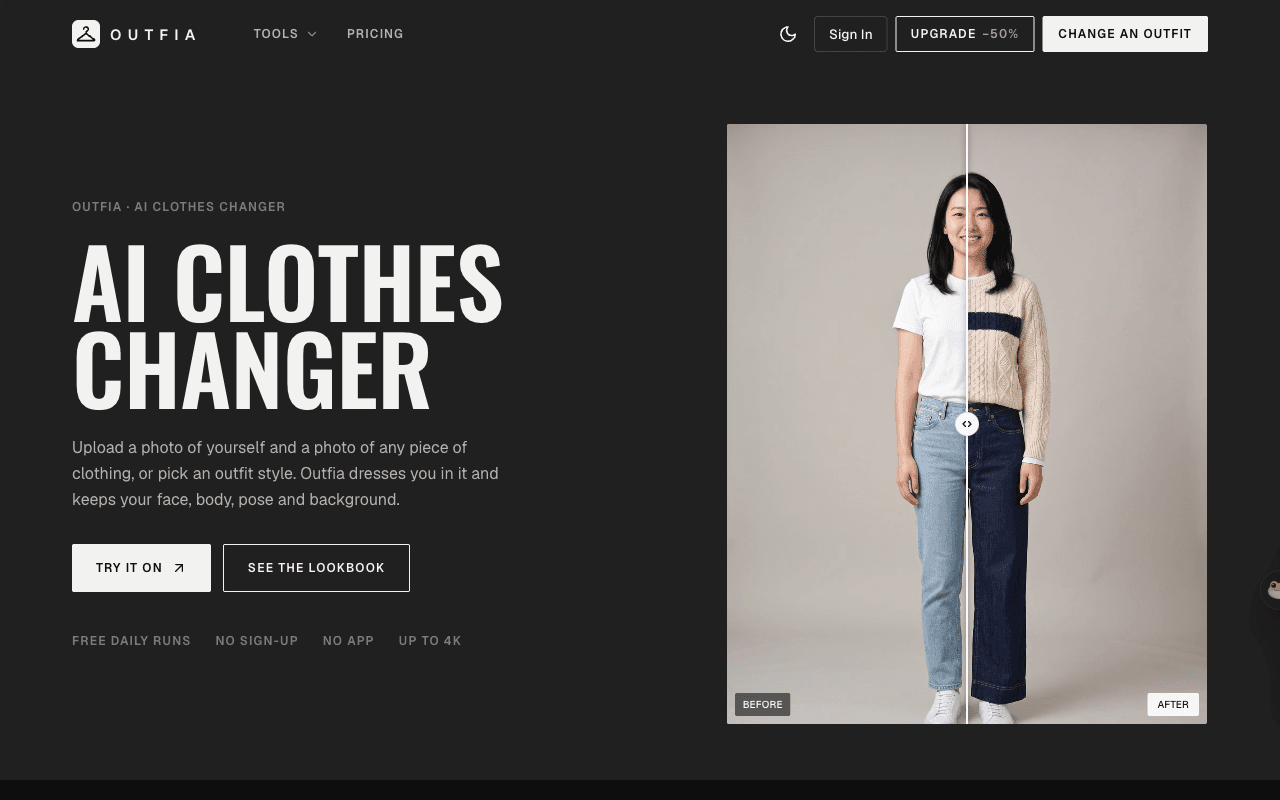
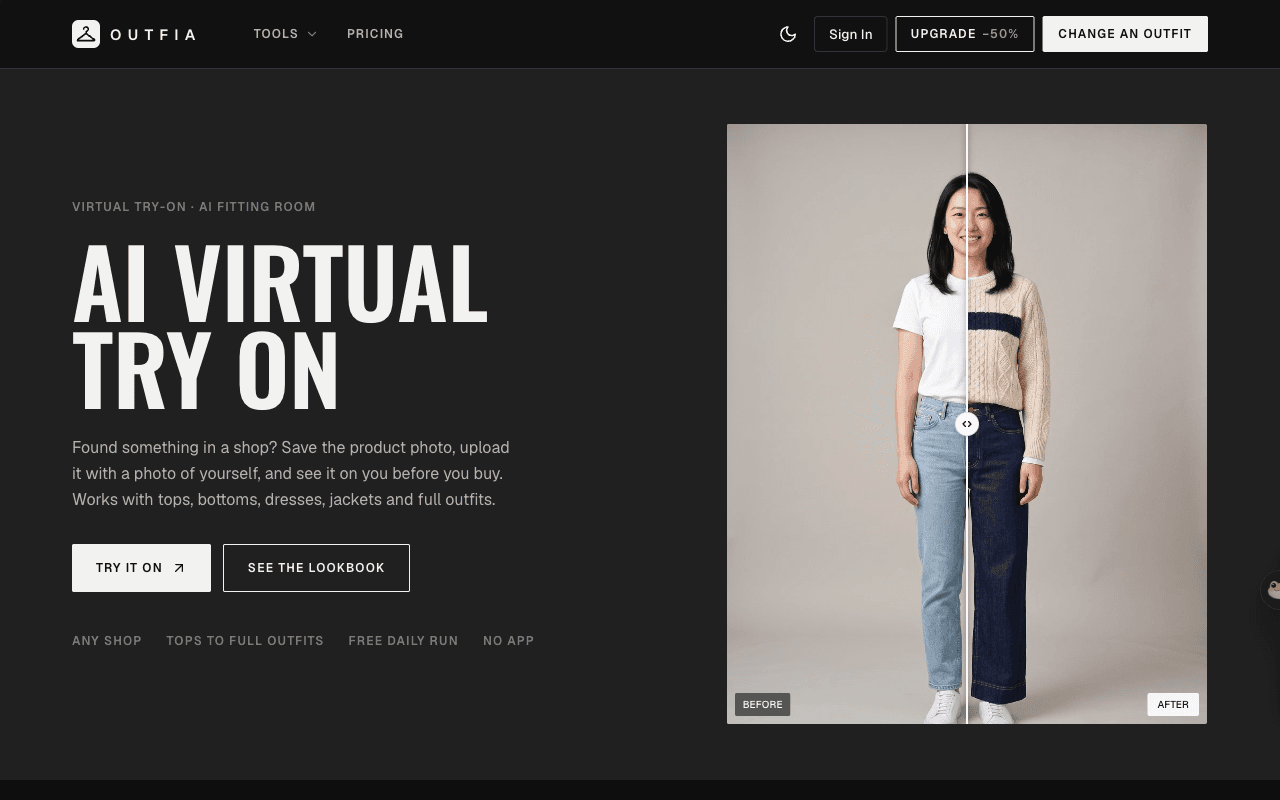
About this app
Trying on five combinations in front of the mirror takes time. With Outfia you can photograph the pieces, upload up to three of them alongside a photo of yourself, and see them together. Swap the jacket, keep the trousers, try another top. It helps with deciding what goes with what for an event, a trip or a regular week. Remember the free runs are limited to one or two per day.
Key features
- 1AI clothes changer: upload your photo plus up to 3 garments and see them combined while keeping face, body, pose and background.
- 2Style presets (14 outfits) and a hairstyle changer for quick lookbook-style results.
- 3Credit pricing from $2.99 with free daily runs (1 anonymous, 10 credits signed in) and no sign-up required.
Target customer profile
Drawn from the product itself, not from a survey.
Demographic
Online Shoppers (Consumers)
Pain points
Hard to picture how an item from a shop photo will look on them.
Primary needs
Visual confirmation of how clothes look on their body before purchase.
Demographic
Fashion Content Creators/Influencers
Pain points
Cost and time involved in professional photo shoots.
Primary needs
Fast, high-quality virtual styling and lookbook generation.
Demographic
E-commerce Sellers/Marketers
Pain points
Need for dynamic product mockups and visual merchandising.
Primary needs
Easy way to place garments onto realistic models or lifestyle shots.
Scout Review
Written by AI from measured evidence, scored out of 100.
Outfia is a competent, fast, genuinely useful AI clothes changer with a confident landing page and a working free tier. It nails the core promise — upload yourself and a garment, get a realistic try-on in ~20 seconds — and prices it sensibly with credits. The gaps are polish-level (nav clutter, low-contrast microcopy, truncated prompt box) and structural (thin security headers, no a11y statement, a moat made of someone else's models). For a consumer deciding what to wear or a creator mocking up looks, it's a solid pick today.
Measure by measure
Usability
68No sign-up, free daily runs, and a step-numbered tool panel make the path clear. Credits are explained well on pricing. But greyed-out chips and a truncated instructions box create 'is this locked?' confusion.
Design
71Confident editorial hero with a before/after slider that shows the promise instantly, plus a real numbered tool panel. Undermined by three competing nav actions and tiny low-contrast microcopy.
Speed
82Lighthouse mobile 90/100 (LCP 3.6s, TBT 77ms) and desktop 96/100. Fast, light landing page with no heavy SPA baggage. LCP is the only soft spot.
Security
52HTTPS enforced with SPF and DMARC, and a clear 24-hour deletion/no-training policy. But only 4/12 headers: no HSTS, CSP, frame protection or Referrer-Policy. No published audits.
Accessibility
70Lighthouse a11y 92/100 with solid structure, but two real failures: unnamed buttons and insufficient contrast. No WCAG statement and English-only. Above-average for the category.
Growth
58Real problem (can't picture clothes on yourself), specific multi-garment wedge and credit pricing. But it's a thin wrapper on third-party models with no defensible moat.
Improvement areas
- Security headers incomplete (4/12): no HSTS, CSP, frame protection or Referrer-Policy.
- Accessibility failures: unnamed buttons and insufficient contrast; no WCAG statement.
- Nav and microcopy polish: three competing CTAs and low-contrast chips that read as disabled.
Design & Usability
Outfia's homepage earns its confidence: a condensed display headline, a before/after slider that shows the value in one glance, and a genuinely working tool panel with numbered steps. The flow is smart — no sign-up, free daily runs, and a pricing page that actually explains credits (5 Standard, 6 Pro, 8 HD). Where it slips is the details: three competing nav buttons dilute the primary CTA, the model chips and credit notices are so pale they read as disabled, and the instructions textarea truncates mid-sentence. Fix the contrast and the CTA hierarchy and this jumps a tier.
Speed & Security
Speed is a genuine strength: Lighthouse mobile 90/100 with a 77ms TBT and 96/100 on desktop — the page is light and snappy, with LCP 3.6s the only soft metric. Security is the weaker half. HTTPS is enforced and SPF/DMARC are present, and the site makes a clear promise that uploads are deleted after 24 hours and never used for training. But the header probe found only 4/12 checklist items — no HSTS, CSP, frame protection, Referrer-Policy or Permissions-Policy — and there are no published audits or bug bounty. Fine for a consumer tool; thin for anyone handling personal photos seriously.
Accessibility & Growth
Accessibility lands above category average: Lighthouse 92/100 with clean structure, held back by two concrete failures — buttons without accessible names and insufficient color contrast — plus no WCAG statement and an English-only interface. Growth is the interesting question. The problem is real and the wedge is specific: up to three garments per run, style presets, a hairstyle changer, and pay-as-you-go credits from $2.99 against in-app try-ons that are locked to one retailer. But the engine is third-party (Nano Banana 2, GPT Image), so the differentiation is workflow and pricing, not technology. That's a real business, not a defensible one.
Conclusion
If you want to see a jacket on your own body before buying it, Outfia does that quickly and for free, and the credit pricing is honest. It's not trying to be an enterprise platform and shouldn't be judged as one. The next tier is within reach: tighten the CTA hierarchy, fix contrast and button labels, add the missing security headers, and publish an accessibility statement. Do that and the thin-wrapper critique starts to matter less.
Suggestions for improvement
- Collapse the nav to one primary CTA (Try it on) and move Upgrade/Sign In to a secondary menu.
- Raise contrast on model chips, credit notices and footer disclaimer to meet WCAG AA.
- Add accessible names to icon buttons and fix the failing Lighthouse a11y audits.
- Ship HSTS, CSP, frame protection and Referrer-Policy headers; publish a short security page.
Alternatives comparison
Named competitors, point by point. Nobody paid to appear here or to be left out.
 Outfia | In-App Virtual Try-Ons | Traditional Photo Editing Software | |
|---|---|---|---|
| Multi-garment try-on (combine tops, bottoms, jackets) | Yes — up to 3 garments per run | Usually single-item, retailer-locked | Manual compositing, no automation |
| Free tier without sign-up | 1 free run/day anonymous, 10 credits/day signed in | Varies by retailer; often account required | Paid software, no free AI try-on |
| Pricing model | Credits from $2.99; Pro $15/mo (400 credits) | Free within retailer app, no standalone pricing | Subscription or one-time license, skill required |
| Skill required | None — upload and generate in ~20s | None, but limited to that retailer's catalog | High — manual masking and compositing |
| Style presets / lookbook generation | 14 outfit presets plus hairstyle changer | Rarely offered | Manual only |
In-App Virtual Try-Ons
Features built into major retailer apps, often limited in customization.
Traditional Photo Editing Software
Requires professional skill and significant time investment for garment replacement.
Comparing options? See Outfia alternatives, scored side by side
More Design & Creativity apps
View all Design & Creativity
RoomCreator
92An AI-powered interior and exterior design tool that tran...

QRBliss
91Branded QR codes with AI Brand Sync, 15 free dynamic code...

ThumbnailMaker
90AI YouTube thumbnail maker: paste a video link, get the brief, the thumbnail, and a check at feed size.

FontPlop
89Browser-based font viewer & tester for TTF, OTF, WOFF, WO...

Cross Stitch Pattern Maker
89Free on-device photo-to-DMC/Anchor chart with skein counts.

Tracé slides
89Interactive math & physics slides with live graphs and an...

English Test Coach
89English Test Coach checks your IELTS essays and letters, gives an estimated band score across all four criteria, and tells you exactly what to revise next.

What the GIF
89Frame-perfect video-to-GIF maker that runs entirely in yo...

All of Us
89Add deceased loved ones to photos with AI and see free pr...

BeartIMAGE
88BeartIMAGE is a free, web-based image processing platform engineered for fast, bulk photo editing and conversion directly in your browser.

Portrait Gift
88AI-powered personalized face swap art platform creating c...

TranscriptYou
88Free YouTube transcript generator with timestamps and AI ...


A platform dedicated to providing unbiased reviews of newly launched applications, analyzing everything from their features to their full potential.
info@scoutforge.net© 2026 Scoutforge. All rights reserved.
