Is this your app?
Claim PhotoFuse AI to manage its page, add your badge and see your traffic — free, and it stays free.
Cycling through all six. Tap any point to stop.
Measured on six things
AI-powered tool that transforms selfies into professional headshots for professionals and creatives.
Accessibility
60No screen reader optimization, English-only interface, though visual-heavy design reduces text dependency.
Screenshots
1 / 2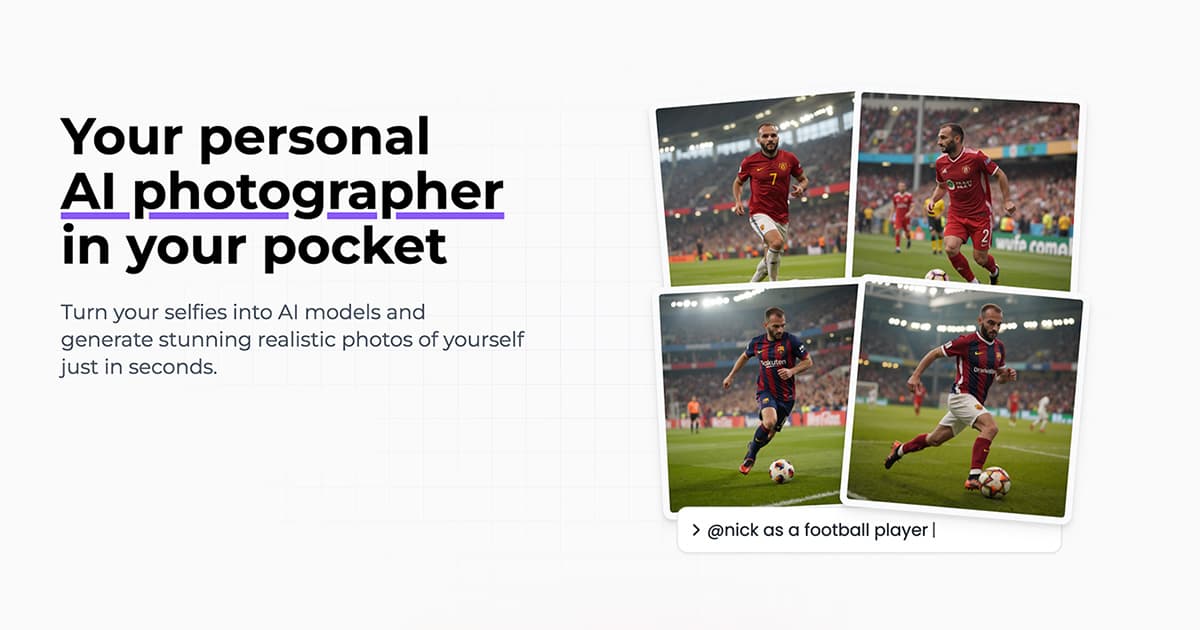
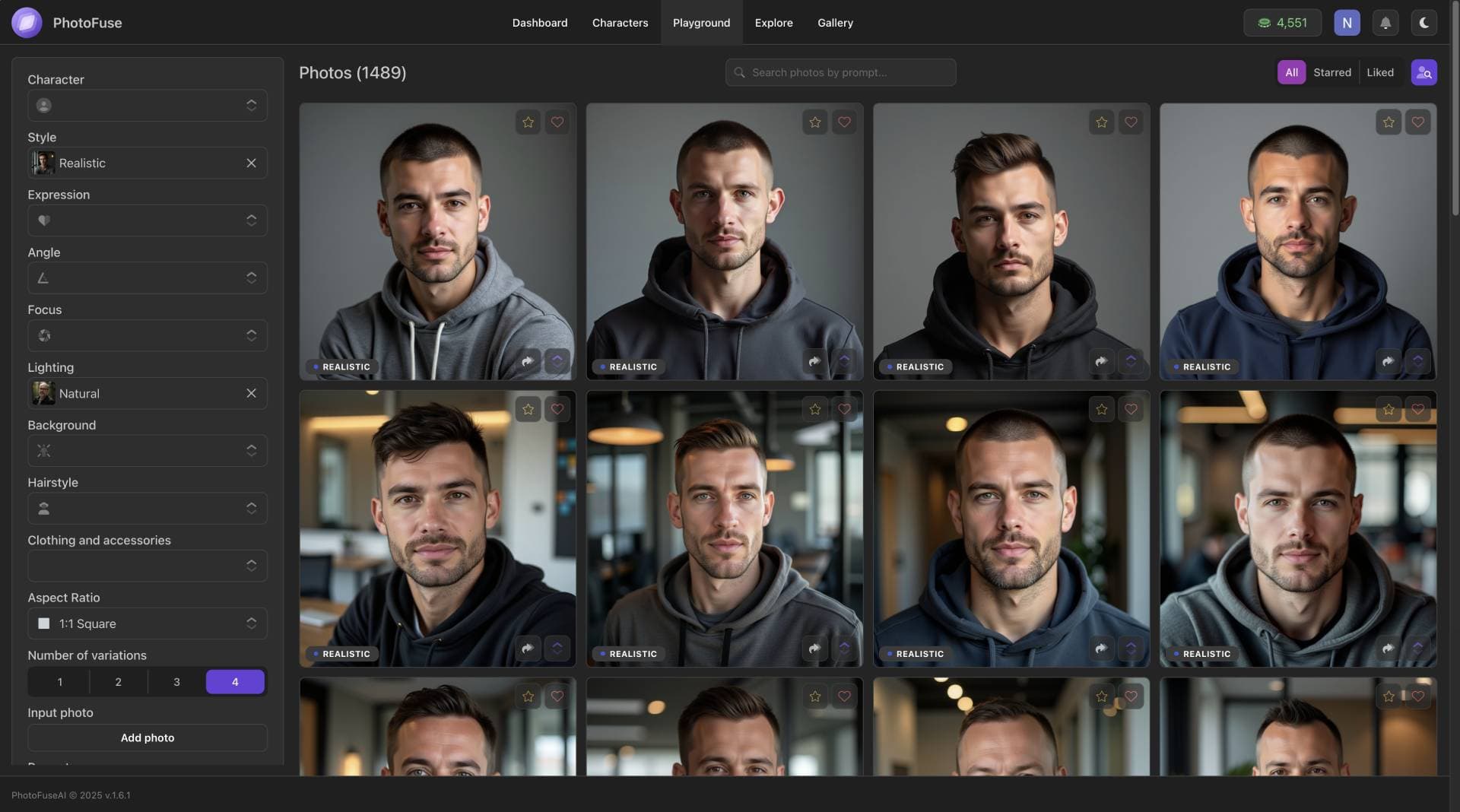
About this app
PhotoFuse AI is an innovative application that uses artificial intelligence to generate high-quality, customizable headshots from user-uploaded selfies. It's designed for busy professionals, freelancers, and small businesses seeking polished images without the expense or time of traditional photoshoots. With features like background and clothing adjustments, it offers a quick, affordable alternative for enhancing online profiles and marketing materials.
Key features
- 1Minimalist dark theme with intuitive drag-and-drop interface for easy photo uploads.
- 2Impressive sub-30-second generation speed for quick AI headshot processing.
- 3High-quality customizable templates suitable for professional use cases like LinkedIn profiles.
Target customer profile
Drawn from the product itself, not from a survey.
Demographic
Professionals needing LinkedIn headshots
Pain points
High cost of professional photographers, time constraints
Primary needs
Affordable, polished images for career growth
Demographic
Freelancers and creatives
Pain points
Inconsistent selfie quality, lack of editing skills
Primary needs
Customizable, studio-grade visuals for portfolios
Demographic
Small business owners
Pain points
Budget limits for branding assets
Primary needs
Bulk professional images for teams and marketing
Scout Review
Written by AI from measured evidence, scored out of 100.
PhotoFuse AI delivers exactly what it promises - professional-quality headshots without the professional photographer price tag. The technology is impressive, the interface is generally user-friendly, and the results are genuinely convincing for most professional use cases. While it won't replace high-end photography for artistic projects requiring specific lighting or complex compositions, it's perfect for LinkedIn profiles, corporate headshots, and personal branding needs.
Measure by measure
Usability
80Simple upload process and intuitive basic functions, though advanced customization features require some learning curve.
Design
84Minimalist dark theme with photo-centric layout, clean drag-and-drop interface, and prominent template gallery with clear thumbnails.
Speed
90Impressive sub-30-second generation times with no reported lag during multiple variation processing.
Security
70Standard SSL encryption but lacks transparency about long-term photo storage and data deletion policies.
Accessibility
60No screen reader optimization, English-only interface, though visual-heavy design reduces text dependency.
Growth
90High market demand for AI visuals with expandable template ecosystem and strong positioning against competitors.
Improvement areas
- Enhance accessibility with screen reader support and multi-language localization.
- Improve transparency in privacy policy regarding long-term photo storage and data deletion.
- Add guided tutorials or video guides to help users discover advanced customization features.
Design & Usability
PhotoFuse AI's interface immediately impresses with its minimalist, photo-centric design. The dark theme serves a practical purpose - making your generated headshots stand out beautifully. The drag-and-drop upload system feels intuitive, and the template gallery uses clear, recognizable thumbnails that make selection straightforward. Where it stumbles slightly is in the advanced customization features. Adjusting clothing layers or expression intensity isn't immediately obvious, and first-time users might find themselves clicking around to discover these options. The prominently placed 'Generate' button encourages experimentation, which is great for engagement, but some users might wish for more guided discovery of the platform's full capabilities.
Speed & Security
Where PhotoFuse AI truly shines is in its processing speed. The sub-30-second generation time is genuinely impressive for AI rendering, especially when creating multiple variations. During testing, there was no noticeable lag even when pushing the system with numerous requests. Security-wise, the platform uses standard SSL encryption, which is adequate for most users. However, the privacy policy lacks specific details about long-term photo storage practices and data deletion timelines. For a service handling personal photos, this transparency gap is noticeable. The performance is undoubtedly strong, but privacy-conscious users might want clearer documentation about how their data is handled beyond the initial processing.
Accessibility & Growth
Accessibility is PhotoFuse AI's weakest area. The platform currently offers no screen reader optimization and limited language support (English-only), which excludes non-English speakers and users with visual impairments. The visual-heavy interface does reduce text dependency, and template previews help users with varying technical literacy navigate the platform. Despite these accessibility shortcomings, the growth potential is substantial. The demand for affordable, professional headshots continues to grow, particularly among professionals and small businesses. The template ecosystem shows promise for expansion, and the core technology outperforms several competitors in key areas like generation speed and customization options.
Conclusion
If you're a busy professional, freelancer, or small business owner needing polished headshots without the time or budget for traditional photography, PhotoFuse AI is absolutely worth trying. The starter tier offers a low-risk way to test the technology, and the results might just eliminate your need for professional headshots entirely. Give it a shot - your future professional self will thank you.
Suggestions for improvement
- The platform would benefit significantly from adding basic accessibility features like screen reader support and language localization.
- A quick-start video guide would help users discover advanced customization options more easily.
- Clarifying data handling practices in the privacy policy would build trust with privacy-conscious users.
- Finally, introducing a team plan for businesses needing bulk headshots would capitalize on the growing demand from small and medium enterprises.
Alternatives comparison
Named competitors, point by point. Nobody paid to appear here or to be left out.
 PhotoFuse AI PhotoFuse AI |  Aragon AI Aragon AI |  Canva AI Headshot Generator Canva AI Headshot Generator |  Artisse Artisse | |
|---|---|---|---|---|
| Template Gallery Variety | Extensive customizable templates | Limited template options | Integrated with Canva but subscription required | Creative styles but fewer professional templates |
| Background Customization | Advanced background adjustment tools | Basic background options only | Limited background control | Style-focused rather than background customization |
| Generation Speed | Under 30 seconds per generation | Typically 45-60 seconds | Variable, often slower | Moderate speed, around 40 seconds |
| Pricing Accessibility | Tiered pricing from casual to pro users | Competitive but fewer features | Subscription model required | Premium pricing for casual users |
Aragon AI
Another AI headshot generator but lacks PhotoFuse's template gallery and background customization.
Canva AI Headshot Generator
Integrated with Canva's design tools but requires a subscription and offers less character training control.
Artisse
Focuses on diverse creative styles but has steeper pricing for casual users.
Comparing options? See PhotoFuse AI alternatives, scored side by side
More Design & Creativity apps
View all Design & Creativity
RoomCreator
92An AI-powered interior and exterior design tool that tran...

QRBliss
91Branded QR codes with AI Brand Sync, 15 free dynamic code...

ThumbnailMaker
90AI YouTube thumbnail maker: paste a video link, get the brief, the thumbnail, and a check at feed size.

What the GIF
89Frame-perfect video-to-GIF maker that runs entirely in yo...

FontPlop
89Browser-based font viewer & tester for TTF, OTF, WOFF, WO...

English Test Coach
89English Test Coach checks your IELTS essays and letters, gives an estimated band score across all four criteria, and tells you exactly what to revise next.

All of Us
89Add deceased loved ones to photos with AI and see free pr...

Tracé slides
89Interactive math & physics slides with live graphs and an...

BeartIMAGE
88BeartIMAGE is a free, web-based image processing platform engineered for fast, bulk photo editing and conversion directly in your browser.

ButterKit
82macOS app for App Store screenshots: 3D mockups, auto-tra...

Portrait Gift
88AI-powered personalized face swap art platform creating c...

Pixelimg
88A free online AI-powered tool that instantly converts ima...


A platform dedicated to providing unbiased reviews of newly launched applications, analyzing everything from their features to their full potential.
info@scoutforge.net© 2026 Scoutforge. All rights reserved.
