Is this your app?
Claim Pixelate Image to manage its page, add your badge and see your traffic — free, and it stays free.
Cycling through all six. Tap any point to stop.
Measured on six things
A free online tool that instantly converts photos into pixel art directly in your browser with adjustable intensity and real-time previews.
Accessibility
40Basic web standards met with semantic HTML, but no screen reader optimization, alt text, or multi-language support available.
Screenshots
1 / 1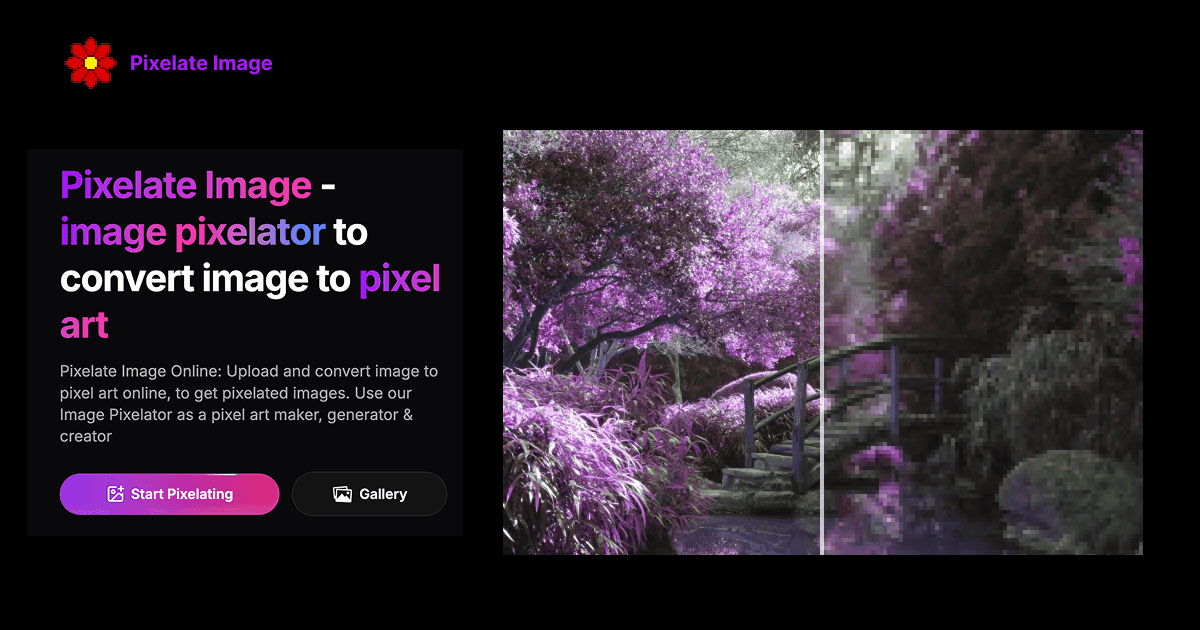
About this app
Pixelate Image is a straightforward, web-based application that transforms JPEG, PNG, or WebP images up to 5MB into pixel art without any downloads. It operates entirely locally in your browser using JavaScript and canvas elements, ensuring instant processing and enhanced privacy since images never leave your device. The tool features a clean, minimal interface with a simple three-step workflow: upload your image, adjust the pixelation intensity with a real-time preview slider, and download the result. It's perfect for digital artists, game developers, and social media creators looking for quick, retro-style effects or game asset generation. While it excels in usability and speed, it lacks advanced accessibility features and multi-language support, making it best suited for beginners and casual users. The app is free to use, with no referral links or hidden costs, and focuses on delivering a no-fuss pixelation experience.
Key features
- 1Real-time preview with adjustable pixelation intensity slider
- 2Local browser processing for instant results and enhanced privacy
- 3Supports JPEG, PNG, and WebP formats up to 5MB file size
Target customer profile
Drawn from the product itself, not from a survey.
Demographic
Digital Artists & Designers
Pain points
Need expensive software for pixel art creation, complex learning curves
Primary needs
Quick, free pixelation tools for projects and experiments
Demographic
Game Developers & Hobbyists
Pain points
Time-consuming manual pixel art creation, lack of coding skills for custom tools
Primary needs
Easy sprite generation and image conversion for game assets
Demographic
Social Media Content Creators
Pain points
Limited access to unique image effects, complicated editing software
Primary needs
Simple tools for creating engaging, retro-style content quickly
Scout Review
Written by AI from measured evidence, scored out of 100.
Pixelate Image delivers exceptional value for what it is - a straightforward, no-frills tool that excels at its single purpose. The combination of instant processing, intuitive controls, and local operation creates a reliable solution for quick pixel art creation. While it won't replace professional pixel art software for complex projects, it's perfect for spontaneous creativity, social media content, or educational purposes.
Measure by measure
Usability
90Extremely intuitive three-step process with real-time preview slider that provides immediate visual feedback without needing to refresh.
Design
80Clean, minimalist interface with neutral backgrounds that make pixelated images stand out clearly. Focused on functionality without unnecessary clutter.
Speed
100Instant processing with no server delays due to local browser-based operation using JavaScript and canvas elements.
Security
60Local processing protects privacy since images never leave your device, but lacks explicit security documentation or HTTPS emphasis.
Accessibility
40Basic web standards met with semantic HTML, but no screen reader optimization, alt text, or multi-language support available.
Growth
60Solid foundation for basic pixelation but limited by single functionality and no apparent monetization or expansion strategy.
Improvement areas
- Limited accessibility features and single language support
- No advanced pixelation styles or color customization options
- Lacks mobile optimization and batch processing capabilities
Design & Usability
Pixelate Image's design philosophy is pure minimalism done right. The interface presents a clean, uncluttered workspace where the uploaded image takes center stage. A prominent drag-and-drop upload area immediately communicates the tool's purpose, while the pixel size adjustment slider provides tactile control with instant visual feedback. What truly elevates the UX is the real-time preview system - as you slide the control, your image transforms before your eyes without any apply buttons or loading delays. The three-step workflow (upload, adjust, download) is so intuitive that even first-time users can achieve professional-looking pixel art within seconds. The neutral color scheme ensures your images remain the visual focus, making this one of the most user-friendly image processing tools I've encountered.
Speed & Security
Performance is where Pixelate Image absolutely shines. Since all processing happens locally in your browser using JavaScript and canvas technology, there's zero server latency. Images process the moment you upload them, and the real-time preview responds without the slightest hesitation. From a security standpoint, the local-only processing is a significant privacy advantage - your photos never leave your computer, eliminating concerns about data breaches or unauthorized access. However, the tool lacks explicit security documentation, and while the site appears to use HTTPS, it doesn't emphasize this security feature. The 5MB file size limit strikes a good balance between accommodating most common images while maintaining the tool's lightning-fast performance.
Accessibility & Growth
Accessibility is the tool's weakest area. While it meets basic web standards with keyboard-navigable elements and reasonable contrast, there are no advanced accessibility features. Screen reader users will struggle without proper alt text descriptions, and the English-only interface limits global reach. The simple layout does benefit users with limited technical experience, making it approachable for beginners. Growth potential is moderate - the core functionality works excellently, but expansion opportunities abound. Adding multiple pixelation styles, batch processing, or mobile optimization could significantly increase its value. The free model works for now, but sustainable growth would require exploring monetization strategies or premium features.
Conclusion
If you're a digital artist needing quick texture references, a game developer creating placeholder assets, or a social media creator looking for retro-style effects, Pixelate Image is absolutely worth bookmarking. The instant gratification of watching your photos transform into pixel art with simple slider adjustments makes the creative process genuinely enjoyable. For anyone tired of complex software with steep learning curves, this tool offers a refreshingly simple alternative that just works.
Suggestions for improvement
- Implement multiple pixelation algorithms beyond basic block style for varied artistic effects
- Add batch processing capability to handle multiple images simultaneously
- Include color palette reduction options for authentic retro pixel art aesthetics
- Develop mobile-responsive design or dedicated app for on-the-go creativity
Alternatives comparison
Named competitors, point by point. Nobody paid to appear here or to be left out.
 Pixelate Image Pixelate Image |  Pinetools Pixelate Effect Pinetools Pixelate Effect |  Onlinetools.com Pixelate Image Onlinetools.com Pixelate Image |  Pixilart Drawing Tool Pixilart Drawing Tool | |
|---|---|---|---|---|
| Processing Method | Local browser processing | Cloud-based platform | Server processing | Server processing |
| Core Functionality | Image conversion only | Full drawing platform | Basic pixelation tool | Pixelation with extra editing |
| User Experience | Extremely intuitive three-step process | Comprehensive but complex interface | Functional but dated design | Feature-rich but less intuitive |
Pinetools Pixelate Effect
Another free online pixelation tool with similar basic functionality but a different interface design.
Onlinetools.com Pixelate Image
Competitor offering pixelation features with additional editing options but a less intuitive workflow.
Pixilart Drawing Tool
A more comprehensive pixel art platform with drawing capabilities beyond simple image conversion.
Comparing options? See Pixelate Image alternatives, scored side by side
More Design & Creativity apps
View all Design & Creativity
RoomCreator
92An AI-powered interior and exterior design tool that tran...

QRBliss
91Branded QR codes with AI Brand Sync, 15 free dynamic code...

ThumbnailMaker
90AI YouTube thumbnail maker: paste a video link, get the brief, the thumbnail, and a check at feed size.

What the GIF
89Frame-perfect video-to-GIF maker that runs entirely in yo...

FontPlop
89Browser-based font viewer & tester for TTF, OTF, WOFF, WO...

English Test Coach
89English Test Coach checks your IELTS essays and letters, gives an estimated band score across all four criteria, and tells you exactly what to revise next.

All of Us
89Add deceased loved ones to photos with AI and see free pr...

Tracé slides
89Interactive math & physics slides with live graphs and an...

BeartIMAGE
88BeartIMAGE is a free, web-based image processing platform engineered for fast, bulk photo editing and conversion directly in your browser.

ButterKit
82macOS app for App Store screenshots: 3D mockups, auto-tra...

Portrait Gift
88AI-powered personalized face swap art platform creating c...

Pixelimg
88A free online AI-powered tool that instantly converts ima...


A platform dedicated to providing unbiased reviews of newly launched applications, analyzing everything from their features to their full potential.
info@scoutforge.net© 2026 Scoutforge. All rights reserved.
