Cycling through all six. Tap any point to stop.
Measured on six things
Free 3D pose reference and pose maker for artists: pose a mannequin in the browser, pick any camera angle, and export a clean PNG.
Speed
45Desktop Lighthouse 82 but mobile 41 with a 10.6s LCP and 2.1s TBT — the mobile experience is slow enough to hurt first impressions on the exact device artists browse on.
Screenshots
1 / 1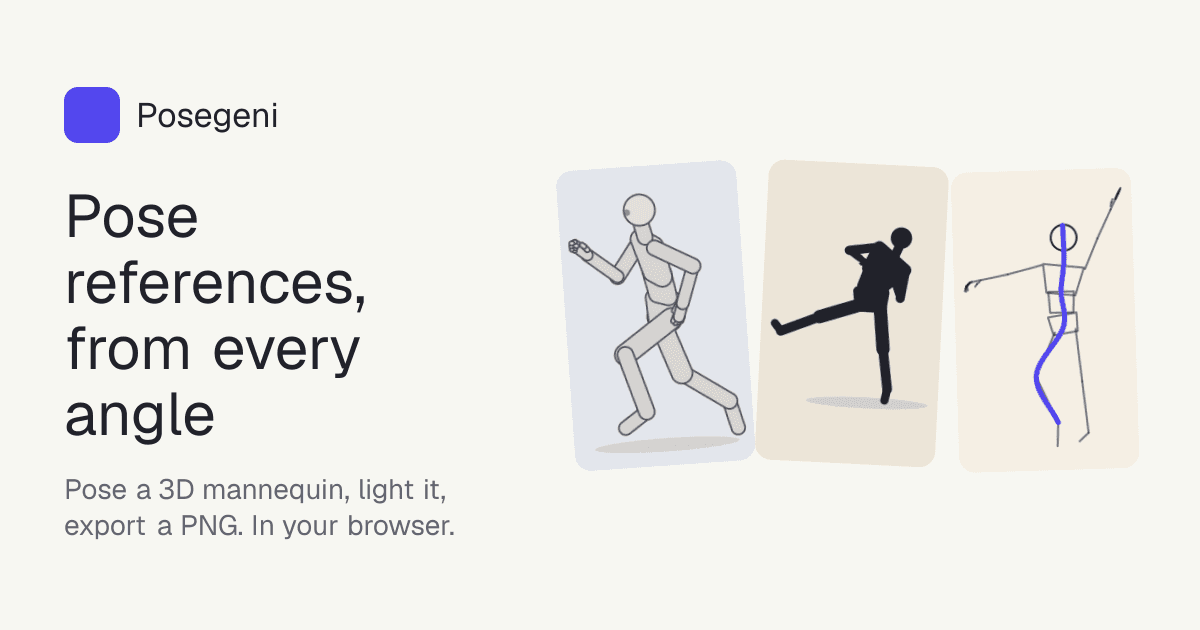
About this app
Posegeni is a 3D pose reference and pose maker that runs in the browser. Artists can pose a mannequin with jointed fingers, set camera and light, and export a clean PNG — no install, and no account to start. The site advertises 870+ anatomically verified poses and 800 stills retargeted from the CMU Graphics Lab Motion Capture Database. Start from a preset or a random pose, animate key poses, and export GIF, MP4, PNG sequences, pose JSON, or 3D models (GLB, OBJ, STL). Poses autosave locally and can be shared as a link. After one free download, unlimited downloads and ad-free content pages are part of optional Pro.
Key features
- 1Browser-based 3D mannequin with jointed fingers, orthographic camera and silhouette/line-of-action views.
- 2Export PNG, GIF, MP4, PNG sequences, pose JSON, and 3D models as GLB, OBJ or STL.
- 3ControlNet-ready exports: OpenPose skeleton with keypoint JSON, depth, normal and edge maps.
Target customer profile
Drawn from the product itself, not from a survey.
Demographic
Illustrators and comic artists
Pain points
Hard to find dynamic poses from unusual angles; costly reference tools
Primary needs
Quick, adjustable 3D references with silhouette and line-of-action views
Demographic
Animators and 3D hobbyists
Pain points
Setting up a quick pose and camera angle without full 3D software
Primary needs
Posable mannequin in the browser with PNG, GIF, MP4 and 3D model export
Demographic
Art students and figure drawing learners
Pain points
Limited access to live models; difficulty understanding foreshortening
Primary needs
Free, no-signup pose library with orthographic view and gesture practice
Demographic
3D artists and animators
Pain points
Time-consuming blockouts and lack of quick pose iteration
Primary needs
Exportable GLB/OBJ/STL mannequins and timeline-based pose animation
Scout Review
Written by AI from measured evidence, scored out of 100.
Posegeni is a browser-based 3D pose reference tool with a real product underneath a messy marketing page. The studio itself is the draw: jointed-finger mannequin, orthographic camera, silhouette and line-of-action views, timeline animation, and an export menu that goes well past PNG into GIF, MP4, GLB/OBJ/STL and ControlNet-ready OpenPose/depth/normal maps. No account, poses saved locally, shareable links. The homepage undermines it — affiliate-style pill badges, off-topic 'Discover more' links, contradictory pose counts, and a mobile Lighthouse score of 41 with a 10.6s LCP. Security headers are half-missing. Against MagicPoser, DesignDoll and JustSketchMe, Posegeni's edge is the export pipeline and the no-signup friction, not the posing itself.
Measure by measure
Usability
63No-signup studio reachable from nav, hero and library, with a FAQ that actually answers storage, export and ControlNet questions. Long page, repeated CTAs and injected pill badges dilute the path.
Design
58Coherent mannequin/silhouette identity and a genuinely convincing camera-angle demo, but spammy off-topic link blocks, competing blues and contradictory pose counts (870+ vs 1061+) undercut trust.
Speed
45Desktop Lighthouse 82 but mobile 41 with a 10.6s LCP and 2.1s TBT — the mobile experience is slow enough to hurt first impressions on the exact device artists browse on.
Security
52HTTPS not enforced, no HSTS, no CSP; six of twelve header checks pass. SPF/DMARC present and pose data stays local, but no security page, audits or bug bounty found.
Accessibility
80Lighthouse a11y 97/100 with only a contrast failure, but small light-grey text and near-illegible motion labels in the visual audit, and English-only language support.
Growth
68Real, specific wedge: no-signup browser posing with PNG/GIF/MP4/GLB export plus OpenPose/depth/normal maps for ControlNet — a hook MagicPoser and JustSketchMe don't lead with.
Improvement areas
- Mobile performance: Lighthouse 41/100 with 10.6s LCP and 2.1s TBT.
- Homepage trust: affiliate-style pill badges, off-topic link blocks, contradictory pose counts.
- Security headers: HTTPS not enforced, no HSTS, no CSP; no security or audit page.
Design & Usability
Posegeni's homepage has a real visual identity — the mannequin-and-silhouette illustration style carries across the hero, camera, library and motion sections, and the four-card camera-angle row (Front / 3-4 front / Side / 3-4 back) is the most convincing product demo on the page. The problems are self-inflicted: inline blue pill badges ('Buy a New Camera', 'Browse Art Prints') sit inside body sentences, two 'Discover more' blocks link to 'Order Logos' and 'Get Writing Tools', and the stats strip says 870+ poses while the header says 1061+. Usability is solid where it counts — 'Open Pose Studio' is reachable from nav, hero and library, no account is needed, and the FAQ answers real questions about IndexedDB storage, export formats and ControlNet. But the long page and injected link blocks dilute the path to the studio.
Speed & Security
Speed is a tale of two devices. Desktop Lighthouse scores 82, but mobile lands at 41 with a 10.6s LCP and 2.1s TBT — that is slow enough to lose a browsing artist before the studio loads, and mobile is exactly where illustrators find tools like this. Security is thin: the HTTP probe shows HTTPS not enforced, no HSTS, no CSP, and only six of twelve header checks passing. SPF and DMARC are present, and the architecture helps — poses autosave to IndexedDB/localStorage and share links carry the pose in the URL, so there is less server-side data to protect. But there is no security page, no SOC 2 or ISO claim, and no bug bounty in the collected evidence.
Accessibility & Growth
Accessibility scores well on automated checks — Lighthouse 97/100 with a single failing audit for insufficient color contrast — but the visual audit flags small light-grey body text and near-illegible motion-frame labels, and the site is English-only. Growth is where the idea earns its keep. The category is crowded: MagicPoser owns the manga/illustration crowd, DesignDoll owns desktop proportion control, JustSketchMe owns browser posing with lighting. Posegeni's wedge is narrower and sharper — no signup, no install, and exports that go beyond PNG: GIF, MP4, PNG sequences, GLB/OBJ/STL, and OpenPose skeletons, depth maps, normal maps and edge maps for ControlNet workflows. That ControlNet angle is a genuine differentiator the listed peers don't lead with, and it targets a growing AI-assisted art workflow. The limit is that the posing core is table stakes; the moat lives entirely in the export pipeline.
Conclusion
If you draw figures and want fast, adjustable 3D reference without installing anything, Posegeni is worth opening — the studio delivers and the ControlNet export is a real reason to pick it over the listed alternatives. Go in expecting a slow mobile load and a homepage that looks like it got monetized by an ad network. The product is better than its landing page, which is a strange thing to write but an accurate one.
Suggestions for improvement
- Strip the inline blue pill badges and both 'Discover more' link blocks — they read as affiliate injection and cost trust.
- Fix the mobile LCP: 10.6s on a 41/100 mobile score is the single biggest conversion leak.
- Reconcile the pose count (870+ vs 1061+) into one number used consistently across the page.
- Enforce HTTPS, add HSTS and a basic CSP, and publish a short security/data-handling page.
Alternatives comparison
Named competitors, point by point. Nobody paid to appear here or to be left out.
 Posegeni |  MagicPoser |  DesignDoll | JustSketchMe | |
|---|---|---|---|---|
| Runs in browser with no install | Yes | Yes | No — desktop app | Yes |
| No account required to start | Yes | Free tier with account | License-based desktop | Free tier with account |
| 3D model export (GLB/OBJ/STL) | Yes — GLB, OBJ, STL | Limited / not primary | Not primary | Not primary |
| ControlNet / OpenPose skeleton export | Yes — OpenPose, depth, normal, edge maps | Not advertised | Not advertised | Not advertised |
| Timeline animation with GIF/MP4 export | Yes — key poses, GIF/MP4/PNG sequence | Limited | No | No |
| Pose library size | 870+ verified poses, 800 CMU-retargeted stills | Large preset library | Preset poses included | Preset library |
MagicPoser
3D pose app with mannequin posing and camera controls, popular among manga and illustration artists.
DesignDoll
Desktop figure posing tool with adjustable body proportions and lighting for reference drawing.
JustSketchMe
Browser-based 3D posing tool with customizable characters and scene lighting.
Comparing options? See Posegeni alternatives, scored side by side
More Design & Creativity apps
View all Design & Creativity
RoomCreator
92An AI-powered interior and exterior design tool that tran...

QRBliss
91Branded QR codes with AI Brand Sync, 15 free dynamic code...

ThumbnailMaker
90AI YouTube thumbnail maker: paste a video link, get the brief, the thumbnail, and a check at feed size.

Flag Maker
89Free browser flag maker: 28 layouts, 197 country templates, SVG/PNG/HOI4 TGA—no account.

All of Us
89Add deceased loved ones to photos with AI and see free pr...

FontPlop
89Browser-based font viewer & tester for TTF, OTF, WOFF, WO...

English Test Coach
89English Test Coach checks your IELTS essays and letters, gives an estimated band score across all four criteria, and tells you exactly what to revise next.

What the GIF
89Frame-perfect video-to-GIF maker that runs entirely in yo...

AI Vocals Generator
89Add AI singers or rappers to your own beat, get two takes...

Tracé slides
89Interactive math & physics slides with live graphs and an...

Cross Stitch Pattern Maker
89Free on-device photo-to-DMC/Anchor chart with skein counts.

Olevx
89112 free client-side web tools plus a private autosaving ...


A platform dedicated to providing unbiased reviews of newly launched applications, analyzing everything from their features to their full potential.
info@scoutforge.net© 2026 Scoutforge. All rights reserved.
