

A platform dedicated to providing unbiased reviews of newly launched applications, analyzing everything from their features to their full potential.
info@scoutforge.net© 2026 Scoutforge. All rights reserved.
A platform dedicated to providing unbiased reviews of newly launched applications, analyzing everything from their features to their full potential.
info@scoutforge.net© 2026 Scoutforge. All rights reserved.
A platform dedicated to providing unbiased reviews of newly launched applications, analyzing everything from their features to their full potential.
info@scoutforge.net© 2026 Scoutforge. All rights reserved.
Cycling through all six. Tap any point to stop.
Measured on six things
Recover deleted files from Windows with ease.
Real, recurring problem with a specific Windows audience and a genuine wedge — Advanced MFT, Deep Signature, and forensic .dd imaging with SHA-256. Crowded category with free Recuva at the low end.
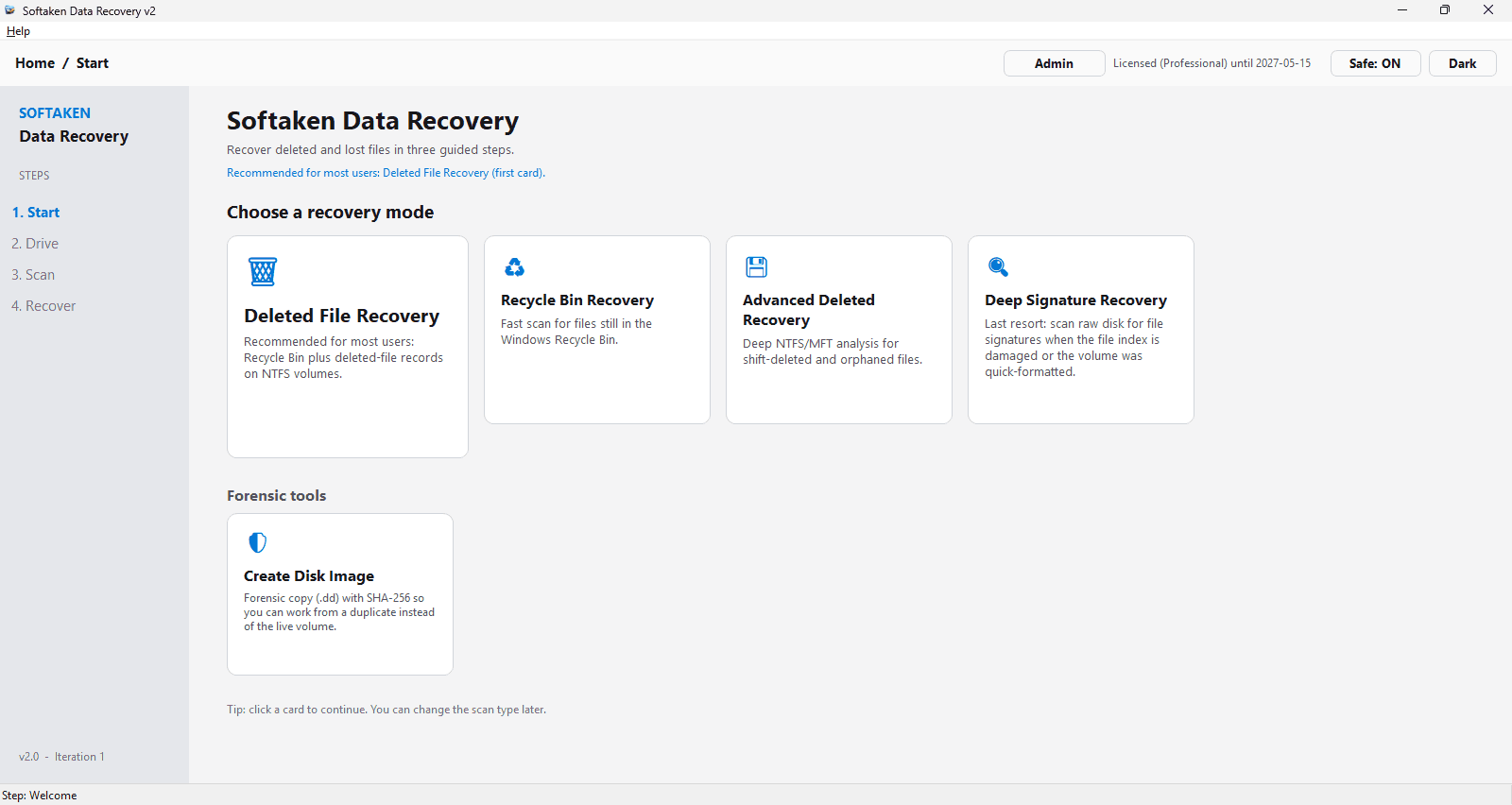
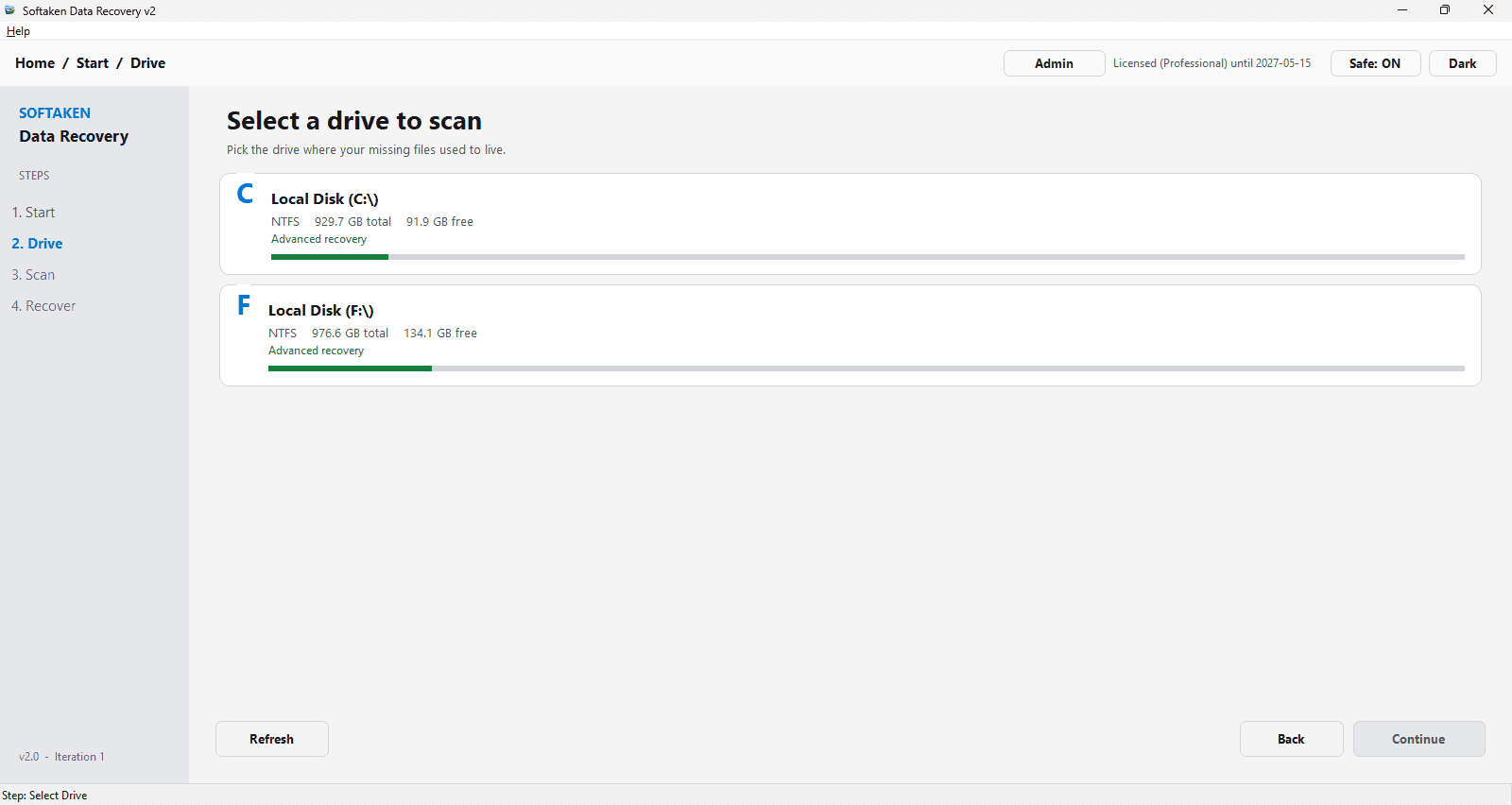
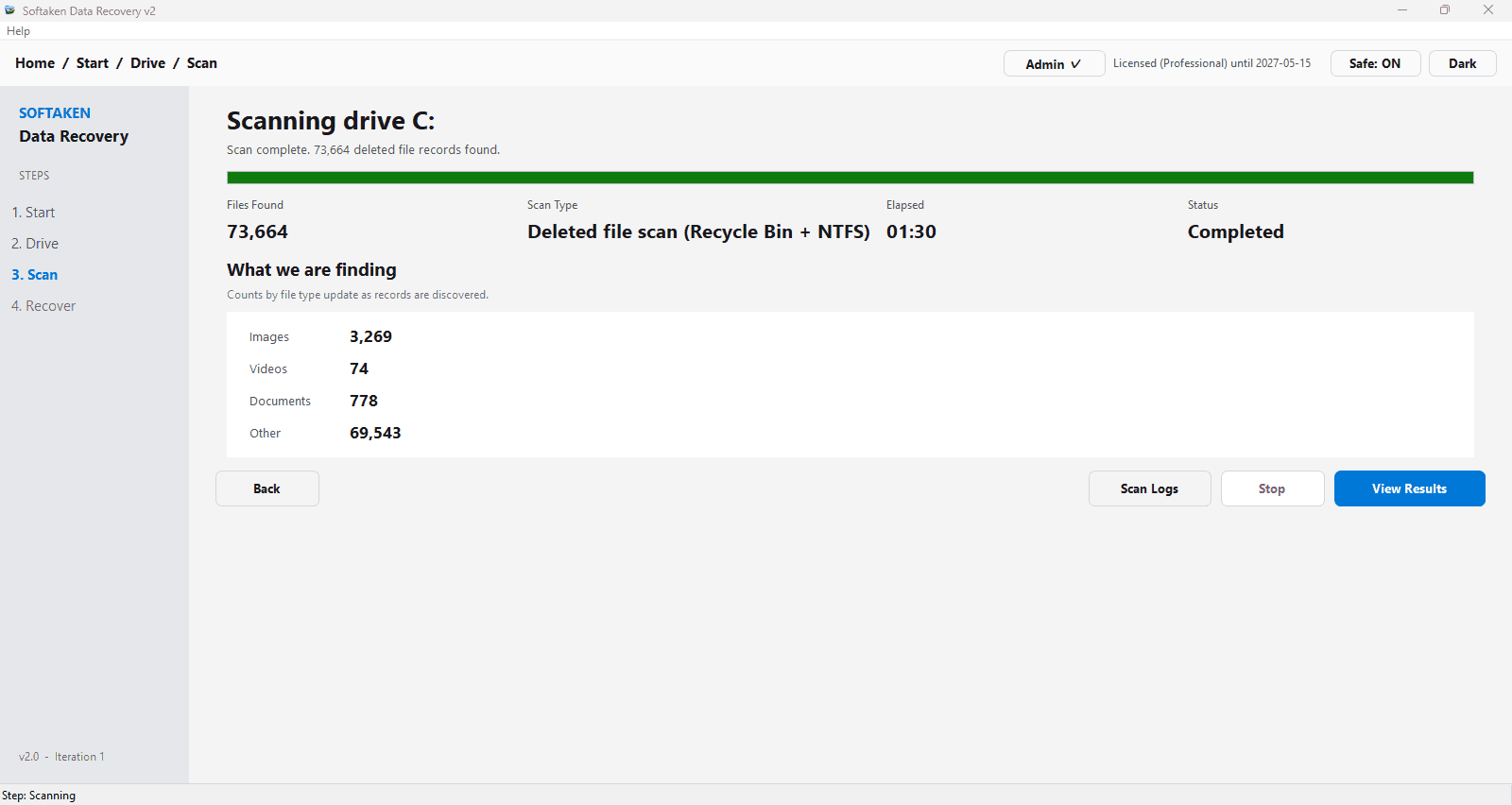
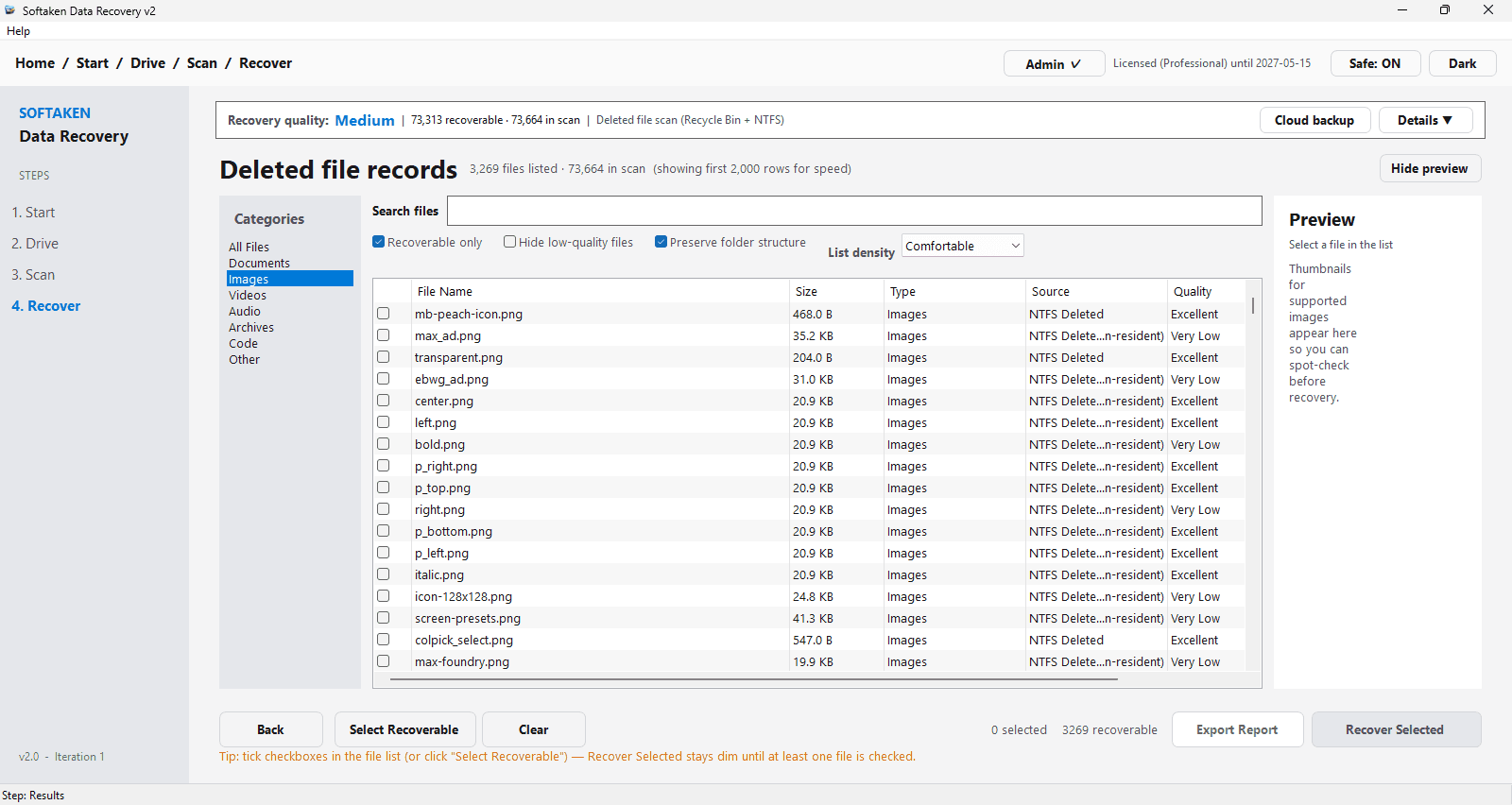
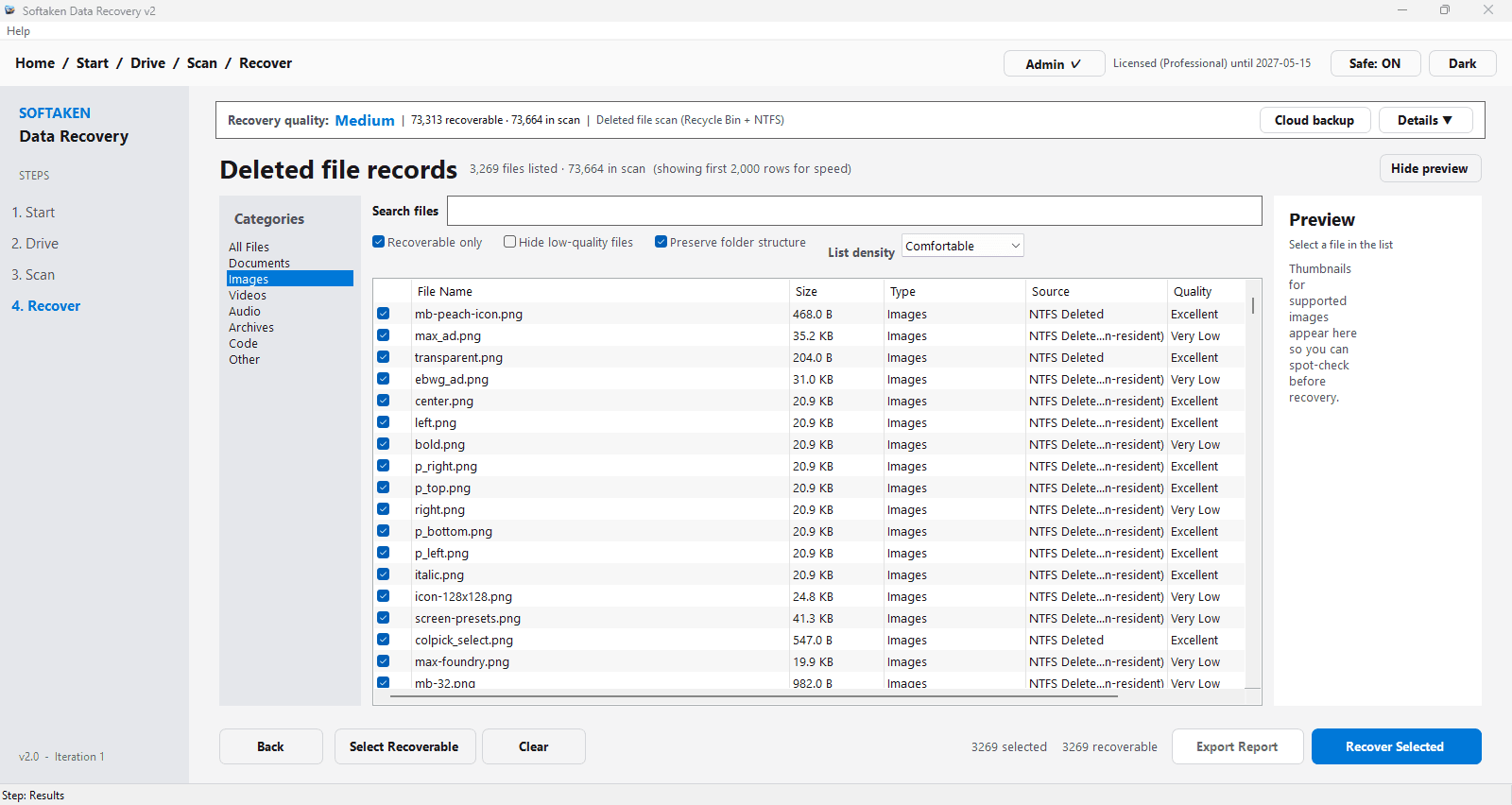
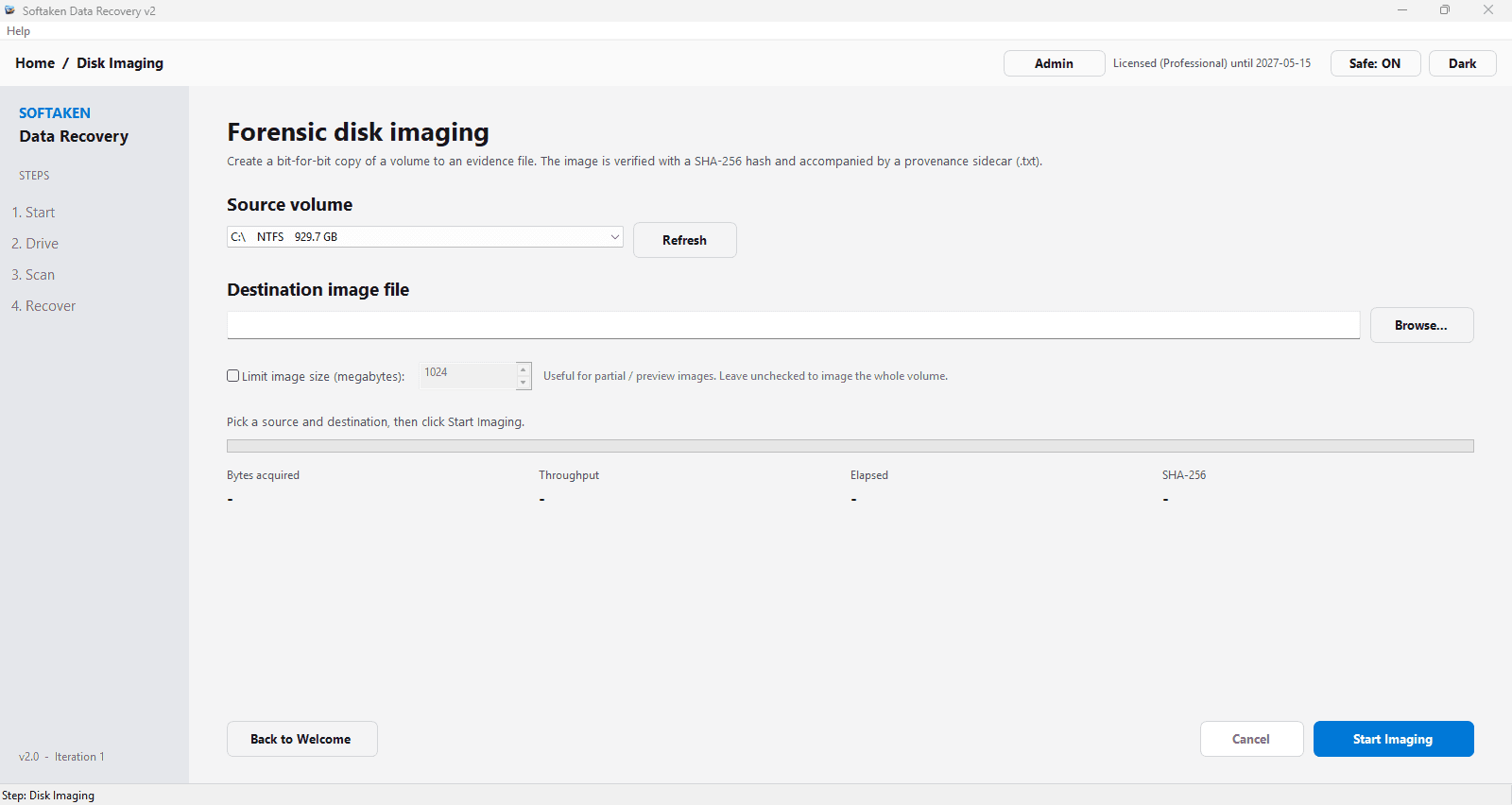
Softaken Data Recovery Software is a powerful and easy-to-use tool to recover deleted Files from a Windows System. It can smoothly restore data if you have mistakenly deleted files, emptied the Recycle Bin or lost data due to formatting. It supports both NTFS and FAT file systems and offers deep scanning to recover permanently deleted files. The software offers a clear and clean interface; users can preview the recovered data, filter the results and recover numerous files in batch mode. It also provides options for handling duplicate files and choosing custom recovery destinations. The software also runs efficiently on Windows 11, 10 and others.
Drawn from the product itself, not from a survey.
Demographic
Individual Windows users
Pain points
Accidental deletion, emptied Recycle Bin, lost important files
Primary needs
Easy recovery of deleted files with original names
Demographic
Small business owners
Pain points
Data loss due to system crashes or human error
Primary needs
Affordable and reliable data recovery for business documents
Demographic
IT professionals
Pain points
Need to recover data from various storage devices and file systems
Primary needs
Advanced scanning, batch recovery, and support for NTFS/FAT
Written by AI from measured evidence, scored out of 100.
Softaken Data Recovery Software is a competent Windows file-recovery tool with a clean site, a fast-loading marketing page, strong technical security headers, and a feature set that goes beyond basic undelete — four recovery modes, batch recovery, and forensic imaging in a Technician Edition. The free trial is the right call for a category where trust is earned by results. The gaps are in verification: no independent reviews in the collected evidence, no compliance certifications, no accessibility statement, and no published benchmarks for actual recovery speed or success rate. It's a solid mid-tier option that needs third-party proof to stand out against Recuva and EaseUS.
Free trial, four named recovery modes, batch recovery, search/filter, and a docs hub with How It Works and System Requirements. Solid onboarding path; no hands-on confirmation of scan-to-value time.
Clean, consistent marketing site with clear feature cards and CTAs. The app UI is described as a modern split-pane layout, but design judgement rests on site claims and screenshots rather than hands-on use.
Lighthouse mobile 91/100 (LCP 1.8s, CLS 0, TBT 308ms) and desktop 99/100. The site is fast; no published recovery-throughput benchmarks to judge the app itself.
Full security-header sweep (HSTS, CSP, frame protection, X-Content-Type-Options, Referrer-Policy, Permissions-Policy), SPF and DMARC, 12/12 checklist. No published SOC 2, ISO, or pen-test evidence.
Lighthouse accessibility 94/100, but failing audits include non-sequential headings, unnamed links, no main landmark, and label/name mismatches. No WCAG statement or a11y page found.
Real, recurring problem with a specific Windows audience and a genuine wedge — Advanced MFT, Deep Signature, and forensic .dd imaging with SHA-256. Crowded category with free Recuva at the low end.
Softaken's site is clean and consistent, with feature cards, a clear Download CTA, and a docs hub that actually explains the four recovery modes (Deleted File, Recycle Bin, Advanced MFT, Deep Signature). The free trial is prominent, which matters for a category where you can't know if recovery works until you try it. Usability signals are solid on paper: batch recovery, search/filter, user-selected destination, and a How It Works section. What's missing is hands-on confirmation — no independent reviews in the collected evidence, so scan-to-value time and real-world recovery success rates are unverified. The design and usability story is competent and well-presented, but it's a marketing story, not a tested one.
Speed is the standout measured result: Lighthouse mobile 91/100 with LCP 1.8s, CLS 0, and TBT 308ms, plus desktop 99/100. The marketing site loads fast and cleanly. Security is also strong on the technical layer — HTTPS enforced, HSTS, CSP, frame protection, X-Content-Type-Options, Referrer-Policy, and Permissions-Policy all present, with SPF and DMARC configured for a 12/12 header checklist. What's absent is the compliance layer: no SOC 2, ISO 27001, pen-test report, or bug bounty mentioned anywhere in the collected content. For a tool that reads raw disk sectors and handles potentially sensitive recovered files, that's a gap worth noting, though not unusual for a small vendor.
Accessibility scores 94/100 on Lighthouse, but the failing audits are telling: headings out of sequential order, links without discernible names, no main landmark, and visible labels that don't match accessible names. Those are the kinds of issues that make screen-reader navigation clumsy even when the automated score looks good. No WCAG conformance statement or accessibility page was found. On growth, the problem is real and recurring — accidental deletion, emptied Recycle Bin, formatted drives — and the target user is specific (Windows individuals, small businesses, IT pros). The wedge is the advanced feature set: Advanced MFT, Deep Signature carving, and forensic .dd imaging with SHA-256 in a Technician Edition. But the category is crowded, with Recuva free at the low end and EaseUS as a well-known paid incumbent. Softaken needs a sharper reason to be chosen.
Conclusion
If you've just emptied the Recycle Bin and you're panicking, the free trial is the right first move — install it, scan, and see what it finds before you pay. The advanced modes and forensic imaging give it more depth than a basic undelete utility, and the site's speed and security posture suggest a vendor that pays attention to the basics. But in a category where the free option (Recuva) is genuinely good and the paid incumbent (EaseUS) has years of reviews behind it, Softaken's case rests on whether its deep-scan and MFT recovery actually outperform the alternatives. Try the trial, compare results, and decide from evidence — not from the landing page.
Named competitors, point by point. Nobody paid to appear here or to be left out.
 Softaken Data Recovery Software Softaken Data Recovery Software |  Recuva Recuva |  EaseUS Data Recovery Wizard EaseUS Data Recovery Wizard | |
|---|---|---|---|
| Pricing model | Paid, with free trial to test recovery before purchase | Free (paid Pro upgrade available) | Paid, with free trial (recovery limited to 2GB) |
| Platform support | Windows 11, 10, and other editions | Windows only | Windows and Mac |
| Recovery modes | Deleted File, Recycle Bin, Advanced MFT, Deep Signature | Quick scan and deep scan; wizard-based file type selection | Quick scan and deep scan with preview before recovery |
| File system support | NTFS and FAT | NTFS, FAT, exFAT, and other common Windows file systems | NTFS, FAT, exFAT, and additional file systems |
| Forensic / imaging features | Technician Edition: .dd disk imaging with SHA-256 verification | None | Disk imaging and bootable recovery media in higher tiers |
| Batch recovery and filtering | Batch recovery, advanced search/filter, duplicate handling | Batch recovery with file-type and path filters | Batch recovery with preview, search, and filter options |
Recuva
A free data recovery tool for Windows that can recover files from various storage media.
EaseUS Data Recovery Wizard
A comprehensive data recovery software that supports Windows and Mac, with deep scanning capabilities.
Comparing options? See Softaken Data Recovery Software alternatives, scored side by side

An encrypted digital legacy service that securely deliver...

Recover and migrate Thunderbird profiles & MBOX files wit...

Integrates cloud storage into macOS Finder for seamless file management across services like Google Drive and Dropbox.

A user-friendly web app for managing AWS S3 storage with AI summarization and analytics.

A secure, web-based file sharing platform with end-to-end encryption and no login requirements for quick transfers.

Privacy-first on-device Mac calendar sync tool.

Secure, open-source data storage and transfer app with AES-256 encryption, operating locally without internet or sign-ups.

Lingera saves your AI conversations with one click — across ChatGPT, Claude, Grok, Gemini, Perplexity, and DeepSeek. Capture, highlight, and understand your thinking across every AI platform.

Back up Zoom cloud recordings to Google Drive automatically. Optional auto-delete frees Zoom storage. 60-second setup, then forget it.

Convert Mac Outlook OLM files to PST or many other formats

Save public Reels and videos as MP4 — no sign-in, no wate...

Securely store, organize, share, and track documents online.
A platform dedicated to providing unbiased reviews of newly launched applications, analyzing everything from their features to their full potential.
info@scoutforge.net© 2026 Scoutforge. All rights reserved.
