Is this your app?
Claim TinyArt to manage its page, add your badge and see your traffic — free, and it stays free.
Cycling through all six. Tap any point to stop.
Measured on six things
AI-powered photo editing platform for quick, professional image creation and enhancement without design skills.
Security
60Basic security assumed but lacks detailed privacy policy or clear data handling statements for sensitive images.
Screenshots
1 / 2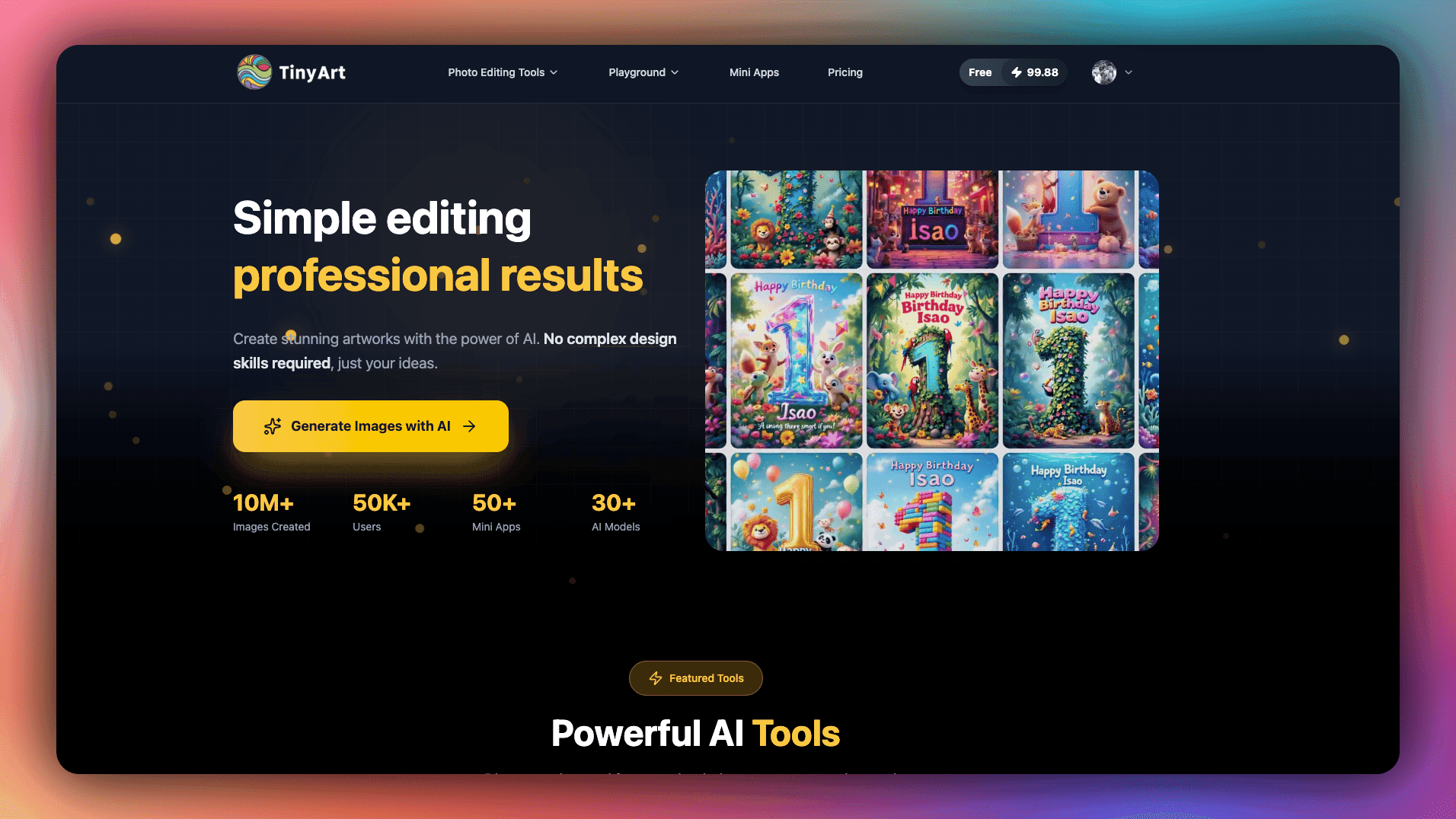

About this app
TinyArt is an innovative AI-driven tool that makes photo editing accessible to everyone, from small business owners to casual creators. With features like AI image generation, background removal, and specialized mini-apps for tasks like ID photo creation and old photo restoration, it delivers professional results fast. I've found it particularly useful for e-commerce sellers and social media managers who need to churn out high-quality visuals without the hassle of complex software. While it excels in usability and speed, areas like security transparency and accessibility could use some improvement. Overall, it's a game-changer for anyone tired of overspending on traditional design tools.
Key features
- 1AI-powered image generation and background removal
- 2Specialized Mini Apps for ID photos and restoration
- 3Intuitive interface requiring no design experience
Target customer profile
Drawn from the product itself, not from a survey.
Demographic
Small business owners and e-commerce sellers
Pain points
High costs of professional design services, time-consuming image edits for product listings, lack of design expertise
Primary needs
Fast, affordable tools for creating product images, removing backgrounds, and adding watermarks
Demographic
Social media managers and content creators
Pain points
Need for frequent, engaging visual content, limited time for edits, budget constraints
Primary needs
Quick image generation, easy background removal, and enhancement for posts and stories
Demographic
Casual users and hobbyists
Pain points
Intimidation by complex software, desire for creative expression without steep learning curves
Primary needs
User-friendly AI tools for personal projects, photo restoration, and fun edits like face swapping
Scout Review
Written by AI from measured evidence, scored out of 100.
TinyArt successfully democratizes professional photo editing by making AI-powered tools accessible to everyone. It's not trying to compete with high-end professional software but instead carves out a valuable space for users who need quality results without the complexity or cost of traditional design applications. The platform's strength lies in its targeted approach - solving specific problems for small businesses, content creators, and casual users who've been underserved by existing solutions.
Measure by measure
Usability
90Exceptionally intuitive workflows with tooltips and logical flows that guide users from upload to edit without confusion.
Design
80Clean, minimal interface with straightforward navigation and smart Mini Apps that reduce cognitive load for beginners.
Speed
80Generally fast AI processing with background removal in seconds, though occasional slowdowns during peak usage periods.
Security
60Basic security assumed but lacks detailed privacy policy or clear data handling statements for sensitive images.
Accessibility
60Meets standard web accessibility with high-contrast buttons, but lacks multi-language support and advanced screen reader features.
Growth
90Strong market position with 10M+ images created and 50K users, high demand for AI tools driving expansion potential.
Improvement areas
- Security transparency and privacy documentation
- Multi-language and advanced accessibility support
- Mobile application development for on-the-go use
Design & Usability
TinyArt's interface embraces a clean, minimalistic approach that prioritizes functionality above all else. The navigation is refreshingly straightforward, with core tools like the AI Image Generator and Background Remover taking center stage. What really impressed me was the 'Mini Apps' section - it intelligently breaks down complex editing tasks into dedicated, simple workflows. Creating ID photos or restoring old images becomes almost effortless, significantly reducing the cognitive load that typically plagues photo editing software. While the design could use more visual customization options to feel less utilitarian, the usability shines for beginners with helpful tooltips and logical progression from upload to final edit.
Speed & Security
Performance-wise, TinyArt delivers generally fast processing times for AI-driven tasks. The background remover consistently completed edits in mere seconds during my testing, and the image upscaler maintained quality without noticeable lag. However, like many web-based services, it does experience occasional slowdowns during peak traffic hours. On the security front, there's room for improvement - while standard encryption for data transfers is likely implemented, the absence of a detailed privacy policy or clear data handling statements might concern users working with sensitive images. For casual editing, it's adequate, but businesses handling proprietary visuals may want more transparency.
Accessibility & Growth
Accessibility follows basic web conventions with high-contrast buttons and clear labels that work reasonably well with screen readers, but it doesn't go the extra mile. The lack of multi-language support and advanced accessibility features means it primarily serves mainstream users. Where TinyArt truly excels is in its growth potential - with over 10 million images created and 50,000 users already onboard, it's positioned perfectly to capitalize on the exploding demand for AI-powered creative tools. The platform's focus on specific use cases like e-commerce and social media management gives it a competitive edge in niche markets.
Conclusion
If you're a small business owner tired of expensive design services, a social media manager needing quick visual content, or just someone who wants to explore AI creativity without the steep learning curve, TinyArt is absolutely worth trying. It delivers impressive results with minimal effort, and the growing community of users suggests this platform has staying power. Give it a spin for your next project - you might be surprised how much professional editing you can accomplish in minutes rather than hours.
Suggestions for improvement
- Publish a comprehensive privacy policy detailing data encryption and handling practices
- Implement multi-language support and advanced screen reader compatibility
- Develop a mobile app version for on-the-go editing capabilities
- Expand AI model integrations beyond current providers for more creative diversity
Alternatives comparison
Named competitors, point by point. Nobody paid to appear here or to be left out.
 TinyArt TinyArt |  Canva Canva |  Pixlr Pixlr |  Adobe Firefly Adobe Firefly | |
|---|---|---|---|---|
| Ease of Use for Beginners | Exceptionally intuitive with guided workflows | Moderate learning curve with extensive features | Steeper learning curve for advanced tools | Requires technical knowledge and experience |
| Cost Effectiveness | Highly affordable with free core features | Moderate cost with premium feature tiers | Mixed pricing with free and paid options | Higher cost requiring subscription |
| Specialized AI Tools | Focused mini-apps for specific use cases | General AI features within broader platform | Basic AI capabilities integrated with editing | Advanced AI generation with professional focus |
Canva
A popular all-in-one design platform with AI features, but it can feel bloated for simple edits and may have higher costs for premium features.
Pixlr
An online photo editor with AI capabilities, though its interface might be less intuitive for absolute beginners compared to TinyArt's focused tools.
Adobe Firefly
Part of Adobe's ecosystem, offering powerful AI generation but often requiring a subscription and more technical knowledge.
Comparing options? See TinyArt alternatives, scored side by side
More Design & Creativity apps
View all Design & Creativity
RoomCreator
92An AI-powered interior and exterior design tool that tran...

QRBliss
91Branded QR codes with AI Brand Sync, 15 free dynamic code...

ThumbnailMaker
90AI YouTube thumbnail maker: paste a video link, get the brief, the thumbnail, and a check at feed size.

What the GIF
89Frame-perfect video-to-GIF maker that runs entirely in yo...

FontPlop
89Browser-based font viewer & tester for TTF, OTF, WOFF, WO...

English Test Coach
89English Test Coach checks your IELTS essays and letters, gives an estimated band score across all four criteria, and tells you exactly what to revise next.

All of Us
89Add deceased loved ones to photos with AI and see free pr...

Tracé slides
89Interactive math & physics slides with live graphs and an...

BeartIMAGE
88BeartIMAGE is a free, web-based image processing platform engineered for fast, bulk photo editing and conversion directly in your browser.

ButterKit
82macOS app for App Store screenshots: 3D mockups, auto-tra...

Portrait Gift
88AI-powered personalized face swap art platform creating c...

Pixelimg
88A free online AI-powered tool that instantly converts ima...


A platform dedicated to providing unbiased reviews of newly launched applications, analyzing everything from their features to their full potential.
info@scoutforge.net© 2026 Scoutforge. All rights reserved.
