Is this your app?
Claim Typevis to manage its page, add your badge and see your traffic — free, and it stays free.
Cycling through all six. Tap any point to stop.
Measured on six things
A no-code motion design platform automating social media graphics, ads, and videos for marketers and teams.
Accessibility
60Basic keyboard shortcuts and alt-text support, but no screen-reader optimization or high-contrast modes, limited to English only.
Screenshots
1 / 4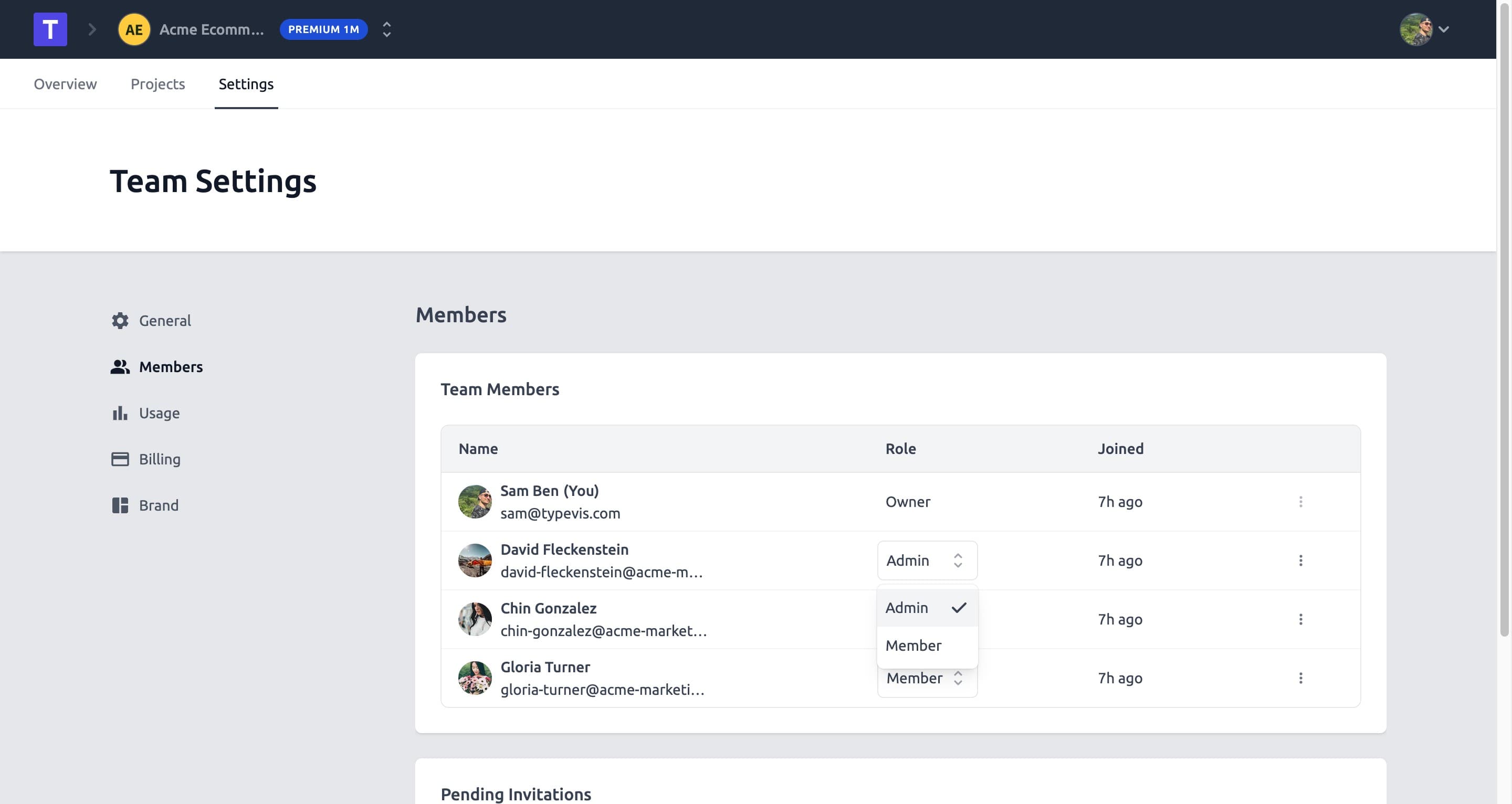
About this app
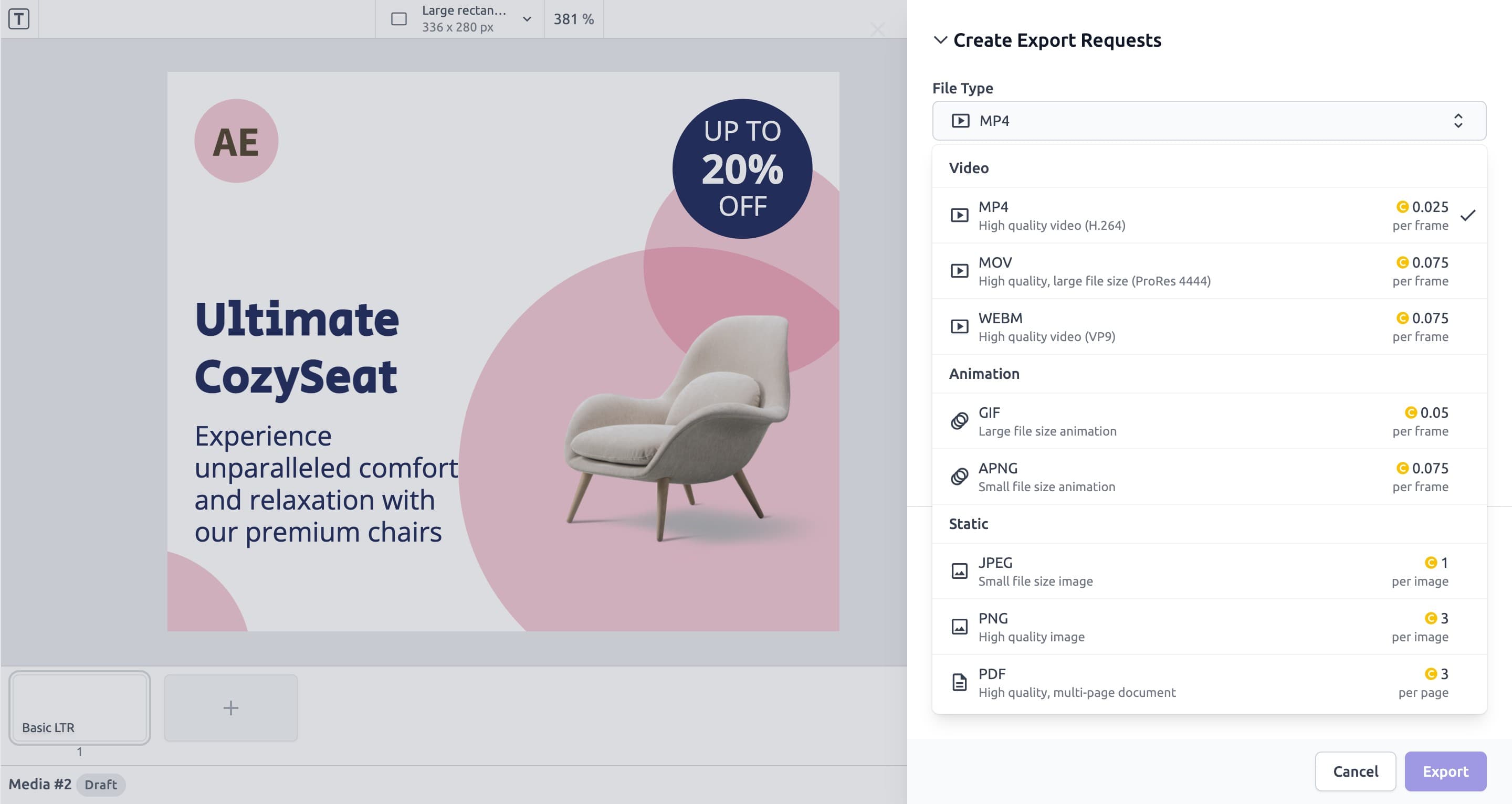
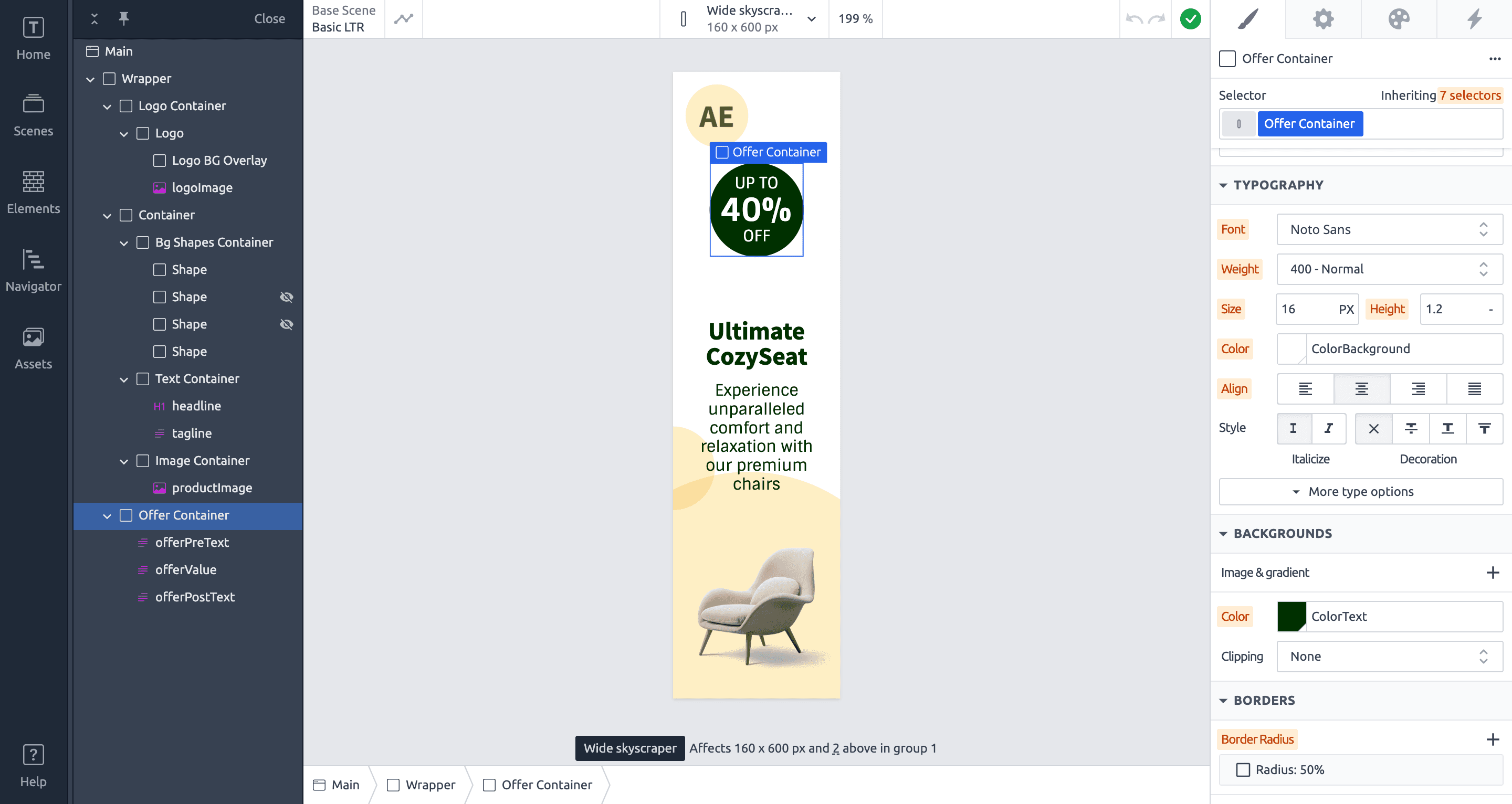
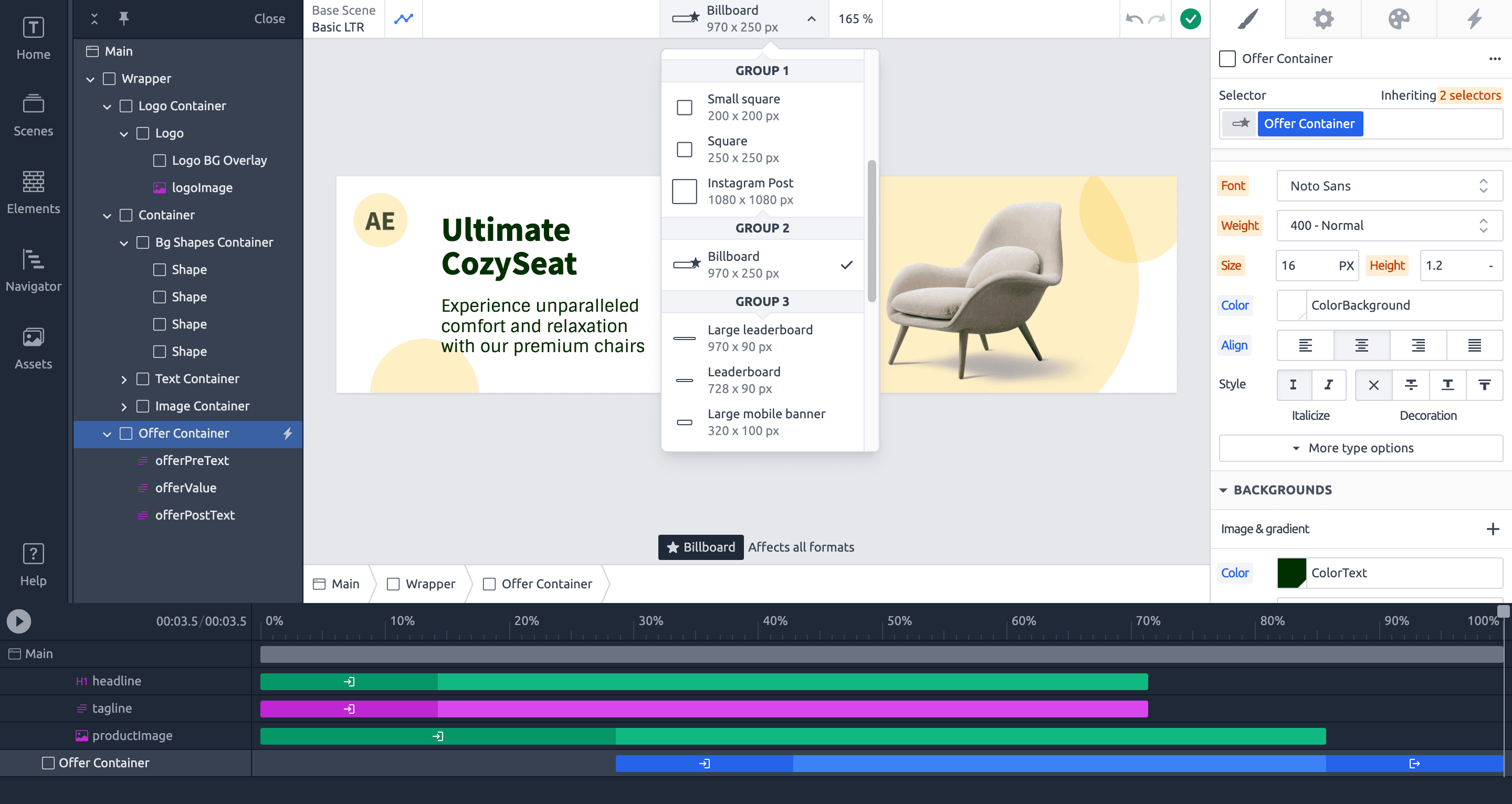
Typevis is a cloud-based tool that helps users automate and scale visual content creation, featuring dynamic templates, a drag-and-drop interface, and collaboration tools. It targets marketers, small businesses, and content creators, offering solutions for repetitive design tasks with no coding required. While in beta, it shows strong potential for efficiency gains, though it has some limitations in accessibility and privacy details.
Key features
- 1Cloud-based rendering for fast exports, even with video projects
- 2Drag-and-drop interface for intuitive no-code design and automation
- 3High growth potential with strong API integration and demand for automation tools
Target customer profile
Drawn from the product itself, not from a survey.
Demographic
Marketing Teams & Agencies
Pain points
Repetitive asset creation, inconsistent branding, slow turnaround times
Primary needs
Automation, multi-format scaling, collaborative workflows
Demographic
SMBs & Startups
Pain points
Limited design resources, budget constraints
Primary needs
Cost-effective, scalable solutions with minimal learning curve
Demographic
Content Creators
Pain points
Manual updates for platform-specific visuals
Primary needs
Dynamic templates, cloud-based efficiency
Scout Review
Written by AI from measured evidence, scored out of 100.
Typevis delivers impressive automation capabilities for visual content creation, particularly for marketing teams drowning in repetitive design tasks. The cloud-based approach and template system genuinely save time, while the drag-and-drop interface makes motion design accessible to non-technical users. Despite being in beta, it shows remarkable promise with fast rendering and solid core functionality.
Measure by measure
Usability
84Intuitive drag-and-drop interface for basics, but automation workflows have a steeper learning curve with unclear tooltips.
Design
80Clean dark-themed dashboard with drag-and-drop modules, minimalistic but functional interface with some beta quirks.
Speed
90Cloud rendering ensures fast exports even for video projects, though beta users report occasional lag during peak hours.
Security
76AES-256 encryption for data but privacy policy lacks granular details about third-party data sharing practices.
Accessibility
60Basic keyboard shortcuts and alt-text support, but no screen-reader optimization or high-contrast modes, limited to English only.
Growth
90High demand for no-code marketing automation tools with strong API integration potential for expanding use cases.
Improvement areas
- Enhance accessibility with screen-reader optimization and high-contrast modes
- Expand language localization beyond English to support global users
- Improve privacy policy with detailed third-party data handling information
Design & Usability
Typevis presents a clean, dark-themed interface that prioritizes focus and functionality. The drag-and-drop Visual Designer makes basic template creation accessible, while the Dynamic Timeline simplifies animation adjustments. The minimalistic approach works well for most marketing tasks, though advanced features like variable data inputs require some acclimation. Navigation is generally smooth, but beta-stage tooltips occasionally leave users guessing. The overall experience balances approachability with powerful automation capabilities, making it suitable for design-averse marketers who need to scale visual content production.
Speed & Security
Performance is a standout feature with cloud-based rendering handling even video-heavy projects efficiently. Export times are impressively fast, though the beta status shows in occasional lag during peak usage. Security includes standard AES-256 encryption for data protection, but the privacy policy lacks detailed information about third-party data handling. This creates some uncertainty for teams working with sensitive client information. The platform's infrastructure appears robust for a beta product, with room for optimization as user numbers grow.
Accessibility & Growth
Accessibility remains Typevis's weakest area with only basic keyboard navigation and alt-text support. The absence of screen-reader optimization and high-contrast modes limits inclusivity, while English-only localization hinders global team adoption. However, growth potential is exceptional given the massive demand for no-code marketing automation tools. The REST API foundation allows for extensive integration possibilities, and the core concept of automated multi-format visual scaling addresses a genuine market pain point that's only growing more acute.
Conclusion
If you're part of a marketing team struggling with endless asset requests or a content creator tired of manual format adjustments, Typevis offers a compelling solution. The beta quirks are manageable for the automation benefits it provides. Just approach with the understanding that it's still maturing and may require some patience with advanced features.
Suggestions for improvement
- Prioritize screen-reader compatibility and add high-contrast mode options to improve accessibility.
- Expand language localization beyond English to support global teams.
- Develop interactive onboarding tutorials to reduce the learning curve for automation features.
- Enhance the privacy policy with specific data handling details to build trust.
- Add real-time collaborative editing to better support team workflows and expand template libraries for vertical-specific use cases.
Alternatives comparison
Named competitors, point by point. Nobody paid to appear here or to be left out.
 Typevis |  Vev |  GetResponse Automation |  Rocketium | |
|---|---|---|---|---|
| No-code design capability | Yes - drag and drop interface | Yes - visual design tools | Limited - video focused | No - workflow automation only |
| Multi-format automation | Yes - social, video, banners | Limited - web content focused | Yes - video formats | No - email/campaign focused |
| HTML/CSS customization | Yes - full support | Yes - code access | No - video focused | No - template based |
| Motion design tools | Yes - dynamic timeline | Limited - basic animations | Yes - video motion | No - static content |
| Cloud rendering | Yes - fast exports | Mixed - some local processing | Yes - video rendering | No - email focused |
Vev
Offers no-code interactive content design but lacks Typevis's focus on automated multi-format scaling.
GetResponse Automation
Focuses on email and campaign workflows but lacks dedicated motion design tools.
Rocketium
Specializes in video automation but doesn't support HTML/CSS customization like Typevis.
Comparing options? See Typevis alternatives, scored side by side
More Design & Creativity apps
View all Design & Creativity
RoomCreator
92An AI-powered interior and exterior design tool that tran...

QRBliss
91Branded QR codes with AI Brand Sync, 15 free dynamic code...

ThumbnailMaker
90AI YouTube thumbnail maker: paste a video link, get the brief, the thumbnail, and a check at feed size.

What the GIF
89Frame-perfect video-to-GIF maker that runs entirely in yo...

All of Us
89Add deceased loved ones to photos with AI and see free pr...

FontPlop
89Browser-based font viewer & tester for TTF, OTF, WOFF, WO...

Tracé slides
89Interactive math & physics slides with live graphs and an...

English Test Coach
89English Test Coach checks your IELTS essays and letters, gives an estimated band score across all four criteria, and tells you exactly what to revise next.

BeartIMAGE
88BeartIMAGE is a free, web-based image processing platform engineered for fast, bulk photo editing and conversion directly in your browser.

Portrait Gift
88AI-powered personalized face swap art platform creating c...

ButterKit
82macOS app for App Store screenshots: 3D mockups, auto-tra...

Pixelimg
88A free online AI-powered tool that instantly converts ima...


A platform dedicated to providing unbiased reviews of newly launched applications, analyzing everything from their features to their full potential.
info@scoutforge.net© 2026 Scoutforge. All rights reserved.
