Is this your app?
Claim Vionote to manage its page, add your badge and see your traffic — free, and it stays free.
Cycling through all six. Tap any point to stop.
Measured on six things
A mobile app for annotating images and videos with text, streamlining documentation and workflow tracking for professionals and creators.
Accessibility
60Limited accessibility features with no screen reader support, adjustable text sizes, or high-contrast modes, and English-only interface.
Screenshots
1 / 5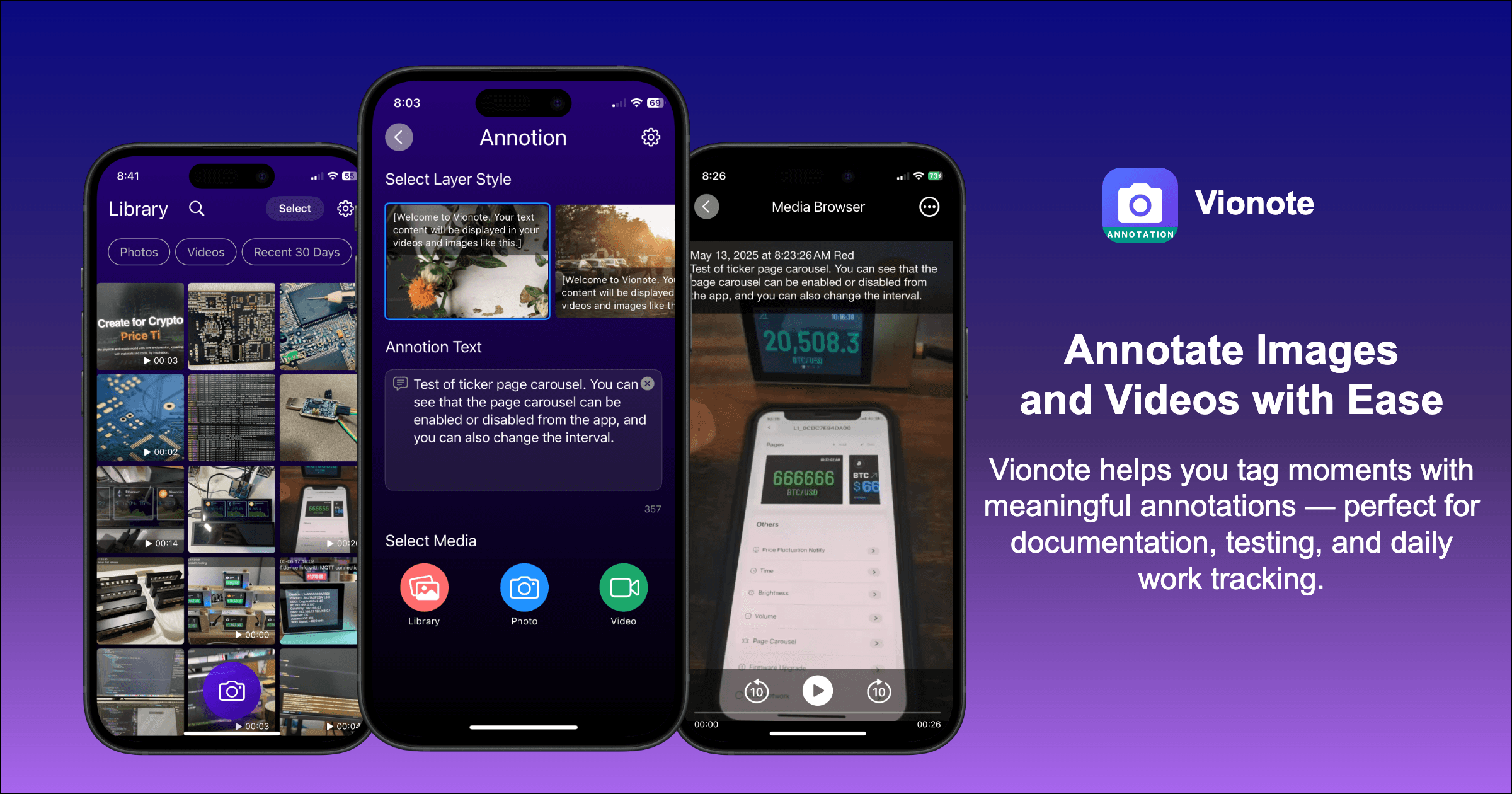
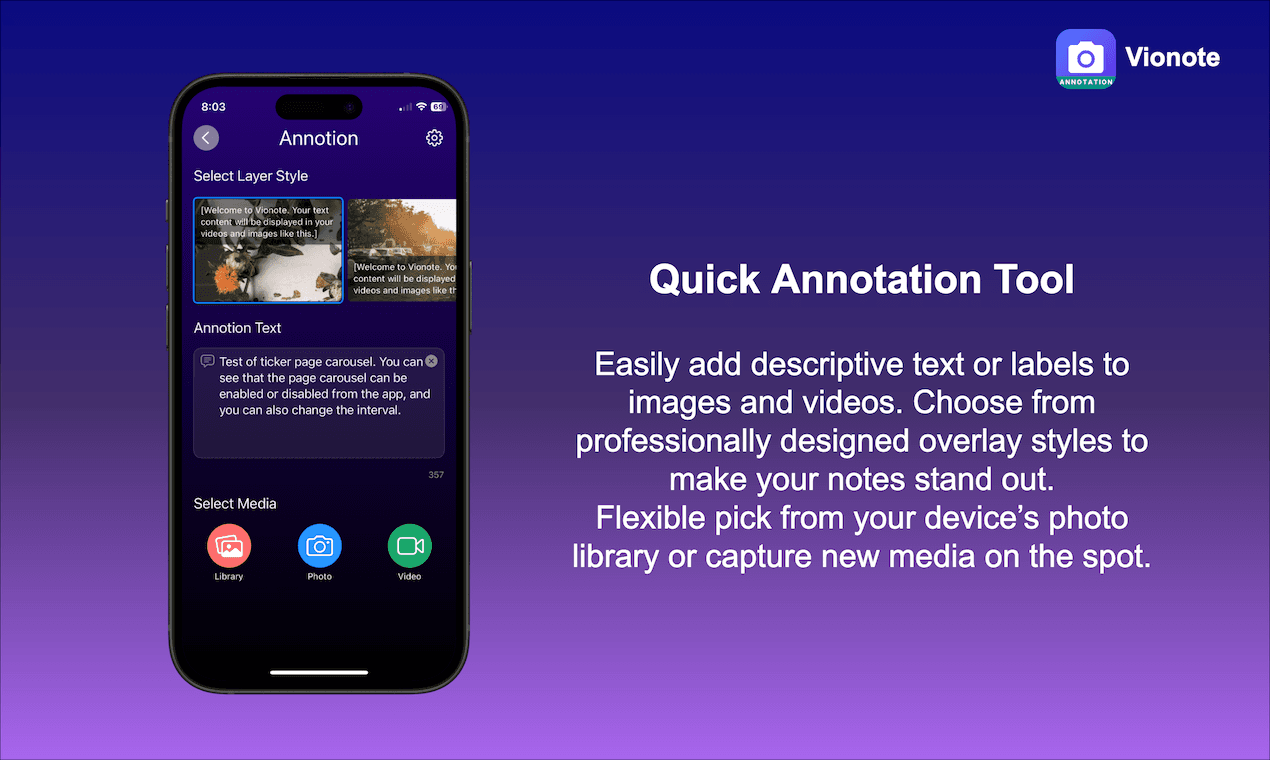
About this app
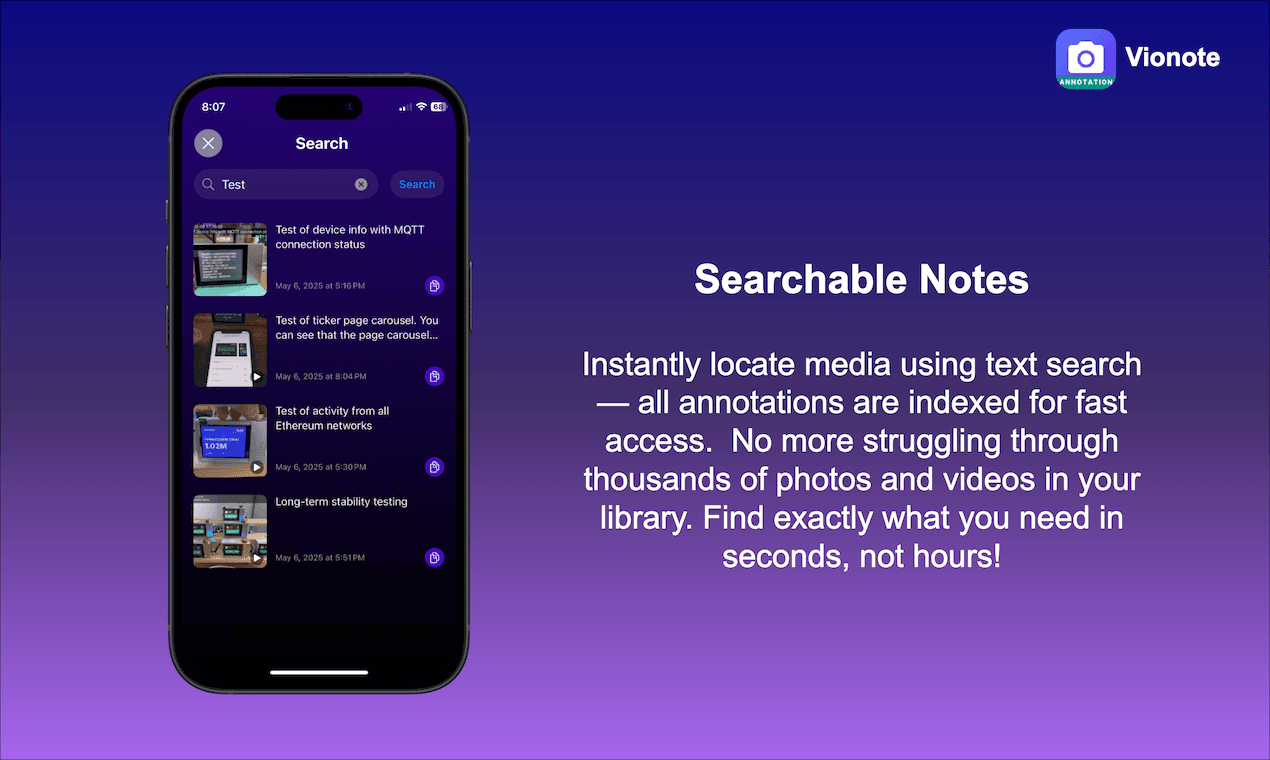
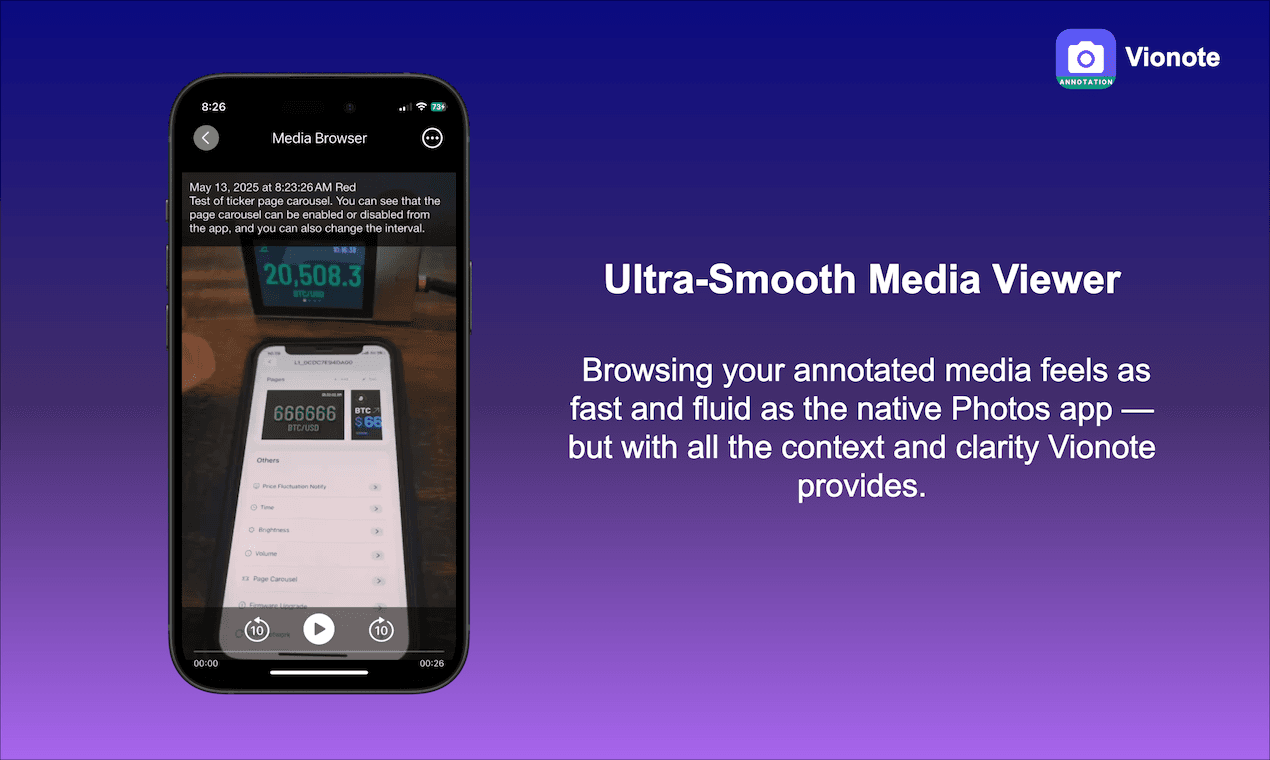
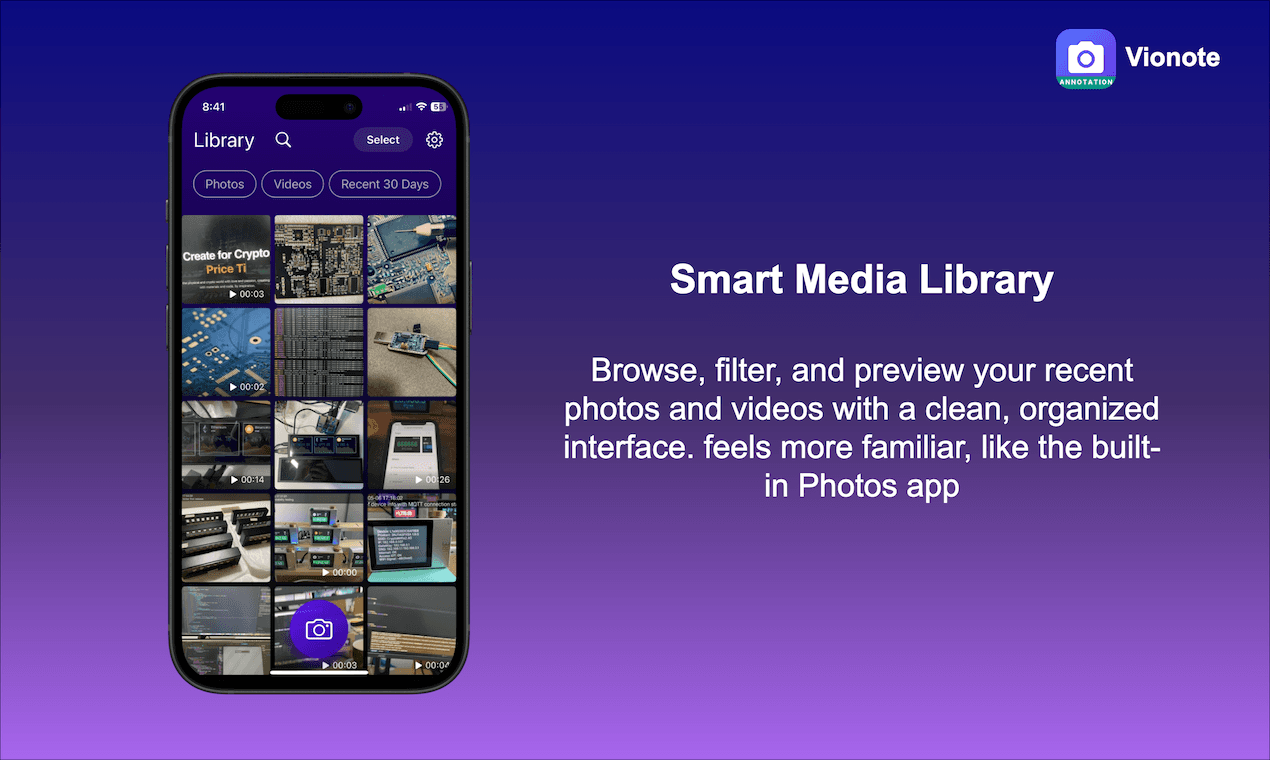
Vionote is a mobile application designed to help professionals and creators annotate images and videos with text, timestamps, and searchable tags. It addresses the challenge of organizing visual content by offering features like metadata retention, a smart media library, and one-tap sharing. Ideal for product managers, QA testers, and content creators, it provides a no-frills approach to enhancing workflow efficiency without clutter. With a clean, minimal interface and plans for future AI and cloud integrations, Vionote is a practical tool for small teams and solopreneurs looking to improve their media documentation processes.
Key features
- 1Clean minimalist interface with context-aware tools for efficient annotation
- 2Intuitive gesture controls enabling quick media tagging and sharing
- 3Optimized mobile performance for 1080p content with minimal learning curve
Target customer profile
Drawn from the product itself, not from a survey.
Demographic
Product Managers
Pain points
Disorganized visual feedback loops, difficulty tracking iterative changes in media assets.
Primary needs
Clear annotation tools, version control via metadata, seamless sharing for cross-team alignment.
Demographic
QA Testers/Field Researchers
Pain points
Time-consuming manual documentation, fragmented visual data across platforms.
Primary needs
Quick timestamping, searchable tags for categorizing issues, offline functionality.
Demographic
Content Creators
Pain points
Juggling raw footage and edit notes, losing context during client handoffs.
Primary needs
Lightweight editing, non-destructive annotations, export flexibility.
Scout Review
Written by AI from measured evidence, scored out of 100.
Vionote excels at its core mission: making media annotation quick and painless. It's the digital equivalent of a well-organized toolbox - not every tool is there, but the ones you need most are right where you expect them. The minimalist design, intuitive workflow, and smart metadata handling make it ideal for product managers, QA testers, and content creators drowning in unorganized visual feedback.
Measure by measure
Usability
90Intuitive gesture controls and quick annotation workflow allows users to tag and share media in under a minute with minimal learning curve.
Design
84Clean minimalist interface with muted color palette and context-aware annotation tools that prioritize functionality over flashy design.
Speed
80Optimized for mobile with snappy performance on 1080p content, though 4K processing may cause strain on older devices.
Security
70Basic local data safety with metadata retention, but lacks end-to-end encryption and comprehensive privacy policy for cloud features.
Accessibility
60Limited accessibility features with no screen reader support, adjustable text sizes, or high-contrast modes, and English-only interface.
Growth
90Strong potential with planned AI features and cloud integration positioning it well for future market expansion and team scalability.
Improvement areas
- Lacks end-to-end encryption and comprehensive privacy policies for cloud features
- No screen reader support, adjustable text sizes, or multilingual options
- Limited accessibility features and high-contrast modes for broader user inclusion
Design & Usability
Vionote's design philosophy clearly prioritizes function over form, and it shows in the best way possible. The clean, muted interface with context-aware toolbars means you're never hunting for the right annotation tool. The card-based media library and persistent search make navigating your projects surprisingly intuitive. While it lacks the pixel-perfect precision of professional design software, the trade-off is a workflow so smooth you can import, annotate, and share media in under a minute. The gesture controls feel natural, though bulk operations could use some refinement to match the otherwise excellent user experience.
Speed & Security
Performance-wise, Vionote handles typical mobile workflows with impressive efficiency. 1080p content processes quickly with minimal lag, making it perfect for on-the-go professionals. However, 4K files reveal some limitations, particularly on older devices. Security presents a mixed picture - local data management is competent with proper metadata retention, but the absence of end-to-end encryption and detailed privacy policies for upcoming cloud features raises concerns. For solo practitioners and small teams, it's adequate, but enterprises will want to see stronger security protocols before full adoption.
Accessibility & Growth
Accessibility is undoubtedly Vionote's weakest area. The lack of screen reader support, adjustable UI elements, and multilingual options significantly limits its reach. This oversight feels particularly noticeable given its otherwise thoughtful design. However, the growth potential is substantial - planned AI features and cloud integration could transform it from a handy tool into an essential platform. The roadmap suggests the developers understand where the market is heading, positioning Vionote to capture the growing demand for streamlined media annotation in professional workflows.
Conclusion
If you're tired of chaotic Slack threads filled with unmarked screenshots or wasting hours relabeling exported videos, Vionote might just be your workflow salvation. It's particularly suited for solopreneurs and small teams who need practical annotation tools without enterprise-level complexity. Give it a try if you value efficiency over exhaustive feature sets.
Suggestions for improvement
- The app would benefit significantly from granular user permissions for team collaboration, basic accessibility features like adjustable text sizes and high-contrast modes, and proper encryption for cloud-synced data.
- A desktop or web version would complement the mobile experience perfectly, creating a more comprehensive solution for professionals who work across multiple devices.
Alternatives comparison
Named competitors, point by point. Nobody paid to appear here or to be left out.
 Vionote Vionote |  Labelbox Labelbox | |
|---|---|---|
| Video Support | Yes | No |
| Metadata Retention | Yes | No |
| Ease of Use | High | Medium |
| Target User | Small teams & individuals | Image-focused users |
Comparing options? See Vionote alternatives, scored side by side
More Design & Creativity apps
View all Design & Creativity
RoomCreator
92An AI-powered interior and exterior design tool that tran...

QRBliss
91Branded QR codes with AI Brand Sync, 15 free dynamic code...

ThumbnailMaker
90AI YouTube thumbnail maker: paste a video link, get the brief, the thumbnail, and a check at feed size.

English Test Coach
89English Test Coach checks your IELTS essays and letters, gives an estimated band score across all four criteria, and tells you exactly what to revise next.

Tracé slides
89Interactive math & physics slides with live graphs and an...

All of Us
89Add deceased loved ones to photos with AI and see free pr...

What the GIF
89Frame-perfect video-to-GIF maker that runs entirely in yo...

FontPlop
89Browser-based font viewer & tester for TTF, OTF, WOFF, WO...

Portrait Gift
88AI-powered personalized face swap art platform creating c...

TranscriptYou
88Free YouTube transcript generator with timestamps and AI ...

RestorePhotosApp
88An AI-powered photo restoration app that brings old, blur...

Pixelimg
88A free online AI-powered tool that instantly converts ima...


A platform dedicated to providing unbiased reviews of newly launched applications, analyzing everything from their features to their full potential.
info@scoutforge.net© 2026 Scoutforge. All rights reserved.
