Is this your app?
Claim Bulk Photo Object Remover to manage its page, add your badge and see your traffic — free, and it stays free.
Cycling through all six. Tap any point to stop.
Measured on six things
A free, AI-powered browser tool for removing unwanted elements from multiple images at once with local processing for privacy.
Accessibility
60No screen reader support, limited to English only. Basic tooltips but no comprehensive accessibility features.
Screenshots
1 / 1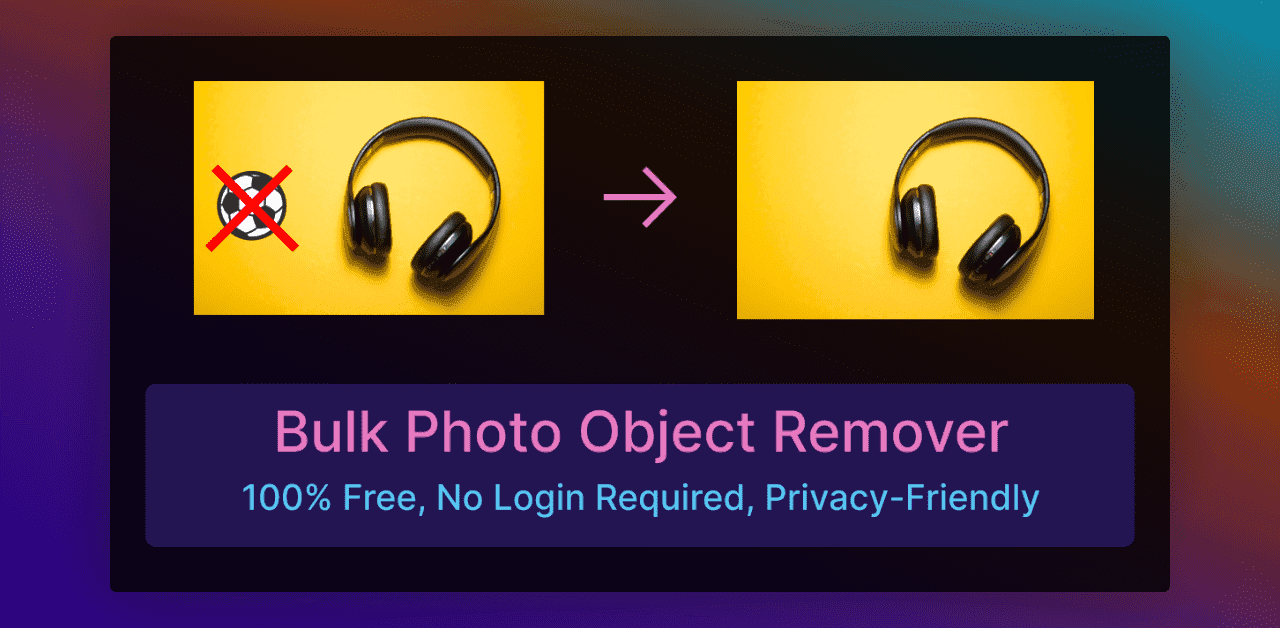
About this app
ImageTools Hub's Bulk Photo Object Remover is a game-changer for anyone needing quick and private photo edits. As a tech enthusiast, I've tried my fair share of editing tools, and this one stands out for its simplicity and security. It's perfect for photographers, real estate agents, and casual users who want to erase photobombs, watermarks, or distractions without uploading their images to the cloud. The AI does a solid job, though it can struggle with complex backgrounds, but for bulk processing and no-login convenience, it's a top pick. Plus, it's completely free, which makes it accessible for everyone from professionals to hobbyists looking to enhance their photos without breaking the bank or compromising on privacy.
Key features
- 1Drag-and-drop bulk uploads for easy multiple image processing
- 2100% local processing ensuring maximum privacy and no data exposure
- 3Free to use with no subscription or login requirements
Target customer profile
Drawn from the product itself, not from a survey.
Demographic
Photographers & Creatives
Pain points
Time-consuming manual edits; expensive software subscriptions
Primary needs
Quick object removal, batch processing, cost-effective solution
Demographic
Real Estate/Product Photographers
Pain points
Distracting elements in staging photos; high-volume editing
Primary needs
Bulk cleanup, consistency across images, privacy
Demographic
Casual Users/Social Media Enthusiasts
Pain points
Photobombed shots; lack of editing skills
Primary needs
User-friendly interface, no login, mobile compatibility
Scout Review
Written by AI from measured evidence, scored out of 100.
Bulk Photo Object Remover delivers exactly what it promises: free, private, batch object removal without the hassle of subscriptions or data uploads. It's not perfect - the AI can struggle with complex scenes, mobile experience needs work, and accessibility features are minimal. But for what it does, it's remarkably effective and fills a unique niche in the editing tool market.
Measure by measure
Usability
80Intuitive brush tool for object selection, easy bulk processing. Struggles with complex backgrounds requiring manual touch-ups.
Design
70Minimalist, functional interface with drag-and-drop bulk uploads. Clean but basic design with subpar mobile experience.
Speed
80Performance depends on hardware and file size. Handles most tasks efficiently with local processing advantages.
Security
100Gold standard privacy with 100% local processing. No uploads, no data exposure, no encryption needed.
Accessibility
60No screen reader support, limited to English only. Basic tooltips but no comprehensive accessibility features.
Growth
90High demand for privacy-focused batch editing tools. Perfect positioning in content-driven markets with unique local processing advantage.
Improvement areas
- Enhance mobile experience for better responsiveness and usability
- Add accessibility features like screen reader support and multi-language options
- Improve AI precision for complex backgrounds to reduce manual touch-ups
Design & Usability
The Bulk Photo Object Remover presents a no-frills, functional interface that prioritizes utility over aesthetics. The drag-and-drop bulk upload zone makes processing multiple images incredibly straightforward, while the AI-powered brush tool simplifies object selection. While the design won't win any beauty contests, its minimalist approach reduces cognitive load and gets you editing quickly. The mobile experience definitely needs work - it functions but feels cramped and less responsive than the desktop version. For complex backgrounds, you might need to make multiple passes or accept some imperfections, but for quick bulk edits, the trade-off is reasonable.
Speed & Security
Where this tool truly excels is in its security architecture. By processing everything locally on your device, it eliminates the privacy concerns that plague cloud-based alternatives. Your images never touch external servers, making it ideal for sensitive professional work or personal photos you'd rather keep private. Speed performance is hardware-dependent but generally solid - modern machines handle batch processing smoothly, while older systems might struggle with high-resolution files. The developers provide smart optimization tips, and the 'multiple downloads' feature helps manage larger jobs efficiently without browser crashes.
Accessibility & Growth
Accessibility is clearly the area needing most improvement. The lack of screen reader support, keyboard navigation, and multi-language options limits its reach to able-bodied English speakers. However, its simplicity makes it accessible to technical novices who might be intimidated by complex editing software. The growth potential is enormous - as privacy concerns grow and content creation expands across industries, tools that offer batch processing with local execution are positioned perfectly. The free pricing model removes barriers to adoption, making it accessible to everyone from professionals to casual users.
Conclusion
If you're tired of overpriced editing subscriptions or creepy cloud storage terms, this tool is absolutely worth trying. It's perfect for real estate agents cleaning property photos, social media managers batch-editing content, or anyone who values privacy in their editing workflow. The fact that it's completely free while offering enterprise-level privacy makes it a no-brainer for bulk editing tasks.
Suggestions for improvement
- To elevate this already impressive tool, focus on mobile optimization for smoother on-the-go editing.
- Adding a comprehensive tutorial or interactive guide would help new users master the AI's capabilities.
- Expanding language support and basic accessibility features would make it more inclusive.
- A precision mode for intricate object removal would address the complex background challenges.
- Finally, adding basic editing tools like brightness/contrast adjustments could make it a more complete solution.
Alternatives comparison
Named competitors, point by point. Nobody paid to appear here or to be left out.
 Bulk Photo Object Remover Bulk Photo Object Remover |  Magic Eraser by Magic Studio Magic Eraser by Magic Studio |  Picsart Cleanup Picsart Cleanup |  Pixelcut Magic Eraser Pixelcut Magic Eraser | |
|---|---|---|---|---|
| Bulk Processing | Yes | No | No | No |
| Local Processing (No Uploads) | Yes | No | No | Yes |
| Free to Use | Yes | Freemium | Freemium | Freemium |
| Login Required | No | No | Yes | No |
| Mobile Optimized | Partial | Yes | Yes | Yes |
Magic Eraser by Magic Studio
Offers similar AI erasure but lacks bulk processing and requires internet uploads.
Picsart Cleanup
More advanced editing features but requires sign-up and stores images remotely.
Pixelcut Magic Eraser
Privacy-focused but limited to single-image edits and no batch support.
Comparing options? See Bulk Photo Object Remover alternatives, scored side by side
More Design & Creativity apps
View all Design & Creativity
RoomCreator
92An AI-powered interior and exterior design tool that tran...

QRBliss
91Branded QR codes with AI Brand Sync, 15 free dynamic code...

ThumbnailMaker
90AI YouTube thumbnail maker: paste a video link, get the brief, the thumbnail, and a check at feed size.

English Test Coach
89English Test Coach checks your IELTS essays and letters, gives an estimated band score across all four criteria, and tells you exactly what to revise next.

All of Us
89Add deceased loved ones to photos with AI and see free pr...

Tracé slides
89Interactive math & physics slides with live graphs and an...

FontPlop
89Browser-based font viewer & tester for TTF, OTF, WOFF, WO...

What the GIF
89Frame-perfect video-to-GIF maker that runs entirely in yo...

Portrait Gift
88AI-powered personalized face swap art platform creating c...

TranscriptYou
88Free YouTube transcript generator with timestamps and AI ...

BeartIMAGE
88BeartIMAGE is a free, web-based image processing platform engineered for fast, bulk photo editing and conversion directly in your browser.

RestorePhotosApp
88An AI-powered photo restoration app that brings old, blur...


A platform dedicated to providing unbiased reviews of newly launched applications, analyzing everything from their features to their full potential.
info@scoutforge.net© 2026 Scoutforge. All rights reserved.
