Is this your app?
Claim ClipNotesPro to manage its page, add your badge and see your traffic — free, and it stays free.
Cycling through all six. Tap any point to stop.
Measured on six things
ClipNotesPro is a specialized video review platform enabling precise feedback with timestamped comments and visual annotations for creative teams.
Accessibility
50Minimal accommodations for impaired users, no screen reader optimization, and English-only language support.
Screenshots
1 / 5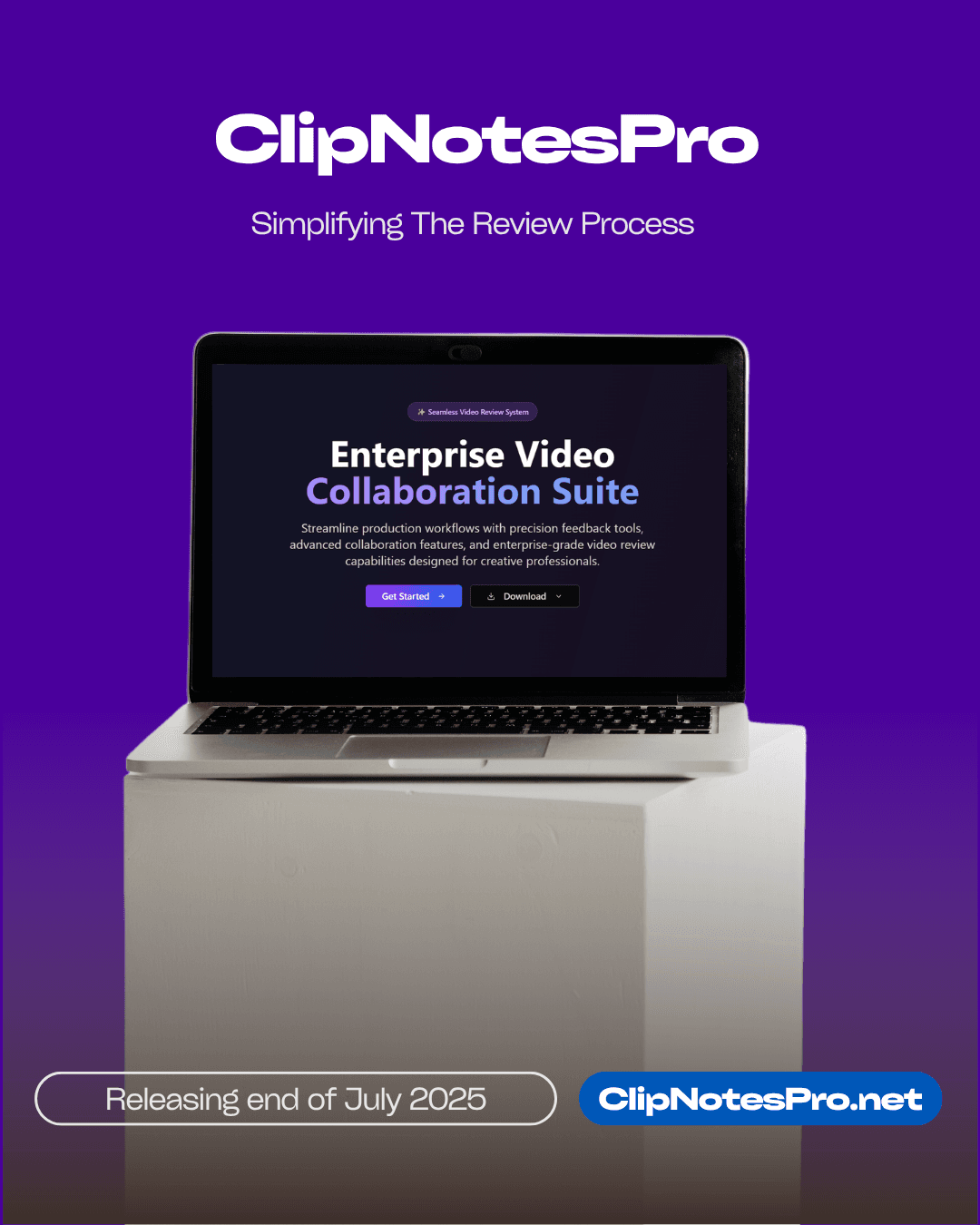
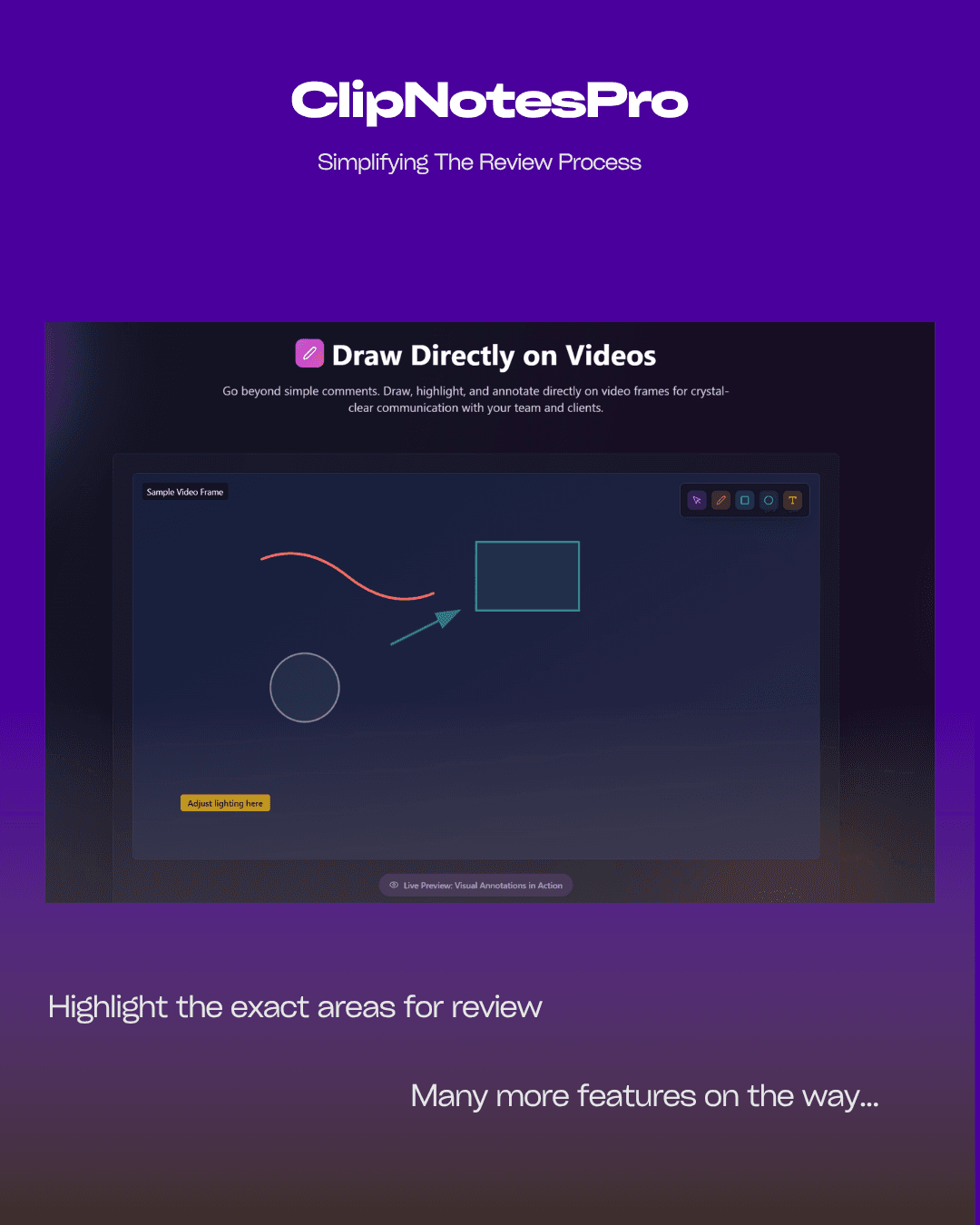
About this app
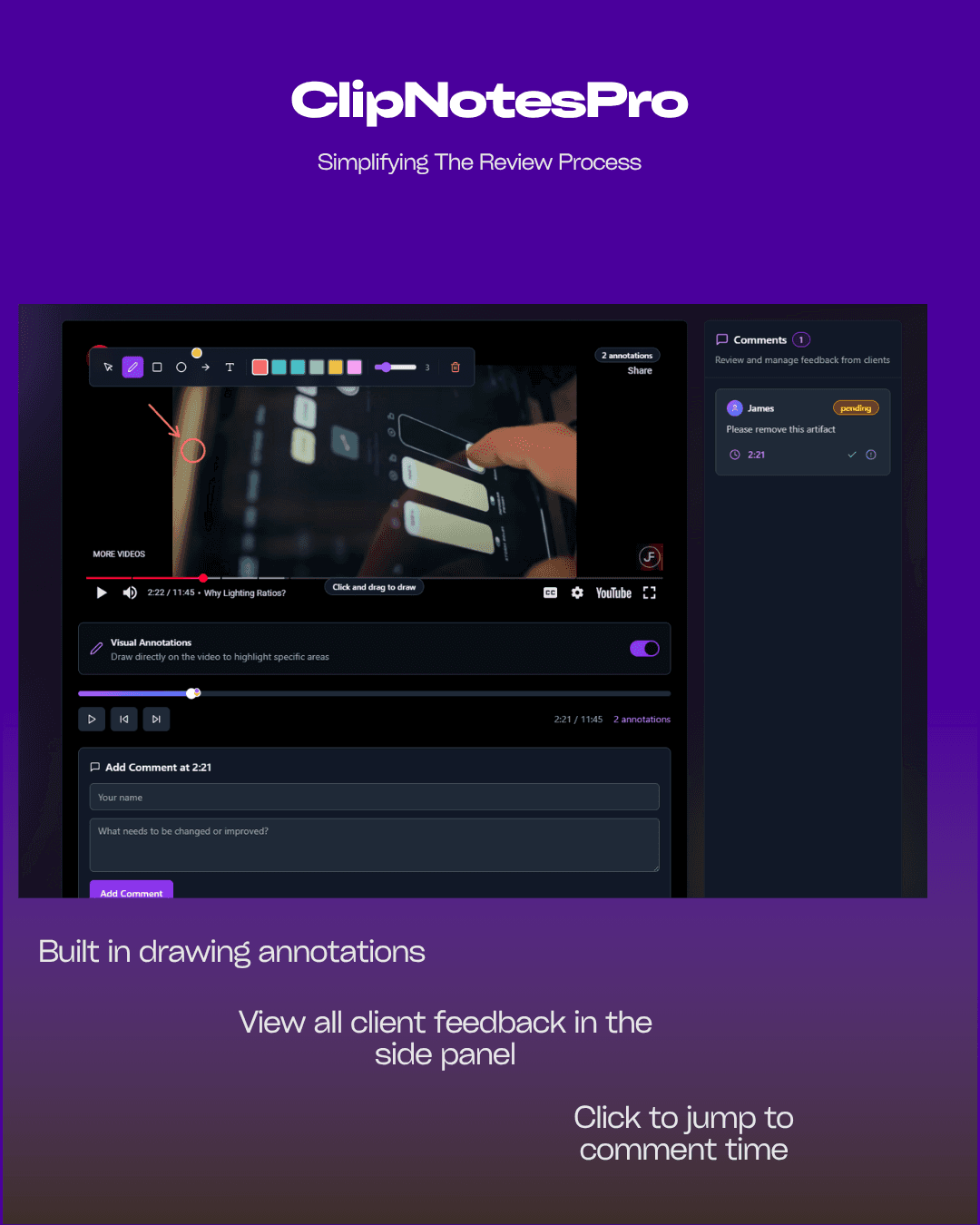
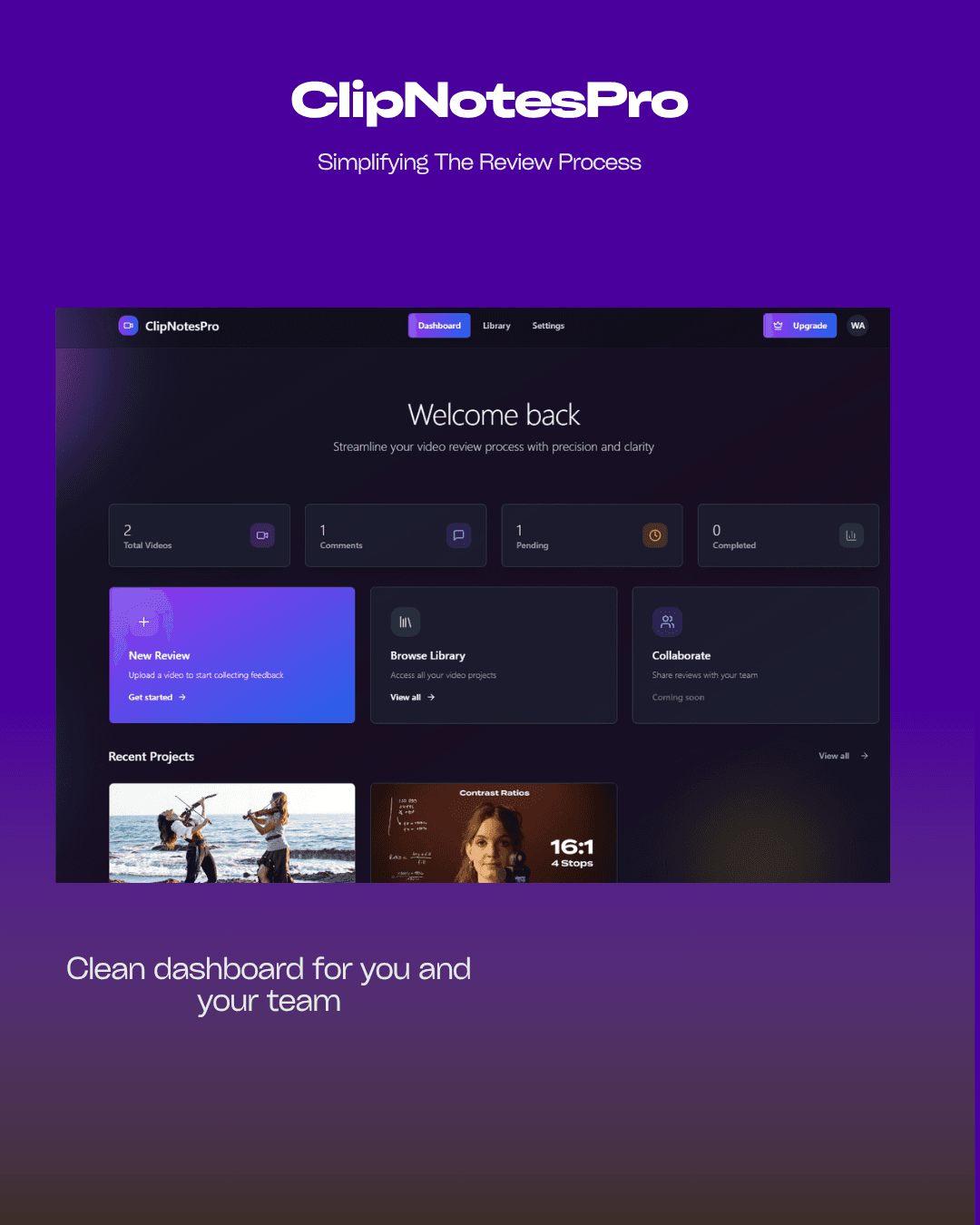
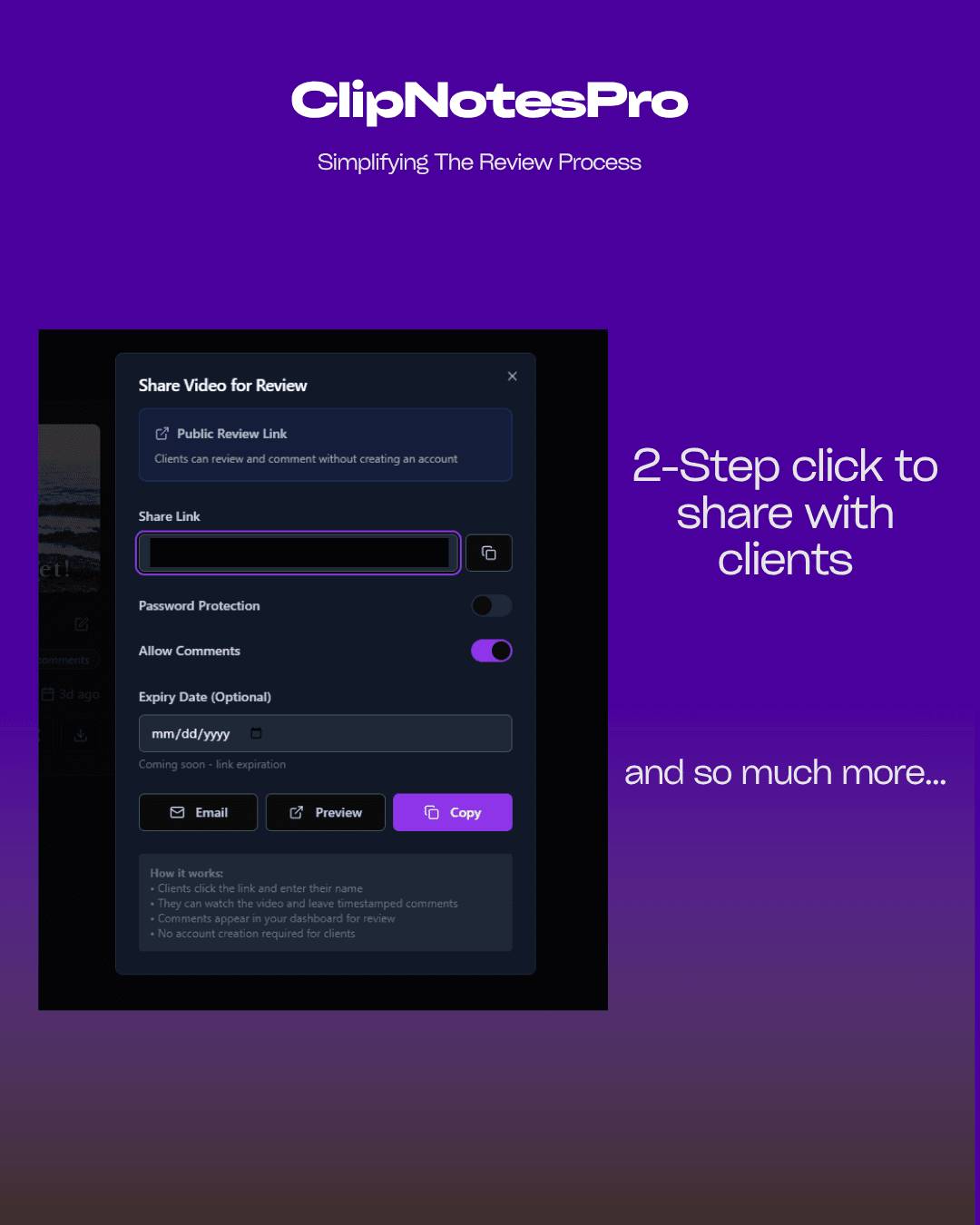
ClipNotesPro is a web-based tool designed for professionals like video editors, animators, and marketing agencies to streamline collaborative video reviews. It allows users to upload videos or integrate with YouTube, offering frame-accurate commenting and drawing tools for clear, visual feedback. This app replaces chaotic email threads with an organized system, making it easier to pinpoint issues and manage revisions efficiently. While it excels in functionality with a clean, dark-themed interface, it has some limitations in UI polish, security features, and accessibility, but overall, it's a powerful solution for teams needing detailed, collaborative video feedback without the high cost of enterprise alternatives.
Key features
- 1Intuitive annotation workflow for precise timestamp feedback
- 2Functional dark theme that minimizes distractions
- 3Strong growth potential in the video collaboration market
Target customer profile
Drawn from the product itself, not from a survey.
Demographic
Video Production Teams
Pain points
Scattered feedback across emails/messaging, difficulty pinpointing exact problem frames, version confusion
Primary needs
Centralized frame-specific feedback, visual annotation tools, version history
Demographic
Marketing Agencies
Pain points
Delayed client approvals, ambiguous revision requests, inefficient review cycles
Primary needs
Client-friendly review interface, timestamped comments, drawing tools for clear markups
Demographic
E-learning Developers
Pain points
Difficulty tracking changes in instructional videos, lack of contextual feedback
Primary needs
Precise timestamp annotations, team collaboration features, YouTube integration
Scout Review
Written by AI from measured evidence, scored out of 100.
ClipNotesPro excels at its core mission: replacing chaotic email threads with organized, visual feedback tied directly to exact moments in video timelines. It's not trying to be a full video editor or enterprise platform, but rather a focused tool that solves specific collaboration headaches for creative professionals. The timestamp precision and drawing tools work beautifully, making it easy to provide clear, actionable feedback that actually helps creators make improvements rather than guessing what clients want.
Measure by measure
Usability
90Intuitive annotation workflow makes precise timestamp feedback effortless for creative teams.
Design
70Functional dark theme minimizes distractions but lacks modern UI elements and customization options.
Speed
70Handles HD footage smoothly but struggles with 4K scrubbing and rendering performance.
Security
60Basic HTTPS encryption only; lacks enterprise security features, documentation, or compliance certifications.
Accessibility
50Minimal accommodations for impaired users, no screen reader optimization, and English-only language support.
Growth
90Fills clear market gap between lightweight tools and overpriced enterprise solutions with strong core functionality.
Improvement areas
- Lacks modern UI elements and customization options
- Struggles with 4K scrubbing and rendering performance
- Minimal accessibility features and English-only support
Design & Usability
ClipNotesPro's interface adopts a practical dark-themed workspace that prioritizes functionality over flash. The video preview dominates the center stage with a collapsible sidebar for comments and tools, creating a focused environment for precise feedback. The timeline annotation system stands out as particularly thoughtful - you can click any point to pin comments directly to specific frames, eliminating the vague 'around 2:30' feedback that plagues creative workflows. Drawing tools appear contextually when you start marking up footage, preventing toolbar clutter and maintaining a clean workspace. While the UI gets the job done efficiently, it lacks modern design flourishes like interactive tutorials, customizable workspaces, or the polished aesthetics of premium alternatives.
Speed & Security
Performance-wise, ClipNotesPro handles standard HD footage with reasonable speed, maintaining responsiveness during collaborative sessions with near real-time comment syncing. However, 4K files reveal noticeable lag during scrubbing and rendering, which could frustrate professionals working with high-resolution content. On the security front, the platform uses standard HTTPS encryption but provides minimal documentation about data protection measures. The absence of enterprise-grade features like SOC2 compliance, watermarking, or detailed privacy policies might concern corporate users handling sensitive client content. For most small to medium teams, the security measures are adequate, but larger organizations will want more robust protections.
Accessibility & Growth
Accessibility is clearly ClipNotesPro's weakest area. The platform offers basic keyboard navigation and adjustable playback speeds but lacks screen reader optimization, color contrast options, or closed caption integration. Language support appears limited to English only, restricting global team usage and making it challenging for non-English speaking clients to participate in reviews. Despite these limitations, the app's growth potential is significant. It effectively bridges the gap between lightweight free tools and overpriced enterprise solutions, offering frame-accurate feedback capabilities that creative teams genuinely need. The YouTube integration and drawing tools provide clear value that positions it well in the growing remote collaboration market.
Conclusion
If you're part of a video production team, marketing agency, or e-learning development group drowning in vague feedback and version confusion, ClipNotesPro offers a surprisingly effective solution without the enterprise price tag. It's particularly valuable for teams that prioritize functional precision over polished aesthetics. While it won't win any design awards or satisfy corporate security departments, it delivers where it counts most: making video review processes actually work. Give it a try if you're tired of playing 'guess which frame' with your clients and collaborators.
Suggestions for improvement
- Implement frame-accurate preview thumbnails during timeline scrubbing to improve navigation precision.
- Add granular permission controls for client review workflows to enhance security and manage feedback stages.
- Develop browser extensions for direct YouTube/Vimeo annotation to streamline the review process further.
- Introduce automated comment summary reports for version comparisons to track progress across revisions.
- Most importantly, invest in accessibility features like high-contrast mode, screen reader support, and multilingual interfaces to make the platform inclusive for all team members and clients.
Alternatives comparison
Named competitors, point by point. Nobody paid to appear here or to be left out.
 ClipNotesPro ClipNotesPro |  Frame.io Frame.io |  Wipster Wipster | |
|---|---|---|---|
| Pricing Tier | Mid-range affordable | Enterprise premium pricing | Mid-range with workflow focus |
| Frame-Accurate Comments | Yes | Yes | Yes |
| Drawing Annotation Tools | Yes | Yes | Yes |
| YouTube Integration | Yes | Yes | Yes |
| Enterprise Security Features | Basic only | Comprehensive | Good |
| Setup Complexity | Easy web-based | Moderate | Easy |
Frame.io
Enterprise-grade platform with broader features but higher cost and complexity
Wipster
Similar review functionality but focuses more on marketing workflow integration
Comparing options? See ClipNotesPro alternatives, scored side by side
More Design & Creativity apps
View all Design & Creativity
RoomCreator
92An AI-powered interior and exterior design tool that tran...

QRBliss
91Branded QR codes with AI Brand Sync, 15 free dynamic code...

ThumbnailMaker
90AI YouTube thumbnail maker: paste a video link, get the brief, the thumbnail, and a check at feed size.

English Test Coach
89English Test Coach checks your IELTS essays and letters, gives an estimated band score across all four criteria, and tells you exactly what to revise next.

All of Us
89Add deceased loved ones to photos with AI and see free pr...

Tracé slides
89Interactive math & physics slides with live graphs and an...

FontPlop
89Browser-based font viewer & tester for TTF, OTF, WOFF, WO...

What the GIF
89Frame-perfect video-to-GIF maker that runs entirely in yo...

Portrait Gift
88AI-powered personalized face swap art platform creating c...

TranscriptYou
88Free YouTube transcript generator with timestamps and AI ...

BeartIMAGE
88BeartIMAGE is a free, web-based image processing platform engineered for fast, bulk photo editing and conversion directly in your browser.

RestorePhotosApp
88An AI-powered photo restoration app that brings old, blur...


A platform dedicated to providing unbiased reviews of newly launched applications, analyzing everything from their features to their full potential.
info@scoutforge.net© 2026 Scoutforge. All rights reserved.
