Is this your app?
Claim DGRM Flowchart Editor to manage its page, add your badge and see your traffic — free, and it stays free.
Cycling through all six. Tap any point to stop.
Measured on six things
Free, web-based flowchart editor with no sign-up, perfect for quick diagramming across devices.
Accessibility
60Works across devices but lacks screen reader support, limited keyboard navigation, and English-only interface. Basic touch functionality available.
Screenshots
1 / 5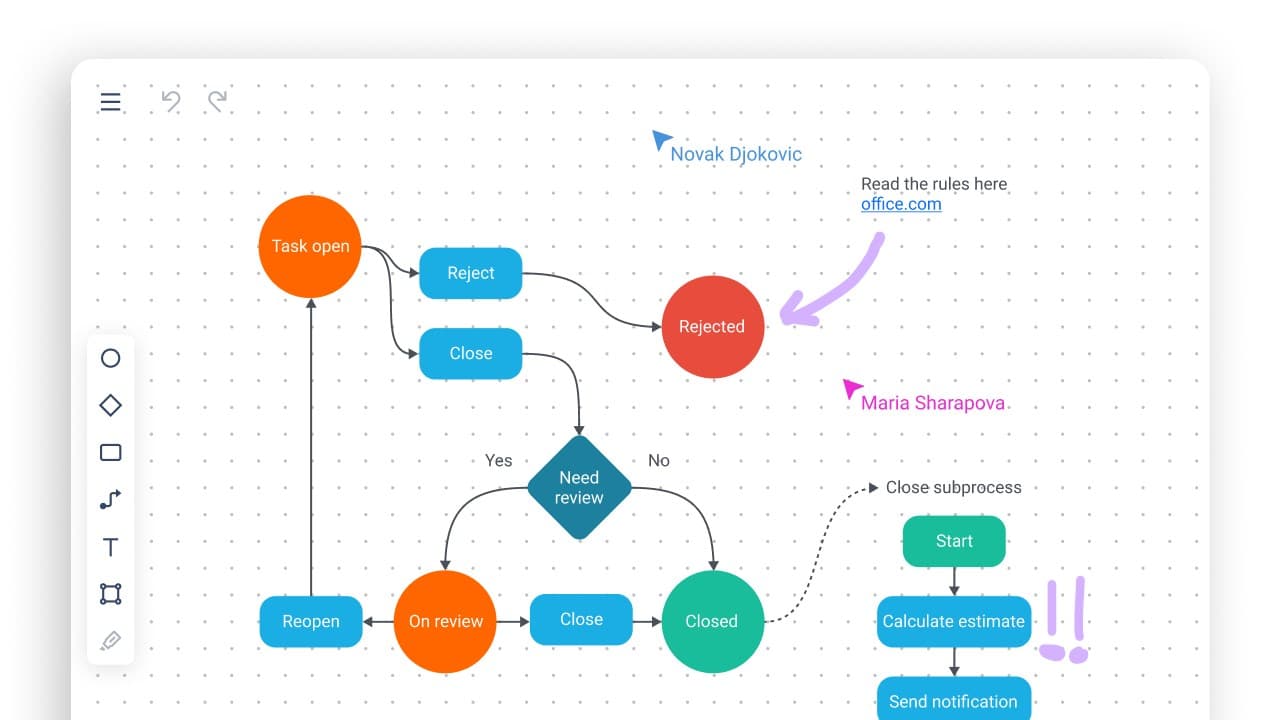
About this app
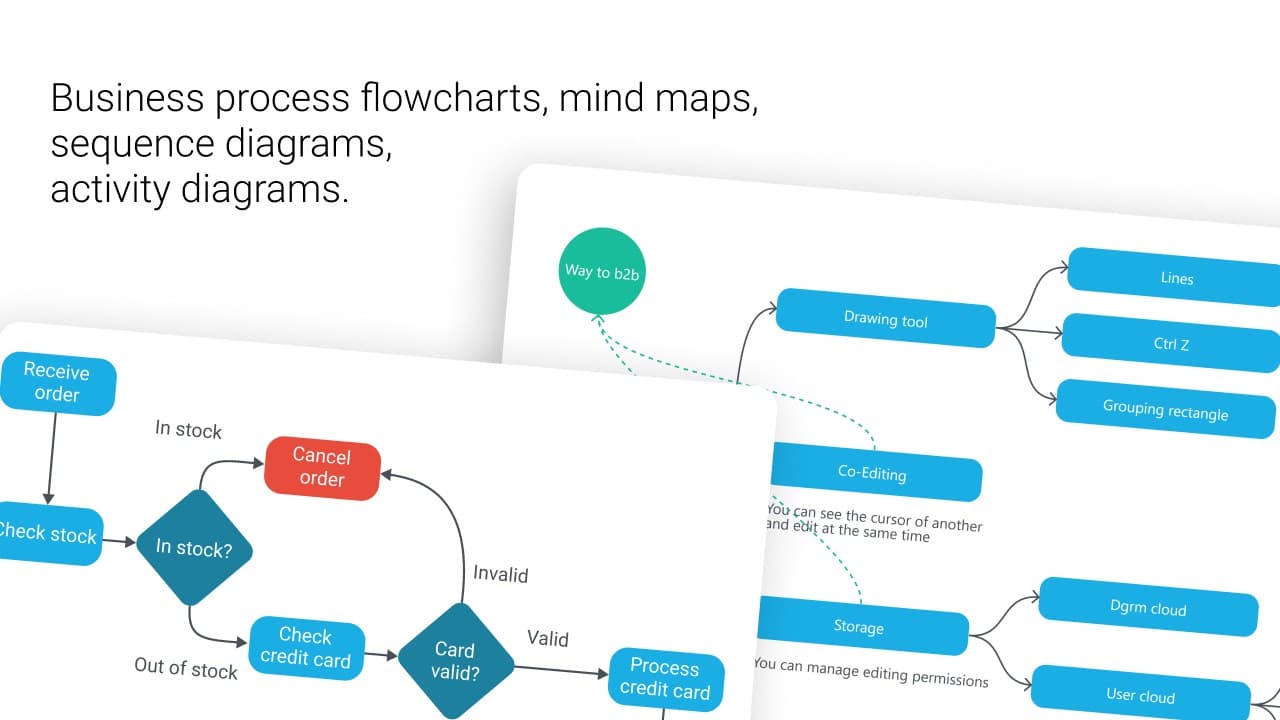
DGRM Flowchart Editor is a standout tool for anyone needing fast, straightforward diagram creation without the hassle of registration or complex features. As a tech enthusiast who's tried countless apps, I'm impressed by how DGRM strips away the bloat to focus on what matters: speed and simplicity. It supports various diagram types like flowcharts, mind maps, and sequence diagrams, with unique perks like editing from image files and seamless integration with Word and Google Docs. Built on pure JavaScript, it loads quickly and runs smoothly, even on mobile. While it's open-source and actively updated, it could improve in areas like accessibility and cloud saves. Overall, it's a go-to for students, freelancers, and developers who value efficiency over frills.
Key features
- 1No registration required - start diagramming immediately
- 2Edit flowcharts directly from image files
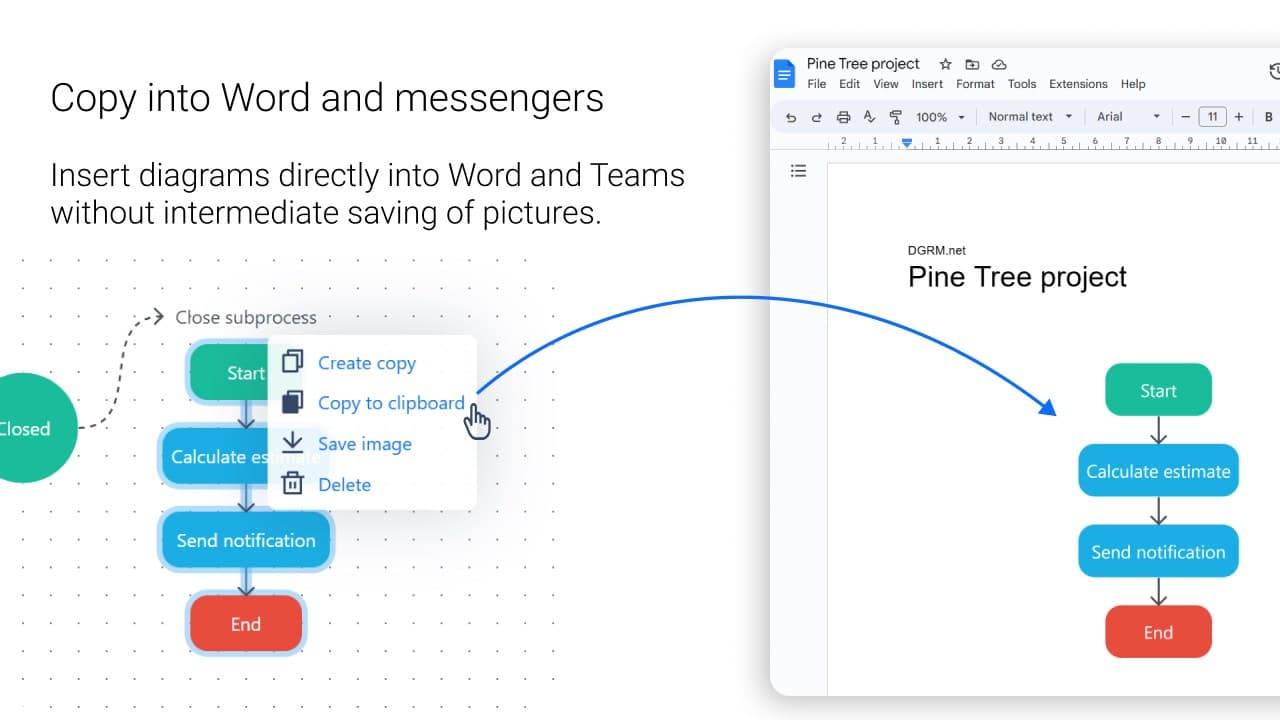
- 3Seamless integration with Word and Google Docs
- 4Pure JavaScript implementation for fast performance
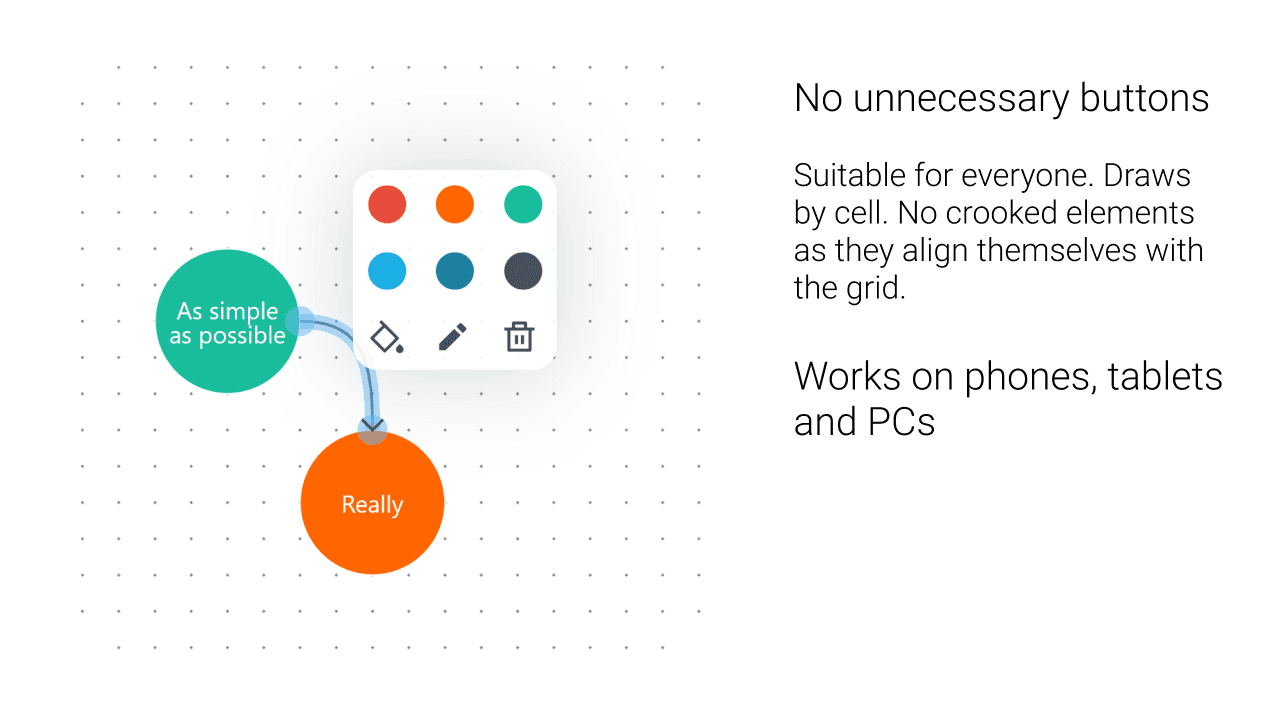
- 5Automatic element alignment and clean workspace
Target customer profile
Drawn from the product itself, not from a survey.
Demographic
Students and educators
Pain points
Complex software with steep learning curves, subscription costs, device limitations
Primary needs
Quick diagram creation for assignments, presentations, and teaching materials
Demographic
Freelancers and small business owners
Pain points
Budget constraints for software tools, time-consuming registration processes
Primary needs
Professional-looking diagrams for client projects and business processes
Demographic
Developers and technical teams
Pain points
Overly simplistic tools lacking technical diagram support, collaboration barriers
Primary needs
Sequence diagrams, database schemas, and workflow charts for documentation
Scout Review
Written by AI from measured evidence, scored out of 100.
DGRM strikes an impressive balance between simplicity and functionality. It removes the bloat that plagues many diagramming tools while retaining the core features most users actually need. The no-registration, completely free model makes it accessible to everyone from students to professionals.
Measure by measure
Usability
90Intuitive drag-and-drop functionality with automatic element alignment. Cross-device performance maintains consistency, and the no-registration approach eliminates friction.
Design
80Clean, minimalist interface with subtle grays and blues. Contextual menus and automatic alignment create an uncluttered workspace that focuses on functionality over flashy visuals.
Speed
90Pure JavaScript implementation ensures fast loading and responsive editing. Client-side processing eliminates server lag for basic operations.
Security
70No registration means no personal data storage. Basic security adequate for non-sensitive diagrams, though shared links use simple URL parameters.
Accessibility
60Works across devices but lacks screen reader support, limited keyboard navigation, and English-only interface. Basic touch functionality available.
Growth
80Strong potential with open-source development, active updates, and unique image-based editing. Growing community on X and Telegram.
Improvement areas
- Limited accessibility features and screen reader support
- No cloud storage or cross-device synchronization
- Basic security model for sensitive diagrams
- English-only interface limits global reach
Design & Usability
DGRM's design philosophy centers on minimalism done right. The interface uses a restrained color palette of grays and blues that reduces eye strain during extended sessions. Contextual menus appear only when needed, keeping the workspace remarkably clean. The automatic element alignment is a standout feature that saves significant time when organizing complex diagrams. What impressed me most was the consistent experience across devices - the mobile version maintains the same intuitive drag-and-drop functionality without the performance compromises I've seen in other web-based tools. The no-registration approach eliminates the typical friction of trying new software.
Speed & Security
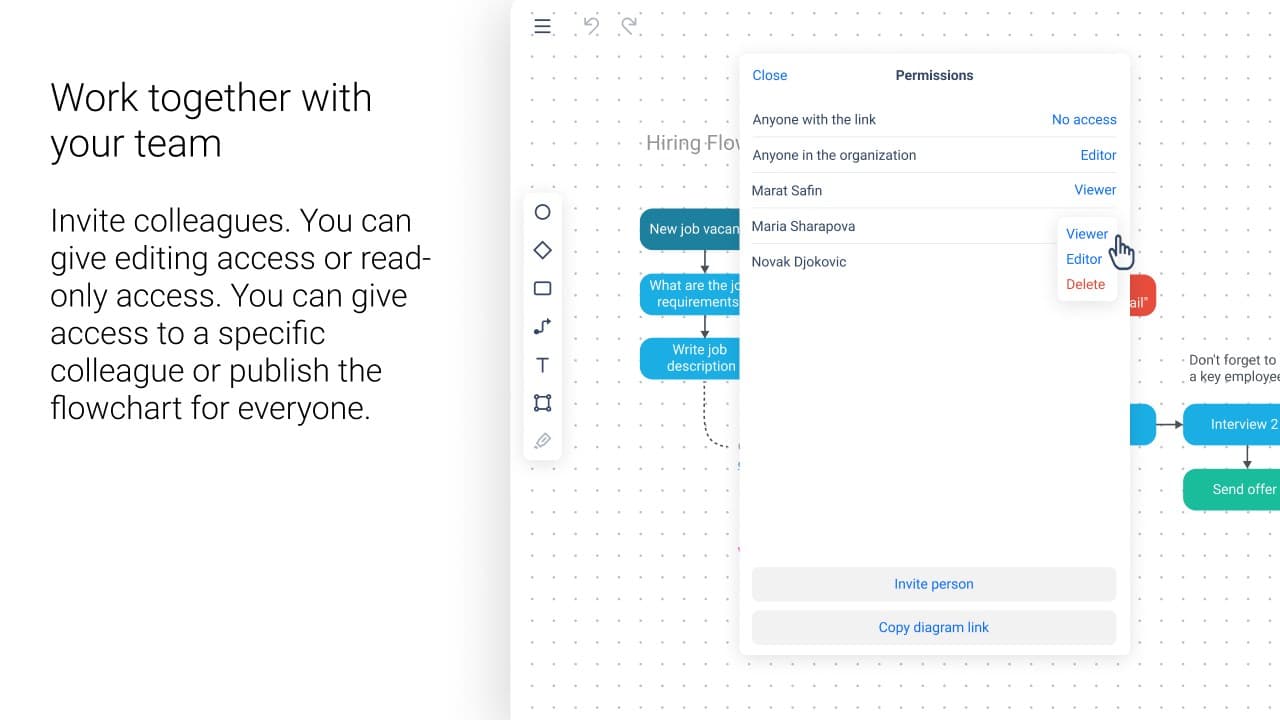
Performance is where DGRM truly excels. The pure JavaScript foundation delivers lightning-fast loading times, and I experienced minimal lag even when working with diagrams containing dozens of elements. Since most processing happens client-side, there's no waiting for server responses during basic editing. Security follows a practical approach: no registration means no personal data collection, which is both a privacy benefit and limitation. The sharing feature uses URL parameters, so while it's convenient for quick collaboration, users should avoid including sensitive information in publicly shared diagrams. For most educational and personal use cases, the security level is perfectly adequate.
Accessibility & Growth
Accessibility represents DGRM's most significant area for improvement. While it works reliably across desktop and mobile browsers, it lacks advanced accessibility features like screen reader compatibility and comprehensive keyboard navigation. The English-only interface limits global reach, though the visual nature of diagramming somewhat mitigates language barriers. On the growth front, DGRM shows strong potential with its open-source nature and active development community. The ability to edit flowcharts from image files is a unique feature I haven't seen elsewhere, and the seamless integration with Word and Google Docs demonstrates thoughtful design for real-world workflows.
Conclusion
If you're tired of overwhelming diagram software and just want to quickly visualize your ideas without the hassle, DGRM is your perfect solution. It's particularly well-suited for students, freelancers, and developers who need to create clean diagrams rapidly. The tool proves that sometimes less really is more when it comes to productivity software. Give it a try for your next diagramming task - you might be surprised how much you can accomplish with so little complexity.
Suggestions for improvement
- Implement basic accessibility features like keyboard navigation and screen reader support
- Add optional cloud storage for users who need cross-device diagram access
- Expand language support beyond English to increase global accessibility
- Include more template options for common business and technical diagrams
Alternatives comparison
Named competitors, point by point. Nobody paid to appear here or to be left out.
 DGRM Flowchart Editor DGRM Flowchart Editor |  draw.io (diagrams.net) draw.io (diagrams.net) |  Lucidchart Lucidchart |  Mermaid Live Editor Mermaid Live Editor | |
|---|---|---|---|---|
| Pricing Model | Completely Free | Freemium | Subscription-based | Free |
| Registration Required | No | No | Yes | No |
| Image-based Editing | Yes | Limited | No | No |
| Office Integration | Word & Google Docs | Multiple Platforms | Extensive | Code-based |
draw.io (diagrams.net)
While draw.io offers more features, DGRM provides a cleaner, faster alternative for basic diagramming needs
Lucidchart
DGRM serves as a free, no-registration alternative to Lucidchart's subscription-based model
Mermaid Live Editor
For users who prefer visual editing over code-based diagram creation, DGRM offers a more intuitive approach
Comparing options? See DGRM Flowchart Editor alternatives, scored side by side
More Design & Creativity apps
View all Design & Creativity
RoomCreator
92An AI-powered interior and exterior design tool that tran...

QRBliss
91Branded QR codes with AI Brand Sync, 15 free dynamic code...

ThumbnailMaker
90AI YouTube thumbnail maker: paste a video link, get the brief, the thumbnail, and a check at feed size.

English Test Coach
89English Test Coach checks your IELTS essays and letters, gives an estimated band score across all four criteria, and tells you exactly what to revise next.

All of Us
89Add deceased loved ones to photos with AI and see free pr...

Tracé slides
89Interactive math & physics slides with live graphs and an...

FontPlop
89Browser-based font viewer & tester for TTF, OTF, WOFF, WO...

What the GIF
89Frame-perfect video-to-GIF maker that runs entirely in yo...

Portrait Gift
88AI-powered personalized face swap art platform creating c...

TranscriptYou
88Free YouTube transcript generator with timestamps and AI ...

BeartIMAGE
88BeartIMAGE is a free, web-based image processing platform engineered for fast, bulk photo editing and conversion directly in your browser.

RestorePhotosApp
88An AI-powered photo restoration app that brings old, blur...


A platform dedicated to providing unbiased reviews of newly launched applications, analyzing everything from their features to their full potential.
info@scoutforge.net© 2026 Scoutforge. All rights reserved.
