Is this your app?
Claim HiTooler Video Inpainter to manage its page, add your badge and see your traffic — free, and it stays free.
Cycling through all six. Tap any point to stop.
Measured on six things
An AI-powered desktop app for removing unwanted objects, watermarks, and backgrounds from videos with local processing.
Speed
60Hardware-dependent performance with noticeable render times, struggles with HD footage on older systems
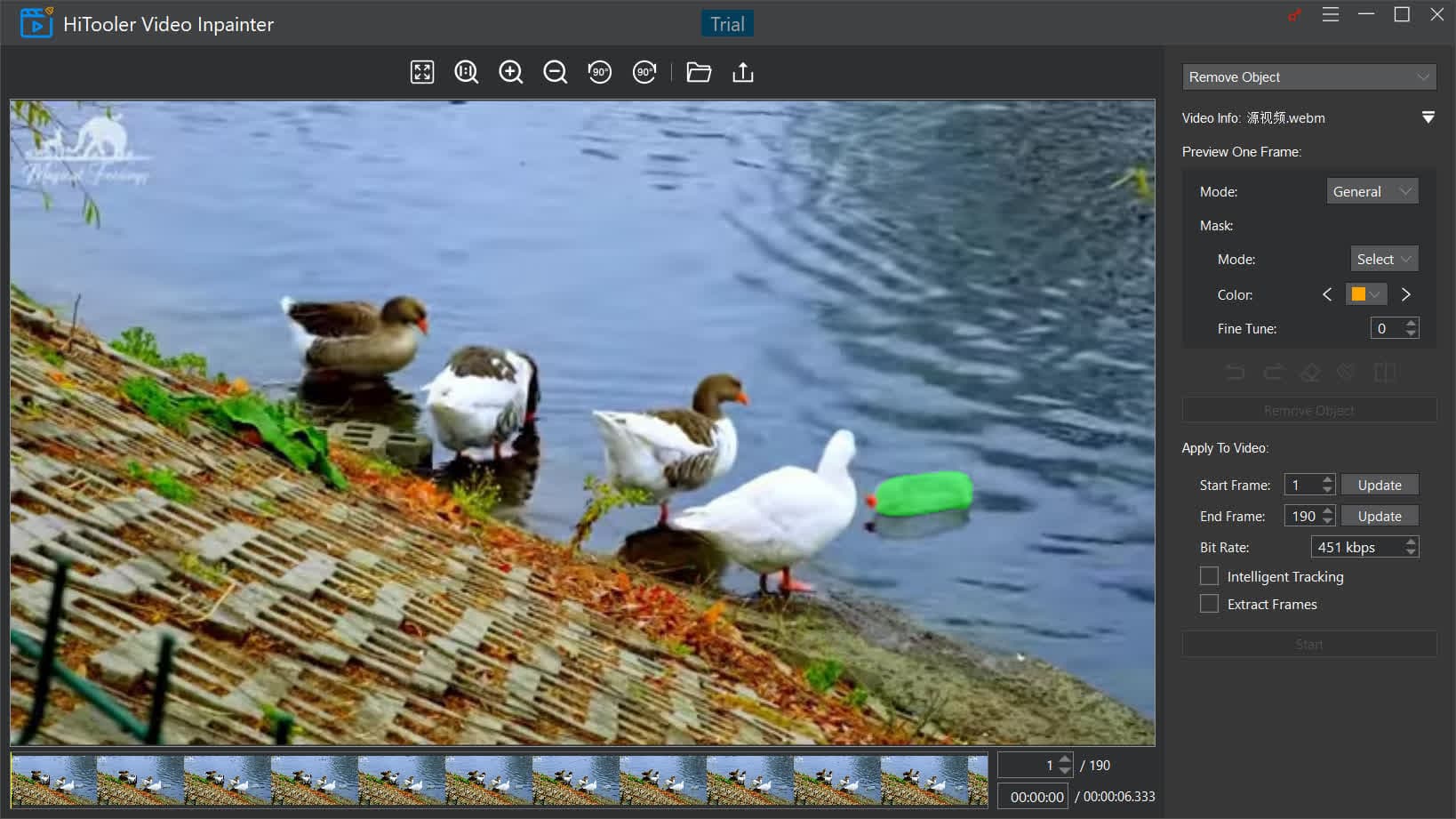
Screenshots
1 / 5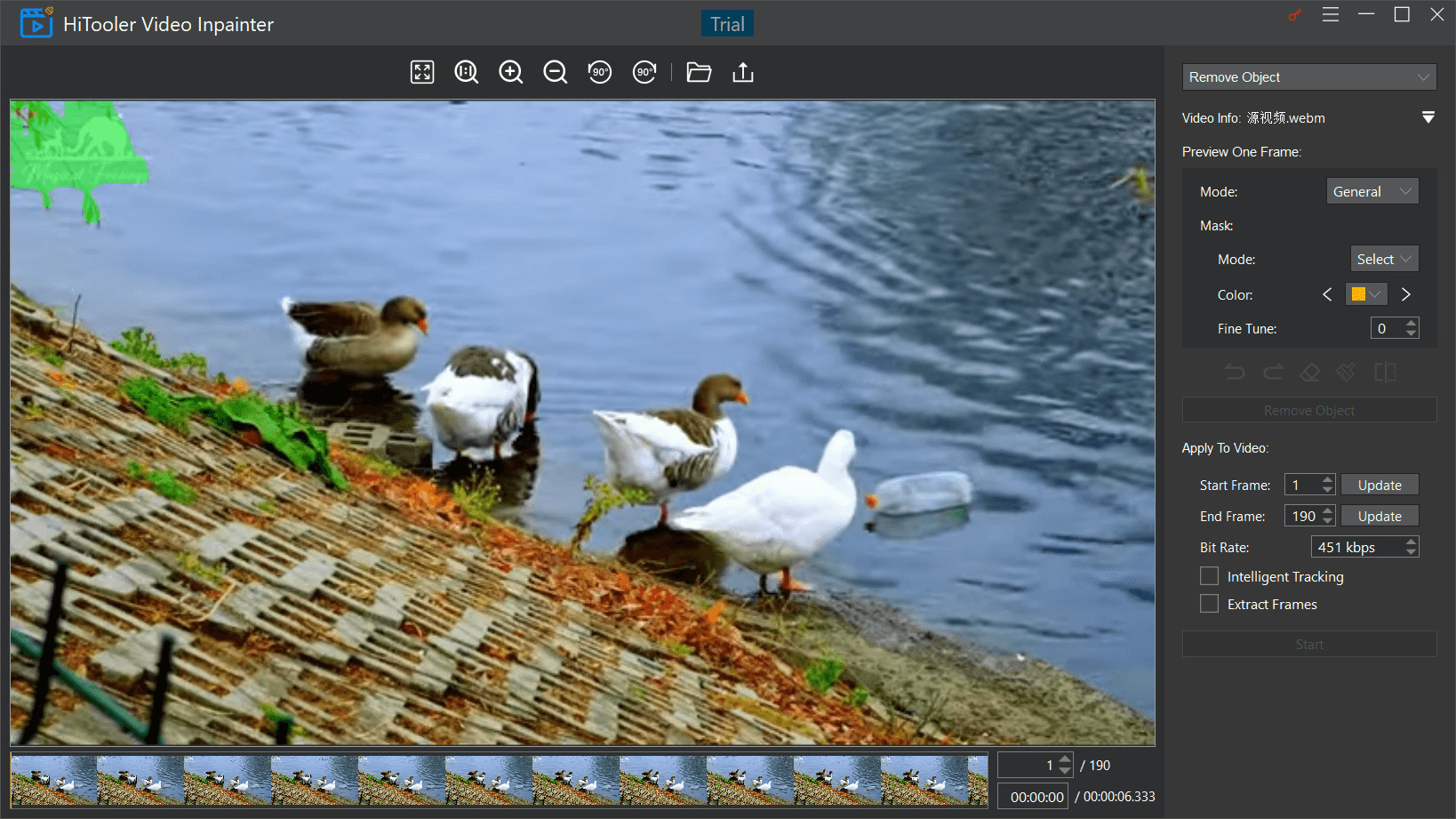



About this app
HiTooler Video Inpainter is a Windows application that leverages artificial intelligence to help users easily remove unwanted elements like objects, watermarks, and backgrounds from their videos. It also includes features for face restoration and resolution enhancement, all processed locally on the user's device to ensure privacy and data security. With a free trial available, it's designed for content creators, personal editors, and privacy-conscious individuals who need efficient and secure video editing tools without the complexity of professional software.
Key features
- 1AI-powered object and watermark removal with local processing for enhanced privacy
- 2Intuitive brush selection tools suitable for beginners without advanced editing skills
- 3Free trial offering accessible entry for content creators and privacy-focused users
Target customer profile
Drawn from the product itself, not from a survey.
Demographic
Content Creators & Social Media Managers
Pain points
Unwanted objects/watermarks in footage, time-consuming manual editing, privacy concerns with cloud services
Primary needs
Quick object removal, watermark elimination, privacy-focused processing
Demographic
Personal Video Editors
Pain points
Complex professional software, accidental photobombers in videos, low-quality footage
Primary needs
Simple interface, face restoration, resolution enhancement
Demographic
Privacy-Conscious Users
Pain points
Sensitive content in videos, distrust of cloud processing, data security concerns
Primary needs
Local processing, no upload requirements, offline functionality
Scout Review
Written by AI from measured evidence, scored out of 100.
HiTooler Video Inpainter delivers impressive AI capabilities for targeted video editing tasks, particularly excelling in privacy protection through local processing. It effectively solves specific pain points like object and watermark removal without requiring subscription fees or advanced editing skills. While it won't replace professional suites for complex projects, it fills a valuable niche for users who prioritize data security and need quick, focused editing solutions.
Measure by measure
Usability
80Intuitive workflow with simple brush selection tools, though complex scenes require multiple attempts
Design
70Functional Windows UI with clear labeling but lacks modern visual polish and aesthetic appeal
Speed
60Hardware-dependent performance with noticeable render times, struggles with HD footage on older systems
Security
90Excellent local processing eliminates cloud privacy risks, keeping all data on-device for maximum security
Accessibility
60Multi-language support available but lacks screen reader compatibility and keyboard navigation options
Growth
80Strong potential in growing AI editing market with privacy focus, though needs mobile expansion
Improvement areas
- Enhance processing speed through GPU acceleration, especially for HD footage
- Improve accessibility with screen reader support and keyboard navigation options
- Expand to mobile platforms to capture the growing on-the-go editing market
Design & Usability
HiTooler Video Inpainter presents a functional, no-frills Windows interface that prioritizes practicality over aesthetics. The layout features clearly labeled sections for different editing tools, making navigation straightforward even for beginners. The object removal process uses simple brush selection tools that feel intuitive, though complex scenes with moving objects may require multiple attempts to achieve clean results. While the interface lacks the polished look of premium video editors, it succeeds in making advanced AI-powered editing accessible to non-professionals without overwhelming them with unnecessary complexity.
Speed & Security
Performance is heavily dependent on your hardware configuration - modern PCs handle basic edits smoothly, but complex object removal or high-definition footage can strain older systems. The AI processing isn't real-time, requiring render waits that scale with video length and complexity. Where HiTooler truly excels is security: all processing happens locally on your device, eliminating the privacy risks associated with cloud-based services. This local-first approach is a significant advantage for users working with sensitive content, though the absence of mentioned encryption for saved projects is a minor concern.
Accessibility & Growth
The application supports multiple interface languages, making it accessible to a global audience. However, it lacks screen reader compatibility and keyboard navigation alternatives, presenting challenges for visually impaired users. The visual-heavy workflow involving brush selections and preview windows further limits accessibility options. Despite these limitations, HiTooler has strong growth potential in the expanding market for AI-powered editing tools, particularly given its unique privacy-focused approach that differentiates it from cloud-based competitors.
Conclusion
If you regularly need to remove unwanted elements from videos while keeping your data completely offline, HiTooler Video Inpainter is worth exploring with its free trial. It's particularly suited for content creators, social media managers, and privacy-conscious users who want AI-powered editing without the complexity of professional software or the privacy concerns of cloud-based solutions.
Suggestions for improvement
- Implement GPU acceleration to significantly improve processing speeds, especially for HD footage.
- Develop a mobile version to capture the growing on-the-go editing market.
- Add comprehensive screen reader support and keyboard navigation controls to improve accessibility.
- Create tutorial content demonstrating best practices for complex object removal scenarios.
- Introduce batch processing capabilities to handle multiple files efficiently and improve workflow for power users.
Alternatives comparison
Named competitors, point by point. Nobody paid to appear here or to be left out.
 HiTooler Video Inpainter HiTooler Video Inpainter |  Adobe Premiere Pro Content-Aware Fill Adobe Premiere Pro Content-Aware Fill |  DaVinci Resolve Object Removal DaVinci Resolve Object Removal |  Canva AI Video Editor Canva AI Video Editor | |
|---|---|---|---|---|
| Processing Location | Local (on-device) | Cloud | Local | Cloud |
| Learning Curve | Beginner-friendly | Advanced skills required | Technical knowledge needed | Simple interface |
| Pricing Model | Free trial + paid | Subscription | Free | Freemium |
| Privacy Focus | High (local processing) | Low (cloud-based) | Medium (local with potential data sharing) | Low (cloud-based) |
Adobe Premiere Pro Content-Aware Fill
Professional-grade object removal requiring subscription and advanced skills
DaVinci Resolve Object Removal
Free but complex feature needing technical editing knowledge
Canva AI Video Editor
Web-based tool with simpler interface but cloud processing
Comparing options? See HiTooler Video Inpainter alternatives, scored side by side
More Design & Creativity apps
View all Design & Creativity
RoomCreator
92An AI-powered interior and exterior design tool that tran...

QRBliss
91Branded QR codes with AI Brand Sync, 15 free dynamic code...

ThumbnailMaker
90AI YouTube thumbnail maker: paste a video link, get the brief, the thumbnail, and a check at feed size.

English Test Coach
89English Test Coach checks your IELTS essays and letters, gives an estimated band score across all four criteria, and tells you exactly what to revise next.

All of Us
89Add deceased loved ones to photos with AI and see free pr...

Tracé slides
89Interactive math & physics slides with live graphs and an...

FontPlop
89Browser-based font viewer & tester for TTF, OTF, WOFF, WO...

What the GIF
89Frame-perfect video-to-GIF maker that runs entirely in yo...

Portrait Gift
88AI-powered personalized face swap art platform creating c...

TranscriptYou
88Free YouTube transcript generator with timestamps and AI ...

BeartIMAGE
88BeartIMAGE is a free, web-based image processing platform engineered for fast, bulk photo editing and conversion directly in your browser.

RestorePhotosApp
88An AI-powered photo restoration app that brings old, blur...


A platform dedicated to providing unbiased reviews of newly launched applications, analyzing everything from their features to their full potential.
info@scoutforge.net© 2026 Scoutforge. All rights reserved.
