Cycling through all six. Tap any point to stop.
Measured on six things
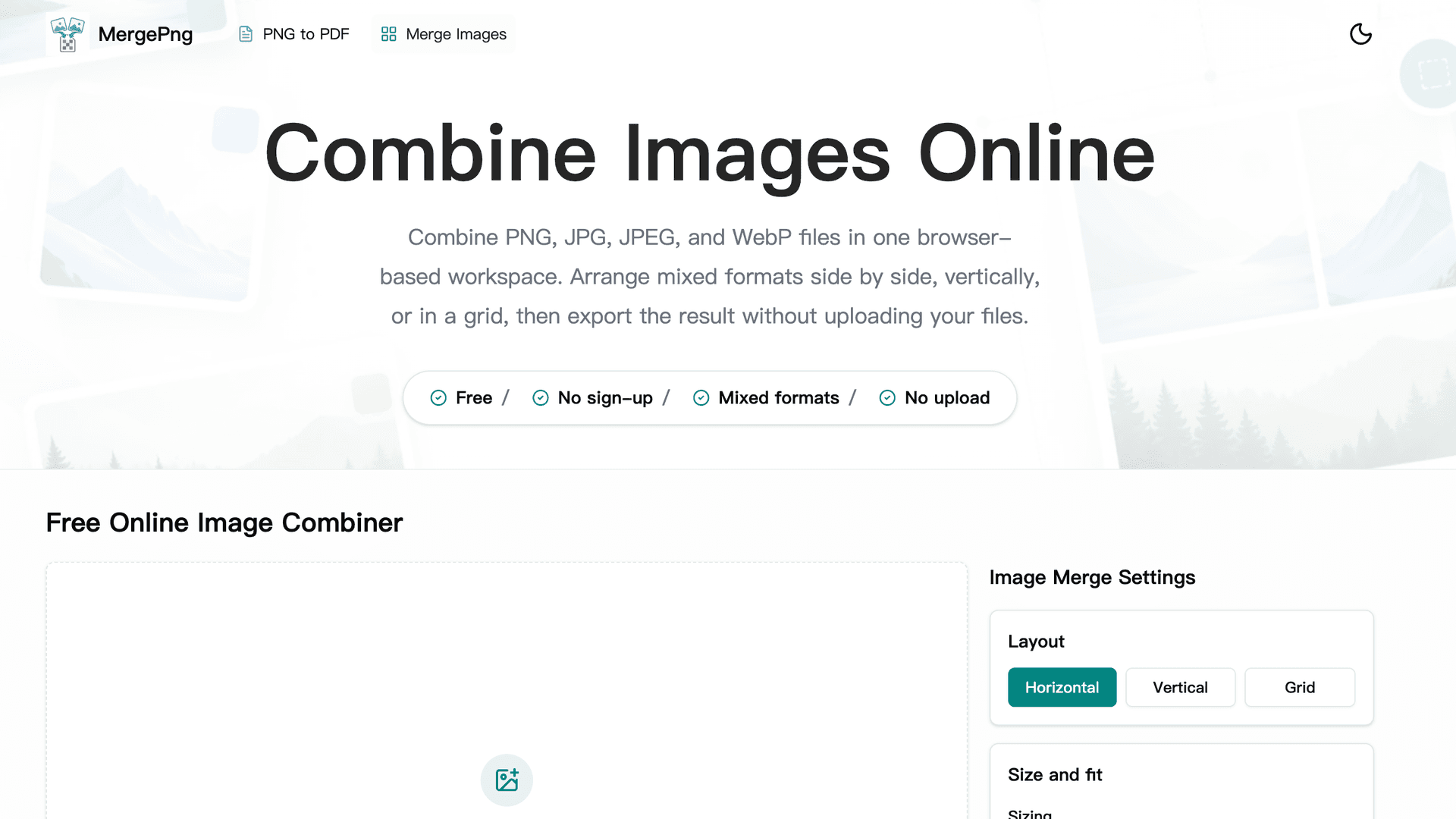
Merge PNG, JPG, and WebP images side by side, vertically, or in a grid. Free, private, and no sign-up required.
Security
52HTTPS enforced and SPF/DMARC present, and local processing genuinely limits exposure. But zero CSP, HSTS, frame protection, or Referrer-Policy, and no published audits — thin for a privacy-first pitch.
Screenshots
1 / 2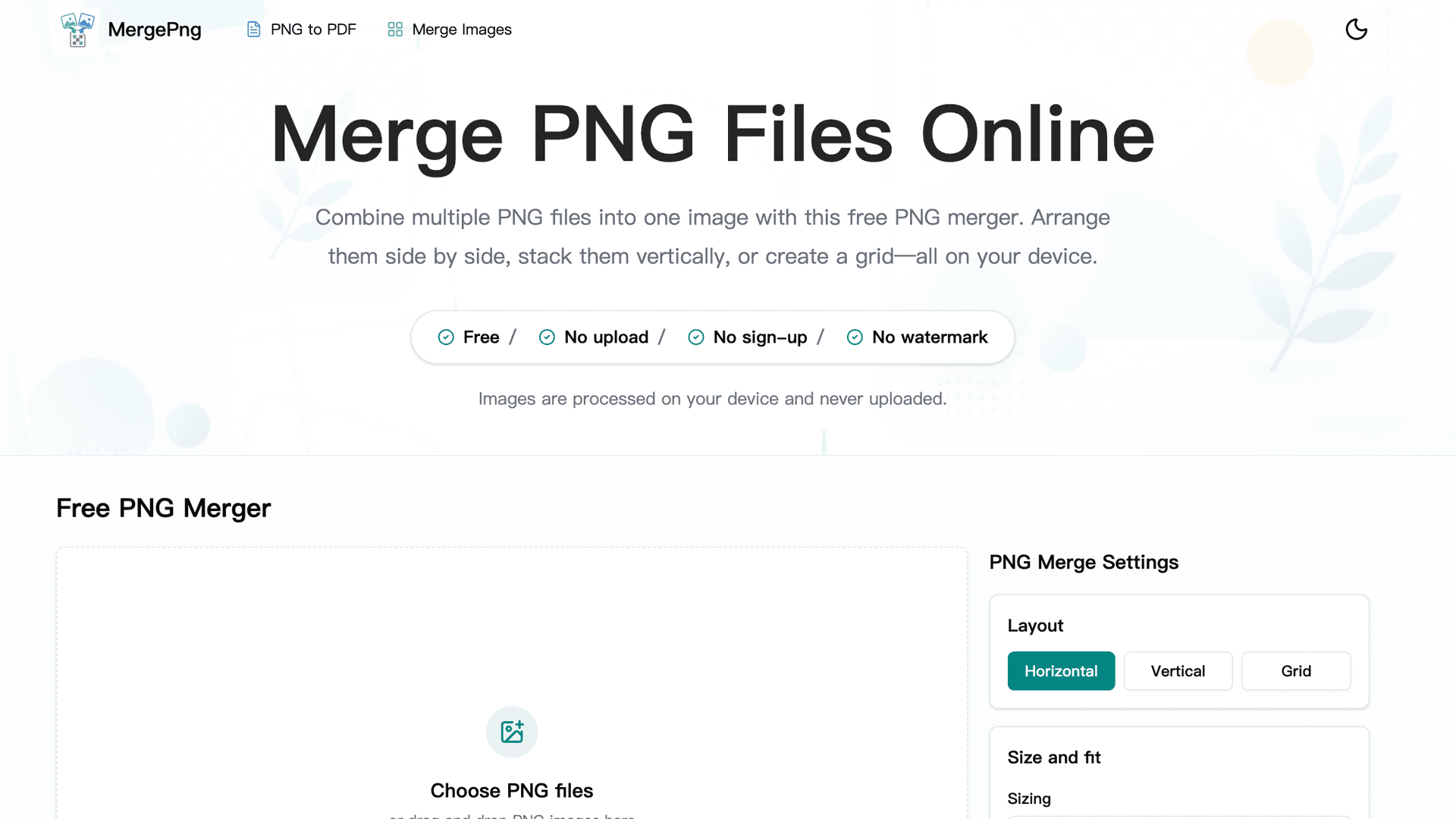
About this app
MergePNG is a free web app that combines multiple PNG files into a single image without uploading them to a server. You can merge images horizontally, vertically, or in a grid, and customize spacing, padding, background (including transparency), border, and output format (PNG, JPG, WebP). It preserves transparency and image quality, and all processing happens locally in your browser for privacy. The app is ideal for designers, developers, and anyone who needs to quickly combine screenshots, logos, product photos, or tutorial steps. It works on Mac, Windows, Linux, iOS, and Android, and requires no sign-up or watermark. While it's free and privacy-focused, very large image sets may hit browser memory limits. Overall, it's a handy, no-nonsense tool for quick image merging tasks.
Key features
- 1Merge PNGs horizontally, vertically, or in a grid with spacing, padding, border, and background controls (including transparency).
- 2All processing happens locally in the browser — no upload, no signup, no watermark, works on Mac/Windows/Linux/iOS/Android.
- 3Output as PNG, JPG, or WebP with transparency preservation and quality checks on large outputs.
Target customer profile
Drawn from the product itself, not from a survey.
Demographic
Graphic designers and creatives
Pain points
Need to combine multiple design assets without uploading to third-party servers; want to preserve transparency and quality
Primary needs
Quick, private merging of PNGs with layout control and transparent backgrounds
Demographic
Developers and technical teams
Pain points
Require a simple tool to merge screenshots or diagrams for documentation; avoid complex software installations
Primary needs
Browser-based, no-install solution that works across platforms and handles various image formats
Demographic
Social media managers and content creators
Pain points
Frequently need to create collages or step-by-step images for posts; limited budget for paid tools
Primary needs
Free, watermark-free merger with grid and vertical layouts for quick content creation
Scout Review
Written by AI from measured evidence, scored out of 100.
MergePNG is a genuinely useful, privacy-first PNG merger with a clean interface and a real differentiator: everything happens in your browser, no upload, no signup, no watermark. The tool UI is well-organized, the settings panel is logical, and the transparency-preservation pitch is backed by actual behavior. Where it stumbles is consistency and polish: a slow mobile LCP (7.4s), thin security headers despite the privacy marketing, unlabeled form fields, and — most confusingly — a pricing page that sells a completely different WebP-to-PNG product. For a free tool, the core experience is solid; the edges need tightening before it reads as a coherent product rather than two ideas sharing a domain.
Measure by measure
Usability
62Drop a PNG, pick a layout, download — no signup, no watermark, fast to value. Sliders hide their defaults and the FAQ doesn't signal expandability, so first-timers poke around more than they should.
Design
70Clean, modern tool UI with a well-grouped settings panel, teal active states, and privacy badges that earn trust. Held back by a large empty preview, clashing stock photos, and inconsistent hero copy.
Speed
58Desktop Lighthouse 80/100 is fine, but mobile 65/100 with a 7.4s LCP is slow for a page whose whole pitch is 'instant, local, no upload.' CLS 0 and 349ms TBT keep it from being worse.
Security
52HTTPS enforced and SPF/DMARC present, and local processing genuinely limits exposure. But zero CSP, HSTS, frame protection, or Referrer-Policy, and no published audits — thin for a privacy-first pitch.
Accessibility
80Lighthouse a11y 95/100 with only unlabeled form elements failing. Responsive, cross-platform, readable contrast. No WCAG statement or documented keyboard/screen-reader support, so it's strong but not certified.
Growth
60A real, specific problem — private, no-upload PNG merging with transparency — with a clear wedge over PineTools (uploads) and Photopea (learning curve). Early (domain 0.2 yrs), but the idea has room.
Improvement areas
- Pricing page describes WebP-to-PNG conversion, not PNG merging — inconsistent with the homepage and confusing.
- Mobile Lighthouse performance 65/100 with 7.4s LCP; security headers missing HSTS, CSP, and frame protection.
- Form elements lack labels; sliders hide default values; empty preview state gives no example of output.
Design & Usability
MergePNG's interface is the strongest part of the product: a left dropzone, a right settings panel with teal active tabs, and sliders for spacing, padding, background, and border. The privacy badges under the hero do real work — 'processed on your device' is the whole value prop, stated plainly. Usability is close behind: no signup, no watermark, drop-and-go. The cracks are in the details — sliders hide their default values until you drag them, the FAQ accordion doesn't signal what's expandable, and the empty preview state gives no example of what a finished merge looks like. The bigger red flag is the pricing page, which sells WebP-to-PNG batch conversion with a $4.99/mo Pro tier — a different product from the PNG merger on the homepage. That inconsistency undermines trust in a tool whose pitch is simplicity.
Speed & Security
Speed is the weak spot. Lighthouse desktop lands at 80/100, but mobile drops to 65/100 with a 7.4-second LCP — slow for a page whose entire promise is instant, local processing. CLS 0 and 349ms TBT keep it from feeling broken, but the first paint is doing the product no favors. Security is a mixed bag: HTTPS is enforced, SPF and DMARC are set, and local-only processing genuinely reduces the attack surface. But there's no HSTS, no CSP, no frame protection, no Referrer-Policy, and no Permissions-Policy — a 4/12 checklist score. For a tool that markets privacy as its core feature, the header hygiene is thin. No SOC 2, ISO, pen-test, or bug-bounty signals were found, which is normal for an early-stage indie tool but worth flagging against the privacy claim.
Accessibility & Growth
Accessibility is a genuine strength: Lighthouse scores 95/100, with the only failing audit being form elements without associated labels — an easy fix. The site is responsive, works across Mac/Windows/Linux/iOS/Android, and uses readable contrast throughout. What's missing is a WCAG statement or documented keyboard/screen-reader support, so it's strong on automated checks but unverified on the harder manual ones. Growth is a judgment call on the idea: private, no-upload PNG merging with transparency preservation is a real, specific problem, and the wedge over PineTools (which uploads) and Photopea (steeper learning curve) is clear. The category is crowded with free tools, but the privacy angle and layout control give it a defensible niche. The domain is only 0.2 years old, so traction is context, not a verdict — the idea has room if execution stays focused.
Conclusion
If you need to merge PNGs quickly without handing your files to a server, MergePNG does the job and does it privately. The free tier covers most use cases, and the layout options (horizontal, vertical, grid) with spacing, padding, and transparency control are more than most free mergers offer. But before recommending it widely, the team should reconcile the homepage and pricing page — right now they describe two different products — and tighten the security headers to match the privacy promise. Fix those, speed up the mobile first paint, and label the form fields, and this becomes an easy recommendation for designers and developers who care about where their files go.
Suggestions for improvement
- Reconcile the pricing page with the homepage — it currently sells WebP-to-PNG conversion, not PNG merging, which confuses users.
- Add HSTS, CSP, frame protection, and Referrer-Policy headers to match the privacy-first positioning.
- Improve mobile LCP (currently 7.4s) — optimize hero assets and critical CSS for a faster first paint.
- Label form elements and add visible default values to sliders; add an example state to the empty preview.
Alternatives comparison
Named competitors, point by point. Nobody paid to appear here or to be left out.
 MergePNG |  Photopea |  PineTools | |
|---|---|---|---|
| Processing location (privacy) | Local in-browser; no upload | Local in-browser editor | Uploads files to a server |
| Ease of use for merging | Drop, pick layout, download | Manual layers; steeper learning curve | Simple form-based merger |
| Transparency preservation | Yes, with transparent background option | Yes, full alpha support | Limited; lacks transparency options |
| Layout control (grid/spacing/border) | Horizontal, vertical, grid with spacing/padding/border | Full canvas control via layers | Basic horizontal/vertical merge |
| Signup / watermark | No signup, no watermark | No signup, no watermark | No signup, no watermark |
Photopea
A free online image editor that supports layers and advanced editing, including merging images, but requires more manual work and has a steeper learning curve.
PineTools
A collection of free online image tools, including an image merger, but it uploads files to a server and lacks transparency preservation options.
Comparing options? See MergePNG alternatives, scored side by side
More Design & Creativity apps
View all Design & Creativity
RoomCreator
92An AI-powered interior and exterior design tool that tran...

QRBliss
91Branded QR codes with AI Brand Sync, 15 free dynamic code...

ThumbnailMaker
90AI YouTube thumbnail maker: paste a video link, get the brief, the thumbnail, and a check at feed size.

English Test Coach
89English Test Coach checks your IELTS essays and letters, gives an estimated band score across all four criteria, and tells you exactly what to revise next.

All of Us
89Add deceased loved ones to photos with AI and see free pr...

Tracé slides
89Interactive math & physics slides with live graphs and an...

FontPlop
89Browser-based font viewer & tester for TTF, OTF, WOFF, WO...

What the GIF
89Frame-perfect video-to-GIF maker that runs entirely in yo...

Portrait Gift
88AI-powered personalized face swap art platform creating c...

TranscriptYou
88Free YouTube transcript generator with timestamps and AI ...

BeartIMAGE
88BeartIMAGE is a free, web-based image processing platform engineered for fast, bulk photo editing and conversion directly in your browser.

RestorePhotosApp
88An AI-powered photo restoration app that brings old, blur...


A platform dedicated to providing unbiased reviews of newly launched applications, analyzing everything from their features to their full potential.
info@scoutforge.net© 2026 Scoutforge. All rights reserved.
