Is this your app?
Claim Nero AI to manage its page, add your badge and see your traffic — free, and it stays free.
Cycling through all six. Tap any point to stop.
Measured on six things
A free, AI-powered toolkit for enhancing, restoring, and transforming images with ease.
Accessibility
50Limited to English, German, Turkish with no screen reader support or keyboard shortcuts documented.
Screenshots
1 / 4
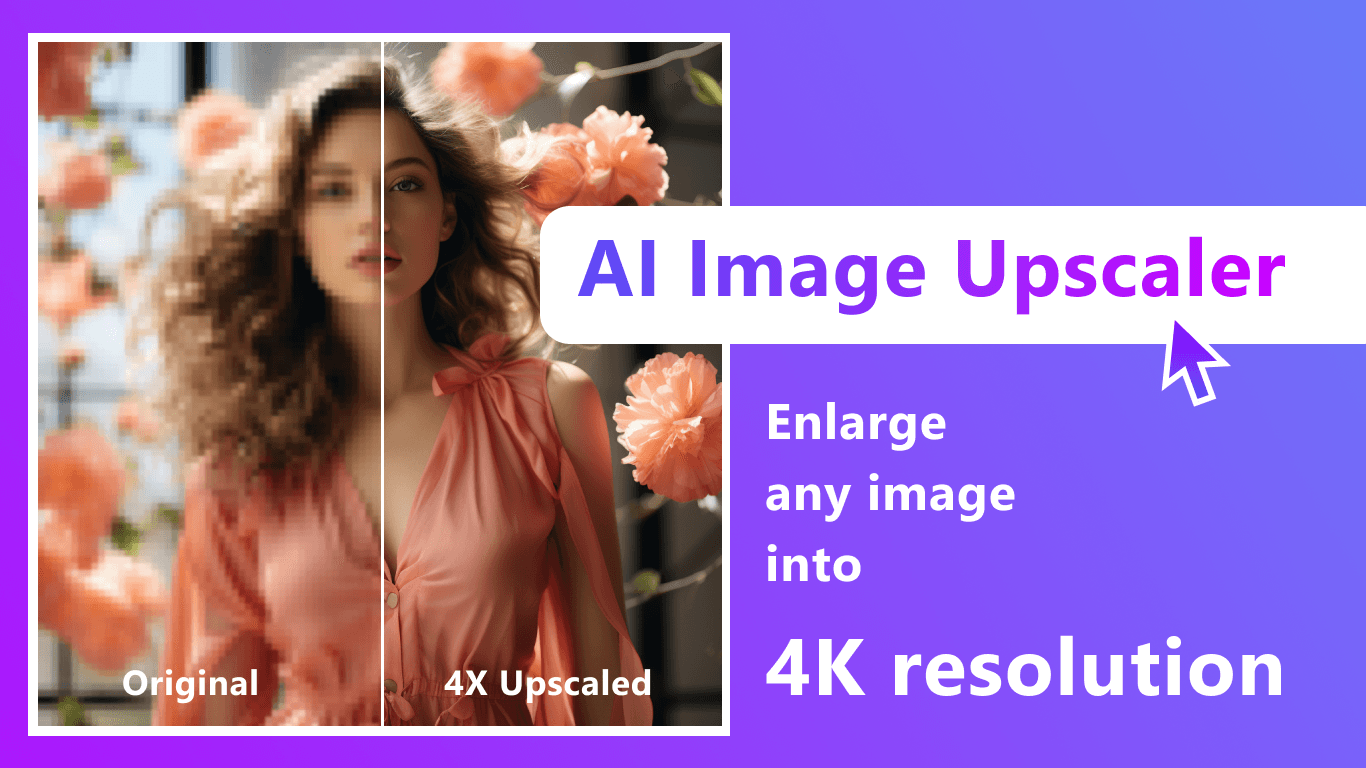
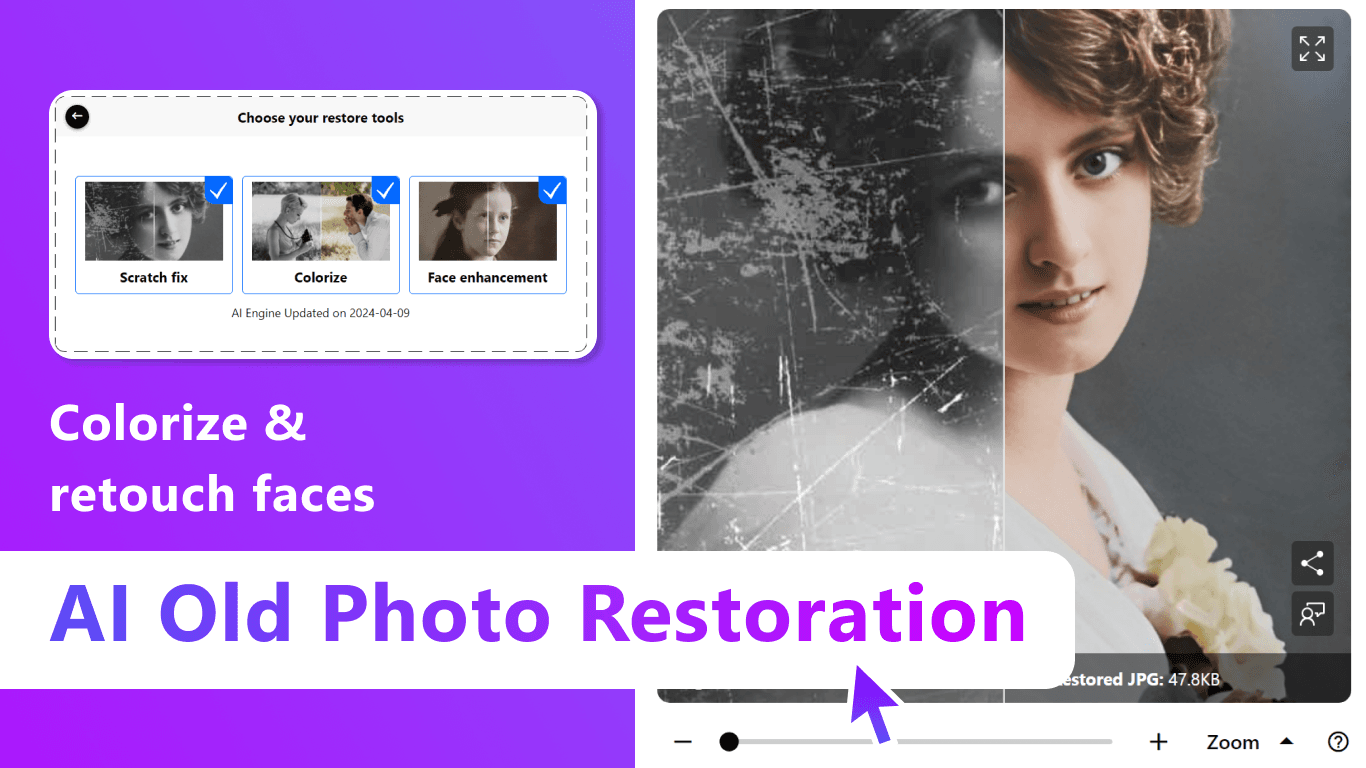
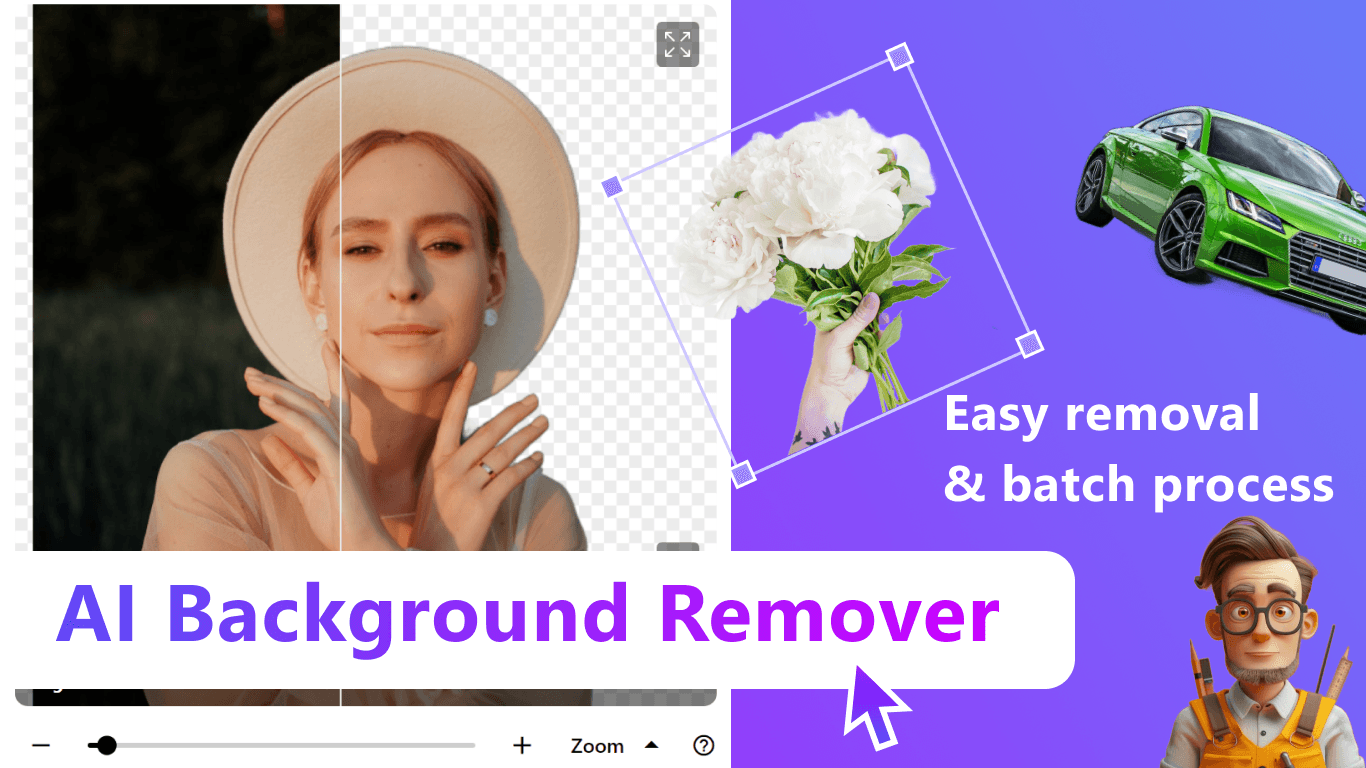
About this app
Nero AI is a versatile and user-friendly application that leverages artificial intelligence to offer a suite of tools for image upscaling, scratch removal, background erasure, and avatar generation. It's designed for a broad audience, including casual users, photographers, social media creators, and small businesses, providing quick and efficient solutions for photo restoration and creative edits without the complexity of professional software. With cross-platform compatibility and a focus on simplicity, it excels in delivering fast results, though it may lack advanced features for power users. The app prioritizes accessibility with a minimalist interface but has room for improvement in areas like multilingual support and data transparency.
Key features
- 1Clean minimalist interface with grayscale scheme focusing on images
- 2Intuitive drag-and-drop functionality and clear buttons for ease of use
- 3Fast 2-5 second processing for standard tasks with SSL encryption
Target customer profile
Drawn from the product itself, not from a survey.
Demographic
Casual users and hobbyists
Pain points
Blurry or damaged personal/family photos; limited editing skills
Primary needs
Quick restoration, colorization, easy-to-use tools
Demographic
Social media creators
Pain points
Time-consuming manual editing; need for eye-catching visuals
Primary needs
Fast background removal, avatar creation, image upscaling
Demographic
Small businesses
Pain points
High costs of professional editing software
Primary needs
Affordable branding tools, product photo cleanup, tag generation
Scout Review
Written by AI from measured evidence, scored out of 100.
Nero AI excels as a straightforward, no-subscription-required solution for quick photo fixes and creative experiments. It's particularly well-suited for casual users digitizing old family photos, social media creators needing rapid asset generation, and small businesses looking for affordable branding tools. The platform's strength lies in its simplicity and speed rather than advanced editing capabilities.
Measure by measure
Usability
80Intuitive drag-and-drop functionality with clear buttons, but lacks batch processing and buries advanced settings in menus.
Design
80Clean minimalist interface with grayscale scheme that keeps focus on images, though mobile apps feel cluttered with upsell prompts.
Speed
80Impressive 2-5 second processing for standard tasks, but struggles with high-res files and older hardware.
Security
70Basic SSL encryption and 24-hour data deletion, but lacks transparency about AI training data usage.
Accessibility
50Limited to English, German, Turkish with no screen reader support or keyboard shortcuts documented.
Growth
80High demand for AI photo tools, but needs to expand beyond basic enhancements to stay competitive.
Improvement areas
- Add batch processing and make advanced settings more accessible
- Expand multilingual support and improve accessibility with screen reader compatibility
- Increase transparency about AI data usage and enhance performance for high-res files
Design & Usability
Nero AI's design philosophy leans heavily into minimalism with a grayscale color scheme that effectively keeps the focus on your images. The web interface features large, clearly labeled buttons that make basic operations like uploading photos or removing backgrounds straightforward. Drag-and-drop functionality works seamlessly in browsers, creating an intuitive first experience. However, the mobile apps like Nero Muse suffer from cluttered interfaces filled with upsell prompts that disrupt the clean aesthetic. Advanced settings are buried in hamburger menus, and the lack of batch processing forces users to handle files individually, which becomes tedious for larger projects.
Speed & Security
Performance-wise, Nero AI delivers impressive speed for most standard operations, processing single images in just 2-5 seconds for tasks like upscaling. The web app utilizes SSL encryption for basic security, and their privacy policy states that uploaded images are automatically deleted after 24 hours. However, the platform lacks transparency about whether user data contributes to training their AI models, which may concern privacy-conscious users. High-resolution files and video upscaling through desktop applications can significantly slow down on older hardware, revealing some performance limitations under heavier workloads.
Accessibility & Growth
Accessibility represents Nero AI's weakest area, with support limited to only English, German, and Turkish languages. There's no documented screen reader optimization or keyboard shortcut support, making the platform challenging for users with different accessibility needs. The high-contrast UI helps with visibility, but missing captions and tooltips create confusion for first-time users. Despite these limitations, the app shows strong growth potential given the increasing demand for AI-powered photo editing tools, though it needs to expand beyond basic enhancements to remain competitive in this rapidly evolving market.
Conclusion
If you're tired of complex photo editing software and subscription models, Nero AI offers a refreshingly simple approach to image enhancement. The free web tools provide genuine value, with the avatar generator alone being worth exploring. For quick social media assets or restoring cherished memories without the Photoshop learning curve, this toolkit delivers impressive results.
Suggestions for improvement
- To improve, Nero AI should implement batch processing for handling multiple images simultaneously, add comprehensive multilingual support including Asian languages, and introduce screen reader compatibility.
- Greater transparency about data usage policies would build user trust, while adding manual control sliders alongside AI automation would cater to more advanced users without compromising the simple core experience.
Alternatives comparison
Named competitors, point by point. Nobody paid to appear here or to be left out.
 Nero AI Nero AI |  Picsart Photo Restoration Picsart Photo Restoration |  Canva AI Avatar Generator Canva AI Avatar Generator |  VEED.IO Animated Avatars VEED.IO Animated Avatars | |
|---|---|---|---|---|
| Free Export Limitations | Unlimited free exports | Freemium model limits free exports | — | — |
| Avatar Customization Options | Basic avatar generation | Advanced customization (subscription required) | — | — |
| Photo Restoration Tools | Comprehensive restoration suite | Focuses on avatars, lacks restoration | — | — |
| Voice Cloning Features | Not available | Video-ready avatars with voice cloning | — | — |
Picsart Photo Restoration
Offers similar AI photo repair tools but with a freemium model limiting free exports.
Canva AI Avatar Generator
Provides more avatar customization options but requires a subscription for full access.
VEED.IO Animated Avatars
Focuses on video-ready avatars with voice cloning, but lacks Nero’s photo restoration suite.
Comparing options? See Nero AI alternatives, scored side by side
More Design & Creativity apps
View all Design & Creativity
RoomCreator
92An AI-powered interior and exterior design tool that tran...

QRBliss
91Branded QR codes with AI Brand Sync, 15 free dynamic code...

ThumbnailMaker
90AI YouTube thumbnail maker: paste a video link, get the brief, the thumbnail, and a check at feed size.

English Test Coach
89English Test Coach checks your IELTS essays and letters, gives an estimated band score across all four criteria, and tells you exactly what to revise next.

All of Us
89Add deceased loved ones to photos with AI and see free pr...

Tracé slides
89Interactive math & physics slides with live graphs and an...

FontPlop
89Browser-based font viewer & tester for TTF, OTF, WOFF, WO...

What the GIF
89Frame-perfect video-to-GIF maker that runs entirely in yo...

Portrait Gift
88AI-powered personalized face swap art platform creating c...

TranscriptYou
88Free YouTube transcript generator with timestamps and AI ...

BeartIMAGE
88BeartIMAGE is a free, web-based image processing platform engineered for fast, bulk photo editing and conversion directly in your browser.

RestorePhotosApp
88An AI-powered photo restoration app that brings old, blur...


A platform dedicated to providing unbiased reviews of newly launched applications, analyzing everything from their features to their full potential.
info@scoutforge.net© 2026 Scoutforge. All rights reserved.
