Is this your app?
Claim Nero AI Video Upscaler to manage its page, add your badge and see your traffic — free, and it stays free.
Cycling through all six. Tap any point to stop.
Measured on six things
AI-powered video upscaling tool for Windows that enhances low-res footage to 4K/8K with specialized models.
Accessibility
60Windows-exclusive limits accessibility. No mentioned screen reader support or keyboard navigation enhancements.
Screenshots
1 / 5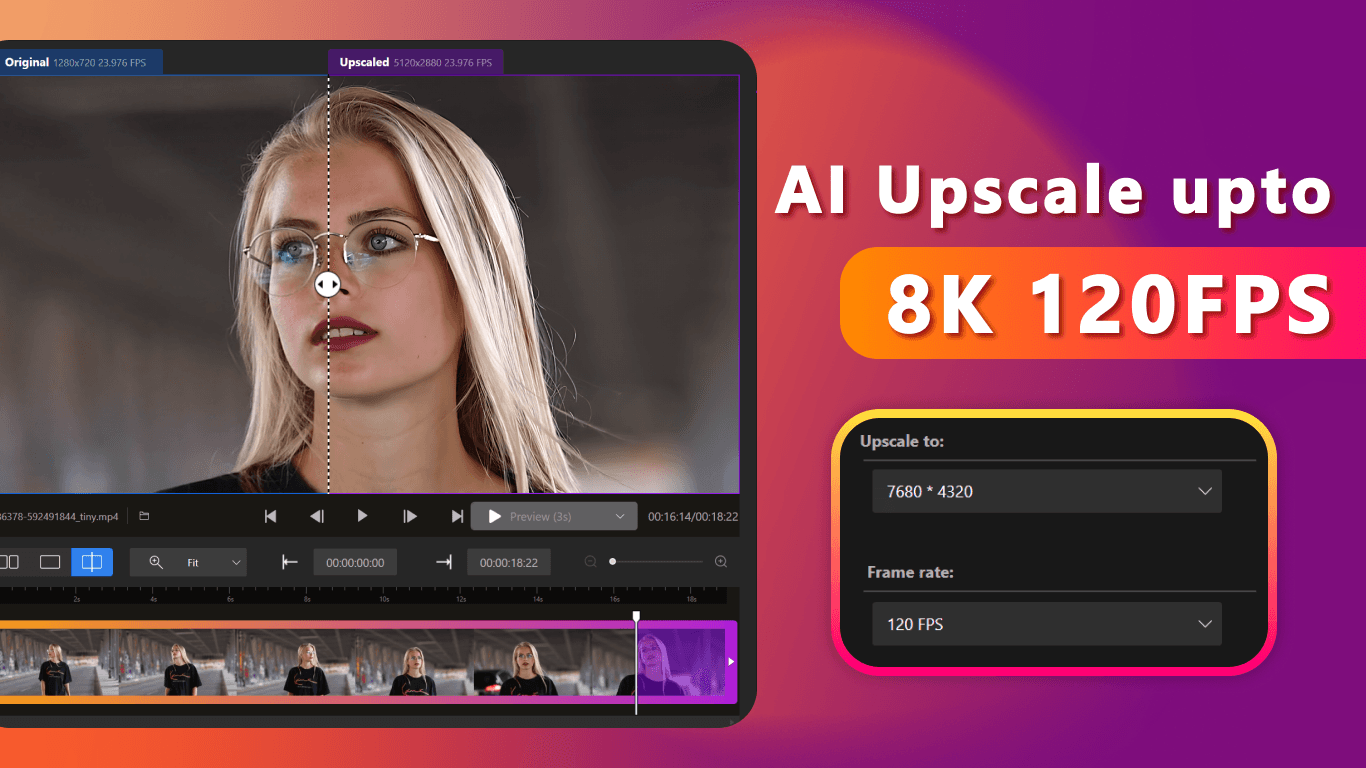
About this app
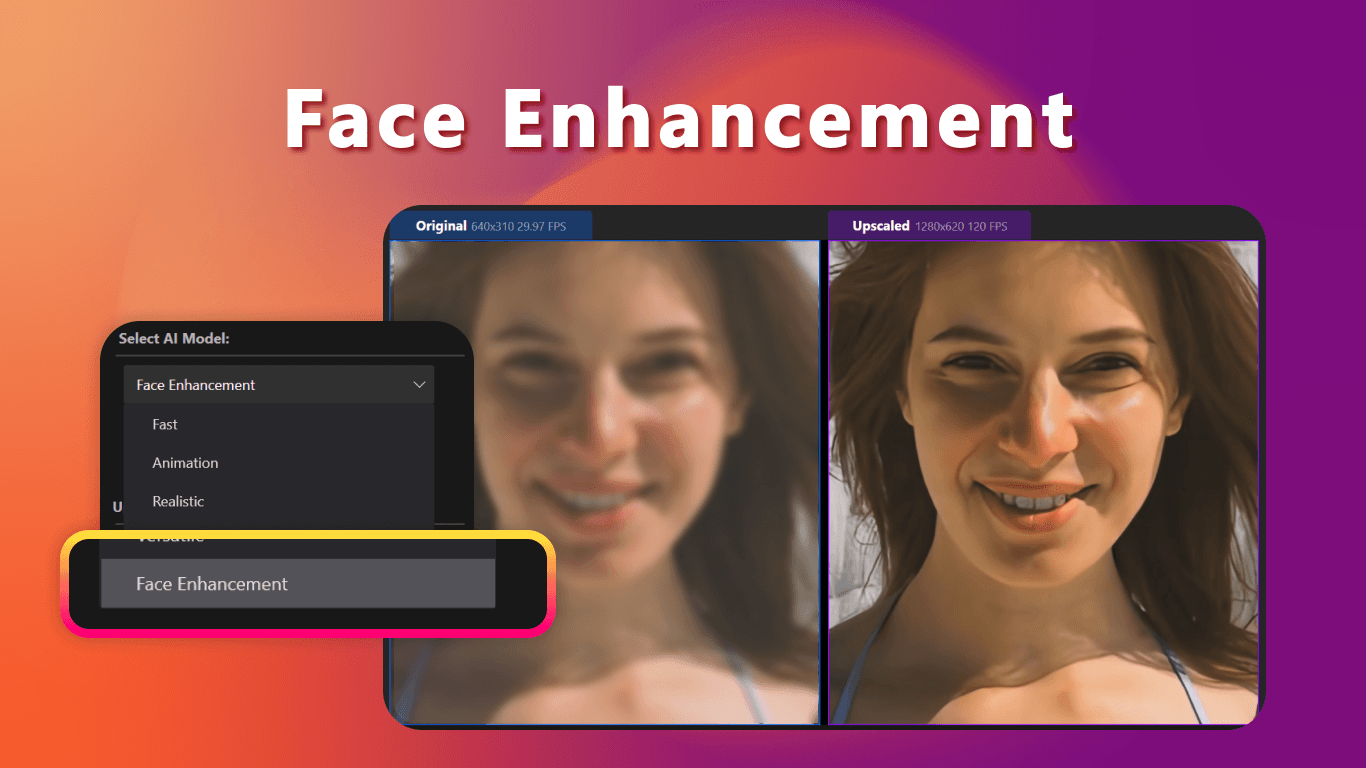
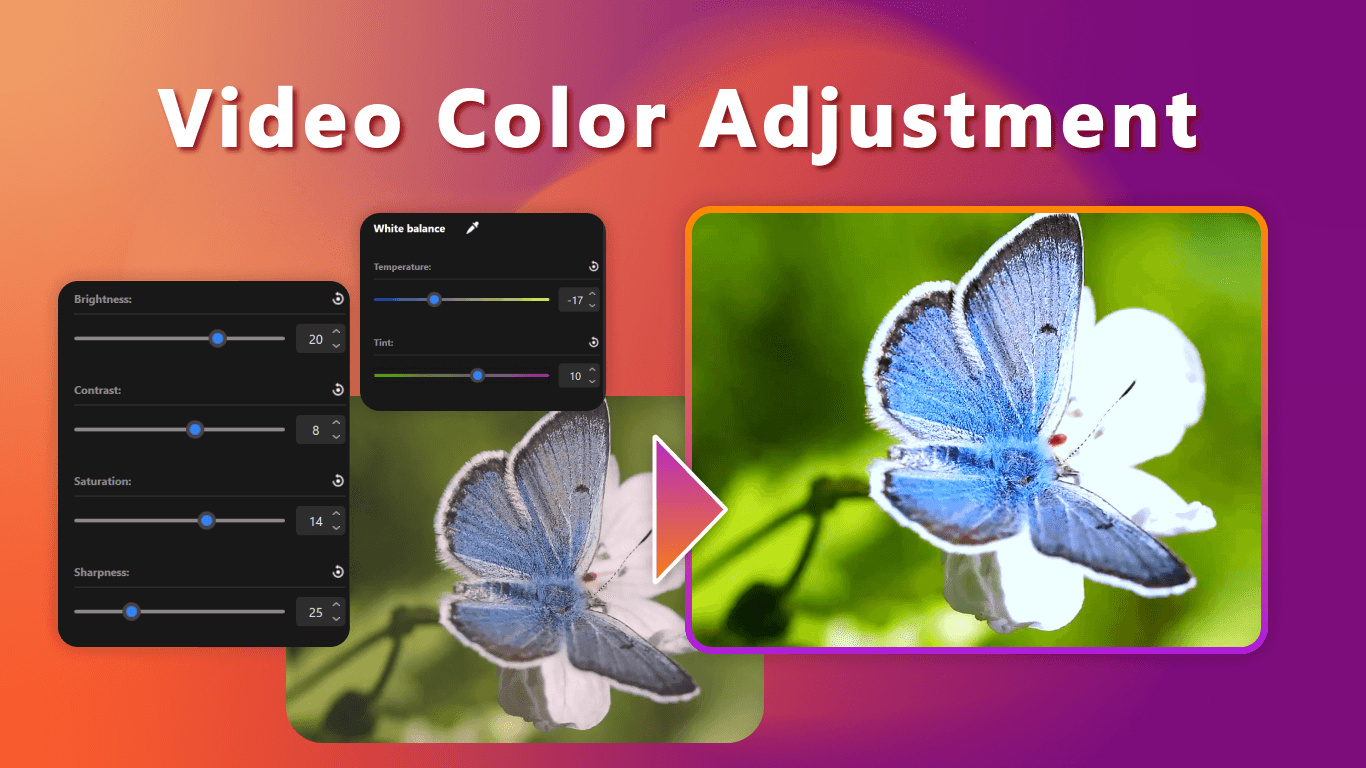
As a tech enthusiast who's dabbled in video restoration, I'm blown away by Nero AI Video Upscaler. This Windows app uses cutting-edge AI to transform blurry, low-resolution videos into crisp 4K or even 8K masterpieces, supporting up to 120FPS. It's packed with five targeted AI models—like Face mode for enhancing talking-head clips and Versatile for mixed content—making it a game-changer for creators. With GPU acceleration, it speeds up processing significantly, and having upscaled over 900,000 videos globally, it's clearly a hit. It's perfect for anyone dealing with archival footage or needing pro-quality results without the Hollywood budget. The interface is intuitive with a dark theme, real-time previews, and batch processing, though it could improve on model descriptions and platform support beyond Windows. Overall, it's a must-try for video professionals and hobbyists alike.
Key features
- 1Clean dark-themed UI with intuitive workflow tabs and dominant before/after preview pane for easy comparison.
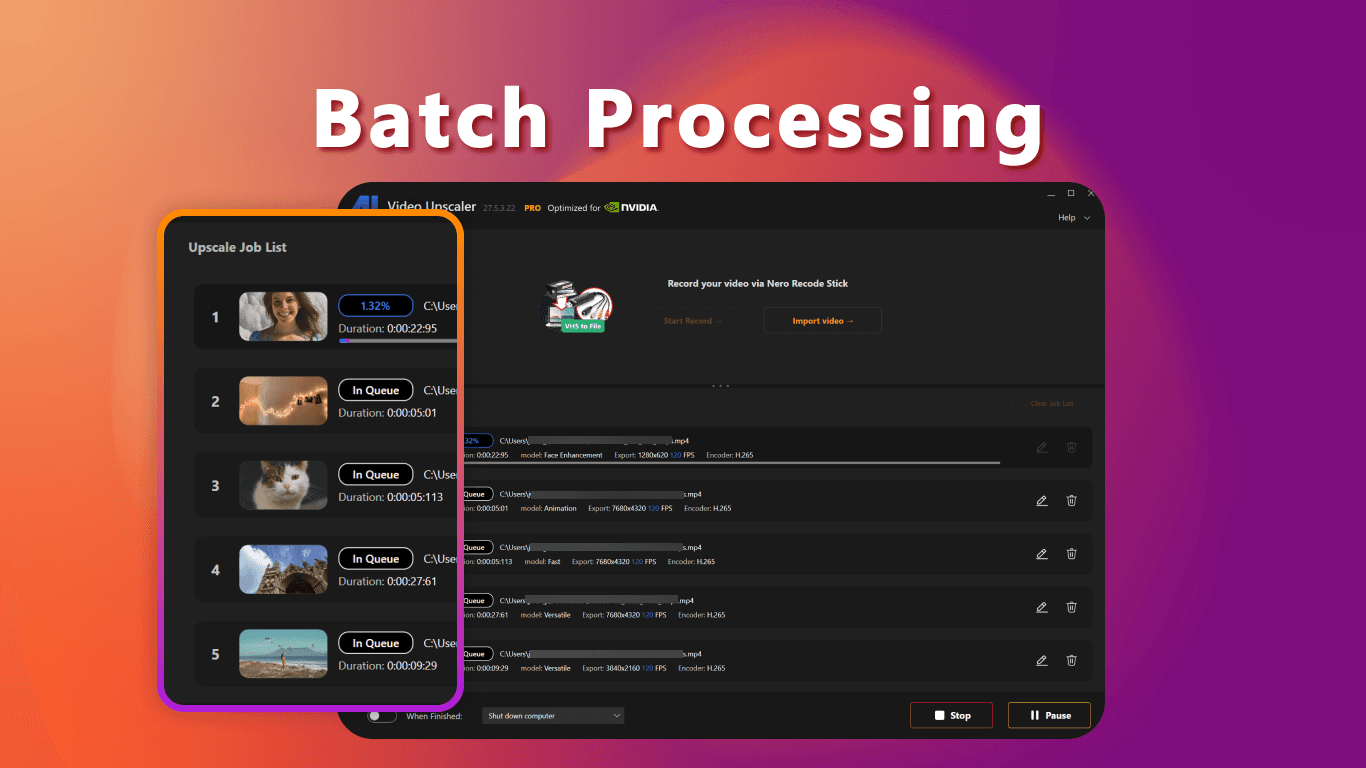
- 2Excellent drag-and-drop functionality, batch processing, and real-time previews with well-organized advanced settings.
- 3GPU acceleration provides fast processing speeds, local file handling ensures data privacy, and trusted developer reputation.
Target customer profile
Drawn from the product itself, not from a survey.
Demographic
Content Creators & Videographers
Pain points
Low-resolution source footage, noisy videos, limited editing skills
Primary needs
4K/8K output, AI-enhanced clarity, batch processing
Demographic
Film Restoration Specialists
Pain points
Degraded archival footage, flickering frames, loss of detail
Primary needs
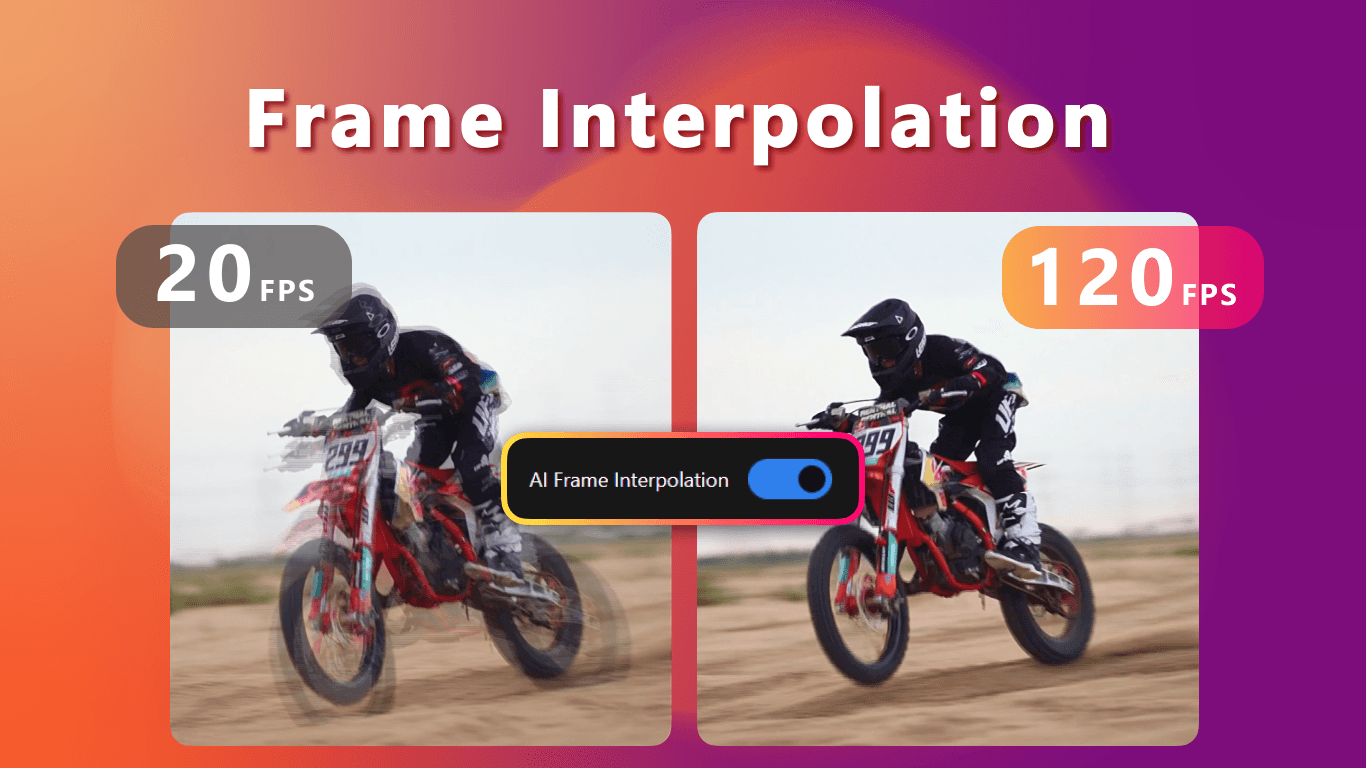
Face enhancement, artifact reduction, frame interpolation
Demographic
Social Media Marketers
Pain points
Phone footage looking unprofessional on large screens
Primary needs
Quick upscaling, real-time preview, format flexibility
Scout Review
Written by AI from measured evidence, scored out of 100.
Nero AI Video Upscaler delivers exceptional video enhancement results through its specialized AI models, making it a powerful tool for Windows-based creators dealing with low-resolution footage. The combination of GPU-accelerated processing, local file handling for privacy, and targeted enhancement models creates a compelling package for professionals and serious hobbyists alike.
Measure by measure
Usability
90Excellent drag-and-drop workflow, batch processing, and real-time previews. Advanced settings are well-organized for different user levels.
Design
80Clean dark-themed UI with intuitive workflow tabs and dominant before/after preview pane. Model selection could be clearer.
Speed
90GPU acceleration provides impressive processing speeds - 2-minute 1080p to 4K conversion in under 4 minutes with proper hardware.
Security
90Local processing eliminates cloud privacy concerns. Trusted developer with established reputation in multimedia software.
Accessibility
60Windows-exclusive limits accessibility. No mentioned screen reader support or keyboard navigation enhancements.
Growth
90Massive market demand with 900K+ videos processed. Specialized AI models position it well for future video enhancement needs.
Improvement areas
- AI model descriptions are unclear and require experimentation; terms like 'Realistic' vs 'Versatile' need better explanation.
- Windows-exclusive platform limits accessibility; no support for macOS, Linux, screen readers, or keyboard navigation.
- Hardware requirements are high; without proper GPU, performance is slow, and accessibility features are lacking for diverse users.
Design & Usability
Nero AI Video Upscaler features a thoughtfully designed dark-themed interface that prioritizes the video enhancement workflow. The dominant before/after preview pane immediately shows results without hunting for comparison buttons. The drag-and-drop functionality feels natural, and batch processing is conveniently accessible with a simple checkbox. While the overall layout is intuitive, the AI model descriptions could be clearer - terms like 'Realistic' versus 'Versatile' required some experimentation to fully understand. Advanced settings are sensibly organized behind expandable menus, preventing newcomers from feeling overwhelmed while giving power users the control they need.
Speed & Security
Performance is where Nero truly shines, thanks to robust GPU acceleration that dramatically reduces processing times. On capable hardware like an RTX 3070, a 2-minute 1080p-to-4K conversion completes in under 4 minutes using the 'Fast' model. The software maintains system responsiveness during renders, allowing multitasking. Security is a strong point with local file processing that eliminates cloud privacy concerns - your sensitive footage never leaves your computer. As a product from established multimedia developer Nero, it carries trusted credibility in an era where data privacy is increasingly valuable for professional creators.
Accessibility & Growth
Accessibility represents the app's most significant limitation, being exclusively available for Windows with no mentioned support for screen readers or comprehensive keyboard navigation. This platform restriction immediately excludes Mac and Linux users who might benefit from its capabilities. However, growth potential is enormous given the massive demand for video enhancement tools and the 900,000+ videos already processed globally. The specialized AI models for different content types (faces, animation, mixed media) position it well for the expanding creator economy and archival restoration markets where quality expectations continue to rise.
Conclusion
If you're working with archival footage, creating content from less-than-ideal source material, or simply want to future-proof your video library, Nero AI Video Upscaler is definitely worth exploring. The free trial lets you test its capabilities on your specific content - crucial since results can vary based on source quality. Just ensure your hardware meets the requirements to experience the full performance benefits.
Suggestions for improvement
- Expand platform support to macOS and Linux to reach broader creator audiences.
- Add audio waveform visualization for editors needing to sync enhanced footage.
- Develop sample footage comparisons for each AI model to clarify optimal use cases.
- Consider implementing basic accessibility features like screen reader support and improved keyboard navigation for users with different needs.
Alternatives comparison
Named competitors, point by point. Nobody paid to appear here or to be left out.
 Nero AI Video Upscaler Nero AI Video Upscaler |  Topaz Video AI Topaz Video AI |  HitPaw Video Enhancer HitPaw Video Enhancer |  Vmake AI Video Enhancer Vmake AI Video Enhancer | |
|---|---|---|---|---|
| Platform Availability | Windows only | Windows, macOS | Windows, macOS | Web-based (cross-platform) |
| AI Model Specialization | 5 targeted models (Face, Animation, etc) | More models, steeper learning curve | Simpler models, less granular control | Basic AI enhancement, web-based limitations |
| Processing Location | Local (GPU accelerated) | Local processing | Local processing | Cloud-based (requires upload) |
| Maximum Output Resolution | 8K at 120FPS | 8K support | 4K/8K support | 4K typically |
Topaz Video AI
Industry leader with more models but steeper learning curve and higher price point
HitPaw Video Enhancer
Simpler interface but less granular control over enhancement settings
Vmake AI Video Enhancer
Web-based solution requiring uploads; lacks offline processing and GPU acceleration
Comparing options? See Nero AI Video Upscaler alternatives, scored side by side
More Design & Creativity apps
View all Design & Creativity
RoomCreator
92An AI-powered interior and exterior design tool that tran...

QRBliss
91Branded QR codes with AI Brand Sync, 15 free dynamic code...

ThumbnailMaker
90AI YouTube thumbnail maker: paste a video link, get the brief, the thumbnail, and a check at feed size.

English Test Coach
89English Test Coach checks your IELTS essays and letters, gives an estimated band score across all four criteria, and tells you exactly what to revise next.

All of Us
89Add deceased loved ones to photos with AI and see free pr...

Tracé slides
89Interactive math & physics slides with live graphs and an...

FontPlop
89Browser-based font viewer & tester for TTF, OTF, WOFF, WO...

What the GIF
89Frame-perfect video-to-GIF maker that runs entirely in yo...

Portrait Gift
88AI-powered personalized face swap art platform creating c...

TranscriptYou
88Free YouTube transcript generator with timestamps and AI ...

BeartIMAGE
88BeartIMAGE is a free, web-based image processing platform engineered for fast, bulk photo editing and conversion directly in your browser.

RestorePhotosApp
88An AI-powered photo restoration app that brings old, blur...


A platform dedicated to providing unbiased reviews of newly launched applications, analyzing everything from their features to their full potential.
info@scoutforge.net© 2026 Scoutforge. All rights reserved.
