Is this your app?
Claim Nero Lens to manage its page, add your badge and see your traffic — free, and it stays free.
Cycling through all six. Tap any point to stop.
Measured on six things
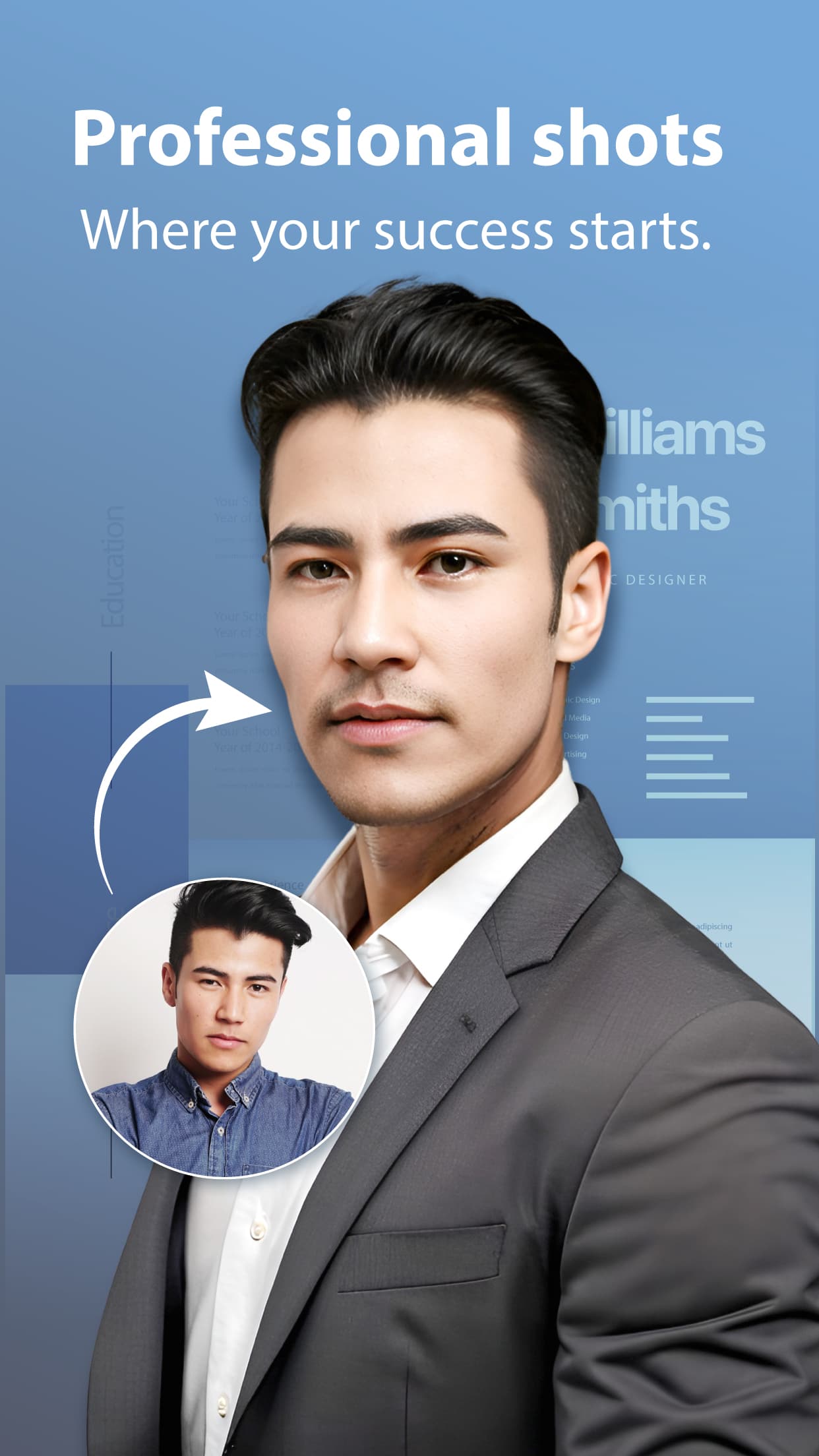
An AI-powered photo enhancer that transforms ordinary images into professional-grade visuals with upscaling, restoration, and avatar creation.
Accessibility
60Basic text scaling and high-contrast elements, but missing screen reader support and alt-text generation features.
Screenshots
1 / 5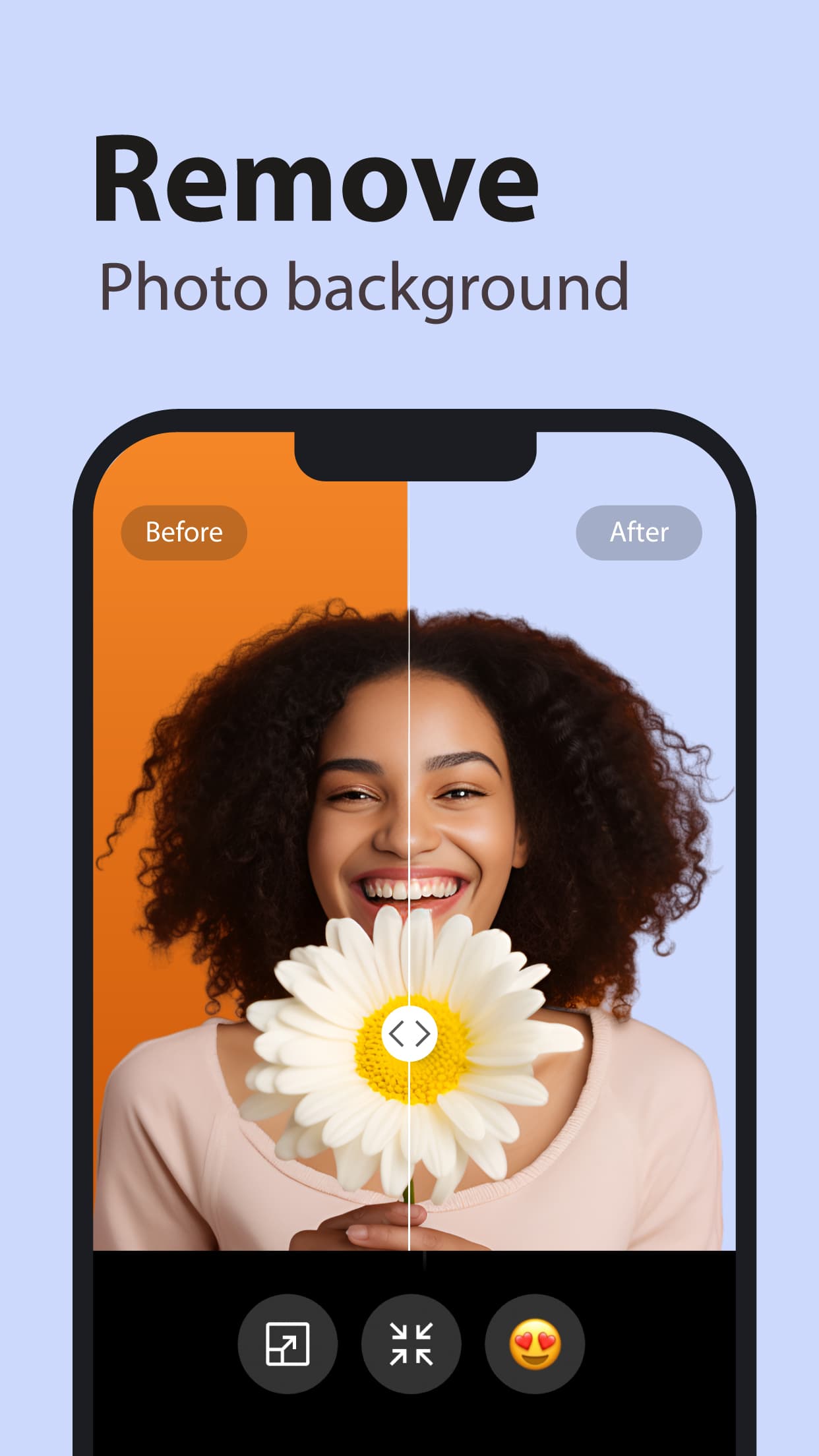
About this app
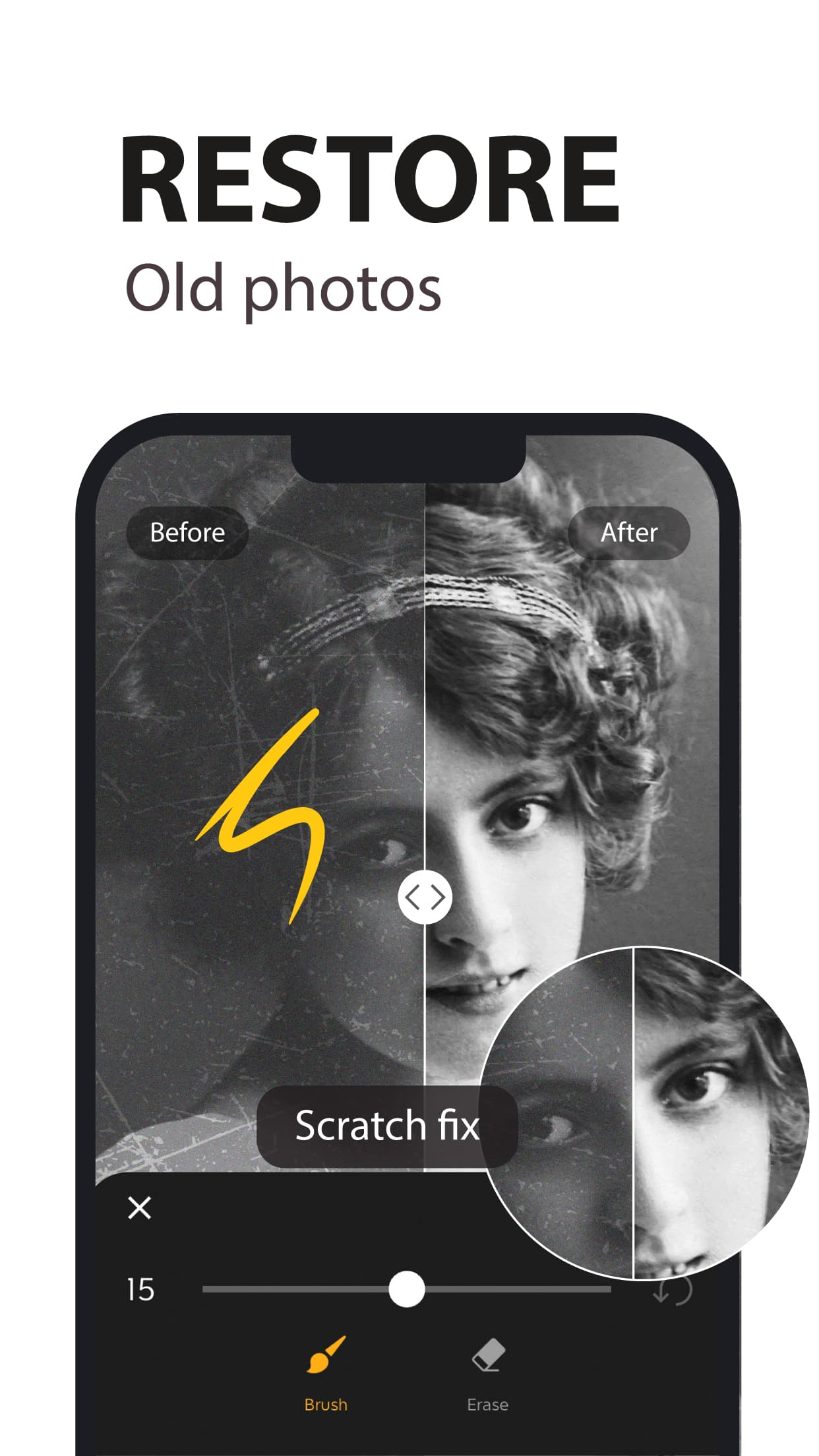
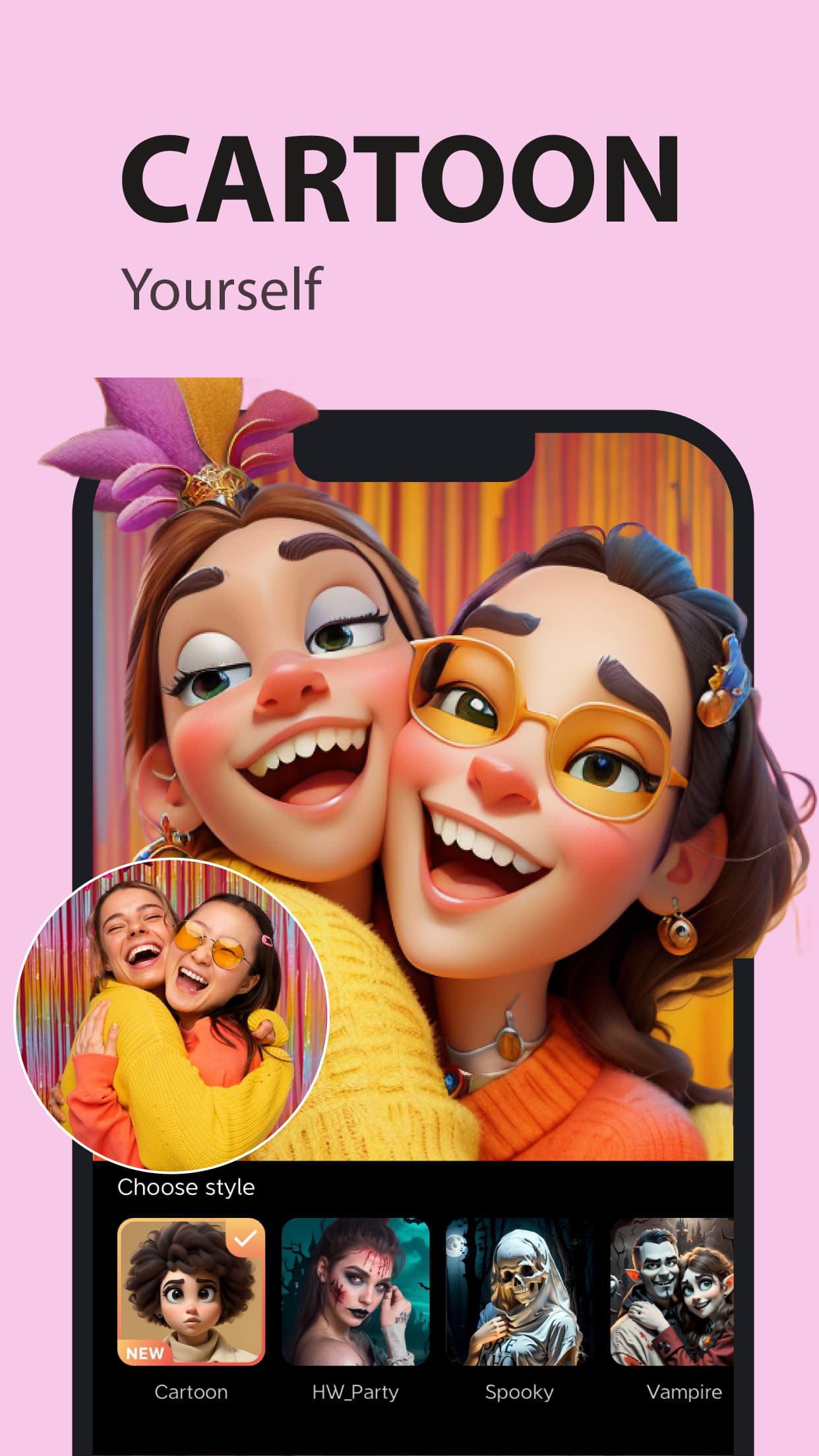
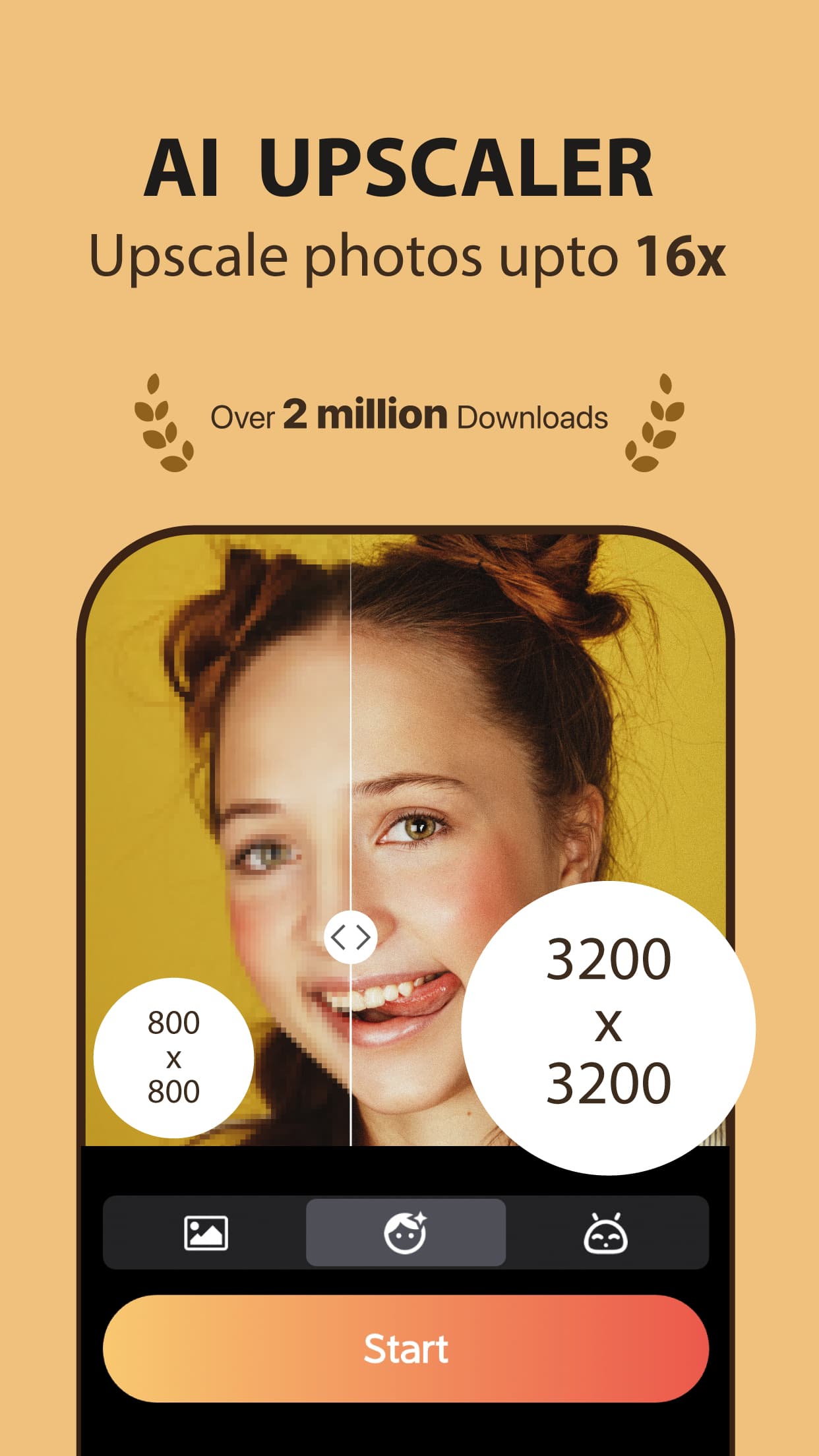
Nero Lens is a versatile AI tool that I've found incredibly useful for anyone looking to upgrade their photos without the complexity of professional software. It excels in upscaling low-resolution images by up to 400%, restoring old or damaged photos with colorization, and generating AI avatars for profiles. The interface is user-friendly with a dark theme, making it easy for beginners to achieve Instagram-ready results quickly. It's perfect for social media users, photographers, and even e-commerce sellers who need high-quality visuals on the fly. While it lacks some advanced controls and encryption, its speed and all-in-one approach make it a standout choice for everyday enhancement needs.
Key features
- 1Clean dark theme interface with intuitive tool organization and before/after slider for real-time previews.
- 2One-click simplicity with clever visual organization and beginner-friendly workflow delivering professional results.
- 3Near-instant processing (2-5 seconds for enhancements, 10 seconds for upscaling) with efficient local processing.
Target customer profile
Drawn from the product itself, not from a survey.
Demographic
Social Media Users
Pain points
Low-quality selfies, unprofessional profile pictures
Primary needs
AI avatars, one-touch enhancement
Demographic
Photography Hobbyists
Pain points
Blurry shots, noise in low-light photos
Primary needs
Noise reduction, detail recovery
Demographic
E-commerce Sellers
Pain points
Product image quality issues
Primary needs
Upscaling without quality loss
Scout Review
Written by AI from measured evidence, scored out of 100.
Nero Lens stands out as an exceptional AI photo enhancement tool that democratizes professional-grade editing for everyday users. Its strongest suit is the combination of powerful AI capabilities with dead-simple usability, making it perfect for social media enthusiasts, photography hobbyists, and e-commerce sellers who need quick quality improvements without mastering complex software. The AI avatar creator alone is worth exploring for anyone needing professional headshots without the photographer price tag.
Measure by measure
Usability
90One-click simplicity with clever visual organization and beginner-friendly workflow that delivers professional results.
Design
80Clean dark theme interface with intuitive tool organization and before/after slider for real-time previews.
Speed
90Near-instant processing (2-5 seconds for enhancements, 10 seconds for upscaling) with efficient local processing.
Security
70Standard privacy practices with local processing and server deletion, but lacks end-to-end encryption for sensitive images.
Accessibility
60Basic text scaling and high-contrast elements, but missing screen reader support and alt-text generation features.
Growth
90Massive market demand for AI photo tools with mobile-first approach and expanding social media integration potential.
Improvement areas
- Advanced settings are somewhat buried, requiring extra clicks for finer control over enhancements.
- Lacks end-to-end encryption for sensitive images, making security inadequate for confidential files.
- Missing comprehensive screen reader support and automatic alt-text generation for accessibility.
Design & Usability
Nero Lens delivers a surprisingly polished experience with its dark-themed, minimalist interface that makes your photos truly stand out. The tool organization into clear categories - Enhance, Upscale, Colorize, and AI Photos - feels intuitive from the first use. I particularly appreciate the before/after slider that shows real-time transformations, making it easy to see exactly what magic the AI is working. The one-click enhancement delivers professional-grade results that would normally require Photoshop expertise, all while keeping the interface uncluttered and beginner-friendly. My only complaint is that advanced settings feel somewhat buried, requiring extra clicks that might frustrate power users wanting finer control over their enhancements.
Speed & Security
Performance-wise, Nero Lens is impressively snappy. Most enhancements complete in 2-5 seconds, with larger upscaling tasks taking about 10 seconds - noticeably faster than many competitors. The privacy policy is transparent about local processing when possible and server deletion after enhancement, which is reassuring for casual users. However, the lack of end-to-end encryption means I'd hesitate to upload highly sensitive or confidential images. For social media photos and personal memories, the security measures are adequate, but professional photographers handling client work might want additional protection for their files during processing and transmission.
Accessibility & Growth
Accessibility features are where Nero Lens shows its relative youth. While it offers basic text scaling and high-contrast interface elements that help users with visual impairments, it lacks comprehensive screen reader support and voice command capabilities. The absence of automatic alt-text generation for enhanced images feels like a missed opportunity for inclusivity. However, the growth potential is enormous given the exploding demand for AI photo enhancement tools. The mobile-first approach and social media integration capabilities position it perfectly to capture the massive market of content creators and everyday users wanting instant photo upgrades without technical complexity.
Conclusion
If you're tired of blurry vacation photos, struggling with unprofessional profile pictures, or need to resurrect old family photos, Nero Lens delivers remarkable results with minimal effort. The free trial offers enough functionality to convince most users of its value, and the pricing is reasonable for the quality transformation it provides. For quick, impressive photo enhancements that make your images social-media-ready in seconds, this tool is definitely worth downloading.
Suggestions for improvement
- Adding batch processing capabilities would be a game-changer for e-commerce users handling multiple product images.
- Implementing background removal would perfectly complement the existing avatar creation features.
- A mobile widget for one-tap enhancement directly from the camera roll would significantly improve workflow efficiency.
- For accessibility, developing screen reader support and automatic alt-text generation would make the app more inclusive.
- Finally, collaborative features for team-based editing would attract professional users and agencies handling client work.
Alternatives comparison
Named competitors, point by point. Nobody paid to appear here or to be left out.
 Nero Lens Nero Lens |  Picsart AI Enhancer Picsart AI Enhancer |  Cutout.pro Cutout.pro |  Canva Image Enhancer Canva Image Enhancer | |
|---|---|---|---|---|
| AI Avatar Creation | Professional headshots in multiple styles | Basic avatar generation | Not available | Not available |
| Upscaling Capability | 400% upscaling with detail recovery | 200% upscaling | Professional-grade with batch processing | Basic enhancement only |
| Processing Speed | 2-5 seconds (enhancement), 10 seconds (upscale) | 5-10 seconds average | Varies with batch size | Integrated into design workflow |
| Photo Restoration | Colorization and damage repair | Basic restoration | Professional restoration tools | Minimal restoration features |
| Social Media Integration | Direct export to platforms | Strong social features | Professional focus | Integrated design sharing |
Picsart AI Enhancer
Similar enhancement tools but with more social features
Cutout.pro
Focuses on professional-grade upscaling with batch processing
Canva Image Enhancer
Basic enhancement integrated into design workflow
Comparing options? See Nero Lens alternatives, scored side by side
More Design & Creativity apps
View all Design & Creativity
RoomCreator
92An AI-powered interior and exterior design tool that tran...

QRBliss
91Branded QR codes with AI Brand Sync, 15 free dynamic code...

ThumbnailMaker
90AI YouTube thumbnail maker: paste a video link, get the brief, the thumbnail, and a check at feed size.

English Test Coach
89English Test Coach checks your IELTS essays and letters, gives an estimated band score across all four criteria, and tells you exactly what to revise next.

All of Us
89Add deceased loved ones to photos with AI and see free pr...

Tracé slides
89Interactive math & physics slides with live graphs and an...

FontPlop
89Browser-based font viewer & tester for TTF, OTF, WOFF, WO...

What the GIF
89Frame-perfect video-to-GIF maker that runs entirely in yo...

Portrait Gift
88AI-powered personalized face swap art platform creating c...

TranscriptYou
88Free YouTube transcript generator with timestamps and AI ...

BeartIMAGE
88BeartIMAGE is a free, web-based image processing platform engineered for fast, bulk photo editing and conversion directly in your browser.

RestorePhotosApp
88An AI-powered photo restoration app that brings old, blur...


A platform dedicated to providing unbiased reviews of newly launched applications, analyzing everything from their features to their full potential.
info@scoutforge.net© 2026 Scoutforge. All rights reserved.
