Is this your app?
Claim Picmal to manage its page, add your badge and see your traffic — free, and it stays free.
Cycling through all six. Tap any point to stop.
Measured on six things
Picmal is a dedicated media conversion tool for Mac users that handles batch processing of images, videos, and audio files entirely offline.
Growth
421.1-year-old indie Mac app with very recent active development (v1.8.1 July 2026). Positive testimonials but limited visible traction metrics or community size.
Screenshots
1 / 4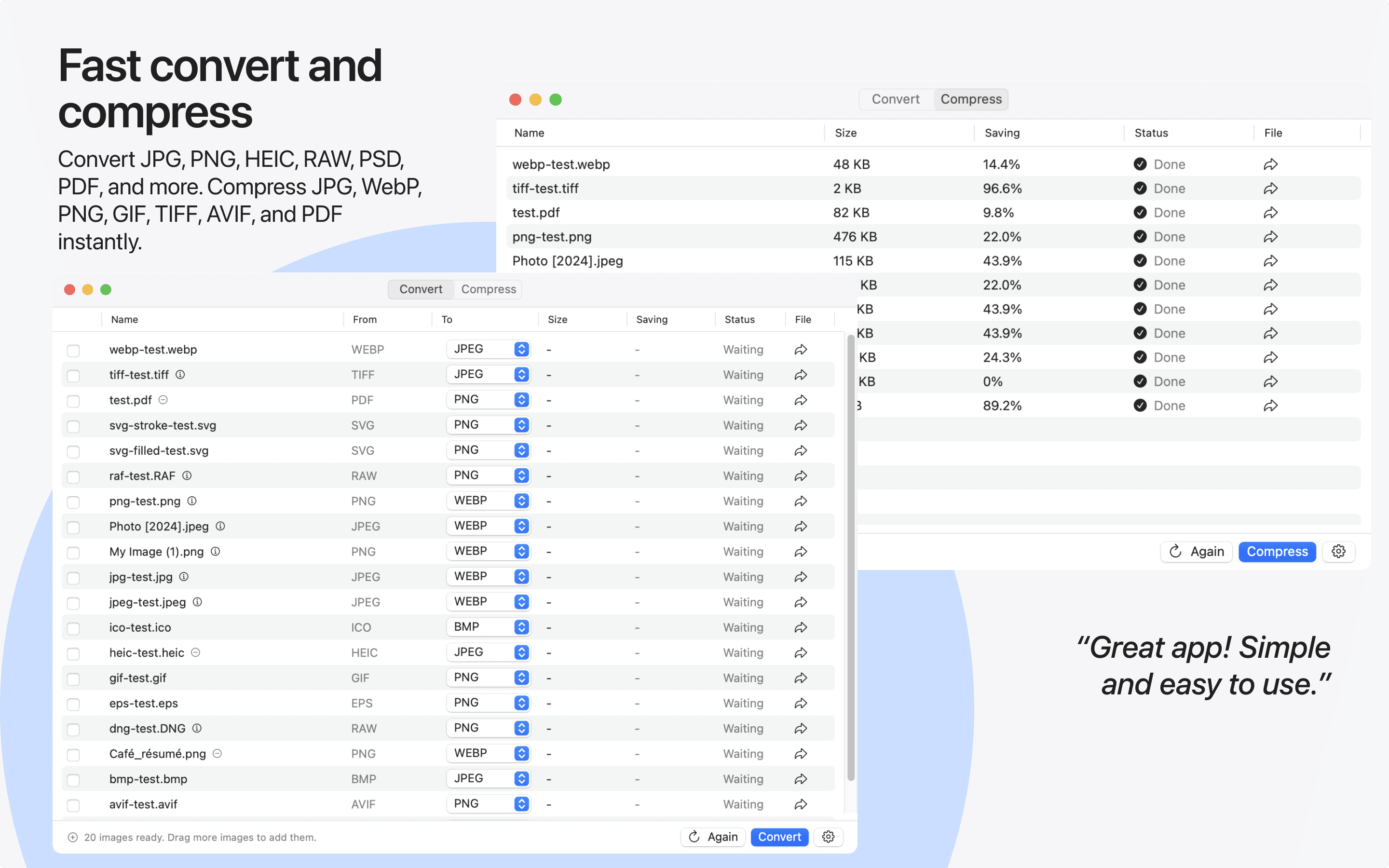
About this app
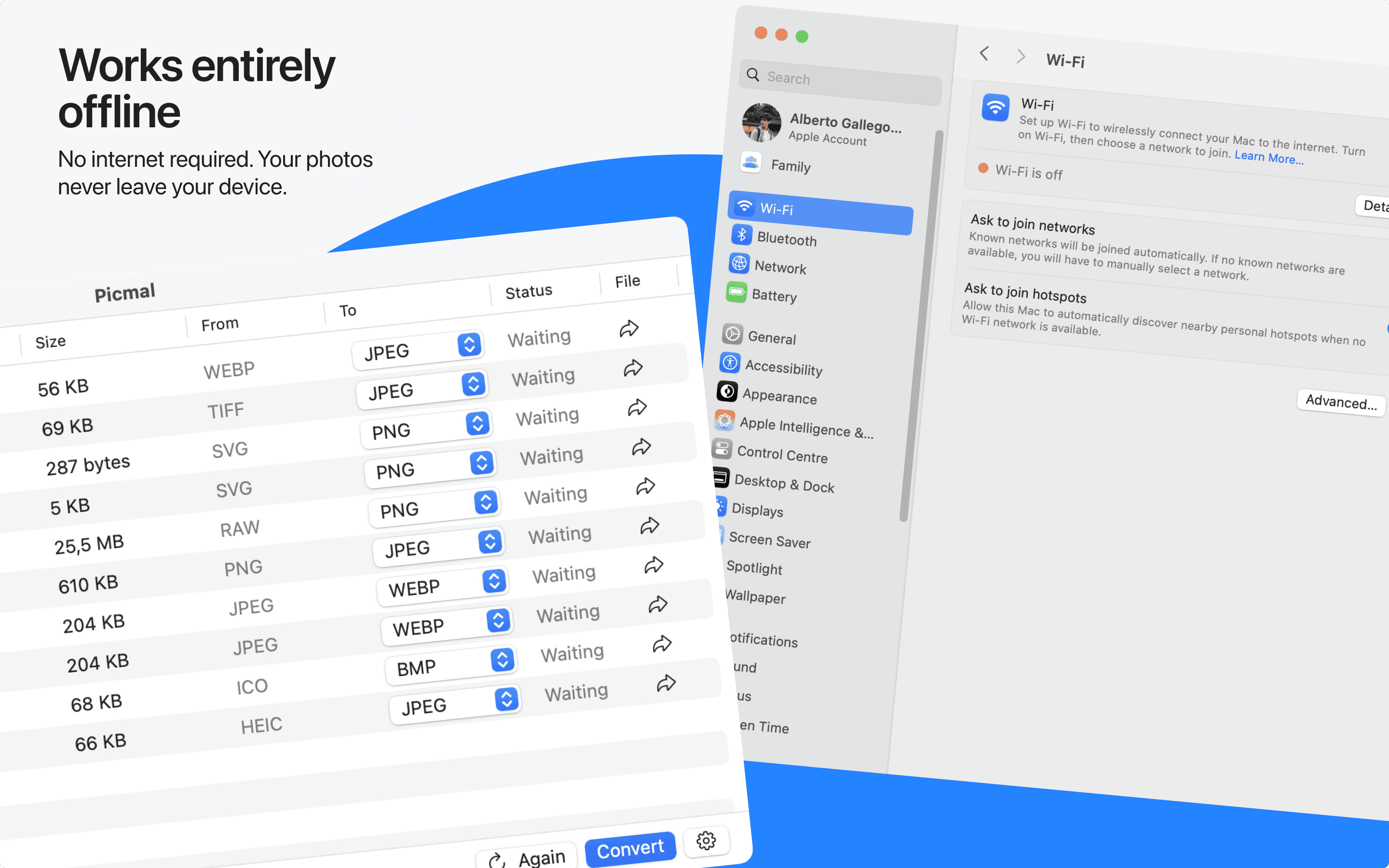
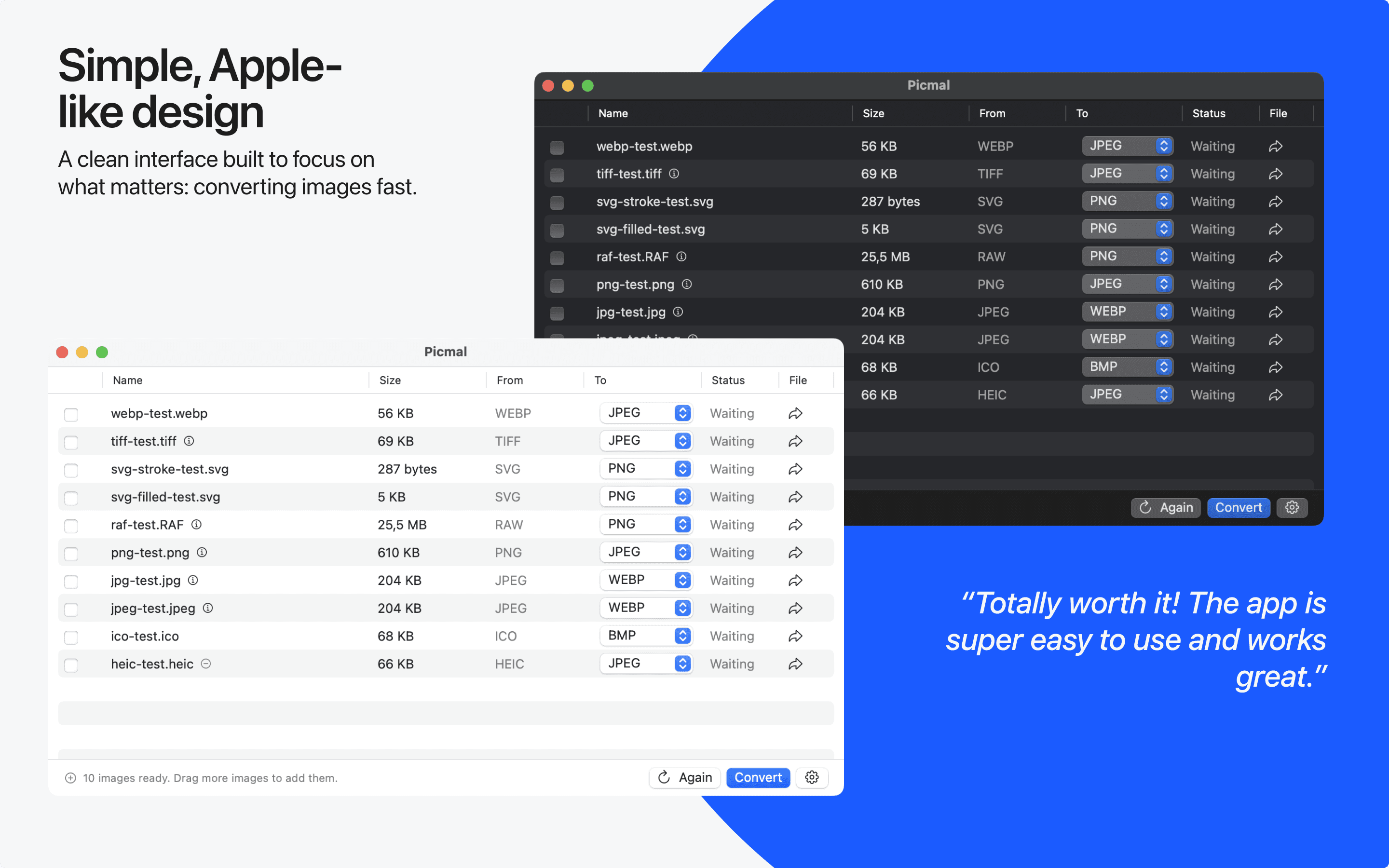
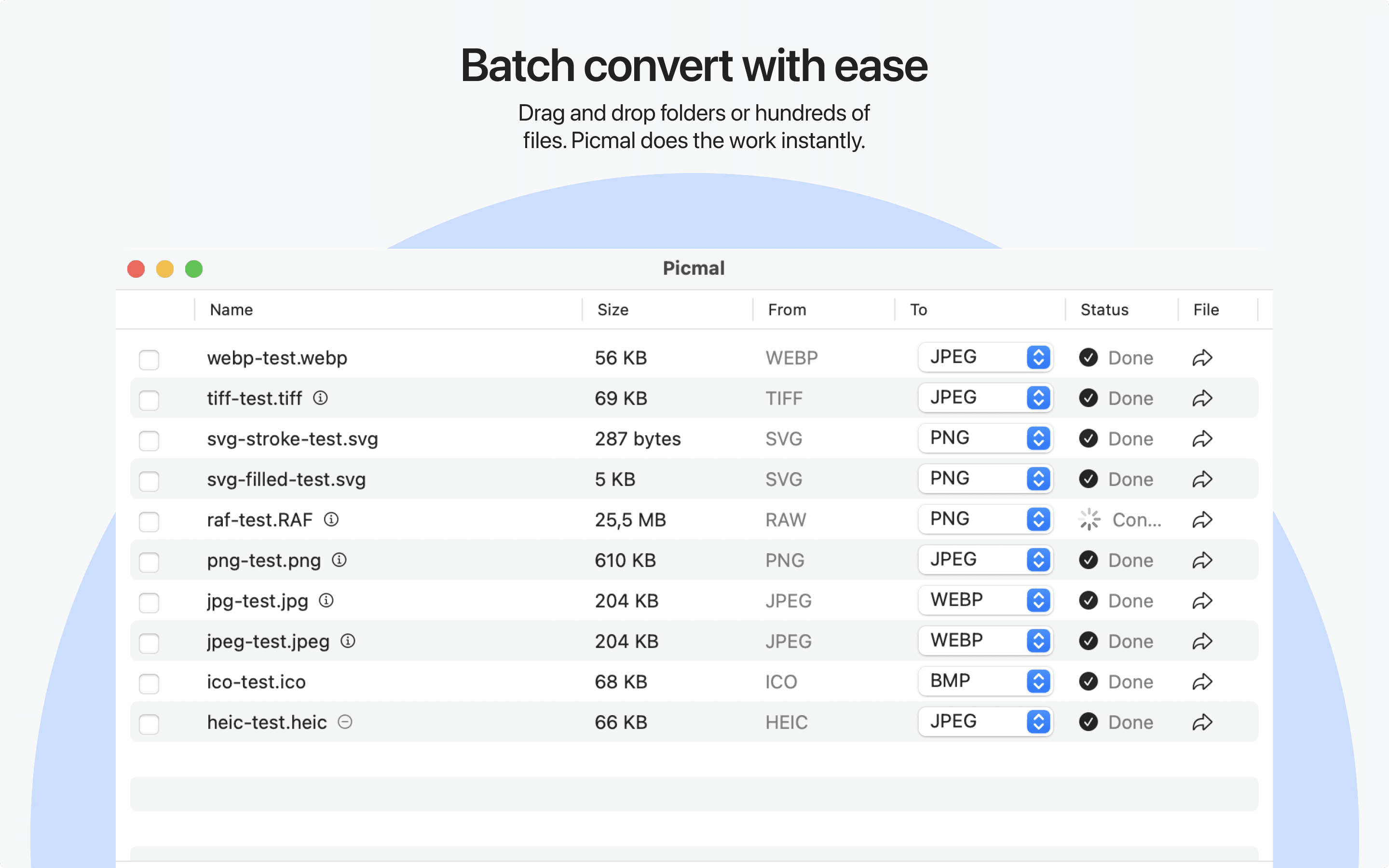
Picmal is a powerful, privacy-focused media conversion app designed exclusively for macOS, enabling users to convert and compress images, videos, and audio files in batches without an internet connection. Supporting over 100 formats, it reduces file sizes by up to 80% while maintaining quality, making it ideal for content creators, professionals, and everyday users who value efficiency and data security. With a one-time purchase model and a clean, native interface, Picmal simplifies media workflows and eliminates reliance on online tools.
Key features
- 1100% offline batch conversion and compression for 100+ image, video, audio, and PDF formats
- 2Native macOS integration with Finder Services, Shortcuts, drag-and-drop, and menu bar
- 3One-time purchase with frequent updates including vectorization and background removal
Target customer profile
Drawn from the product itself, not from a survey.
Demographic
Content Creators (Photographers, Videographers)
Pain points
Large file sizes slow down workflows, online converters compromise privacy, and batch processing is cumbersome.
Primary needs
Efficient batch conversion, high-quality compression, and offline operation for sensitive projects.
Demographic
Mac Power Users and Professionals
Pain points
Scattered tools for different media types, reliance on slow or insecure online services, and lack of integrated solutions.
Primary needs
All-in-one media handling, fast local processing, and seamless macOS integration.
Demographic
Everyday Users Managing Personal Media
Pain points
Difficulty sharing large files, confusion with format compatibility, and privacy concerns with cloud-based tools.
Primary needs
Simple drag-and-drop conversion, size reduction for storage/email, and user-friendly interface.
Scout Review
Written by AI from measured evidence, scored out of 100.
Picmal is a focused, privacy-first media conversion tool that excels at local batch processing on macOS. It stands out against online converters by keeping everything on-device while offering broad format support and regular feature additions. The one-time purchase model and native feel appeal directly to its target audience of content creators and professionals.
Measure by measure
Usability
72Strong native macOS integration, detailed docs covering every feature, simple defaults with advanced options, keyboard shortcuts, and drag-and-drop. Onboarding is immediate for Mac users.
Design
58Average native macOS aesthetic with consistent blue accents and window chrome, but hero mockup shows empty placeholder and demo screenshots suffer from overlapping system windows and dense repetitive tables.
Speed
85Perfect Lighthouse scores (100/100 mobile & desktop) with sub-1.3s metrics. All conversion and compression runs locally with no network calls or upload delays.
Security
78All major security headers present and verified. Fully offline local processing eliminates upload risks. No SOC 2 or external audits published.
Accessibility
80Lighthouse 100/100 with one minor label mismatch. Native macOS app benefits from system-level accessibility features and documented keyboard shortcuts.
Growth
421.1-year-old indie Mac app with very recent active development (v1.8.1 July 2026). Positive testimonials but limited visible traction metrics or community size.
Improvement areas
- Marketing screenshots need cleaner presentation without overlapping system windows
- Conversion table could benefit from better density controls for large batches
- More visible community or review aggregation beyond homepage quotes
Design & Usability
Picmal delivers a clean native macOS experience with consistent styling and strong system integration. The interface prioritizes simplicity while offering advanced controls when needed. Documentation is thorough and the drag-and-drop workflow is intuitive for Mac users. Minor visual issues in marketing screenshots slightly detract from the polished feel, but the app itself benefits from Apple's design language.
Speed & Security
Performance is excellent with perfect Lighthouse scores and fully local processing that eliminates network latency. Security is a core strength thanks to complete offline operation and robust HTTP headers. No third-party audits are published, but the architecture itself minimizes data exposure risks compared to cloud-based alternatives.
Accessibility & Growth
Accessibility scores highly on automated checks with only one minor issue noted. The native macOS foundation provides good platform-level support. Growth remains modest for a 1-year-old indie product, though frequent updates through mid-2026 and genuine user testimonials indicate steady momentum among Mac power users.
Conclusion
For Mac users tired of uploading files to sketchy websites, Picmal offers a reliable, fast, and private alternative that continues to improve through frequent updates.
Suggestions for improvement
- Replace hero mockup placeholder with actual app interface to improve first impression
- Reduce table column density or add collapsible views for better usability at scale
- Publish a basic security or privacy page to strengthen enterprise trust signals
Alternatives comparison
Named competitors, point by point. Nobody paid to appear here or to be left out.
 Picmal Picmal |  Adapter Adapter |  FFmpeg (Command-Line) FFmpeg (Command-Line) |  Online Converters (e.g., CloudConvert) Online Converters (e.g., CloudConvert) | |
|---|---|---|---|---|
| Offline / local processing | Yes - 100% on-device | Yes - desktop app | Yes - command line | No - requires upload |
| Native macOS GUI | Yes - polished native UI | Yes - cross-platform GUI | No - CLI only | Web only |
| Batch processing with compression | Yes - up to 80% size reduction | Basic batch support | Yes - scripting required | Yes - subscription for heavy use |
| Pricing model | One-time purchase | Free / paid tiers | Free open source | Freemium + subscriptions |
Adapter
A free, cross-platform converter that uses FFmpeg but may lack the polished macOS-native experience and optimized batch features of Picmal.
FFmpeg (Command-Line)
Powerful and free, but requires technical expertise for batch operations and lacks a graphical interface, making it less accessible for average users.
Online Converters (e.g., CloudConvert)
Convenient for occasional use but involve upload delays, privacy risks, and often subscription fees for batch processing.
Comparing options? See Picmal alternatives, scored side by side
More Design & Creativity apps
View all Design & Creativity
RoomCreator
92An AI-powered interior and exterior design tool that tran...

QRBliss
91Branded QR codes with AI Brand Sync, 15 free dynamic code...

ThumbnailMaker
90AI YouTube thumbnail maker: paste a video link, get the brief, the thumbnail, and a check at feed size.

English Test Coach
89English Test Coach checks your IELTS essays and letters, gives an estimated band score across all four criteria, and tells you exactly what to revise next.

All of Us
89Add deceased loved ones to photos with AI and see free pr...

Tracé slides
89Interactive math & physics slides with live graphs and an...

FontPlop
89Browser-based font viewer & tester for TTF, OTF, WOFF, WO...

What the GIF
89Frame-perfect video-to-GIF maker that runs entirely in yo...

Portrait Gift
88AI-powered personalized face swap art platform creating c...

TranscriptYou
88Free YouTube transcript generator with timestamps and AI ...

BeartIMAGE
88BeartIMAGE is a free, web-based image processing platform engineered for fast, bulk photo editing and conversion directly in your browser.

RestorePhotosApp
88An AI-powered photo restoration app that brings old, blur...


A platform dedicated to providing unbiased reviews of newly launched applications, analyzing everything from their features to their full potential.
info@scoutforge.net© 2026 Scoutforge. All rights reserved.
