

A platform dedicated to providing unbiased reviews of newly launched applications, analyzing everything from their features to their full potential.
info@scoutforge.net© 2026 Scoutforge. All rights reserved.
A platform dedicated to providing unbiased reviews of newly launched applications, analyzing everything from their features to their full potential.
info@scoutforge.net© 2026 Scoutforge. All rights reserved.
A platform dedicated to providing unbiased reviews of newly launched applications, analyzing everything from their features to their full potential.
info@scoutforge.net© 2026 Scoutforge. All rights reserved.
Is this your app?
Claim SimpleDraw to manage its page, add your badge and see your traffic — free, and it stays free.
Cycling through all six. Tap any point to stop.
Measured on six things
A free, web-based tool for creating precise scale drawings and floor plans directly in your browser without registration or installation.
Basic local storage with no sign-up minimizes data risks, but lacks cloud encryption or backup security features.
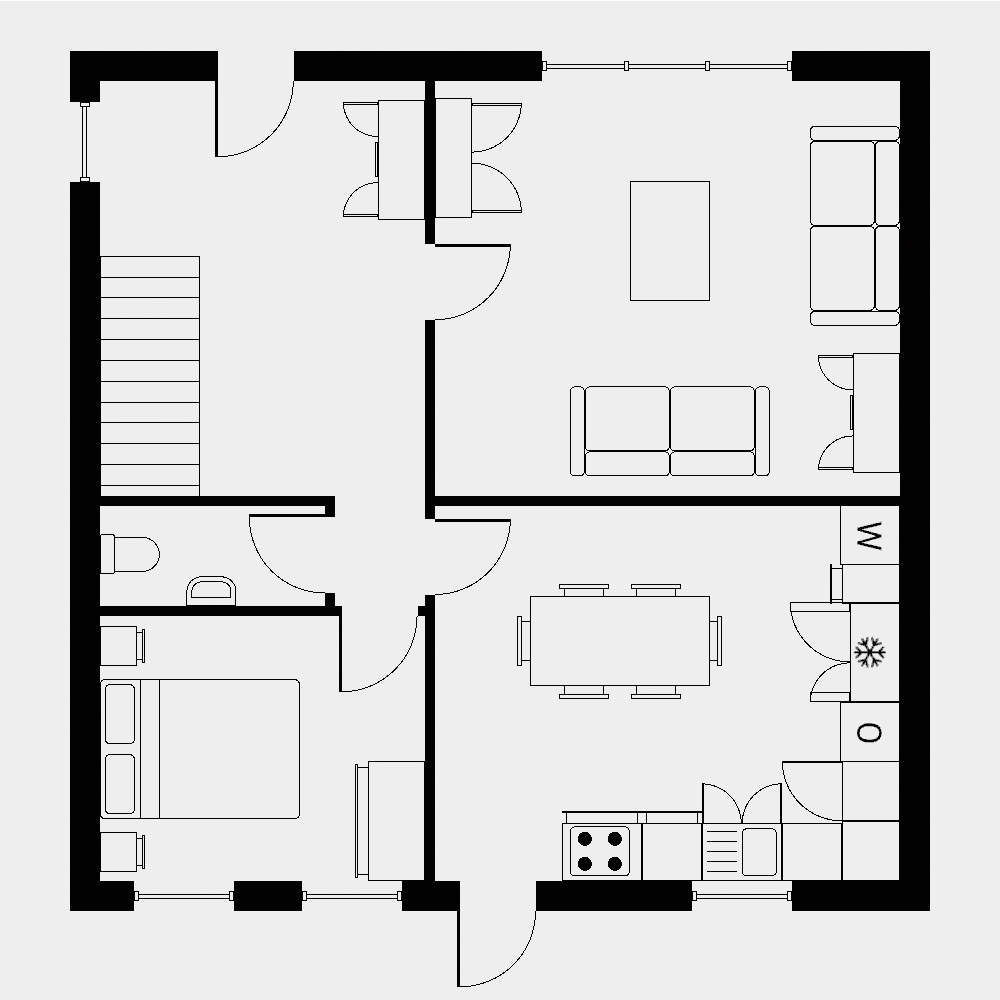
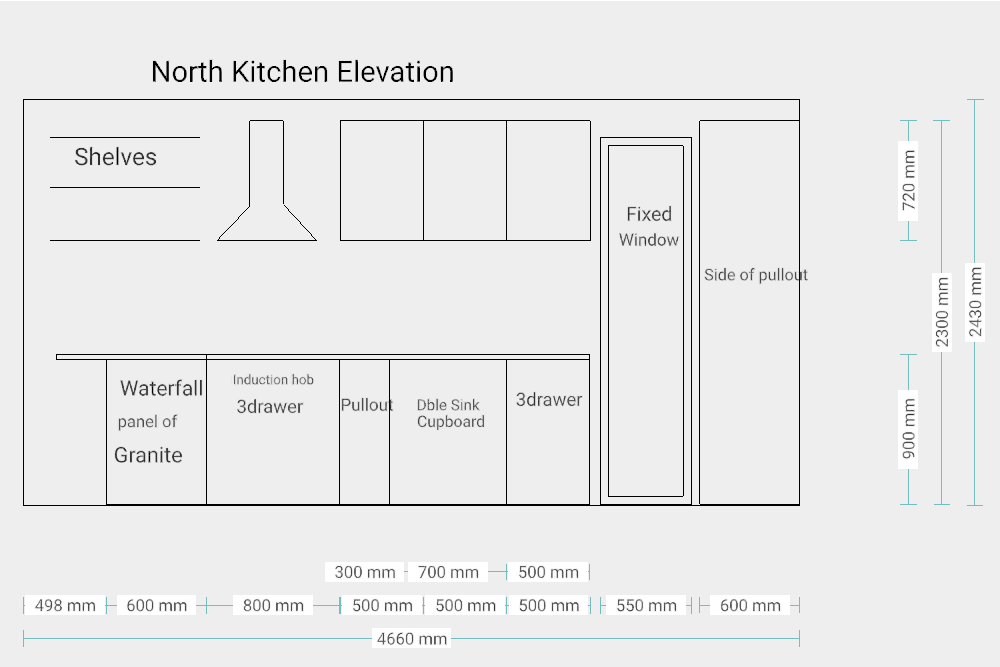
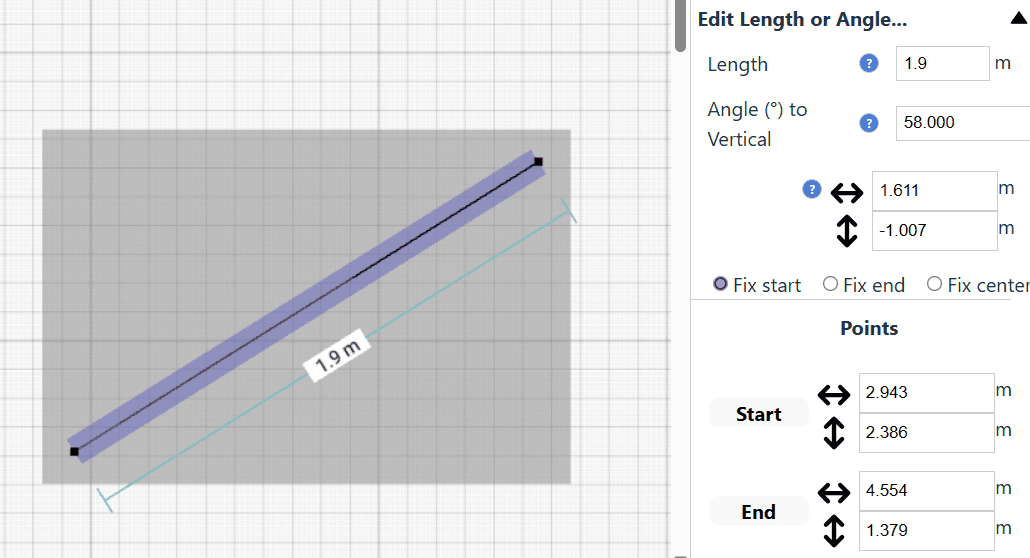
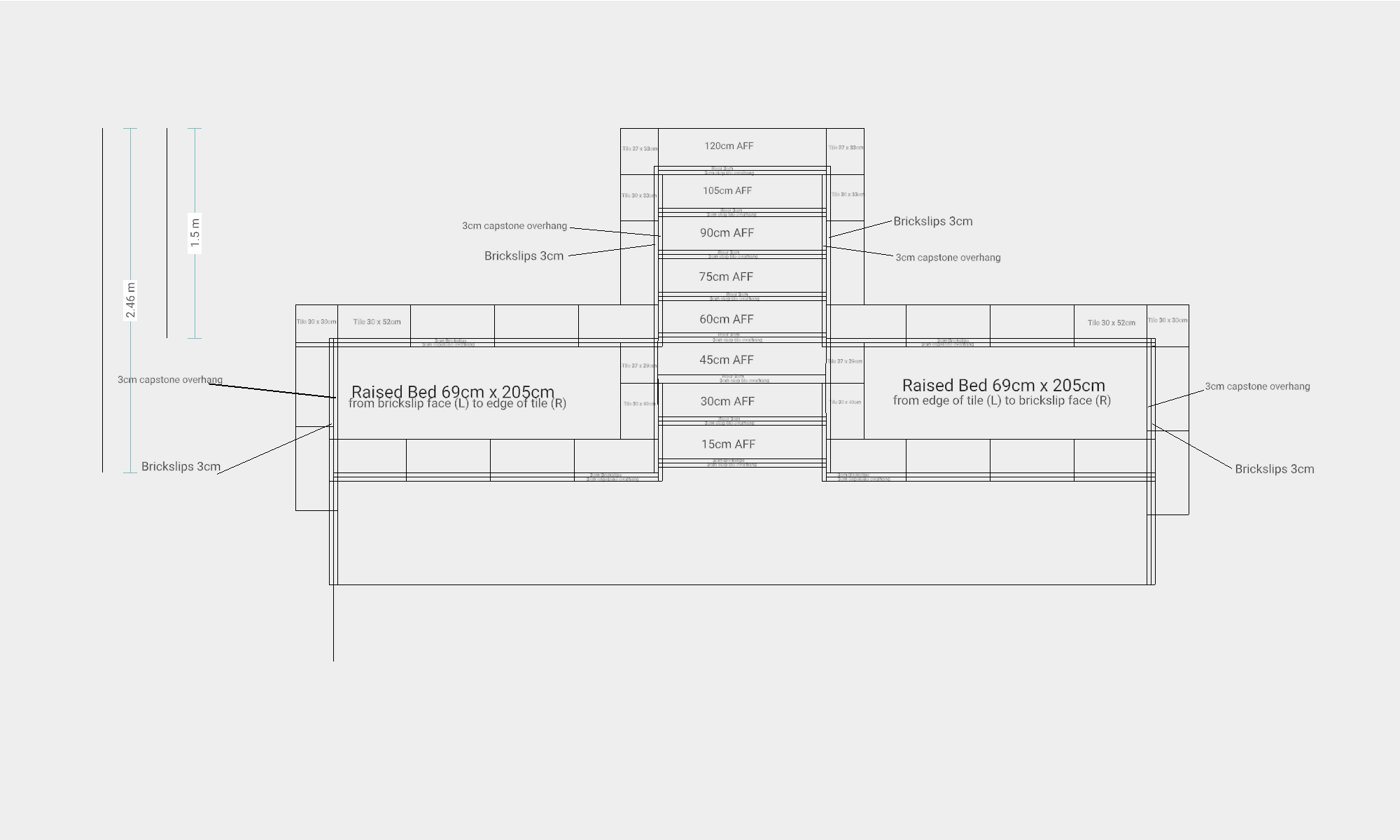
As someone who's tackled home DIY projects, I've always wished for a straightforward way to sketch room layouts without dealing with complex software. SimpleDraw delivers exactly that—an intuitive online tool for creating accurate scale drawings. Its dedicated Floor Plan Mode makes it easy to add walls, doors, and windows, while features like smart alignment and keyboard input for measurements ensure precision. What stands out is its no-fuss approach: you can start designing immediately without signing up, and the flexible zoom and undo/redo functions make editing seamless. It's ideal for casual users like homeowners or interior designers who need a quick, reliable solution for planning spaces. The interface is clean and minimal, with a focused toolbar that prioritizes essential elements, and performance is impressive, loading quickly and responding promptly even on slower connections. While it lacks advanced features like cloud saving or accessibility options, its free, accessible nature makes it a fantastic choice for beginners and professionals alike looking for a hassle-free tool for renovations, DIY projects, or quick designs.
Drawn from the product itself, not from a survey.
Demographic
Homeowners planning renovations
Pain points
Complexity of professional CAD tools, high costs, time-consuming manual sketches
Primary needs
Easy-to-use tool for accurate floor plan creation and measurement input
Demographic
Interior designers and architects
Pain points
Need for rapid client sketches, limited portability of design tools
Primary needs
Web-based, fast design application for preliminary layouts and revisions
Demographic
DIY enthusiasts and hobbyists
Pain points
Lack of technical skills for advanced software, budget limitations
Primary needs
Free, simple tool for project planning and visualizations
Written by AI from measured evidence, scored out of 100.
SimpleDraw excels at its core mission: providing a straightforward, no-fuss tool for creating accurate scale drawings and floor plans. It strikes an excellent balance between simplicity and functionality, offering just enough features to be useful without overwhelming beginners. The instant access without registration removes typical barriers to entry, while the responsive performance ensures a smooth creative process. While it lacks advanced security and comprehensive accessibility features, these trade-offs are reasonable given its free, lightweight nature.
Excellent UX with keyboard measurement input, intuitive zoom controls, and seamless undo/redo functions that encourage experimentation.
Clean, minimal interface with focused toolbar and smart alignment system that automatically snaps objects into place for precision.
Fast loading and responsive performance with no noticeable lag, running smoothly even on slower internet connections.
Basic local storage with no sign-up minimizes data risks, but lacks cloud encryption or backup security features.
Supports metric and US units with keyboard inputs, but lacks screen reader compatibility or high-contrast modes for diverse needs.
Strong potential with planned feature expansions and growing demand for simple, web-based design tools among DIY users.
SimpleDraw's interface immediately impresses with its clean, minimalist approach that eliminates the clutter found in many professional CAD tools. The focused toolbar prioritizes essential elements like walls, doors, and windows, making navigation intuitive even for first-time users. The smart alignment system automatically snaps objects into place, significantly reducing errors while saving valuable time. Zoom controls feel natural and responsive, allowing seamless transitions from overview perspectives to detailed editing. Non-destructive editing with robust undo and redo functions encourages experimentation without fear of permanent mistakes. Direct keyboard input for measurements and angles elevates the experience, providing professional-grade precision without overwhelming complexity.
Performance-wise, SimpleDraw delivers impressive speed with quick loading times and responsive interactions that show no noticeable lag during testing. The lightweight architecture ensures smooth operation even on slower internet connections, making it accessible to users with varying bandwidth. From a security perspective, the app's no-sign-up approach and local storage minimize data privacy risks since your drawings never leave your device. However, this simplicity comes at the cost of advanced security features - there's no cloud encryption, backup protection, or collaborative security measures. For individual users creating personal projects, the security level is adequate, but professionals handling client data might want additional safeguards.
Accessibility features include support for both metric and US measurement units, accommodating international users effectively. The keyboard input system benefits those who prefer typing over mouse navigation, but the app lacks more comprehensive accessibility options like screen reader compatibility, high-contrast modes, or voice control integration. Growth potential appears strong given the increasing demand for web-based design tools among homeowners and DIY enthusiasts. The foundation supports easy expansion into additional fixtures, collaboration features, and export options. The market positioning as a free, no-registration alternative to complex paid software gives SimpleDraw significant room to capture users frustrated with overcomplicated competitors.
Conclusion
If you're a homeowner planning renovations, an interior designer needing quick client sketches, or a DIY enthusiast tackling weekend projects, SimpleDraw delivers exactly what you need without the complexity of professional software. Its free access and intuitive design make it perfect for spontaneous planning sessions and preliminary layouts. For anyone tired of wrestling with overcomplicated CAD tools or manual sketching, this web-based solution offers a refreshingly straightforward alternative. Give it a try if you want to transform your space planning from frustrating to frictionless.
Named competitors, point by point. Nobody paid to appear here or to be left out.
 SimpleDraw SimpleDraw |  SmartDraw SmartDraw |  Planner 5D Planner 5D |  Floor Plan Creator Floor Plan Creator | |
|---|---|---|---|---|
| Registration Required | No registration | Registration required | Registration required | Registration required |
| Pricing Model | Completely free | Freemium with paid plans | Freemium with paid plans | Freemium with paid plans |
| Learning Curve | Very low - beginner friendly | Moderate - some learning required | Moderate - can overwhelm beginners | Low - relatively simple |
| 3D Capabilities | 2D only | 2D and 3D | 2D and 3D | 2D only |
SmartDraw
Offers comprehensive CAD features and templates but often requires payment and has a steeper learning curve.
Planner 5D
Provides 2D and 3D floor plan creation with a free tier, though its interface can be overwhelming for beginners.
Floor Plan Creator
A similar web-based tool, but SimpleDraw emphasizes simplicity and requires no account creation.
Comparing options? See SimpleDraw alternatives, scored side by side

An AI-powered interior and exterior design tool that tran...

Frame-perfect video-to-GIF maker that runs entirely in yo...

BeartIMAGE is a free, web-based image processing platform engineered for fast, bulk photo editing and conversion directly in your browser.

A free online AI-powered tool that instantly converts ima...

AI-powered personalized face swap art platform creating c...

macOS app for App Store screenshots: 3D mockups, auto-tra...

An AI-powered photo restoration app that brings old, blur...

A massive collection of free printable coloring pages for...

Design And Animate QR Codes People Want to Scan

AI face swap for photos, videos, GIFs with free trial.

Try on a tattoo on your own body photo before you book.

Private, local-first image texture workbench.
A platform dedicated to providing unbiased reviews of newly launched applications, analyzing everything from their features to their full potential.
info@scoutforge.net© 2026 Scoutforge. All rights reserved.
