

A platform dedicated to providing unbiased reviews of newly launched applications, analyzing everything from their features to their full potential.
info@scoutforge.net© 2026 Scoutforge. All rights reserved.
A platform dedicated to providing unbiased reviews of newly launched applications, analyzing everything from their features to their full potential.
info@scoutforge.net© 2026 Scoutforge. All rights reserved.
A platform dedicated to providing unbiased reviews of newly launched applications, analyzing everything from their features to their full potential.
info@scoutforge.net© 2026 Scoutforge. All rights reserved.
Cycling through all six. Tap any point to stop.
Measured on six things
A free online image optimization and conversion tool that supports multiple formats like PNG, JPG, WebP, GIF, AVIF, BMP, and PDF, helping users resize images, reduce file sizes, and boost website performance without downloads.
Limited features for users with disabilities; no evident support for screen readers, keyboard navigation, or multilingual interfaces.
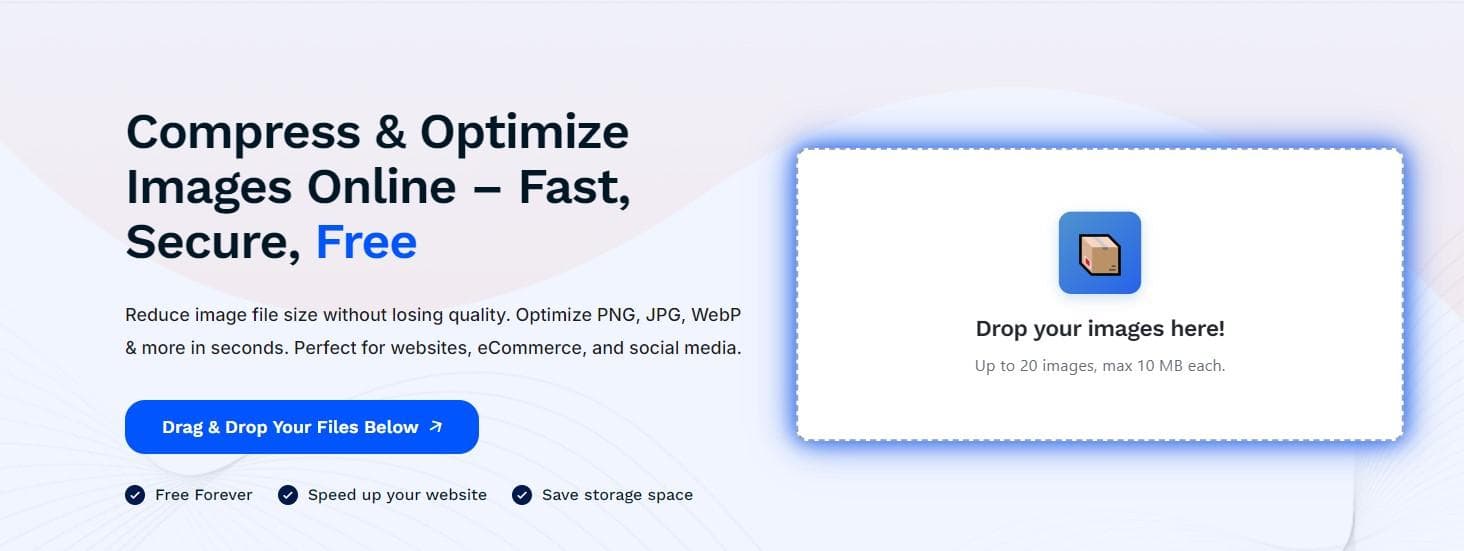
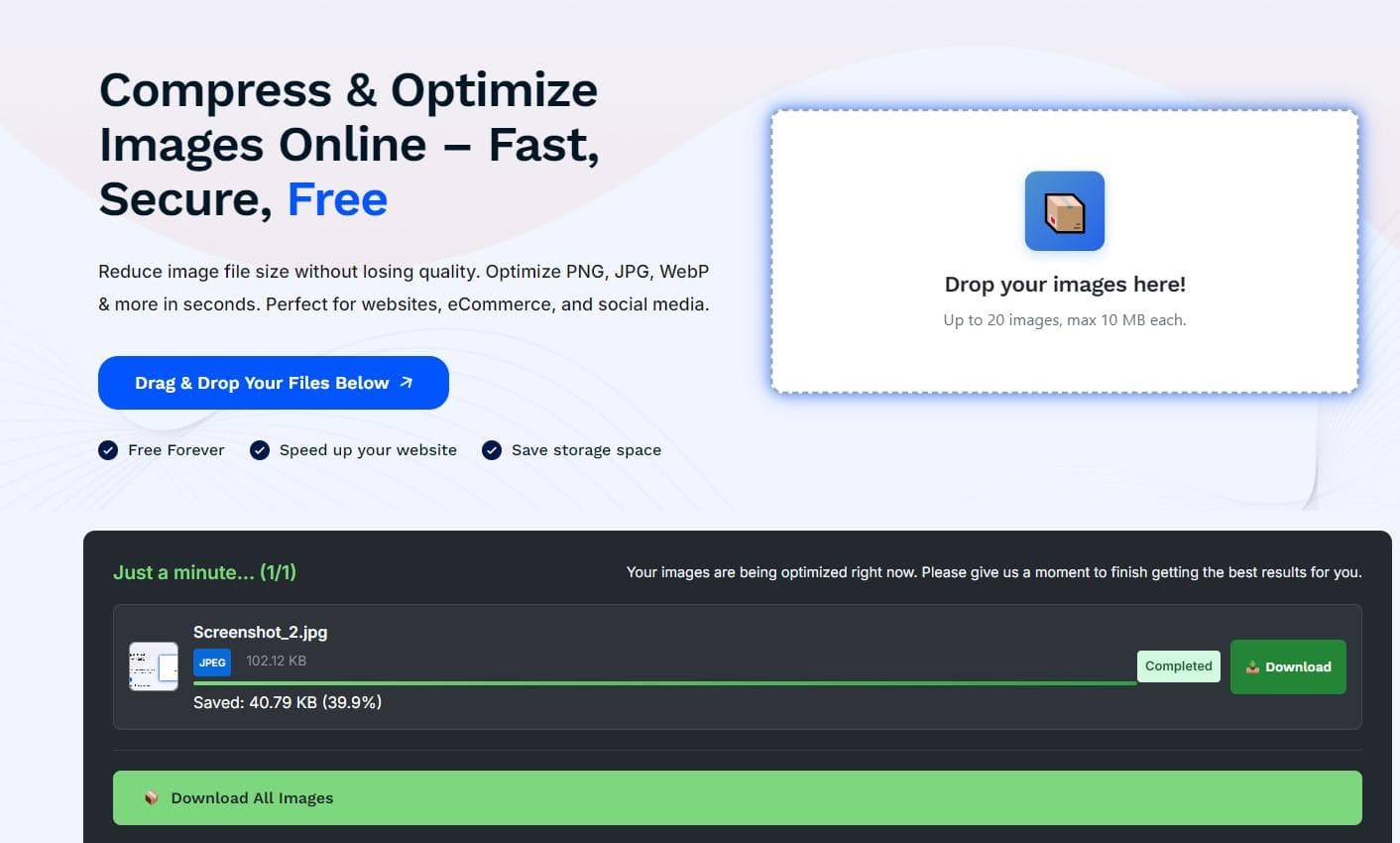
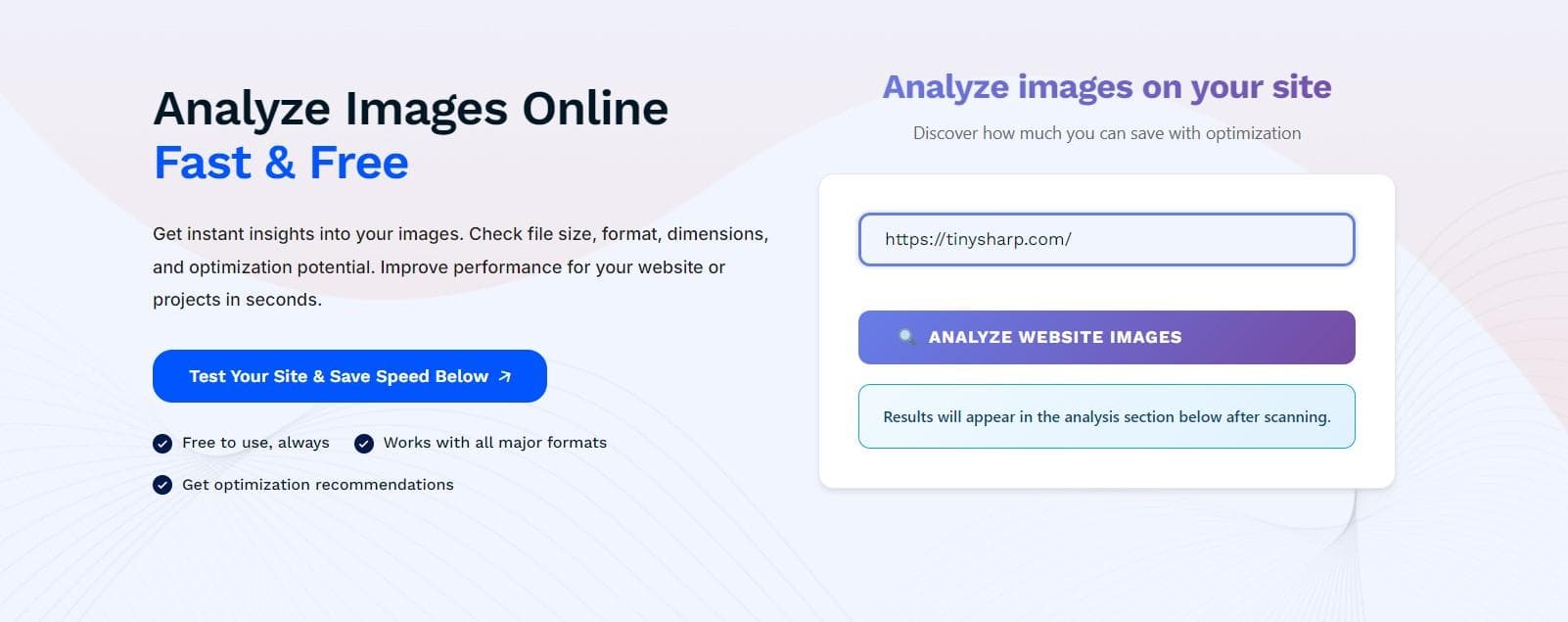
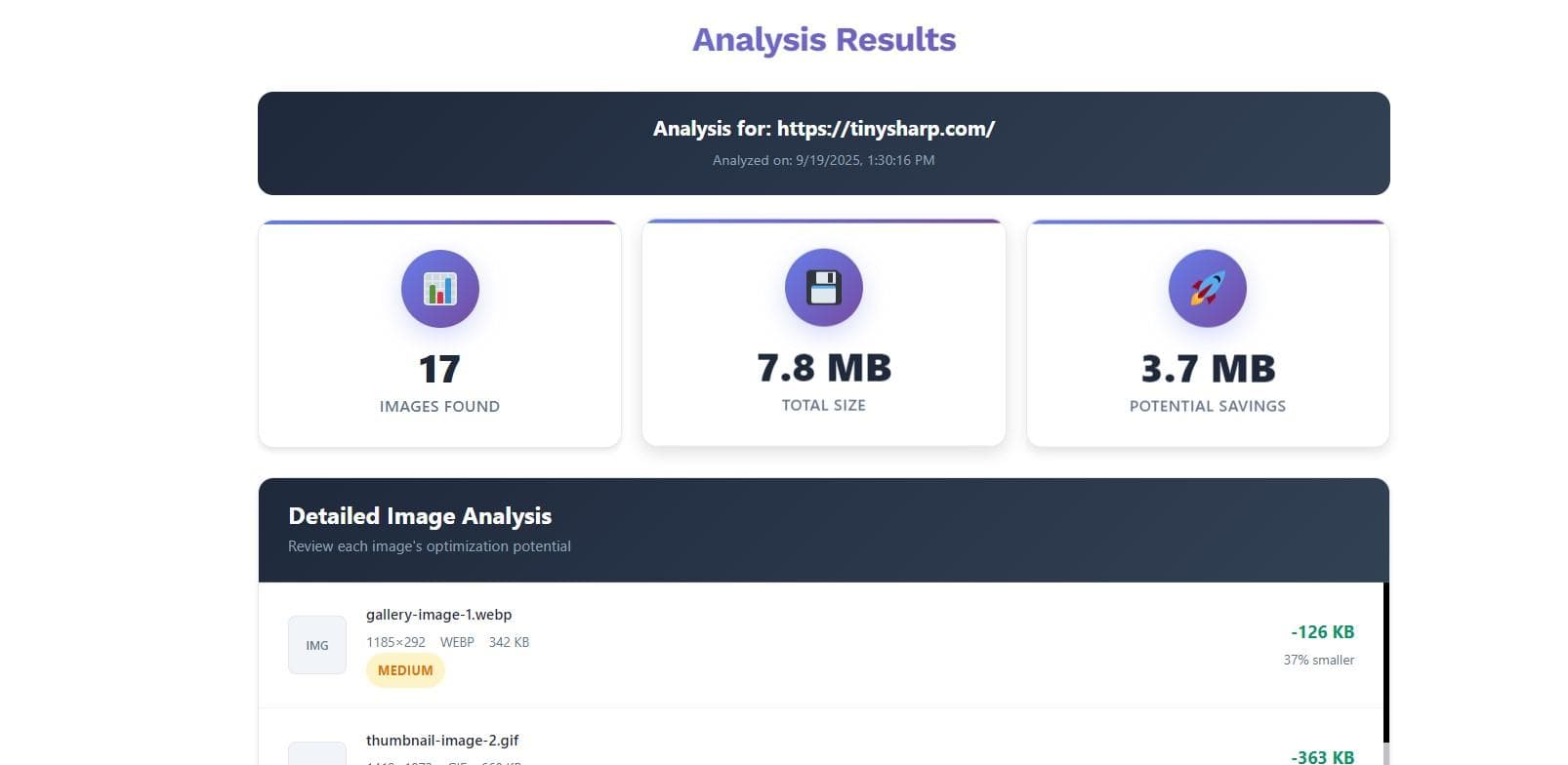
As a tech enthusiast who frequently handles web assets, I find TinySharp to be a straightforward and efficient tool for converting and optimizing images. It's perfect for anyone needing quick format changes or size reductions, whether for personal blogs or business websites. Key features include resizing images by specific file sizes (in KB), an image analyzer for insights, and an API for developers. The service is free forever and trusted by over 5,000 businesses and creators globally, making it a reliable choice for routine tasks. It excels in usability and speed, with a clean, minimalist interface that emphasizes drag-and-drop functionality, though it could improve in security transparency and accessibility. Overall, TinySharp is ideal for web developers, content creators, and small business owners looking to enhance their digital presence with optimized images.
Drawn from the product itself, not from a survey.
Demographic
Web developers and designers
Pain points
Large image files slowing down website load times, compatibility issues across formats
Primary needs
Fast conversion to WebP/AVIF, bulk optimization, and easy integration via API
Demographic
Content creators and bloggers
Pain points
Time-consuming manual resizing, limited free tools for multiple formats
Primary needs
User-friendly interface, free access, and support for PDF conversions
Demographic
Small business owners
Pain points
High storage costs, need for professional-looking images without technical expertise
Primary needs
Quick optimization for marketing materials, no software installation required
Written by AI from measured evidence, scored out of 100.
TinySharp excels as a straightforward, no-cost solution for everyday image optimization tasks. Its strongest assets are the lightning-fast conversion speeds and incredibly intuitive user experience that requires zero learning curve. While it may lack the advanced features of premium tools, it perfectly serves the core needs of web developers, content creators, and small business owners who need quick format changes and size reductions. The clean interface and reliable performance make it a trustworthy workhorse for routine image management.
Extremely intuitive with simple drag-and-drop interface; users can convert files in just a few clicks without any learning curve required.
Clean, minimalist interface with functional drag-and-drop functionality, though lacks modern visual enhancements and engaging feedback during processing.
Conversions are rapid with minimal lag, ideal for batch processing and time-sensitive optimization tasks as advertised.
Basic HTTPS encryption is used, but absence of detailed privacy policies or explicit data retention info raises concerns for sensitive usage.
Limited features for users with disabilities; no evident support for screen readers, keyboard navigation, or multilingual interfaces.
Strong potential with API support and focus on emerging formats like AVIF, positioned well in competitive image optimization market.
TinySharp's interface embraces a no-frills, functional approach that prioritizes ease of use over visual flair. The clean white and blue color scheme creates a distraction-free environment where the drag-and-drop upload area takes center stage. Navigation follows a logical three-step process: upload, choose settings, convert. While the minimalist design avoids overwhelming users with unnecessary options, it could benefit from more engaging visual feedback during file processing. The true strength lies in the UX - even complete beginners can optimize images within seconds without any tutorials or guidance needed. The straightforward workflow makes it ideal for quick conversions when you just need to get the job done without fuss.
Performance is where TinySharp truly delivers on its promises. Image conversions happen almost instantaneously, with typical operations completing in seconds rather than minutes. This speed makes it perfect for batch processing multiple images or when you're working against tight deadlines. Security-wise, the tool employs standard HTTPS encryption for file transfers, which provides basic protection during upload and download. However, the lack of prominently displayed privacy policies and clear data retention information leaves some questions unanswered. While most free online tools operate on similar principles, users handling sensitive or proprietary images might want more transparency about how their files are processed and stored temporarily.
Accessibility remains TinySharp's most significant area for improvement. The interface relies heavily on visual cues with limited support for screen readers or keyboard-only navigation. There's no evident multilingual support, which could limit its global appeal. However, the growth potential is substantial thanks to its API offering and support for modern formats like AVIF and WebP. Being completely free forever gives it a competitive edge in a market where many tools eventually introduce pricing tiers. The focus on developer integration through APIs positions it well for future expansion into automated workflows and bulk processing solutions that could appeal to larger organizations.
Conclusion
If you're tired of bloated image editors and just need a reliable tool to quickly optimize your website assets, TinySharp delivers exactly what it promises. The free-forever model combined with support for modern formats makes it particularly appealing for budget-conscious users and developers. For anyone dealing with routine image conversions who values speed and simplicity over advanced features, this tool is definitely worth bookmarking. Give TinySharp a try next time you need to compress images for better web performance - it might just become your new favorite utility.
Named competitors, point by point. Nobody paid to appear here or to be left out.
 TinySharp TinySharp |  TinyPNG/TinyJPG TinyPNG/TinyJPG |  FreeConvert.com FreeConvert.com |  Adobe Express Image Converter Adobe Express Image Converter | |
|---|---|---|---|---|
| Supported Image Formats | PNG, JPG, WebP, GIF, AVIF, BMP, PDF | PNG, JPEG only | All major formats plus documents, video, audio | Major image formats with editing capabilities |
| Pricing Model | Completely free forever | Free with paid API for high volume | Freemium with paid upgrades | Freemium within Adobe ecosystem |
| Specialization Focus | Pure image optimization and conversion | PNG/JPEG compression intelligence | Broad file conversion across categories | Integrated creative suite features |
TinyPNG/TinyJPG
Focuses primarily on PNG and JPEG compression with intelligent optimization, but TinySharp supports a wider range of formats like AVIF and PDF conversion.
FreeConvert.com
Offers broad file conversion capabilities beyond images, but TinySharp provides a more specialized, fast experience for image-specific tasks.
Adobe Express Image Converter
Part of a larger creative suite with advanced editing features, whereas TinySharp is purely a conversion and optimization tool with a free, no-frills approach.
Comparing options? See TinySharp alternatives, scored side by side

An AI-powered interior and exterior design tool that tran...

Frame-perfect video-to-GIF maker that runs entirely in yo...

BeartIMAGE is a free, web-based image processing platform engineered for fast, bulk photo editing and conversion directly in your browser.

A free online AI-powered tool that instantly converts ima...

AI-powered personalized face swap art platform creating c...

macOS app for App Store screenshots: 3D mockups, auto-tra...

An AI-powered photo restoration app that brings old, blur...

A massive collection of free printable coloring pages for...

Design And Animate QR Codes People Want to Scan

AI face swap for photos, videos, GIFs with free trial.

Try on a tattoo on your own body photo before you book.

Private, local-first image texture workbench.
A platform dedicated to providing unbiased reviews of newly launched applications, analyzing everything from their features to their full potential.
info@scoutforge.net© 2026 Scoutforge. All rights reserved.
