Cycling through all six. Tap any point to stop.
Measured on six things
Free, private Open Graph image generator with no signup o...
Growth
62Real problem, clear differentiator (privacy, no signup), but crowded market. Wedge is narrow; needs to prove it can win against Canva's ecosystem.
Screenshots
1 / 1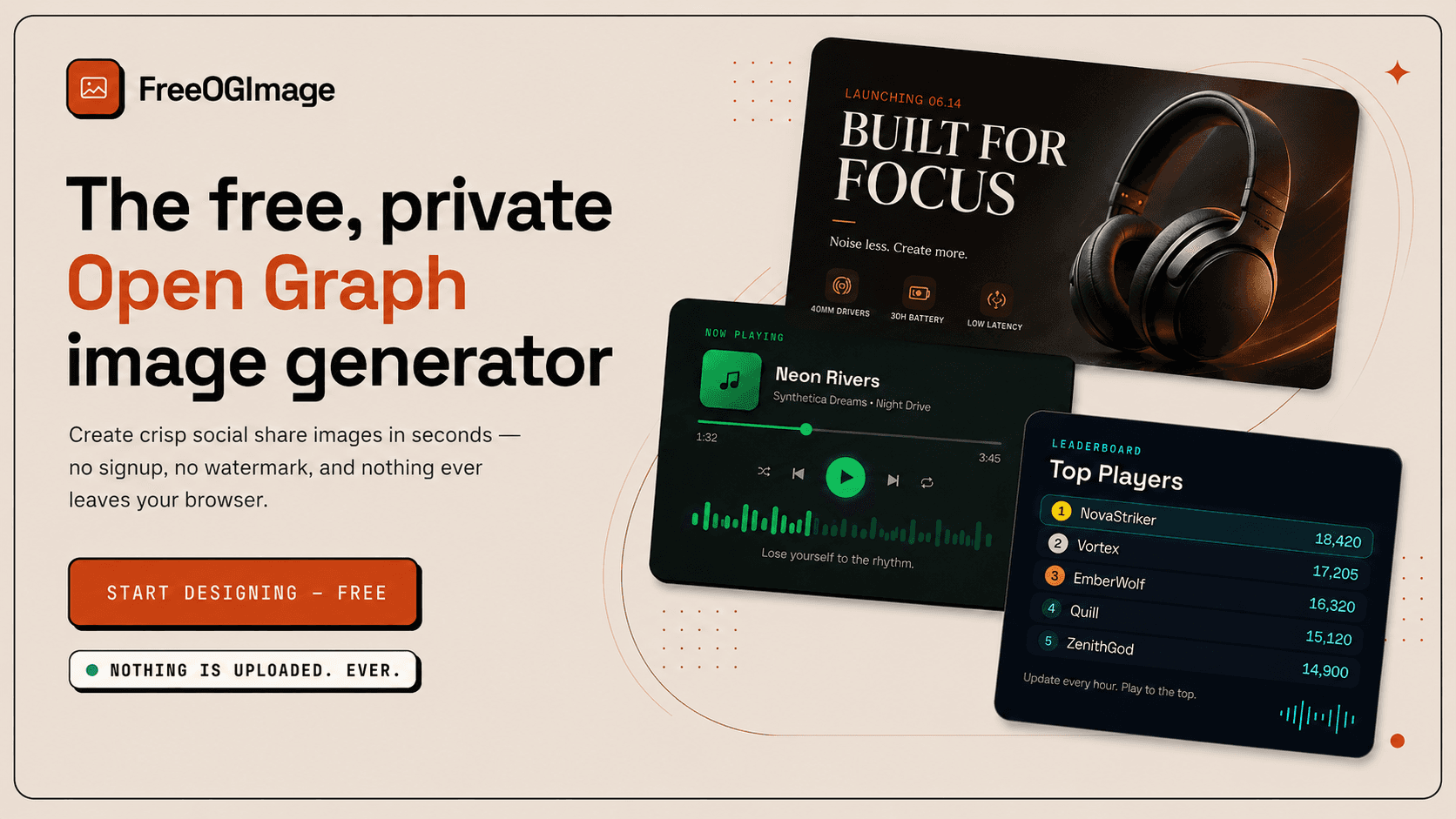
About this app
FreeOGImage is a browser-based tool that lets you create beautiful Open Graph and social share images quickly and easily. It offers hundreds of designer-made templates across various categories like product launches, SaaS, developer, social, editorial, and more. The key differentiator is its privacy-first approach: everything is processed locally in your browser, so your content is never uploaded to a server. You can customize text, colors, backgrounds, and logos, and export crisp PNGs at 2x resolution for platforms like Facebook, X, LinkedIn, and Square. There's no signup, no watermark, and it's free forever. Perfect for marketers, developers, and content creators who want to enhance their link previews and social media presence without compromising privacy or spending a dime.
Key features
- 1Privacy-first: all processing in browser, no uploads, no backend.
- 2224 designer-made templates across product, social, dev, gaming, editorial.
- 3No signup, no watermark, free forever; export 2x PNGs for multiple platforms.
Target customer profile
Drawn from the product itself, not from a survey.
Demographic
Marketers and social media managers
Pain points
Need consistent, on-brand images for social posts but lack design skills or time; tired of complex design tools or expensive subscriptions.
Primary needs
Quick, easy template-based design; brand customization; export for multiple platforms; no cost.
Demographic
Developers and founders
Pain points
Need to quickly generate Open Graph images for websites or apps without designing from scratch; concerned about uploading sensitive content to cloud services.
Primary needs
Local processing for privacy; developer-friendly templates; API access for automation; no signup friction.
Demographic
Content creators and bloggers
Pain points
Struggle to make eye-catching share images for blog posts or videos; want to maintain a unique visual identity without paying for premium tools.
Primary needs
Variety of templates; easy customization; high-resolution downloads; free to use.
Scout Review
Written by AI from measured evidence, scored out of 100.
FreeOGImage is a well-executed, privacy-first tool for creating Open Graph images. Its design is polished, usability is frictionless, and security is a standout with no backend and strong headers. Speed is good on desktop but sluggish on mobile. Accessibility is solid, though not perfect. Growth potential is real but limited by stiff competition. For marketers, developers, and creators who value privacy and simplicity, it's a compelling free option. The lack of signup and watermark is a refreshing change. Overall, a strong entry in the OG image space, with room to grow.
Measure by measure
Usability
72Clear CTA, platform labels, and template grid make starting easy. No signup and local processing reduce friction. Docs and guide present but not deep.
Design
70Polished, consistent branding with orange accent; template grid showcases variety. Flat beige hero and thin card borders slightly reduce visual impact.
Speed
68Desktop performance excellent (98), mobile decent (77) but LCP 6.1s is slow. CLS and TBT are fine. No lag complaints found.
Security
75Strong security headers (11/12 checklist), HTTPS enforced, no backend by design. DMARC missing, no SOC 2 or audits published — typical for a new tool.
Accessibility
78Lighthouse 96/100 with two minor failing audits. No explicit WCAG statement, but strong automated score and keyboard-navigable site. Multi-language not offered.
Growth
62Real problem, clear differentiator (privacy, no signup), but crowded market. Wedge is narrow; needs to prove it can win against Canva's ecosystem.
Improvement areas
- Mobile performance: LCP 6.1s needs optimization.
- Accessibility: fix two failing audits and add a WCAG statement.
- Template library: expand beyond 224 to compete with Canva's scale.
Design & Usability
FreeOGImage presents a clean, focused design with a consistent orange accent that ties the logo, headline, and CTA together. The template grid is a strong visual hook, showing output variety immediately. Usability is straightforward: a prominent 'Start Designing' CTA, platform labels for context, and a template-first flow. The flat beige hero and thin card borders are minor visual flaws. The three-step guide is helpful, though documentation is thin. Overall, it's a competent, user-friendly tool that gets you from idea to PNG in under a minute, with no signup friction.
Speed & Security
Performance is a mixed bag: desktop scores 98/100, but mobile lags at 77 with a 6.1s LCP — a real issue for on-the-go users. Security is a strong point: HTTPS enforced, HSTS, CSP, and a full suite of headers, plus a privacy-first architecture with no backend. The absence of DMARC and lack of published audits are minor gaps, but for a tool that processes everything locally, the security posture is solid. No user complaints about speed or security were found, which is reassuring for a new product.
Accessibility & Growth
Accessibility is above average with a 96/100 Lighthouse score, though two minor audits fail (focusable elements in aria-hidden, mismatched labels). No explicit WCAG statement, but the site is keyboard-navigable. Growth potential is moderate: the privacy-first, no-signup angle is a genuine differentiator in a crowded market, but Canva and Figma offer more features. The 224 templates and developer-friendly approach could carve a niche, but the wedge is narrow. It's a solid idea with a clear value prop, but it needs to prove it can attract and retain users beyond the novelty.
Conclusion
If you need quick, private, on-brand social images without the hassle of accounts or watermarks, FreeOGImage is worth a try. It's free, fast on desktop, and respects your privacy by design. The mobile speed could use work, and the template variety, while decent, won't rival Canva's library. But for a no-strings-attached tool that gets the job done in under a minute, it's a solid pick. Give it a spin — your link previews will thank you.
Suggestions for improvement
- Optimize mobile performance to reduce LCP below 3s.
- Add an explicit accessibility statement and fix the two failing audits.
- Expand template categories and add more customization options.
- Consider a paid tier with advanced features like custom fonts or team collaboration.
Alternatives comparison
Named competitors, point by point. Nobody paid to appear here or to be left out.
 FreeOGImage |  Canva |  Figma |  Placehold.co | |
|---|---|---|---|---|
| Pricing model | Free forever, no signup, no watermark | Free tier with premium plans starting at $12.99/mo | Free tier with paid plans starting at $12/editor/mo | Free, but limited to placeholders |
| Privacy | All processing in browser, no uploads, no backend | Cloud-based, uploads content to servers | Cloud-based, uploads content to servers | Generates images server-side, no uploads |
| Template library | 224 designer-made templates | 420,000+ templates | Community templates, but requires design skill | No templates, just placeholders |
| Signup required | No signup required | Signup required for free and paid plans | Signup required | No signup required |
| Export quality | 2x PNG exports for multiple platforms | High-res PNG, JPG, PDF, etc. | Export PNG, SVG, PDF, etc. | PNG, JPG, WebP, SVG |
Canva
Popular graphic design platform with a wide range of templates, including social media and Open Graph images. Offers both free and paid plans.
Figma
Collaborative design tool used for UI/UX and graphic design. Can create custom OG images but requires more design skill.
Placehold.co
Simple placeholder image generator for quick, no-frills OG images, but lacks customization and templates.
Comparing options? See FreeOGImage alternatives, scored side by side
More Design & Creativity apps
View all Design & Creativity
RoomCreator
92An AI-powered interior and exterior design tool that tran...

QRBliss
91Branded QR codes with AI Brand Sync, 15 free dynamic code...

ThumbnailMaker
90AI YouTube thumbnail maker: paste a video link, get the brief, the thumbnail, and a check at feed size.

English Test Coach
89English Test Coach checks your IELTS essays and letters, gives an estimated band score across all four criteria, and tells you exactly what to revise next.

Tracé slides
89Interactive math & physics slides with live graphs and an...

All of Us
89Add deceased loved ones to photos with AI and see free pr...

What the GIF
89Frame-perfect video-to-GIF maker that runs entirely in yo...

FontPlop
89Browser-based font viewer & tester for TTF, OTF, WOFF, WO...

BeartIMAGE
88BeartIMAGE is a free, web-based image processing platform engineered for fast, bulk photo editing and conversion directly in your browser.

RestorePhotosApp
88An AI-powered photo restoration app that brings old, blur...

ButterKit
82macOS app for App Store screenshots: 3D mockups, auto-tra...

TranscriptYou
88Free YouTube transcript generator with timestamps and AI ...


A platform dedicated to providing unbiased reviews of newly launched applications, analyzing everything from their features to their full potential.
info@scoutforge.net© 2026 Scoutforge. All rights reserved.
